
Introduction
This manual provides essential information for the safe and proper operation, maintenance, and troubleshooting of your Sharper Image Toy Remote Control Speed Bumper Road Rage set. Please read this manual thoroughly before use and retain it for future reference.
Safety Information:
Choking Hazard - Small Part. Not for Children under 3 years. Colors and styles may vary. Adult supervision required.
Package Contents
Your Sharper Image Toy Remote Control Speed Bumper Road Rage set includes:
- 2 x Bumper Cars (one red, one blue)
- 2 x Remote Controls (one red, one blue)
- 2 x Ejecting Characters (one black helmet, one white helmet)

Image: The complete Sharper Image Speed Bumper Road Rage set, showing the red and blue bumper cars, their corresponding remote controls, and the product packaging in the background.
Setup
Battery Installation
The bumper cars and remote controls require AAA batteries (not included).
- For each Bumper Car: Locate the battery compartment on the underside of the car. Open the compartment cover. Insert 4 AAA batteries, ensuring correct polarity (+/-). Close the cover securely.
- For each Remote Control: Locate the battery compartment on the back of the remote. Open the compartment cover. Insert 2 AAA batteries, ensuring correct polarity (+/-). Close the cover securely.
Total Batteries Required: 8 AAA batteries for the cars (4 per car) and 4 AAA batteries for the remotes (2 per remote), totaling 12 AAA batteries.

Image: A top-down view of the red and blue bumper cars and their respective remote controls, illustrating the components before assembly or battery installation.
Character Placement
Place the ejecting characters onto their designated spots on top of each bumper car. Ensure they are seated properly for the ejection mechanism to function correctly.
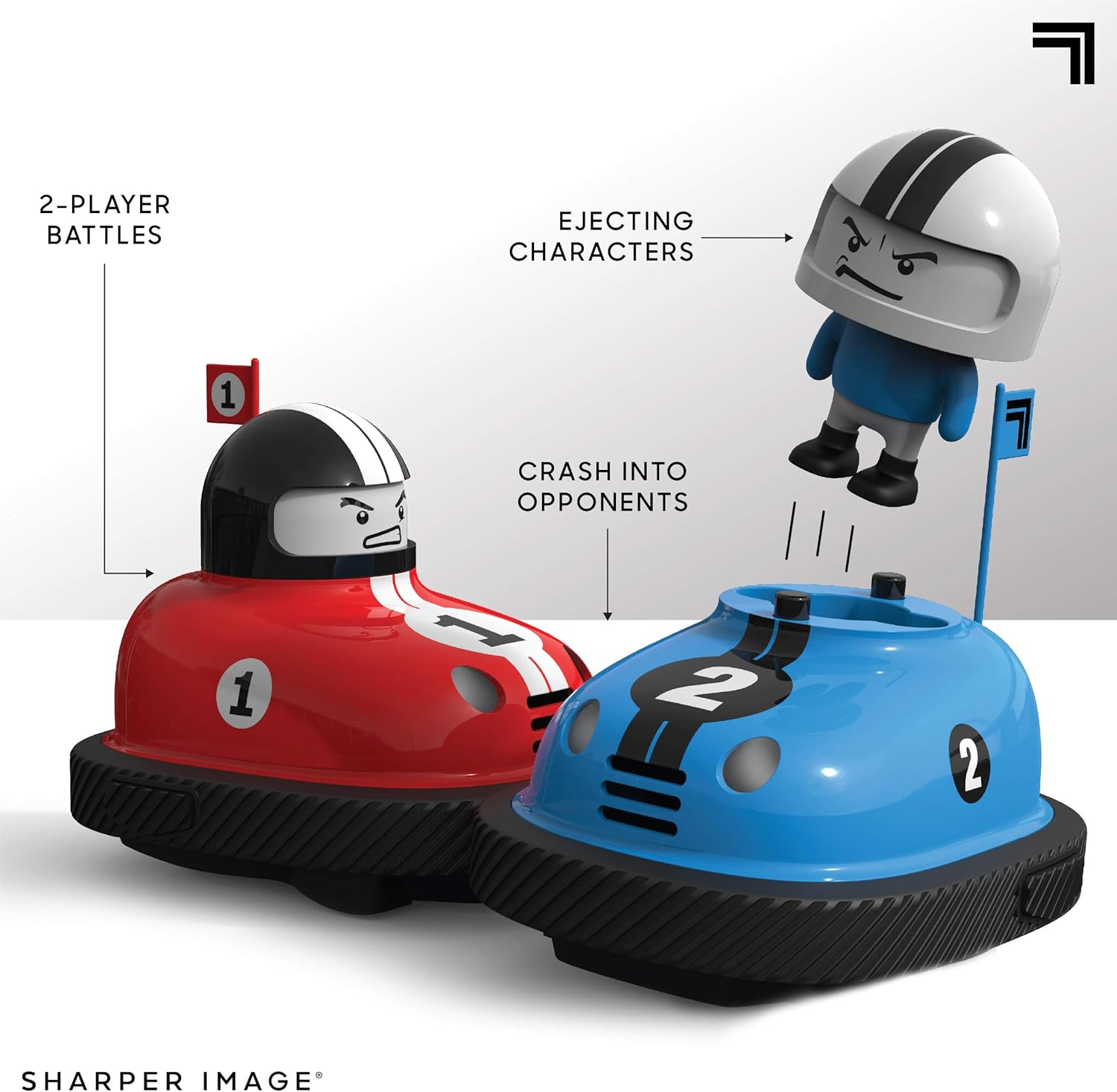
Image: The red and blue bumper cars engaged in a collision, with the character from the blue car shown in mid-ejection, demonstrating the core play feature.
Operating Instructions
Powering On
Turn on both bumper cars and their corresponding remote controls using the power switches located on each unit.
Pairing (Automatic)
The 2.4 GHz wireless remote controls should automatically pair with their respective cars upon power-on. Each remote is color-coded to its car (red remote for red car, blue remote for blue car).
Driving the Cars
Use the remote control to navigate your bumper car. The cars feature omnidirectional steering, allowing for movement in all directions.
- Forward/Backward: Use the main joystick or directional pad to move the car forward or backward.
- Turning: The cars utilize rear-wheel steering. Adjust the joystick or directional pad to turn left or right while moving.
Bumper Action
The primary objective is to collide with your opponent's car. Upon a successful impact to the side of the car, the opponent's character will eject from their vehicle, accompanied by sound effects.

Image: The Sharper Image Road Rage Speed Bumpers set, highlighting features such as wireless RC action and sound effects with illustrative icons.
Maintenance
Cleaning
Wipe the cars and remotes with a soft, dry cloth. Do not use harsh chemicals or abrasive cleaners. Avoid exposing the electronics to water or excessive moisture.
Battery Care
- Remove batteries from the cars and remotes if they will not be used for an extended period to prevent leakage.
- Dispose of used batteries responsibly according to local regulations.
- Do not mix old and new batteries, or different types of batteries.
Troubleshooting
| Problem | Possible Cause | Solution |
|---|---|---|
| Car not responding to remote. |
|
|
| Character not ejecting upon impact. |
|
|
| Sound effects not working. |
|
|
Specifications
| Model Number: | 1240000481 |
| Product Dimensions: | 20.19 x 19.08 x 37.49 cm (packaging/overall); 353.8 g |
| Material: | Plastic |
| Color: | Multicolor (Red and Blue cars) |
| Remote Control Type: | 2.4 GHz Radio Control |
| Battery Requirements: | Each car: 4 x AAA batteries (not included) Each remote: 2 x AAA batteries (not included) |
| Recommended Age: | 6 - 15 years |
| Manufacturer: | THREE SIXTY GROUP |
Warranty and Support
For warranty information or technical support, please refer to the contact details provided on the product packaging or visit the official Sharper Image website. Keep your purchase receipt as proof of purchase.
For additional information, you may visit the Sharper Image Store on Amazon.

