
Introduction
Thank you for choosing the AODK 48-Inch Computer Desk. This manual provides detailed instructions for the assembly, operation, and maintenance of your new desk. Designed for versatility, this desk features integrated power outlets, USB charging ports, and adjustable storage shelves, making it suitable for various environments such as home offices, study rooms, or bedrooms. Please read this manual thoroughly before assembly and use to ensure proper function and safety.
Important Safety Information
Please observe the following safety guidelines to prevent injury or damage to the product:
- Do not exceed the maximum weight limit of 49.9 kilograms (110 lbs) for the desktop.
- Ensure all screws and fasteners are securely tightened before use. Periodically check and re-tighten as necessary.
- Adjust the non-slip foot pads to ensure stability on uneven surfaces and to protect your floor.
- This product is intended for adult use. Keep small parts and assembly tools away from children.
- Do not place hot items directly on the desk surface without protection.
- Avoid exposing the desk to excessive moisture or direct sunlight for prolonged periods.
Package Contents
Before beginning assembly, verify that all components listed below are present. If any parts are missing or damaged, please contact customer support.
- Desktop Panels
- Metal Frame Components
- Storage Shelf Panels
- Integrated Power Strip (with 3 AC outlets, 1 USB-A, 1 USB-C port)
- Adjustable Foot Pads
- Assembly Hardware (screws, bolts, etc.)
- Assembly Tools (Allen wrench, screwdriver)
- Instruction Manual
Assembly Instructions
Assembly typically requires one person and takes approximately 60 minutes. All necessary tools are included. Follow these steps carefully:
- Assemble the Shelf Units: Attach the shelf panels to the metal side frames using the provided hardware. Ensure all connections are secure.
- Attach the Desktop Panels: Secure the desktop panels to the assembled shelf units and central support frame.
- Install the Steel Frame Supports: Connect the X-bracket and other steel frame supports to enhance the desk's stability.
- Integrate the Power Outlet: Carefully insert the power strip into the designated slot on the desktop and secure it.
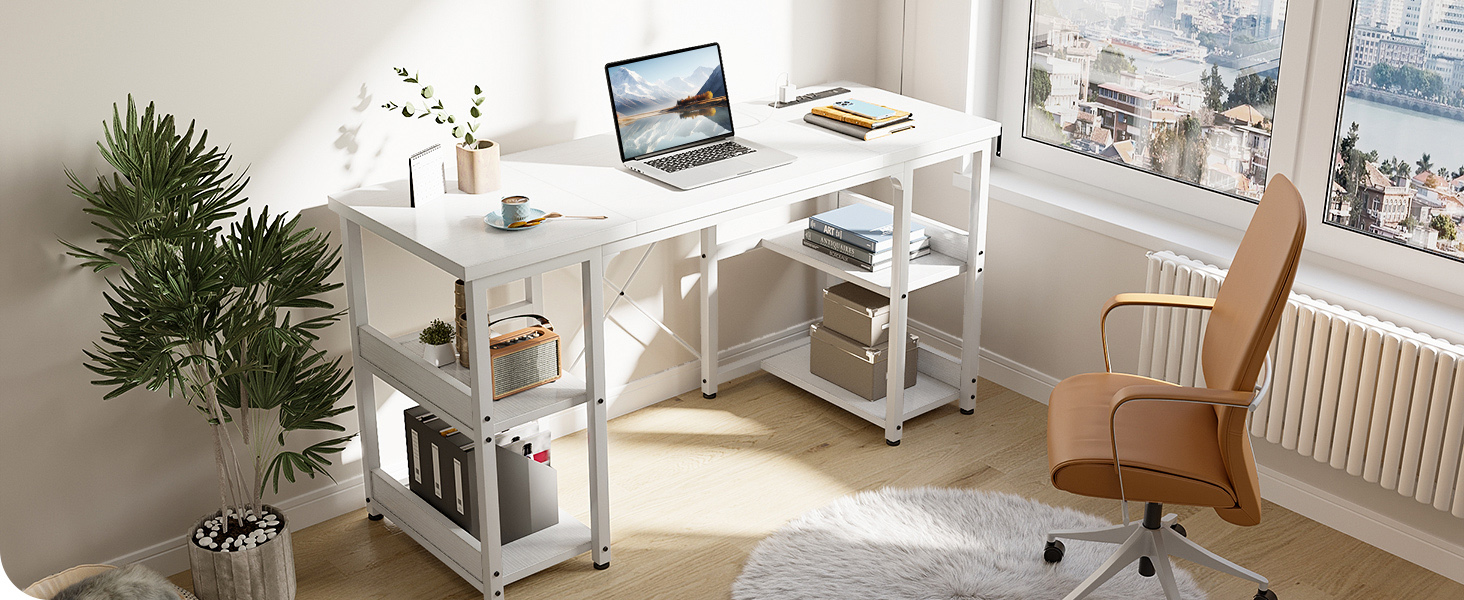
After assembly, gently lift and place the desk in its desired location. Adjust the foot pads to level the desk and prevent wobbling.
Operating the Desk Features
Power Outlets and USB Charging Ports
The desk is equipped with a convenient integrated power strip to keep your electronic devices charged and organized. It includes:
- 3 AC Outlets (125V/12A): For laptops, monitors, and other standard electronics.
- 1 USB-A Charging Port (5V-2A): For smartphones, tablets, and other USB-powered devices.
- 1 Type-C Charging Port (5V-2A): For modern devices requiring USB-C connectivity.
To use, simply plug the desk's main power cord into a wall outlet. Then, connect your devices to the appropriate ports on the integrated power strip.

Adjustable Storage Shelves
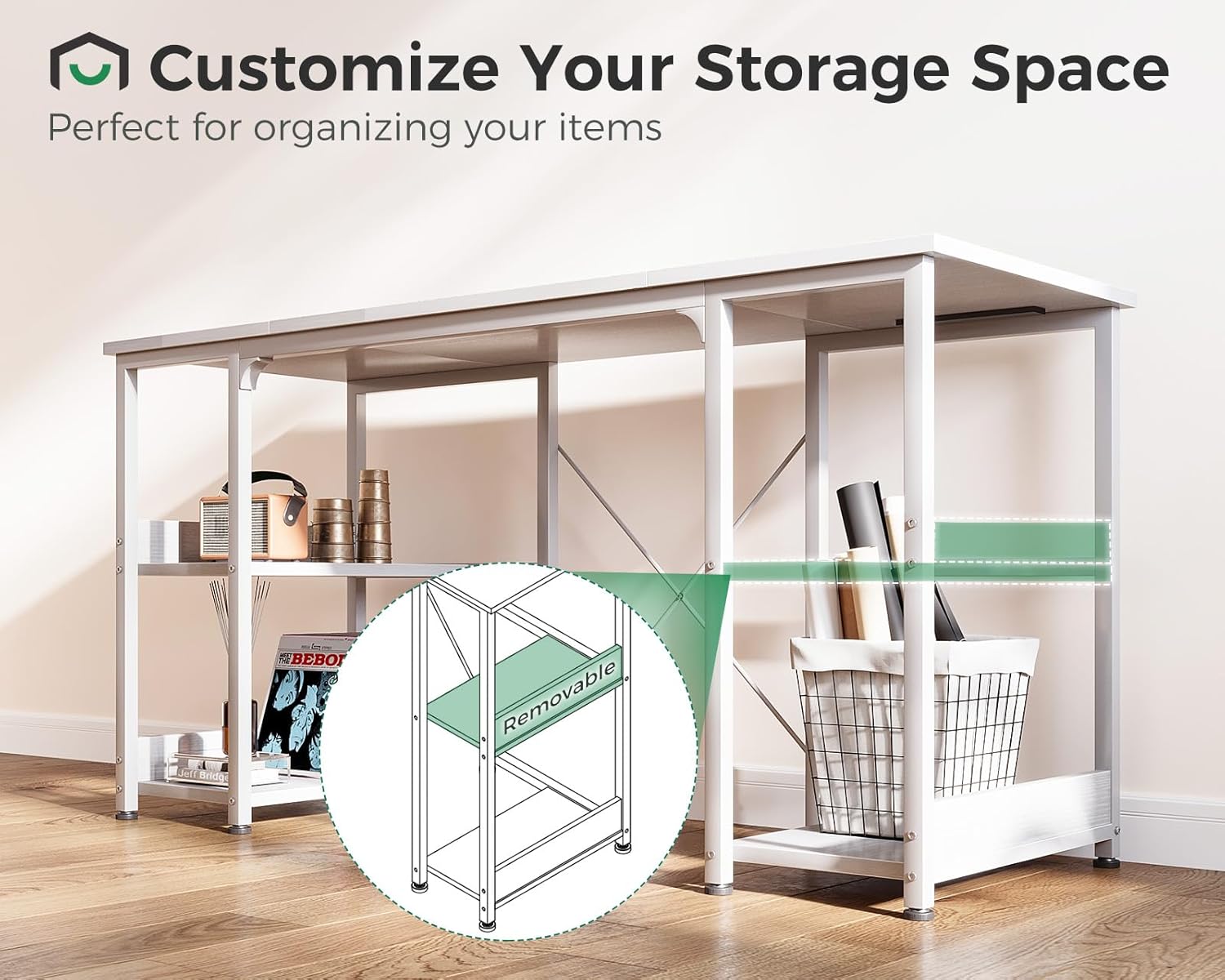
The desk features two-tier open storage shelves on both sides, providing ample space for books, office supplies, or decorative items. The middle shelf board in each unit is removable, allowing you to customize the storage height to accommodate taller items or create larger compartments.

Maintenance and Care
To ensure the longevity and appearance of your AODK computer desk, follow these maintenance guidelines:
- Cleaning: The desktop surface is waterproof and scratch-resistant. Wipe clean with a soft, damp cloth. Avoid harsh chemicals or abrasive cleaners that may damage the finish.
- Stability: Periodically check all screws and connections to ensure they remain tight. If the desk feels wobbly, re-tighten any loose hardware.
- Floor Protection: The adjustable non-slip foot pads protect your floor from scratches. Ensure they are properly adjusted to level the desk and prevent movement.
Troubleshooting
If you encounter any issues with your desk, refer to the following common problems and solutions:
- Desk is Wobbly:
- Check that all assembly screws are fully tightened.
- Adjust the non-slip foot pads on each leg to level the desk on uneven floors.
- Devices Not Charging via Power Strip:
- Ensure the desk's main power cord is securely plugged into a functional wall outlet.
- Verify that your device's charging cable is properly connected to the power strip.
- Test the power strip with a different device or the wall outlet with another appliance to isolate the issue.
- Difficulty During Assembly:
- Review the assembly instructions carefully, paying attention to part orientation.
- Ensure you are using the correct hardware for each step. All parts are labeled.
Product Specifications
| Brand | AODK |
| Model | B0CDLGTP5X |
| Product Dimensions (D x W x H) | 15.8"D x 47.2"W x 30"H (40.1cm D x 119.9cm W x 76.2cm H) |
| Maximum Weight Capacity (Desktop) | 49.9 kg (110 lbs) |
| Material | Engineered Wood (Top), Metal (Base) |
| Finish Type | Powder Coated |
| Power Outlets | 3 AC Outlets (125V/12A) |
| USB Charging Ports | 1 USB-A (5V/2A), 1 Type-C (5V/2A) |
| Number of Shelves | 4 (2 per side, middle shelf removable) |
| Assembly Required | Yes (Tools included) |
Customer Support
For any product-related inquiries, missing parts, or assistance with assembly, please do not hesitate to contact our professional customer support team. We are committed to providing support within 24 hours.
Contact Information: Please refer to the contact details provided with your purchase documentation or visit the AODK official website for support.


