
Introduction
The VILTROX AF 75mm F1.2 Pro E Lens is a high-performance medium telephoto prime lens designed for Sony E-Mount APS-C mirrorless cameras. Featuring an ultra-large f/1.2 aperture, advanced autofocus capabilities, and a durable, weather-protected design, this lens is engineered to deliver exceptional image quality and reliable performance in various shooting conditions.
This manual provides essential information for setting up, operating, maintaining, and troubleshooting your VILTROX AF 75mm F1.2 Pro E Lens. Please read it thoroughly before use to ensure optimal performance and longevity of your product.
Key Features
- F1.2 Super Large Aperture: Ideal for low-light conditions and creating stunning background blur (bokeh).
- Fast and Precise Autofocus: Equipped with an STM stepper motor for quick and accurate focusing, supporting eye, face, and animal autofocus.
- Excellent Resolution & Sharp Image Quality: Features 16 lens elements in 11 groups, including 4 high-refractive index lenses, for superior optical performance.
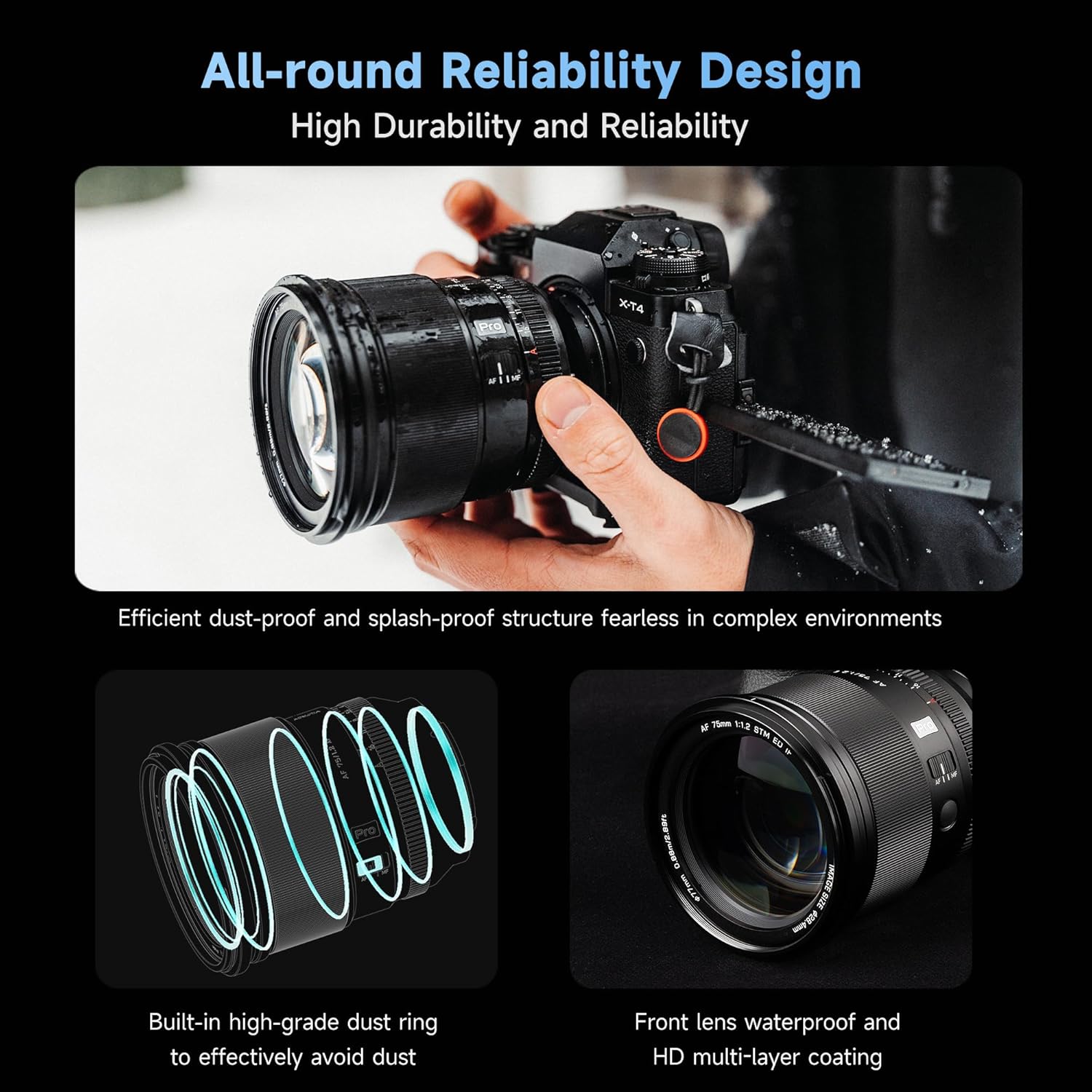
- Durable & Weather-Protection Design: All-metal body with three layers of protection against dust and water droplets, suitable for outdoor environments.
- AF/MF Switch Button & HD Nano Coating: Convenient switching between focus modes and effective reduction of flare and ghosting.
- Video Shooting Optimization: Large aperture and proficient autofocus minimize focus breathing for reliable video capture.
Product Overview
Familiarize yourself with the various parts of your VILTROX AF 75mm F1.2 Pro E Lens.

Detailed diagram of the VILTROX AF 75mm F1.2 Pro E Lens highlighting its components.
- Lens Hood Position
- Lens Hood Index
- Focusing Ring
- Focus Lock Button
- Focusing Mode Switch (MF/AF)
- Click Switch
- Aperture Ring
- Lens Mounting Index
- Rubber Seal
- Electronic Contacts
- USB Upgrade Port
Setup
Mounting the Lens
- Align the red dot on the lens barrel with the white dot on your Sony E-Mount camera body.
- Gently insert the lens into the camera mount.
- Rotate the lens clockwise until it clicks into place, indicating it is securely locked.
- To remove the lens, press and hold the lens release button on your camera body and rotate the lens counter-clockwise until it detaches.
Firmware Updates
The lens features a USB Type-C upgrade interface (11) for convenient firmware updates. Connect the lens directly to your computer using a USB-C cable and visit the VILTROX official website for the latest firmware and update instructions.
Operating the Lens
Focusing Mode Switch (MF/AF)
Use the AF/MF switch (5) on the lens barrel to toggle between autofocus (AF) and manual focus (MF) modes. In AF mode, the camera's autofocus system will control the lens focus. In MF mode, you can manually adjust focus using the focusing ring (3).
Aperture Control
The lens offers two ways to adjust the aperture:
- Automatic Aperture: Set the aperture ring (7) to 'A' (Auto) position. The camera will then control the aperture settings.
- Manual Aperture: Rotate the aperture ring (7) to select your desired f-stop (from f/1.2 to f/16). The 'Click Switch' (6) allows you to enable or disable click stops for smooth aperture changes during video recording.
Focus Lock Button
The focus lock button (4) can be customized via your camera's menu to perform various functions, such as AF-ON or focus hold.
Lens Hood
Attach the included lens hood by aligning its index with the lens hood position (1) and rotating until it locks. The lens hood helps to prevent flare and ghosting caused by stray light and offers physical protection to the front element.
The VILTROX AF 75mm F1.2 Pro E Lens with its included lens hood attached, ready for use.
Maintenance
Cleaning the Lens
The lens features an HD Nano Coating. To clean the lens elements, use a soft, lint-free cloth specifically designed for optical surfaces. For stubborn smudges, use a small amount of lens cleaning fluid applied to the cloth, not directly to the lens. Avoid touching the lens surface with your fingers.
Weather Protection
The VILTROX AF 75mm F1.2 Pro E Lens is designed with three layers of protection against dust and water droplets. While it offers professional-level protection, it is not fully waterproof. Avoid prolonged exposure to heavy rain or submersion in water. Always wipe off any moisture immediately after exposure.

An illustration highlighting the dust and splash-proof structure of the VILTROX AF 75mm F1.2 Pro E Lens.
Troubleshooting
Autofocus Issues
- Ensure the AF/MF switch is set to AF.
- Check your camera's autofocus settings to ensure they are compatible with the lens and suitable for your shooting conditions.
- If autofocus is inconsistent, try updating the lens firmware via the USB Type-C port.
Image Quality Concerns
- Ensure the lens elements are clean and free from dust or smudges.
- Verify that the lens is securely mounted to the camera body.
- Check your camera's settings (ISO, shutter speed, aperture) to ensure they are appropriate for the lighting conditions.
Specifications
| Feature | Detail |
|---|---|
| Brand | VILTROX |
| Model Name | 75mm F1.2 PRO |
| Focal Length | 75 mm |
| Maximum Aperture | f/1.2 |
| Minimum Aperture | f/16 |
| Lens Type | Telephoto Prime |
| Compatible Mountings | Sony E |
| Focus Type | Auto/Manual |
| Number of Diaphragm Blades | 11 |
| Photo Filter Size | 77 Millimeters |
| Lens Coating | HD Coating |
| Image Stabilization | Optical |
What's in the Box
- VILTROX PRO 75mm f/1.2 F1.2 E Mount Lens
- Lens Pouch
- Lens Rear/Front Cap
- Lens Hood

Image showing the VILTROX AF 75mm F1.2 Pro E Lens, lens caps, lens hood, pouch, and user manual included in the packaging.
Warranty and Support
This VILTROX lens comes with a 1-year warranty from the date of purchase. For technical support, service, or warranty claims, please contact VILTROX customer service through their official website or the retailer where the product was purchased. Keep your proof of purchase for warranty validation.
Additional Resources
Official Product Videos
Official video showcasing the VILTROX AF 75mm F1.2 Pro APS-C Lens, highlighting its features and performance.
Official video demonstrating the VILTROX AF 56mm F1.2 Pro APS-C Lens, which shares similar "Pro" series features and build quality.


