
Moman H4R
Moman H4R Motorcycle Helmet Headset User Manual
Model: H4R
1. Introduction
Thank you for choosing the Moman H4R Motorcycle Helmet Headset. This manual provides detailed instructions for the proper installation, operation, and maintenance of your device. The H4R is designed to enhance your riding experience with advanced features such as Bluetooth 5.3 connectivity, vibrant RGB lighting, AI voice assistant, and robust IPX6 waterproofing, ensuring clear communication and entertainment on the road.
2. Product Overview
2.1 Key Features
- Bluetooth 5.3 Technology: Ensures stable connection, reduced disconnection, and noise interference. Supports simultaneous connection to two smartphones for navigation, calls, and music.
- 16 Dazzling RGB Light Modes: Features 16 cool light effects with 6 color options (Red, Blue, Green, Pink, Yellow, Gray, Bi-Color, Rainbow) and 3 modes (Flash, Flow, Steady) for enhanced visibility and style during night riding.
- AI Voice Assistant: One-click activation for voice assistants like Siri, enabling hands-free control for calls, music, and navigation commands.
- Long Battery Life: Built-in 1000mAh battery provides up to 32 hours of continuous working time and 360 hours of standby time.
- Type-C Charging: Convenient and fast charging via a single Type-C port.
- IPX6 Waterproof & Dustproof: Designed to withstand harsh weather conditions including dust, rain, storm, snow, and low temperatures.
- High Stereo Music Feature with 40mm Speakers: Delivers clear, high-quality audio for an immersive listening experience.
2.2 Package Contents
The Moman H4R package includes the following items:
- H4R Wireless Helmet Headset x1
- Changeable hard mic and soft mic speakers x1
- Back Clip x1
- Velcro Clip Kit x1
- Type-C Charging Cable x1
- User Manual x1

Image: Contents of the Moman H4R package, including the headset, speakers, clips, charging cable, and user manual.
2.3 Product Components and Controls

Image: The Moman H4R headset unit with its detachable speaker and microphone components.

Image: Diagram illustrating the precise functions and easy control buttons on the Moman H4R headset, including volume, AI voice assistant, light control, and power/play/pause/answer buttons.
The Moman H4R features intuitive controls for easy operation while riding. Key buttons include:
- Volume Up Button: Short press for next song, long press for volume up.
- Volume Down Button: Short press for previous song, long press for volume down.
- AI Voice Assistant Button: Short press to wake up AI Assistant.
- Lights Control Button: Short press for lighting mode switch, long press to turn lights off.
- On/Off Button: Also functions as Play/Pause and Answer button.
3. Setup and Installation
3.1 Charging the Device
Before first use, fully charge the Moman H4R headset. Connect the provided Type-C charging cable to the headset's charging port and a suitable USB power source. A full charge takes approximately 2 hours. The device offers up to 32 hours of continuous working time and 360 hours of standby time.

Image: Close-up view of the Moman H4R headset showing the Type-C charging port and charging indicator.
3.2 Helmet Installation
The Moman H4R is designed for easy installation and is compatible with most helmet types, including full-face, modular, motocross, uncover, and retro helmets. You can use either the back clip or the velcro clip kit for attachment.

Image: Step-by-step visual guide demonstrating how to easily install the Moman H4R headset onto a motorcycle helmet using the provided clips.

Image: Visual representation of various helmet types (Full helmet, Motocross helmet, Uncover helmet, Retro helmet) compatible with the Moman H4R headset.
- Choose the appropriate mounting method (back clip or velcro) for your helmet.
- Securely attach the main headset unit to the side of your helmet.
- Insert the speakers into the designated ear pockets inside the helmet. Ensure they are positioned directly over your ears for optimal sound quality.
- Route the microphone to a comfortable position near your mouth, ensuring it is not obstructed.
- Connect the speaker and microphone cables to the main headset unit.
3.3 Bluetooth Pairing
The Moman H4R utilizes Bluetooth 5.3 for efficient and stable connections. It can connect to two smartphones simultaneously.

Image: Illustration showing the Moman H4R headset simultaneously connected to two smartphones, enabling navigation, music, and calls at the same time.
- Ensure the H4R headset is powered off.
- Press and hold the Power button until the indicator light flashes, indicating pairing mode.
- On your smartphone, go to Bluetooth settings and search for "Moman H4R".
- Select "Moman H4R" to pair. Once connected, the indicator light will change.
- To connect a second smartphone, repeat the pairing process. The H4R will automatically manage connections to both devices.
4. Operating Instructions
4.1 Power On/Off
- Power On: Press and hold the Power button until the indicator light illuminates.
- Power Off: Press and hold the Power button until the indicator light turns off.
4.2 Music Playback
- Play/Pause: Short press the Power button.
- Next Song: Short press the Volume Up button.
- Previous Song: Short press the Volume Down button.
- Volume Up: Long press the Volume Up button.
- Volume Down: Long press the Volume Down button.
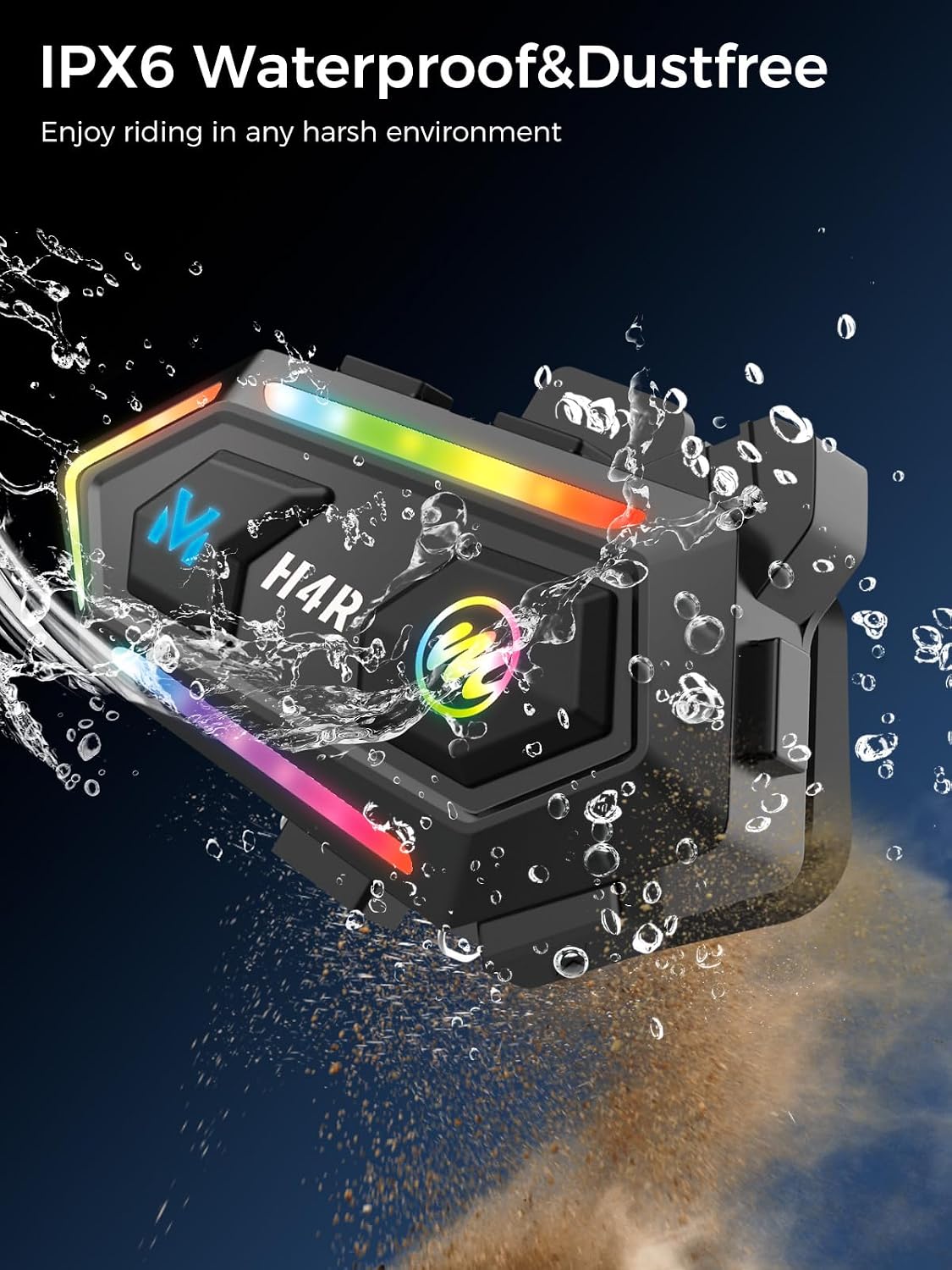
Image: Illustration highlighting the 40mm speakers and their role in delivering high-quality stereo music, enhancing the riding experience.
4.3 Call Management
- Answer Call: Short press the Power button when a call comes in.
- End Call: Short press the Power button during a call.
- Reject Call: Long press the Power button when a call comes in.
- Auto Answer: The headset supports automatic answering of incoming calls for hands-free convenience.
4.4 AI Voice Assistant
Activate your smartphone's voice assistant (e.g., Siri) with a single button press for hands-free control.
- Activate Voice Assistant: Short press the AI Voice Assistant button.

Image: Depiction of the Moman H4R headset on a helmet, illustrating how the AI voice assistant can be activated for hands-free commands like "Hey Siri, Call Lily," "Previous song," "Next song," and "Open GPS search...street."
4.5 RGB Light Modes
The H4R features 16 dazzling RGB light modes to enhance your visibility and style during night rides.
- Switch Lighting Mode: Short press the Lights Control button to cycle through 16 different light effects, 6 colors, and 3 modes (Flash, Flow, Steady).
- Turn Lights Off: Long press the Lights Control button.

Image: Visual representation of the Moman H4R headset highlighting its 16 dazzling RGB light modes, with details on color modes (Red, Blue, Green, Pink, Yellow, Gray, Bi-Color, Rainbow) and marquee modes (Flash, Flow, Steady).
Video: Demonstration of the 16 Dazzling RGB Light Modes available on the Moman H4R headset, showcasing various colors and patterns.
5. Maintenance
The Moman H4R is built with IPX6 waterproof and dustproof features, making it resilient to various environmental conditions. To ensure longevity and optimal performance:

Image: The Moman H4R headset being splashed with water and dust, demonstrating its IPX6 waterproof and dustproof capabilities for use in harsh environments.
- Regularly wipe the headset with a soft, damp cloth to remove dirt and grime.
- Avoid using harsh chemicals or abrasive cleaners.
- Ensure the Type-C charging port cover is securely closed when not charging to maintain water resistance.
- Store the device in a cool, dry place when not in use.
6. Troubleshooting
If you encounter any issues with your Moman H4R headset, please refer to the following common troubleshooting steps:
| Problem | Possible Cause | Solution |
|---|---|---|
| Device does not power on. | Low battery. | Charge the device fully using the provided Type-C cable. |
| Cannot pair with smartphone. | Headset not in pairing mode; Bluetooth off on phone; interference. | Ensure headset is in pairing mode (flashing indicator). Turn off and on Bluetooth on your phone. Move away from other wireless devices. |
| Poor audio quality or no sound. | Speakers not positioned correctly; volume too low; loose connection. | Adjust speaker position inside helmet. Increase volume. Check all cable connections. |
| Voice assistant not responding. | Incorrect button press; phone's voice assistant not enabled. | Ensure short press on AI Voice Assistant button. Check phone settings for voice assistant activation. |
If the issue persists, please contact Moman Customer Service for further assistance.
7. Specifications
| Feature | Detail |
|---|---|
| Model Name | H4R |
| Connectivity Technology | Wireless (Bluetooth 5.3) |
| Frequency Response | 2.4 GHz |
| Battery Capacity | 1000mAh |
| Working Time | Up to 32 Hours |
| Standby Time | Up to 360 Hours |
| Charging Time | Approx. 2 Hours |
| Charging Port | Type-C |
| Water Resistance Level | IPX6 |
| Noise Control | Active Noise Cancellation |
| Control Type | Voice Control, Button Control |
| Compatible Devices | Smartphones, Motorcycles, Cellphones |
| Included Components | Motorcycle headset |
| Material | Plastic |
| Item Weight | 0.634 ounces |
| Manufacturer | Moman |
8. Warranty and Support
Moman is committed to providing high-quality products and excellent customer service. For any warranty claims, technical support, or inquiries, please contact our professional customer service team. We aim to reply within 24 hours on working days and provide solutions until you are satisfied.

Image: Illustration depicting Moman's professional customer service, emphasizing a local language service team and a commitment to replying within 24 hours on working days.
Please refer to the official Moman website or your purchase documentation for specific warranty terms and contact information.
Related documentsH4R


Ask a question about this manual
Ask about setup, troubleshooting, compatibility, parts, safety, or missing instructions. Manuals+ will review the question and use this page’s manual context to help answer it.