
SPANN CS-TVR500VX
SPANN Battery Replacement for Onson J10C 14.4V User Manual
Model: CS-TVR500VX
1. Introduction
This manual provides essential information for the safe and effective use of your SPANN Battery Replacement, model CS-TVR500VX. This Li-ion battery is designed as a replacement for devices requiring a 14.4V, 2600mAh / 37.44Wh power source, such as the Onson J10C.
1.1. What's in the Box
- One (1) SPANN Battery Replacement (Model: CS-TVR500VX)

Figure 1: SPANN Battery Replacement (Model CS-TVR500VX)
This image shows the SPANN Battery Replacement, a blue cylindrical battery with a black label detailing its specifications and safety warnings. The battery is designed for devices like the Onson J10C.
2. Important Safety Information
Please read and understand all safety warnings before using this battery. Failure to follow these instructions may result in fire, electric shock, explosion, or other hazards.
CAUTION: WARRANTY VOID IF LABEL IS REMOVED
- DO NOT attempt to disassemble, open or service the battery pack.
- REPLACE ONLY with the battery pack designated for this product.
- DO NOT crush, puncture, short external contacts or dispose of in fire or water.
- DO NOT store above 60°C (140°F).
Standard: GB 31241-2014
Manufacture by: ShenZhen HENZENS Technology Co., Limited
For more information, visit www.cameronsino.com
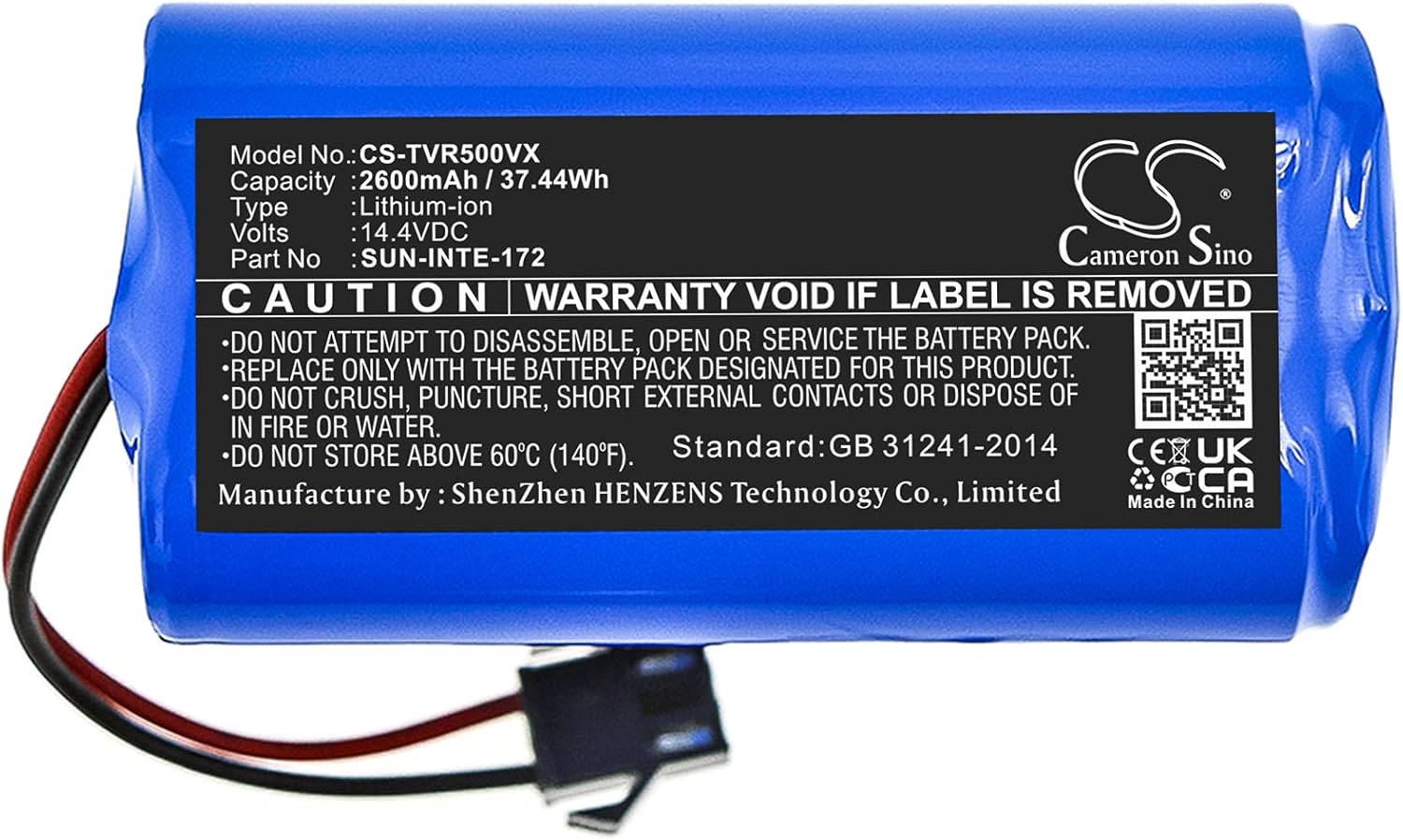
Figure 2: Close-up of the battery's warning label.
This image provides a detailed view of the warning label on the SPANN battery, highlighting critical safety instructions and manufacturer information.
3. Setup and Installation
This section guides you through the process of replacing the battery in your compatible device, such as the Onson J10C robot vacuum.
3.1. Before You Begin
- Ensure your device is powered off and unplugged from any charging source.
- Refer to your device's original user manual for specific battery compartment access instructions.
- Gather any necessary tools (e.g., screwdriver) as indicated by your device's manual.
3.2. Installation Steps
- Locate the battery compartment on your device. This is typically on the underside of robot vacuums.
- Open the battery compartment cover. You may need a screwdriver.
- Carefully disconnect the old battery's connector from the device's port.
- Remove the old battery.
- Connect the new SPANN battery (Model CS-TVR500VX) to the device's port, ensuring the connector is fully seated.
- Place the new battery into the compartment.
- Close the battery compartment cover and secure it.
- Dispose of the old battery responsibly according to local regulations.

Figure 3: SPANN Battery with its electrical connector.
This image displays the SPANN battery, highlighting the attached electrical connector that plugs into the device's battery port.

Figure 4: Detailed view of the battery's connector.
This image provides a close-up of the battery's two-pin electrical connector, which ensures proper connection to the device.

Figure 5: SPANN Battery positioned next to a compatible robot vacuum.
This image illustrates the SPANN battery alongside a robot vacuum cleaner, demonstrating its intended use as a replacement battery for such devices.
4. Operation
Once the new battery is installed, your device should be ready for operation. For optimal performance and longevity, follow these guidelines:
4.1. Initial Charge
It is recommended to fully charge the battery before its first use. Connect your device to its original charger and allow it to charge until the charging indicator shows a full charge.
4.2. Regular Use
- Use the device as normal. The battery is designed to provide consistent power.
- Avoid completely draining the battery frequently, as this can reduce its overall lifespan.
- Recharge the battery when the device indicates low power.
5. Maintenance and Storage
Proper maintenance and storage will help extend the life of your SPANN battery.
5.1. General Care
- Keep the battery and its contacts clean and dry.
- Do not expose the battery to extreme temperatures (above 60°C / 140°F or below 0°C / 32°F).
- Avoid physical damage to the battery, such as crushing or puncturing.
5.2. Storage
- If storing the battery for an extended period, charge it to approximately 50-60% capacity.
- Store the battery in a cool, dry place away from direct sunlight and heat sources.
- Recharge the battery every 3-6 months during long-term storage to prevent deep discharge.
6. Troubleshooting
If you encounter issues with your SPANN battery, refer to the following common problems and solutions.
| Problem | Possible Cause | Solution |
|---|---|---|
| Battery not charging. | Incorrect installation; faulty charger/device; battery issue. | Ensure battery is correctly connected. Test with original charger. If problem persists, contact support. |
| Short operating time after full charge. | Battery not fully charged; aging battery; high power consumption by device. | Ensure full charge cycle. If battery is old, replacement may be needed. Check device settings. |
| Device not powering on. | Battery not installed; battery completely drained; device issue. | Verify battery installation. Charge the battery. Test device with another known good battery if possible. |
If these steps do not resolve your issue, please refer to the Warranty & Support section.
7. Specifications
| Feature | Detail |
|---|---|
| Model Number | CS-TVR500VX |
| Battery Kind | Li-ion (Lithium-ion) |
| Voltage | 14.4V |
| Capacity | 2600mAh / 37.44Wh |
| Dimensions (L x W x H) | 69.40 x 37.00 x 37.00mm (approx. 2.73 x 1.46 x 1.46 inches) |
| Weight | 270.0g (approx. 9.5 ounces) |
| Protection Features | No memory effect, over-charge, over-discharge, over-heat, over-current, and short-circuit protection. |
| Manufacturer | ShenZhen HENZENS Technology Co., Limited (SPANN) |
8. Warranty and Support
8.1. Warranty Information
This SPANN battery comes with a 365-day warranty from the date of purchase. This warranty covers manufacturing defects and issues arising from normal use. It does not cover damage caused by misuse, unauthorized modification, or failure to follow the instructions in this manual.
8.2. Customer Support
If you have any questions, concerns, or require technical assistance regarding your SPANN battery, please contact our customer support team. Our products have passed strict quality inspection, and we are committed to your satisfaction.
Please refer to your purchase documentation or the retailer's website for specific contact details.
Ask a question about this manual
Ask about setup, troubleshooting, compatibility, parts, safety, or missing instructions. Manuals+ will review the question and use this page’s manual context to help answer it.