
Thomson 24HA2S13C
THOMSON 24HA2S13C 24-inch 12V HD Smart Android TV User Manual
Model: 24HA2S13C
Important Safety Information
Read all instructions before operating the TV. Keep this manual for future reference. Follow all warnings and instructions marked on the product.
- Do not block ventilation openings.
- Do not install near heat sources.
- Protect the power cord from being walked on or pinched.
- Only use attachments/accessories specified by the manufacturer.
- Unplug during lightning storms or when unused for long periods.
- Refer all servicing to qualified service personnel.
Product Overview
The THOMSON 24HA2S13C is a 24-inch HD Smart Android TV designed for versatile use, including camping with its 12V power supply. It features Google Assistant, Wi-Fi, Bluetooth, Dolby Digital audio, and a triple-tuner for various signal reception.

Image: Front view of the THOMSON 24HA2S13C 24-inch Smart Android TV, showing the screen displaying streaming service logos and a family enjoying the TV in a camping setting.
Package Contents
Verify that all items are included in the package:
- THOMSON 24HA2S13C Smart Android TV
- Remote Control
- Power Adapter (12V compatible)
- TV Stands (2)
- Screws for TV Stands
- User Manual (this document)
- Quick Start Guide
Setup
1. Attaching the TV Stands
- Carefully place the TV face down on a soft, flat surface to prevent screen damage.
- Align the TV stands with the mounting holes on the bottom of the TV.
- Secure the stands using the provided screws. Ensure they are tightened firmly.

Image: The THOMSON 24HA2S13C TV showing two possible stand positions for different furniture widths. The image highlights the flexibility in stand placement.
2. Connecting Power
Connect the 12V power adapter to the TV's power input and then to a suitable power source. For camping or mobile use, connect to a 12V DC power outlet.

Image: The THOMSON 24HA2S13C TV mounted in a caravan, with a 12V power adapter shown, illustrating its suitability for mobile use.
3. Connecting External Devices
The TV offers various ports for connecting external devices:
- HDMI: For high-definition audio and video devices (e.g., game consoles, Blu-ray players).
- USB: For connecting USB storage devices to play media.
- LAN: For wired internet connection.
- Antenna/Satellite: For receiving broadcast signals.
- AV IN: For older analog devices.
- Audio Out (Optical): For connecting to external sound systems.
- CI+: For conditional access modules.

Image: Rear view of the THOMSON 24HA2S13C TV, detailing the various input and output ports available for connectivity.
Operating the TV
1. Initial Setup Wizard
Upon first power-on, the TV will guide you through an initial setup process. This includes:
- Language selection.
- Network connection (Wi-Fi or Ethernet).
- Google account sign-in (optional, but recommended for full Smart TV features).
- Channel scanning (for DVB-T2/C/S2).
2. Remote Control Functions
The included remote control provides access to all TV functions. It features backlit buttons for use in low light and a dedicated "Favorite" button for quick access to your preferred app.

Image: The remote control for the THOMSON 24HA2S13C TV, highlighting its ergonomic design, backlit buttons, and voice control capabilities.
3. Smart TV Features (Android TV)
This TV runs on Android TV, providing access to a wide range of applications and services:
- Streaming Services: Access Netflix, Prime Video, YouTube, Disney+, and more.
- Google Assistant: Use voice commands to search for content, control playback, and get information. Activate by pressing the Google Assistant button on the remote.
- Chromecast Built-in: Cast content from compatible smartphones, tablets, or computers directly to your TV.
- Google Play Store: Download additional apps and games.

Image: The THOMSON 24HA2S13C TV screen showing the Android TV home interface with popular streaming applications and content recommendations.
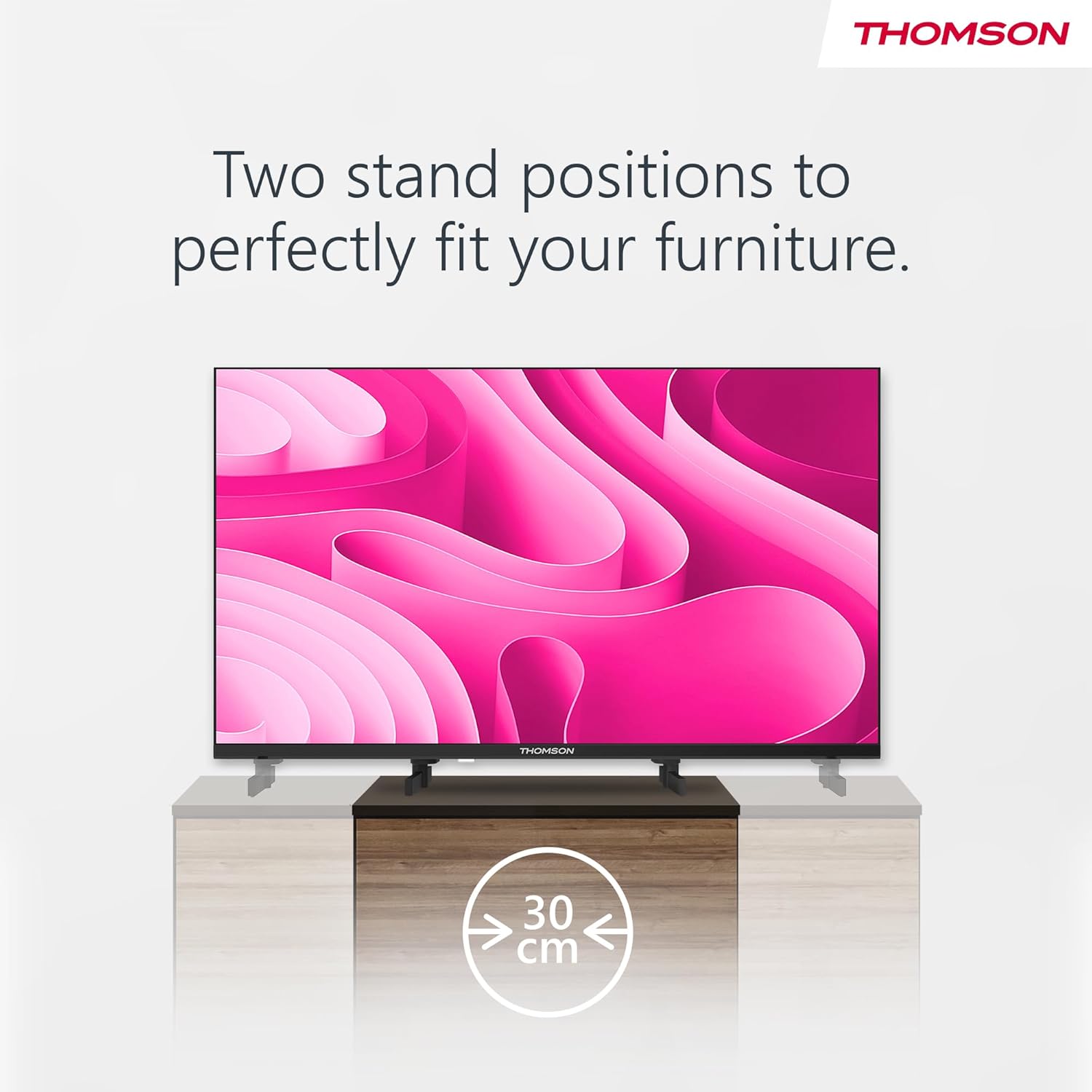
Image: A person using the voice control feature of the THOMSON TV remote, demonstrating interaction with Google Assistant.
Maintenance
Cleaning the TV
- Always unplug the TV before cleaning.
- Use a soft, dry cloth to wipe the screen and cabinet. Do not use liquid cleaners or aerosol sprays.
- For stubborn marks, lightly dampen a microfiber cloth with water and gently wipe. Avoid excessive moisture.
Software Updates
The TV may receive software updates to improve performance and add new features. Ensure your TV is connected to the internet to receive these updates. You can usually check for updates in the TV's settings menu.
Troubleshooting
| Problem | Possible Cause | Solution |
|---|---|---|
| No power | Power cord not connected; power outlet not active. | Check power cord connection. Test outlet with another device. |
| No picture, but sound is present | Incorrect input source selected; backlight issue. | Press the "Input" button on the remote to select the correct source. Contact support if issue persists. |
| No sound, but picture is present | Volume too low or muted; audio cables loose. | Increase volume. Check mute status. Ensure audio cables are securely connected. |
| Remote control not working | Batteries depleted; obstruction between remote and TV. | Replace batteries. Remove any obstructions. Ensure remote is pointed at the TV's IR sensor. |
| Cannot connect to Wi-Fi | Incorrect password; router issues; TV too far from router. | Verify Wi-Fi password. Restart router. Move TV closer to router or use a wired connection. |
Specifications
| Feature | Detail |
|---|---|
| Brand | Thomson |
| Model | 24HA2S13C |
| Screen Size | 24 Inches (60 cm) |
| Display Technology | LED |
| Resolution | 1366 x 768 (HD) |
| Operating System | Android TV |
| Special Features | Google Assistant, Chromecast Built-in, 12V Power Supply, Dolby Audio, Triple Tuner (DVB-T2/C/S2) |
| Connectivity | Wi-Fi, Bluetooth, HDMI (x3), USB (x2), LAN, Optical Audio Out, AV In, CI+ |
| Voltage | 12 Volts (DC) |
| Product Dimensions (W x D x H) | 53.5 x 15.1 x 35.3 cm (with stand) |
| Weight | 3.5 kg |
For detailed energy efficiency information, please refer to the EU EPREL database: https://eprel.ec.europa.eu/qr/1456673

Image: The EU Energy Label for the THOMSON 24HA2S13C TV, showing an energy efficiency rating of E and power consumption of 18 kWh/1000h.
Warranty and Support
This Thomson TV comes with a 3-year guarantee. For technical support, warranty claims, or service inquiries, please contact your local Thomson service provider or refer to the manufacturer's website.
Manufacturer: STREAMVIEW GMBH
Website: www.streamview.com
Email: contact@streamview.com
Official Product Video
Watch this video for a visual overview of the Thomson 24-inch Easy TV.
Video: A brief overview of the Thomson 24-inch Easy TV, showcasing its design and features. This video is provided by the vendor Streamview GmbH.
Related documents24HA2S13C


Ask a question about this manual
Ask about setup, troubleshooting, compatibility, parts, safety, or missing instructions. Manuals+ will review the question and use this page’s manual context to help answer it.