
Wood's Como 12000
Wood's Como 12k Smart Air Conditioner User Manual
Model: Como 12000
1. Introduction
Thank you for choosing the Wood's Como 12k Smart Air Conditioner. This powerful and elegant unit is designed to provide efficient temperature regulation in your home or workplace, ensuring a comfortable climate year-round. This manual provides essential information for the safe and effective operation, maintenance, and troubleshooting of your new air conditioner. Please read it thoroughly before use and retain it for future reference.
2. Safety Information
Important Safety Instructions:
- Always ensure the unit is placed on a stable, level surface.
- Do not block air inlets or outlets. Maintain adequate clearance around the unit for proper airflow.
- Do not operate the unit with a damaged power cord or plug. If damaged, contact qualified service personnel.
- Keep children and pets away from the unit during operation.
- Unplug the unit before cleaning or performing any maintenance.
- Do not use the unit in wet or damp environments, such as bathrooms.
- This appliance is not intended for use by persons (including children) with reduced physical, sensory or mental capabilities, or lack of experience and knowledge, unless they have been given supervision or instruction concerning use of the appliance by a person responsible for their safety.
3. Product Overview
The Wood's Como 12k is a portable air conditioner designed for ease of use and mobility. It features a digital touch control panel, a remote control, and sturdy wheels for easy relocation.
Key Features:
- Remote Control for convenient operation.
- Programmable Timer for scheduled operation.
- Integrated Dust Filter for improved air quality.
- Auto Swing function for even air distribution.
- Washable air filter for easy maintenance.
- Smart control via Wood's Connect app (iOS and Android).
Components:

Figure 3.1: Front view of the Wood's Como 12k Smart Air Conditioner, showing its sleek white design and the Wood's logo.
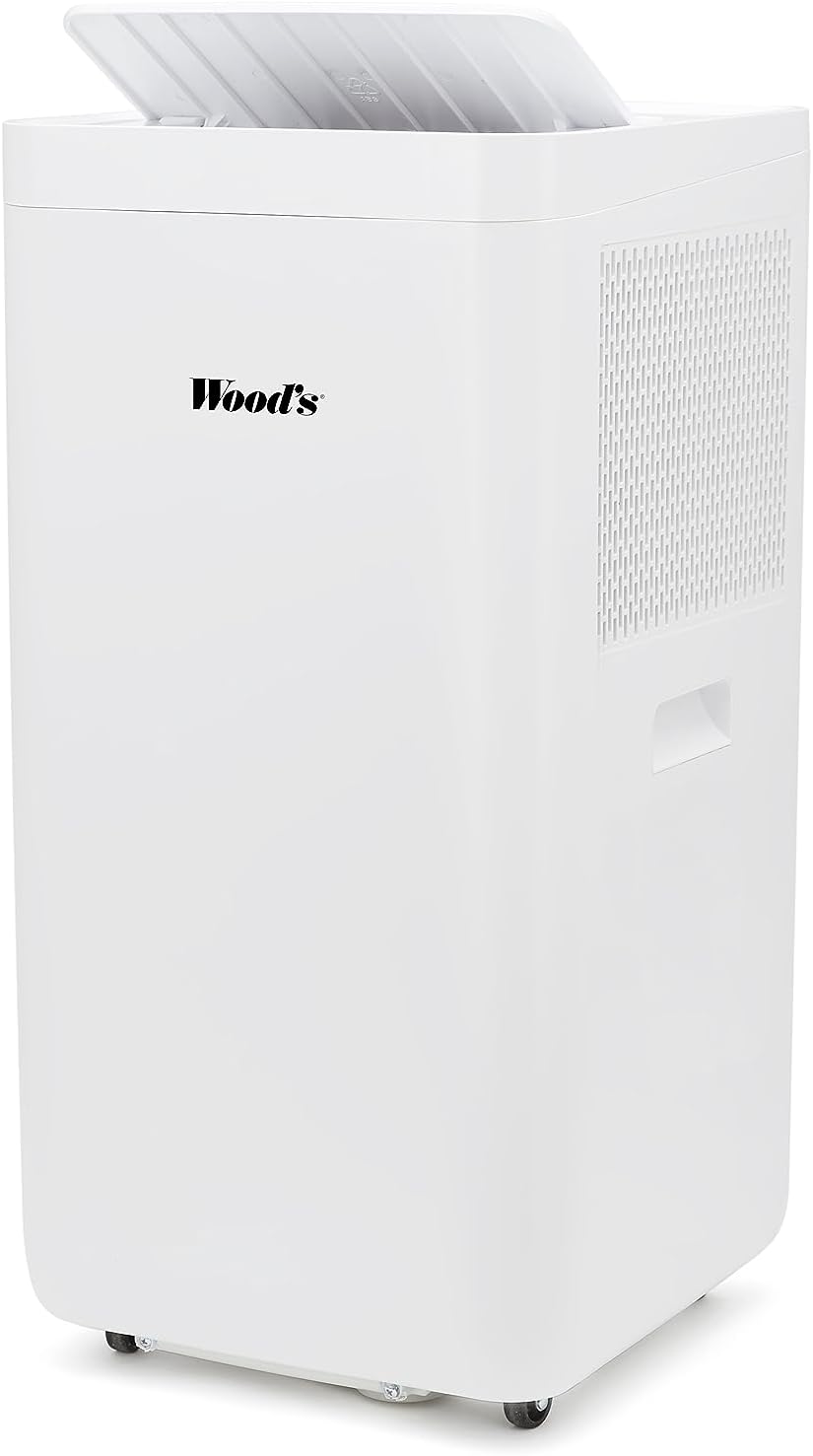
Figure 3.2: Top view of the air conditioner, illustrating the open lid revealing the air outlet and control panel area.

Figure 3.3: Included accessories: remote control, exhaust hose, and window kit for easy installation without drilling.

Figure 3.4: Dimensions of the unit and exhaust kit: 73cm height, 32cm depth, and 37cm width.
4. Setup
Follow these steps to set up your Wood's Como 12k Smart Air Conditioner:
- Unpacking: Carefully remove the air conditioner and all accessories from the packaging. Retain packaging for future storage or transport.
- Placement: Position the unit on a firm, level surface near a window or opening where the exhaust hose can be vented. Ensure there is at least 30 cm (12 inches) of clearance around the unit for proper air circulation.
- Exhaust Hose Installation:
- Attach one end of the exhaust hose to the air outlet on the back of the unit.
- Attach the other end of the exhaust hose to the window kit adapter.
- Install the window kit in your window opening, ensuring a secure fit to prevent hot air from re-entering the room.
- Extend the exhaust hose through the window kit. Minimize bends and length of the hose for optimal performance.

Figure 4.1: Rear view of the unit, showing the exhaust port where the hose connects to expel hot air.
- Power Connection: Plug the power cord into a grounded electrical outlet. Ensure the voltage matches the unit's requirements (2.3E+2 Volts AC).
- App Connection (Optional): Download the "Wood's Connect" app from your device's app store (iOS or Android). Follow the in-app instructions to connect your air conditioner for smart control and monitoring.
5. Operating Instructions
Your Wood's Como 12k Smart Air Conditioner can be operated using the digital touch control panel on the unit or the included remote control.
Control Panel / Remote Control Functions:
- Power Button: Turns the unit ON or OFF.
- Mode Button: Cycles through operating modes (e.g., Cool, Fan, Dry).
- Temperature Up/Down Buttons: Adjusts the desired temperature setting.
- Fan Speed Button: Selects fan speed (Low, Medium, High).
- Timer Button: Sets the programmable timer for automatic ON/OFF.
- Swing Button: Activates or deactivates the auto-swing function for the air louvers.
Operating Modes:
- Cool Mode: Provides cooling by expelling hot air. Set your desired temperature.
- Fan Mode: Circulates air without cooling. Useful for ventilation.
- Dry Mode (Dehumidify): Reduces humidity in the room.
Using the Wood's Connect App:
The Wood's Connect app allows you to control your air conditioner remotely and monitor room conditions. Refer to the app's instructions for detailed pairing and usage information. Features include:
- Remote ON/OFF and mode selection.
- Temperature and fan speed adjustment.
- Setting schedules and timers.
- Viewing real-time temperature and humidity data.
6. Maintenance
Regular maintenance ensures optimal performance and extends the lifespan of your air conditioner.
Cleaning the Air Filter:
The air filter should be cleaned every two weeks, or more frequently depending on usage and air quality.
- Power Off: Unplug the air conditioner from the power outlet.
- Remove Filter: Locate the air filter panel on the back or side of the unit. Gently pull to remove the filter.
- Clean Filter: Wash the filter under running water (lukewarm) or use a vacuum cleaner to remove dust. For heavy dirt, a mild detergent can be used.
- Dry Filter: Allow the filter to air dry completely before reinserting. Do not expose to direct sunlight or high heat.
- Reinstall Filter: Carefully slide the dry filter back into its slot until it clicks into place.

Figure 6.1: A hand demonstrating the removal of the washable air filter from the side of the unit.
Cleaning the Unit Exterior:
- Wipe the exterior with a soft, damp cloth.
- Do not use harsh chemicals, abrasive cleaners, or solvents, as these can damage the surface.
Seasonal Storage:
- Before storing, ensure the unit is completely dry. Run the fan-only mode for a few hours to dry the internal components.
- Clean the air filter and exterior.
- Drain any accumulated water from the drainage port.
- Coil the power cord neatly.
- Store the unit in a cool, dry place, preferably in its original packaging.
7. Troubleshooting
Before contacting customer support, please refer to the following troubleshooting guide:
| Problem | Possible Cause | Solution |
|---|---|---|
| Unit does not turn on. | No power; Power cord not plugged in; Circuit breaker tripped. | Ensure unit is plugged in; Check power outlet; Reset circuit breaker. |
| Unit is not cooling effectively. | Air filter dirty; Exhaust hose not properly installed or blocked; Room too large; Doors/windows open. | Clean air filter; Check exhaust hose for kinks or blockages; Ensure room size is within unit capacity; Close all doors and windows. |
| Unit is noisy. | Unit not on a level surface; Air filter dirty; Internal components loose. | Place unit on a level surface; Clean air filter; If noise persists, contact customer support. |
| Water leakage. | Drainage plug not secured; Water tank full (if applicable). | Ensure drainage plug is tightly closed; Drain water tank if full. |
| Remote control not working. | Batteries dead or incorrectly inserted; Obstruction between remote and unit. | Replace batteries (Alkaline, Yes required); Remove obstructions; Ensure remote is pointed at the unit's receiver. |
8. Specifications
| Feature | Detail |
|---|---|
| Brand | Wood's |
| Model | Como 12000 |
| Product Dimensions | 32 x 37 x 73 cm (D x W x H) |
| Item Weight | 26 kg |
| Installation Type | Window (Portable) |
| Form Factor | Portable |
| Special Features | Dust Filter, Remote Control, Programmable Timer, Auto Swing, Washable air filter, Smart App Control |
| Voltage | 2.3E+2 Volts (AC) |
| Wattage | 3516 watts |
| Batteries Required | Yes (Alkaline) |
| Control Method | Remote, Touch |
9. Warranty and Support
The Wood's Como 12k Smart Air Conditioner comes with a limited warranty. Please refer to the warranty card included with your purchase for specific terms and conditions. For technical support, service, or warranty claims, please contact Wood's customer service or your local retailer.
Contact Information: Please visit the official Wood's website or refer to your purchase documentation for the most up-to-date contact details for customer support in your region.
Ask a question about this manual
Ask about setup, troubleshooting, compatibility, parts, safety, or missing instructions. Manuals+ will review the question and use this page’s manual context to help answer it.