
1. Introduction
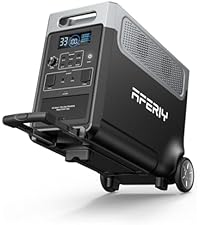
Thank you for choosing the AFERIY 2400W Portable Power Station. This device is a high-capacity, versatile power solution featuring a 2048Wh LiFePO4 battery and a 2400W pure sine wave inverter. It is designed to provide reliable power for various applications, including camping, home backup, travel, and emergency situations. This manual provides essential information for safe operation, setup, maintenance, and troubleshooting to ensure optimal performance and longevity of your power station.
2. Safety Instructions
Please read and understand all safety instructions before operating the power station. Failure to follow these instructions may result in electric shock, fire, or serious injury.
- Do not expose to moisture: Keep the power station away from water, rain, or any wet conditions.
- Avoid extreme temperatures: Do not operate or store the unit in direct sunlight, near heat sources, or in environments with temperatures exceeding 40°C (104°F) or below -10°C (14°F).
- Proper ventilation: Ensure adequate ventilation around the power station during use to prevent overheating. Do not block ventilation openings.
- Do not disassemble: Never attempt to disassemble, repair, or modify the unit yourself. Refer all servicing to qualified personnel.
- Use original accessories: Only use charging cables and accessories provided or approved by AFERIY.
- Avoid short circuits: Do not allow metal objects to contact the input or output ports.
- Children and pets: Keep the power station out of reach of children and pets.
- Disposal: Dispose of the power station and its battery according to local regulations. Do not dispose of in household waste.
3. Product Overview
The AFERIY 2400W Portable Power Station is equipped with a clear LED digital display and multiple output ports for versatile power delivery.
3.1. Components and Display
The power station features an intuitive interface and robust construction. The large LED digital display provides real-time information on input/output wattage, battery percentage, remaining charge/discharge time, and various status indicators.

Front view of the AFERIY 2400W Portable Power Station, highlighting the clear digital display and accessible control buttons.
3.2. Output Ports
The unit offers 13 output ports to power a wide range of devices simultaneously.

Detailed diagram illustrating the location and type of the 13 output ports on the power station.
- AC Output: 3 x 230V Pure Sine Wave (2400W total)
- USB-C Output: 4 ports (100W max per port, 20W max per port)
- USB QC3.0 Output: 2 ports
- DC Output: 2 ports
- XT60 Output: 1 port
- Automatic Cigarette Lighter Output: 1 port
3.3. Dimensions and Weight
The power station is designed for portability and ease of use.
- Dimensions (L x W x H): 39.2 cm x 27.9 cm x 32.3 cm (15.4 x 11 x 12.4 inches)
- Weight: 22 kg (48.5 lbs)

Visual representation of the power station's dimensions.
4. Setup
4.1. Unboxing and Package Contents
Upon receiving your AFERIY 2400W Portable Power Station, carefully unpack all items and check for any damage. The package should contain:
- 1 x AFERIY 2400W Portable Power Station (AF-P210)
- 1 x AC Charging Cable
- 1 x MC4-XT90 Cable for Solar Panel Connection
- 1 x User Manual
- 1 x Warranty Card
- 1 x Tool Bag
- 1 x Dust Cover

Visual representation of the items included in the package.
4.2. Initial Charge
It is recommended to fully charge the power station before its first use to optimize battery performance and lifespan. Connect the AC charging cable to a wall outlet and to the power station's AC input port. The display will indicate charging status.
5. Operating Instructions
5.1. Charging the Power Station
Your AFERIY power station offers multiple charging methods:
- AC Wall Outlet: Use the provided AC charging cable. A 1100W fast charge can fully charge the unit in approximately 2 hours.
- Solar Panels: Connect compatible solar panels (up to 500W input) using the MC4-XT90 cable. The integrated MPPT controller optimizes solar charging efficiency. Charging time is approximately 5 hours with 500W solar input.
- AC + Solar Dual Charging: Combine AC and solar input for ultra-fast charging, achieving a full charge in approximately 1.7 hours.
- Car Charger: Charge the power station from your vehicle's 12V/30V outlet. This method takes approximately 18 hours for a full charge.
Overview of charging options including AC, solar, and car charging, with estimated times.

The power station connected to solar panels for charging, demonstrating 500W max solar input.

Illustrations of AC wall charging and car battery charging methods.
5.2. Discharging and Powering Devices
The power station can deliver up to 2400W of continuous power, allowing you to operate up to 13 devices simultaneously. Simply connect your devices to the appropriate output ports.

The power station connected to various devices, demonstrating its high performance and compatibility.
5.3. UPS Function (Uninterruptible Power Supply)
The power station features a UPS function to protect sensitive electronics. Connect the power station between your wall outlet and your desktop PC or other critical devices. In the event of a power outage or voltage drop, the AFERIY generator automatically switches to battery power within 10 milliseconds, ensuring uninterrupted operation and safeguarding your data.

Demonstration of the UPS function, ensuring continuous power for connected devices.
5.4. App Control and Firmware Updates
Control and monitor your power station remotely using the dedicated AFERIY mobile application. The app allows you to view current capacity, residual capacity, customize settings, and receive firmware updates for improved functionality.

The power station being controlled remotely through the mobile application.
5.5. Adjustable Input Power
To adjust the AC input power, press and hold the AC button for 10 seconds. You can select from various input power levels: 300W, 500W, 700W, 900W, and 1100W, allowing you to manage charging speed based on your needs and available power source.

Visual guide for adjusting the input power levels of the power station.
6. Maintenance
6.1. Battery Care and Lifespan
The AFERIY 2400W Portable Power Station utilizes a highly safe LiFePO4 battery. This battery technology is designed for longevity, maintaining over 85% of its original capacity after 3500 charge and discharge cycles, with an expected lifespan of up to 10 years.
6.2. Storage
When storing the power station for extended periods, ensure it is charged to approximately 50-80% and stored in a cool, dry place away from direct sunlight and extreme temperatures. Recharge the unit every 3-6 months to prevent deep discharge and prolong battery life.
6.3. Cleaning
Use a dry, soft cloth to clean the exterior of the power station. Do not use abrasive cleaners or solvents. Ensure all ports are free from dust and debris.
7. Troubleshooting
7.1. Common Issues and Solutions
- Unit not turning on: Ensure the battery is charged. Press and hold the power button for a few seconds.
- No output from ports: Check if the specific output port (AC, DC, USB) is enabled. Some ports have individual power buttons.
- Overload protection: If the unit shuts down due to overload, disconnect some devices and restart the power station. The SuperSafe BMS (Battery Management System) protects against overload, short circuits, overheating, and low temperatures.
- Clicking sound during solar charging: In low light conditions (e.g., night or very weak sunlight), the internal relay may click on and off. This is normal behavior, indicating the light intensity is at the threshold for charging. It is not harmful to the device, and the power station does not need to be turned off if solar power is expected the next day.
- Display not working: Try restarting the unit. If the issue persists, contact customer support.
7.2. SuperSafe BMS
The integrated SuperSafe BMS provides comprehensive protection for the power station, including:
- Overheating protection
- Low temperature protection
- Overload protection
- Short circuit protection
- Over-voltage protection (up to 4000W surge)

Notable features including the 10ms UPS, BMS with 4000W overvoltage protection, and pure sine wave converter.
8. Specifications
| Brand | AFERIY |
| Model Name | AF-P210-DE2400 |
| Model Number | P210 |
| Wattage | 2400 Watts |
| Output Wattage | 2400 Watts |
| Starting Power | 4000 Watts |
| Operating Power | 2400 Watts |
| Battery Capacity | 2048Wh |
| Battery Type | LiFePO4 |
| Voltage | 240 Volts |
| Frequency | 60 Hz |
| Power Source | Solar Power |
| Fuel Type | Solar |
| Total Outlets | 13 |
| Dimensions (L x W x H) | 39.2 cm x 27.9 cm x 32.3 cm |
| Product Weight | 22 Kilograms |
| Material | ABS |
| Special Features | Lightweight, Digital Display, Portable, USB Port, Super Silent, UPS Function |
| Origin | China |
9. Warranty and Support
The AFERIY 2400W Portable Power Station comes with a 7-year warranty, demonstrating our commitment to quality and durability. AFERIY products are certified according to international safety standards including CE, UL, FCC, RoHS, and TELEC.
For technical assistance, warranty claims, or any questions regarding your product, please contact AFERIY customer support through the official website or your purchase platform. Please have your model number (P210) and proof of purchase ready when contacting support.


