
1. Introduction
This manual provides essential instructions for the safe and effective use of your EverBrite product, which includes a 6-pack of compact flashlights and an LED rechargeable kids headlamp. Please read this manual thoroughly before using the products and retain it for future reference.
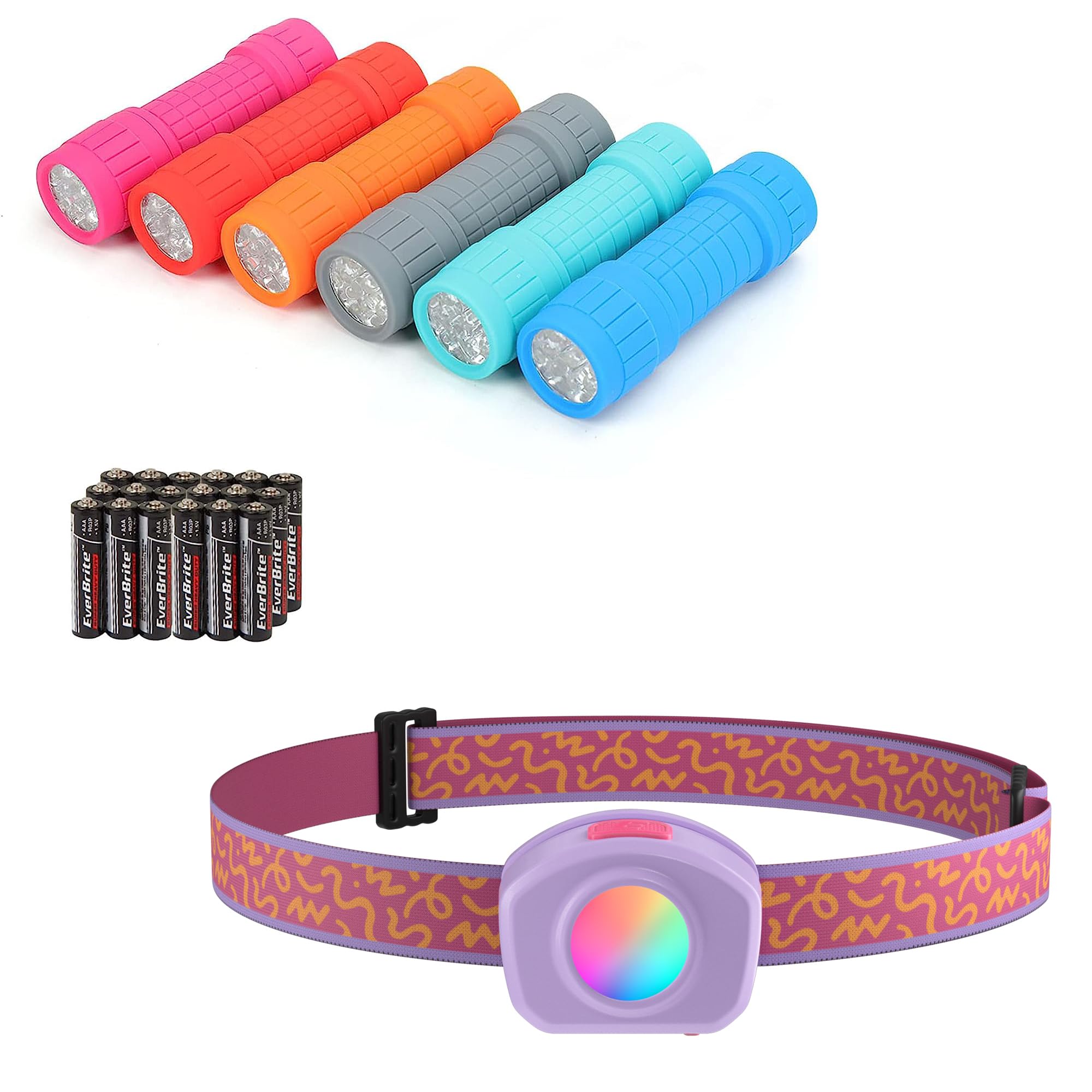
Image 1.1: Children using an EverBrite flashlight for reading in a fort. The flashlight provides focused illumination for various activities.
Product Overview:
- EverBrite 6-Pack Flashlight: Small, pocket-friendly flashlights suitable for general illumination, outdoor activities like camping and hiking, or emergency use.
- EverBrite LED Rechargeable Kids Headlamp: A comfortable, rechargeable headlamp designed for children, featuring multiple light modes including a unique RGB cyclic color change.
2. Setup
2.1 EverBrite 6-Pack Flashlights
The EverBrite flashlights are designed for immediate use. They typically come with pre-installed batteries or require simple insertion of standard batteries (not included). To operate, ensure batteries are correctly oriented if installing them. No further setup is required.

Image 2.1: A set of EverBrite flashlights in various colors. These compact units are ready for use.
2.2 EverBrite LED Rechargeable Kids Headlamp
Charging the Headlamp:
- Locate the charging port on the headlamp.
- Connect the provided USB charging cable to the headlamp and to a suitable USB power source (e.g., computer, wall adapter).
- The charging indicator light will show the charging status. Allow the headlamp to charge fully before first use.
Adjusting the Headband:
The headlamp features an adjustable elastic strap. To adjust, slide the buckles on the strap until the headlamp fits comfortably and securely on the user's head. Ensure it is not too tight to avoid discomfort.

Image 2.2: EverBrite kids headlamps in various colors. Each headlamp includes an adjustable strap for a comfortable fit.
3. Operating Instructions
3.1 EverBrite 6-Pack Flashlights
To operate the flashlight, press the power button located on the end cap or side of the unit. Press once to turn on, and press again to turn off. Some models may have a single mode, while others might cycle through multiple brightness settings with successive presses.

Image 3.1: Children using EverBrite flashlights during outdoor activities. The compact size makes them easy for small hands to hold.
3.2 EverBrite LED Rechargeable Kids Headlamp
The headlamp features multiple light modes for various needs.
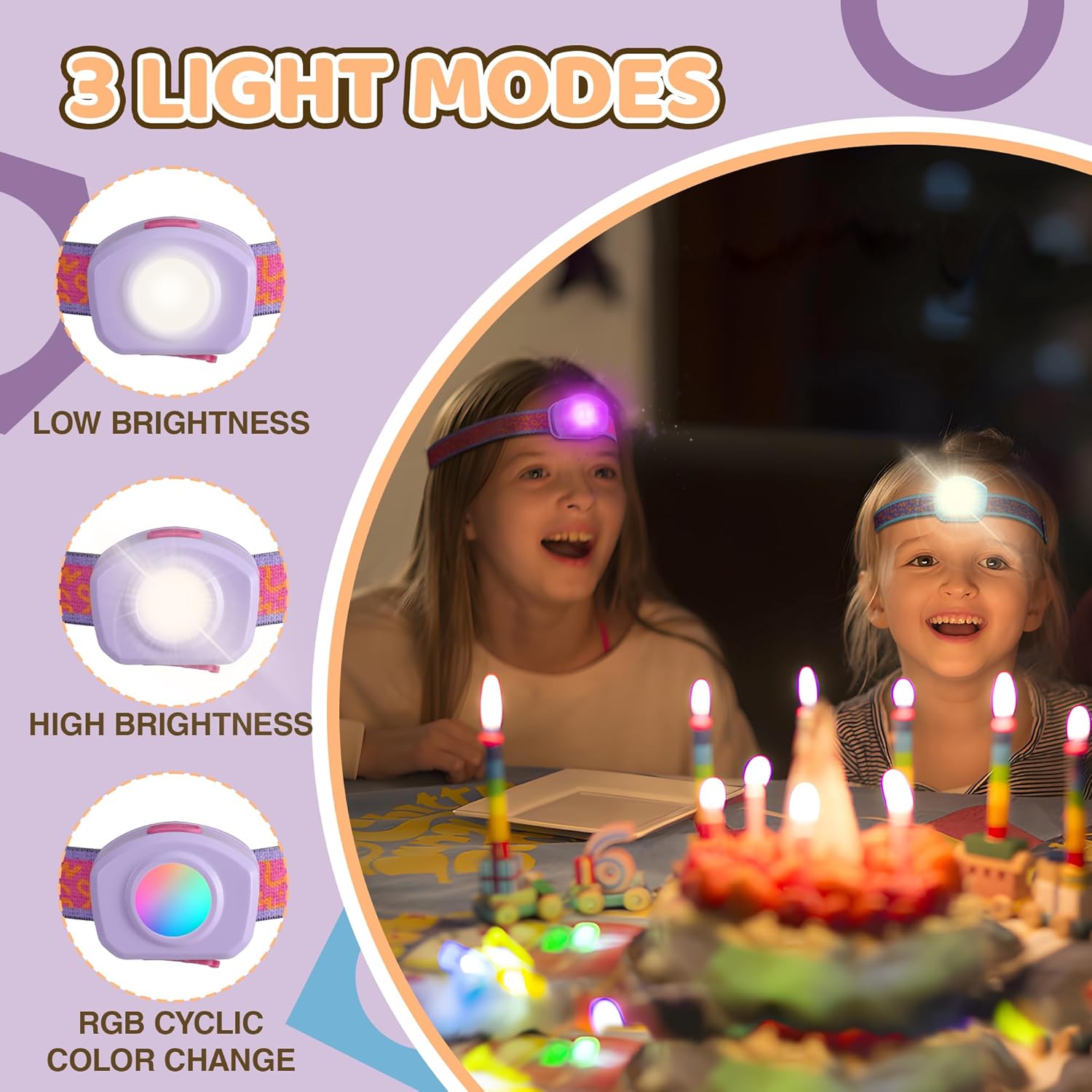
Image 3.2: Visual representation of the three distinct light modes available on the EverBrite kids headlamp.
Mode Selection:
- Press the power button once to turn on the headlamp in Low Brightness mode.
- Press the power button a second time for High Brightness mode.
- Press the power button a third time to activate the RGB Cyclic Color Change mode, where colors will automatically cycle.
- Press the power button a fourth time to turn the headlamp off.
Fixing an RGB Color:
While in the RGB Cyclic Color Change mode, you can select and fix a specific color:
- Activate the RGB Cyclic Color Change mode (third press of the power button).
- Once the desired color appears, press and hold the power button for more than 2 seconds.
- Release the button. The headlamp will now display the selected color continuously.

Image 3.3: Instructions for fixing a specific color in RGB mode. This allows users to customize the headlamp's appearance.

Image 3.4: The EverBrite headlamp is suitable for a range of activities, providing hands-free illumination.
4. Maintenance
4.1 Cleaning
- Wipe the exterior of the flashlights and headlamp with a soft, damp cloth.
- Do not use abrasive cleaners or solvents, as these can damage the product's finish.
- Ensure the products are completely dry before storage or next use.
4.2 Storage
- Store the products in a cool, dry place away from direct sunlight and extreme temperatures.
- For the headlamp, if storing for an extended period, ensure it is partially charged (around 50%) and recharge it every 3-6 months to maintain battery health.
4.3 Battery Care (Headlamp)
- Avoid fully discharging the headlamp's battery frequently, as this can reduce its lifespan.
- Use only the provided or a compatible USB charging cable.
- Do not attempt to replace the internal lithium-ion battery. Contact support if battery issues arise.
5. Troubleshooting
- Flashlight/Headlamp not turning on:
- For flashlights, check if batteries are inserted correctly or need replacement.
- For the headlamp, ensure it is fully charged.
- Headlamp not charging:
- Verify the USB cable is securely connected to both the headlamp and the power source.
- Try a different USB port or power adapter.
- Light output is dim:
- For flashlights, batteries may be low and require replacement.
- For the headlamp, the battery may be low and requires recharging.
If you encounter issues not covered here, please refer to the Support section for assistance.
6. Specifications
| Feature | Description |
|---|---|
| Power Source | Battery Powered |
| Light Source Type | LED |
| Battery Cell Composition (Headlamp) | Lithium Ion |
| Water Resistance Level | Not Water Resistant |
| Special Feature (Headlamp) | Rechargeable |

Image 6.1: Dimensions of the EverBrite flashlight, illustrating its compact size.
7. Warranty and Support
EverBrite products are manufactured with quality and reliability in mind. For specific warranty information, please refer to the product packaging or contact EverBrite customer support directly. Keep your purchase receipt as proof of purchase.
Customer Support:
If you have any questions, require technical assistance, or need to report an issue with your EverBrite product, please visit the official EverBrite store or contact their customer service department. Contact information can typically be found on the product packaging or the brand's official website.
You can visit the EverBrite Store for more information: EverBrite Store on Amazon