
HTRC P30
HTRC P30 Smart Battery Charger User Manual
Model: P30
Introduction
Thank you for choosing the HTRC P30 Smart Battery Charger. This manual provides essential information for the safe and efficient operation, maintenance, and troubleshooting of your device. Please read it thoroughly before use and keep it for future reference.
The HTRC P30 is a versatile 6V/12V/24V battery charger, maintainer, and desulfator designed for a wide range of battery types including LiFePO4, Lithium, and Lead-acid (AGM, Calcium, Gel, MF, EFB, SLA, VRLA, Wet). It features a 9-stage automatic charging process and multiple safety protections to ensure optimal battery health and user safety.

Image: The HTRC P30 Smart Battery Charger, showcasing its compact design and integrated clamps.
Safety Information
Always prioritize safety when operating electrical devices. Failure to follow these instructions may result in electric shock, fire, or serious injury.
- Read all instructions before using the charger.
- Do not expose the charger to rain or wet conditions.
- Do not operate the charger if it has received a sharp blow, been dropped, or otherwise damaged.
- Ensure proper ventilation during charging. Do not cover the charger.
- Keep out of reach of children.
- Disconnect the power supply before making or breaking connections to the battery.
- This charger is designed for 6V/12V/24V LiFePO4, Lithium, and Lead-acid batteries only. Do not use with other battery types.
- The charger features multiple safety protections including spark-proof, short-circuit, reverse polarity, undervoltage, overvoltage, overcurrent, and overheat protection.
Product Features
- Wide Compatibility: Supports 6V, 12V, and 24V LiFePO4, Lithium, and Lead-acid batteries (AGM, Calcium, Gel, MF, EFB, SLA, VRLA, Wet).
- 9-Stage Smart Charging: Optimizes battery power precisely and gently through stages like desulfation, soft start, bulk, absorption, trickle, battery test, recondition, float, and maintenance.
- Repair Mode: Designed to repair and activate old or weak batteries.
- LCD Display: Provides real-time information including battery voltage, charging current, charging temperature, battery full status, and repair process status.
- Adjustable Current: Selectable charging currents: Low 3A (for motorcycles), Medium 15A (for cars), High 30A (for trucks/SUVs).
- Automatic Voltage Detection: Automatically detects battery voltage (6V/12V/24V).
- Temperature Compensation: Automatically adjusts charging power based on ambient temperature.
- Portable Design: Features a folding handle for easy transport and integrated storage for clips and power cord to prevent clutter and damage.

Image: The clear LCD display of the HTRC P30 charger, showing charge current, voltage, temperature, and battery status.

Image: Illustration of the 3-speed current selection (Low 3A, Medium 15A, High 30A) and Repair Mode function.

Image: The portable design of the HTRC P30, highlighting its folding handle and integrated storage for battery clips and power cord.
Setup and Connection
- Prepare the Battery: Ensure the battery terminals are clean and free of corrosion. If necessary, clean them with a wire brush.
- Connect the Charger:
- Connect the RED positive (+) clamp to the positive (+) battery terminal.
- Connect the BLACK negative (-) clamp to the negative (-) battery terminal.
- Ensure connections are secure.
- Connect to Power: Plug the AC power cord into a suitable electrical outlet. The charger will automatically detect the battery voltage.
- Initial Display: The LCD screen will illuminate and display the detected battery voltage and other relevant information.
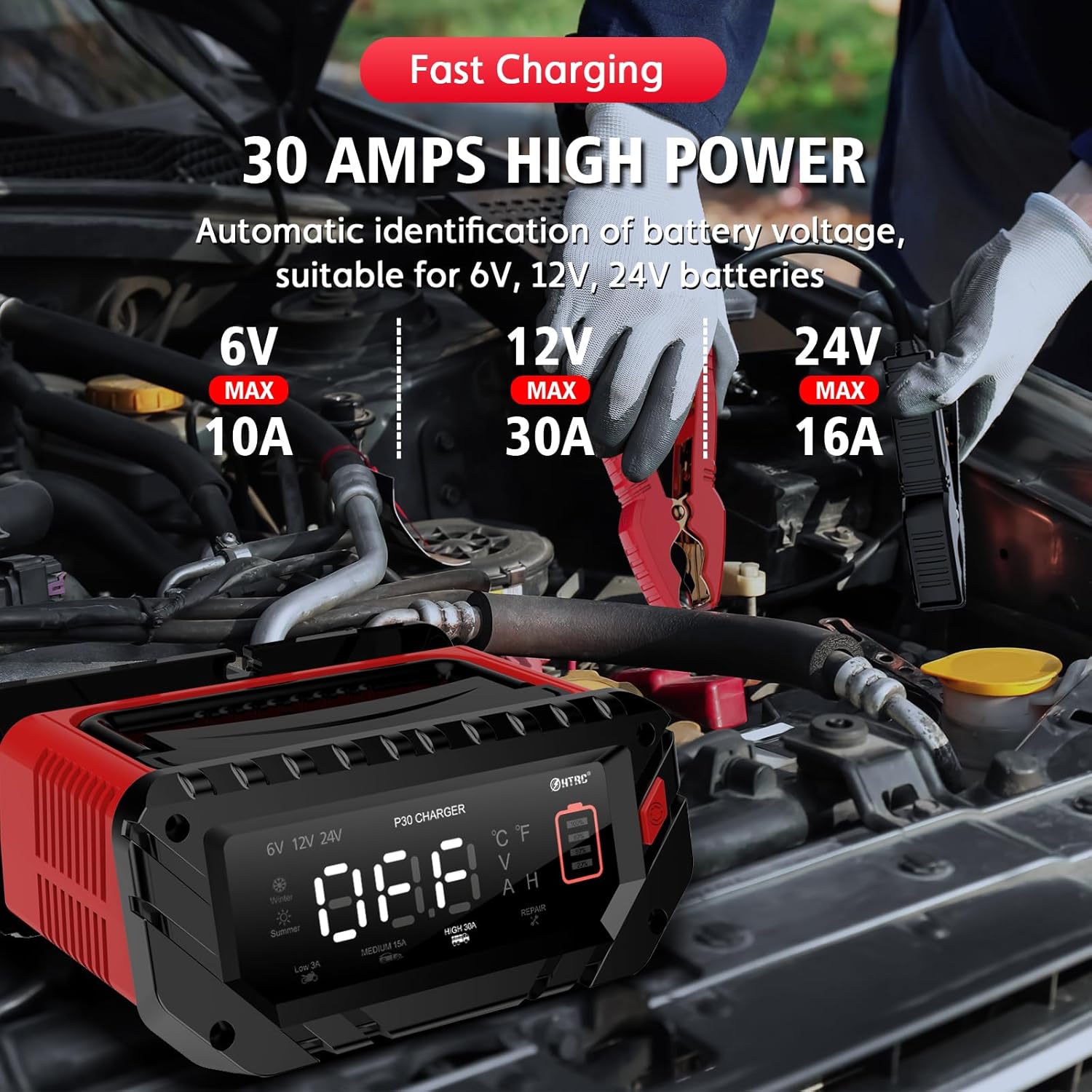
Image: The HTRC P30 charger connected to a car battery, demonstrating the proper clamp connection.
Operating Instructions
Charging Process
The HTRC P30 features an intelligent 9-stage charging process that automatically optimizes charging based on battery condition.
- Battery Desulfation: Removes lead sulfate that may have built up on the battery plates.
- Soft Start Charging: Gently introduces current to the battery.
- Bulk Charging: Charges the battery to approximately 80% capacity at maximum current.
- Absorption Charging: Charges the battery to 100% capacity at a decreasing current.
- Trickle Charge: Maintains the battery at full charge.
- Battery Test: Checks the battery's ability to hold a charge.
- Recondition Charging: Recovers deeply discharged batteries.
- Float & Maintenance Charging: Keeps the battery at optimal voltage for long-term storage.
- Small Current to Maintain Charging: Ensures the battery remains fully charged without overcharging.
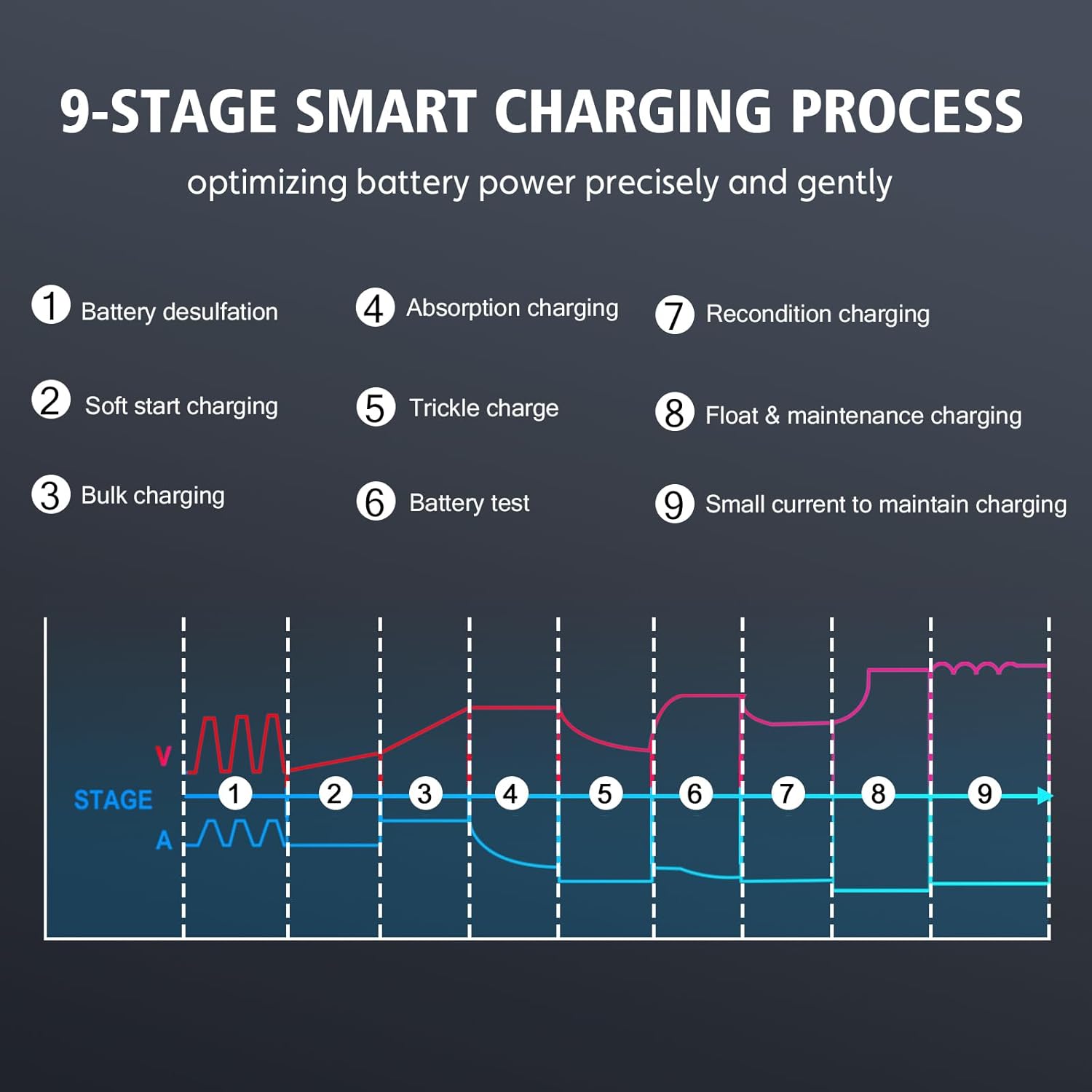
Image: A visual representation of the 9-stage smart charging process, illustrating how the charger optimizes battery power.
Selecting Charging Mode
The charger automatically detects the battery voltage. You can select the charging current and activate repair mode using the button on the device.
- Press the mode button to cycle through:
- Low 3A: Suitable for small batteries like those in motorcycles.
- Medium 15A: Ideal for standard car batteries.
- High 30A: For larger batteries found in SUVs, trucks, and boats.
- Repair Mode: For reconditioning old or deeply discharged batteries.
- The LCD screen will display the selected mode and current charging parameters.
Ending Charging
When charging is complete, the LCD will indicate "FUL" (Full) or "End" (Repair Process Ended).
- Unplug the AC power cord from the electrical outlet.
- Disconnect the negative (-) black clamp from the battery.
- Disconnect the positive (+) red clamp from the battery.
Maintenance
- Cleaning: Clean the charger's exterior with a soft, dry cloth. Do not use abrasive cleaners or solvents.
- Storage: Store the charger in a cool, dry place when not in use. Utilize the integrated storage for the clamps and power cord to keep them tidy and prevent damage.
- Cable Inspection: Regularly inspect the power cord and battery clamps for any signs of damage, fraying, or corrosion. Replace if necessary.
- Battery Maintenance: For optimal battery life, ensure batteries are regularly charged and maintained, especially during periods of inactivity.
Troubleshooting
| Problem | Possible Cause | Solution |
|---|---|---|
| Charger does not turn on. | No power from outlet; loose connection; damaged power cord. | Check power outlet; ensure all connections are secure; inspect power cord for damage. |
| Charger not charging battery. | Incorrect battery connection (reverse polarity); battery too deeply discharged; battery fault. | Verify correct positive/negative connections; try Repair Mode for deeply discharged batteries; test battery with a different device if possible. |
| LCD shows error message. | Overheat protection activated; short circuit; reverse polarity. | Allow charger to cool down; check for short circuits in cables/clamps; ensure correct polarity. |
| Charging process is slow. | Battery capacity is very high; battery is old/damaged; selected current is too low. | This may be normal for large batteries; try Repair Mode; select a higher charging current if appropriate for your battery. |
If the problem persists after attempting these solutions, please contact HTRC customer support.
Specifications
| Feature | Detail |
|---|---|
| Model | P30 |
| Brand | HTRC |
| Input Voltage | 240 Volts (AC) |
| Output Voltage | 6V / 12V / 24V (DC) |
| Rated Current | 30 Amperes (Max) |
| Supported Battery Types | LiFePO4, Lithium, Lead-acid (AGM, Calcium, Gel, MF, EFB, SLA, VRLA, Wet) |
| Charging Stages | 9-Stage Smart Charging |
| Dimensions (L x W x H) | 18.5 x 22 x 9.5 cm |
| Weight | 1.7 kg |
| Safety Protections | Spark-proof, Short-circuit, Reverse Polarity, Undervoltage, Overvoltage, Overcurrent, Overheat |
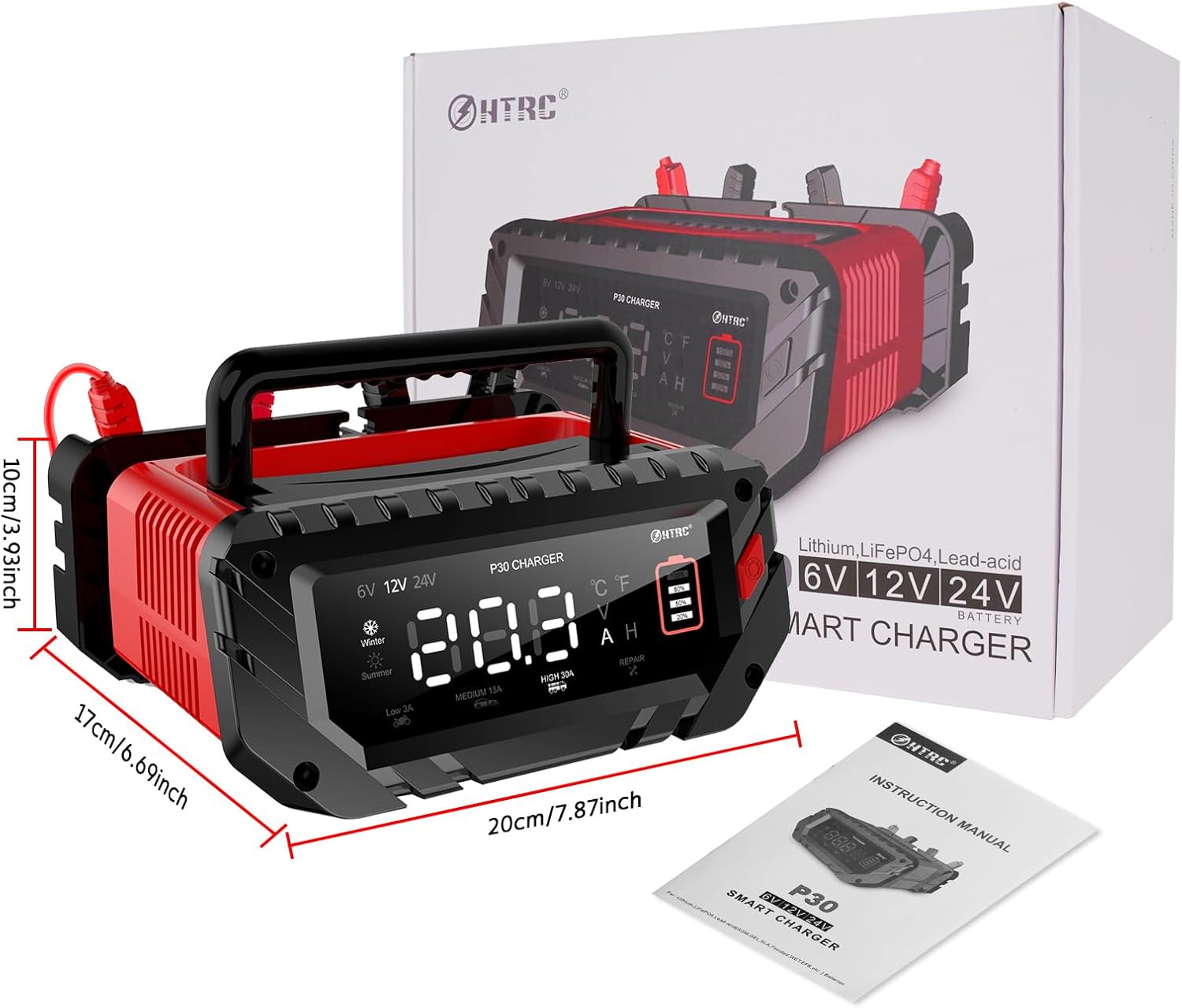
Image: The HTRC P30 charger alongside its packaging and instruction manual, illustrating its physical dimensions.
Warranty and Support
HTRC is committed to providing advanced battery chargers and excellent customer service. Your HTRC P30 Smart Battery Charger comes with a standard manufacturer's warranty against defects in materials and workmanship.
For warranty claims, technical support, or any questions regarding your product, please refer to the contact information provided in the packaging or visit the official HTRC website. Please have your model number (P30) and purchase details ready when contacting support.
"If you have any questions, please contact us. Do not hesitate to contact us."
Related documentsP30


Ask a question about this manual
Ask about setup, troubleshooting, compatibility, parts, safety, or missing instructions. Manuals+ will review the question and use this page’s manual context to help answer it.