
TCL 75S451
TCL 75" Class 4-Series 4K UHD HDR LED Smart Roku TV
Model: 75S451
Introduction
This manual provides essential information for setting up, operating, and maintaining your TCL 75" Class 4-Series 4K UHD HDR LED Smart Roku TV. Please read it thoroughly before using your television to ensure proper and safe operation.
The TCL 75S451 offers stunning 4K UHD picture quality with High Dynamic Range (HDR) technology, providing a vibrant and immersive viewing experience. Integrated with Roku TV, it provides access to thousands of streaming channels, live news, sports, and movies, all accessible through a simple, customizable home screen.
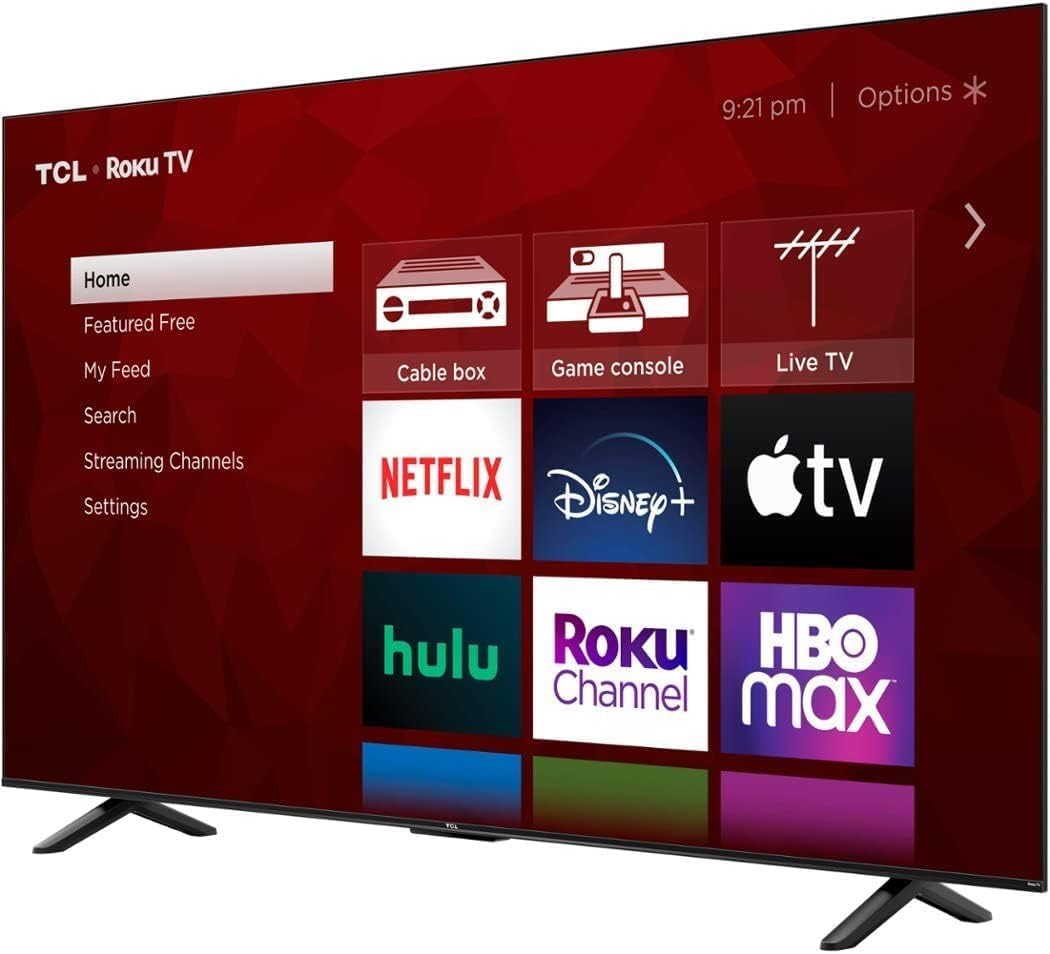
Image: Front view of the TCL 75S451 Roku TV, showcasing its large display and the intuitive Roku TV home interface with various streaming applications.
What's in the Box
Verify that all components are present before beginning setup:
- TCL 75" Class 4-Series 4K UHD HDR LED Smart Roku TV (Model 75S451)
- Remote Control (RC280)
- Two 'AAA' Batteries for Remote Control
- TV Stand (2 pieces)
- Stand Screws (M5 x 35, 4 pieces)
- Quick Start Guide (QSG)
- Warranty Information
Setup
Before setting up your TV, ensure you have a stable, flat surface or a compatible wall mount. Two people are recommended for safe handling due to the TV's size.
1. Attaching the TV Stand
- Carefully place the TV face-down on a soft, clean surface to prevent screen damage.
- Align each stand leg with the corresponding screw holes on the bottom of the TV.
- Secure each stand leg with the provided M5 x 35 screws (4 total).
- Carefully lift the TV to an upright position on a stable surface.
2. Wall Mounting (Optional)
If you choose to wall mount your TV, you will need a VESA-compatible wall mount (not included). The VESA mounting pattern for this model is 300mm x 300mm, and the recommended screw size is M6 x 23.
- Remove the stand legs if they are already attached.
- Follow the instructions provided with your specific wall mount.
- Ensure the wall mount is securely fastened to a sturdy wall structure.

Image: Rear view of the TCL 75S451 TV, highlighting the VESA mounting points and the location of the input ports.
Operating Instructions
1. Initial Setup and Roku Activation
- Connect the power cord to the TV and a power outlet.
- Insert the two 'AAA' batteries into the remote control.
- Press the power button on the remote to turn on the TV.
- Follow the on-screen instructions to select your language, connect to your Wi-Fi network (supports 802.11ac 2x2 Dual Band 2.4GHz & 5GHz), and activate your Roku account.
- The TV will automatically update its software to the latest version.
2. Navigating Roku TV
The Roku TV interface is designed for simplicity. Use the remote control to navigate:
- Home: Access your installed streaming channels, inputs, and settings.
- Apps & Inputs: Quickly switch between connected devices (HDMI, AV) and streaming applications.
- Voice Control: Use the voice control feature (works with Siri, Alexa, and Hey Google) to search for content, launch apps, or change settings.
- Streaming Channels: Browse and add new channels from the Roku Channel Store.
- Live TV: Access over-the-air channels via the advanced digital TV tuner and Live TV Channel Guide.
3. Private Listening
Download the free Roku mobile app to your smartphone or tablet. Connect headphones to your mobile device for private listening, allowing you to enjoy TV audio without disturbing others.
Connections
Your TCL TV offers a variety of input and output options for connecting external devices:
- HDMI Inputs (4): Connect high-definition devices such as Blu-ray players, game consoles, and cable/satellite boxes. One HDMI port supports eARC for enhanced audio return channel functionality.
- Composite Audio/Video Input (1): For connecting older devices with RCA (red/white/yellow) cables.
- Digital Optical Audio Output (1): Connect to a soundbar or audio receiver for high-quality digital audio.
- Headphone Jack (1): For connecting wired headphones.
- RF Antenna Input (1): Connect an antenna for over-the-air broadcast channels.
- USB 2.0 (1): For playing media files (Video: MPEG4 Xvid, H.264, H.265, VC1, VP9; Audio: AAC, MP3, FLAC; Photo: JPEG, PNG, BMP) from a USB drive.
- Ethernet Port (1): For a wired internet connection, offering stable streaming performance.

Image: Side profile of the TCL 75S451 TV, illustrating the accessible placement of its various input and output ports for easy connectivity.
Maintenance
- Cleaning the Screen: Gently wipe the screen with a soft, lint-free cloth. For stubborn marks, dampen the cloth with water or a screen cleaner specifically designed for electronics. Do not spray cleaner directly onto the screen.
- Cleaning the Frame: Use a soft, dry cloth to wipe the TV frame and stand.
- Ventilation: Ensure adequate ventilation around the TV. Do not block the ventilation openings on the back of the TV.
- Power Cord: Regularly check the power cord for any damage. If damaged, discontinue use and contact customer support.
Troubleshooting
| Problem | Possible Solution |
|---|---|
| No Power | Check if the power cord is securely plugged into the TV and the outlet. Ensure the outlet is working. Try a different power outlet. |
| No Picture, but Sound is Present | Verify the correct input source is selected. Check cable connections to external devices. Try restarting the TV and connected devices. |
| Poor Picture Quality | Check the resolution settings of the input device. Ensure cables are securely connected. For antenna, try repositioning the antenna or rescanning channels. |
| Remote Control Not Working | Replace the batteries. Ensure there are no obstructions between the remote and the TV. Try pairing the remote again if it's a Bluetooth remote. |
| Cannot Connect to Wi-Fi | Ensure your Wi-Fi router is on and within range. Re-enter the Wi-Fi password carefully. Try restarting your router and the TV. |
Specifications
| Feature | Detail |
|---|---|
| Model | 75S451 |
| Screen Size | 75 inches (74.5" Viewable Display Size) |
| Display Technology | LED |
| Resolution | 4K UHD (3840 x 2160) |
| High Dynamic Range (HDR) Format | HDR10, HLG |
| Refresh Rate | 60 Hz |
| Smart Platform | Roku TV |
| Voice Control Compatibility | Siri, Alexa, Hey Google |
| HDMI Inputs | 4 (1 eARC) |
| USB Ports | 1 (USB 2.0) |
| Wireless Connectivity | 802.11ac 2x2 Dual Band (2.4GHz & 5GHz) |
| Ethernet Port | Yes |
| Audio Output Power | 15W + 15W |
| Product Dimensions (WxHxD) with Stand | 65.7" x 40.2" x 13.5" |
| Product Weight with Stand | 48.9 lbs |
| VESA Wall Mount Pattern | 300mm x 300mm |
| VESA Screw Size | M6 x 23 |

Image: Dimensional diagram of the TCL 75S451 TV, showing its width, height, and depth with the stand attached.
Warranty and Support
Your TCL 75S451 TV comes with a 1-year limited warranty. For detailed warranty terms and conditions, please refer to the warranty information included in your product packaging.
For technical support, troubleshooting assistance, or to register your product, please visit the official TCL support website or contact their customer service. You can also refer to the 'Customer Support' section on the product's Amazon page for additional resources.
Online Resources:
Related documents75S451


Ask a question about this manual
Ask about setup, troubleshooting, compatibility, parts, safety, or missing instructions. Manuals+ will review the question and use this page’s manual context to help answer it.