1. Introduction
Welcome to the user manual for your new Xiaomi Redmi Pad SE. This guide provides detailed instructions on how to set up, operate, maintain, and troubleshoot your device, ensuring you get the most out of its features.
The Redmi Pad SE is an 11-inch tablet designed for immersive entertainment and efficient productivity. It features a vibrant FHD+ display with a smooth 90Hz refresh rate, powered by a Snapdragon 680 processor, and equipped with a long-lasting 8000 mAh battery.
What's in the Box
- Xiaomi Redmi Pad SE Tablet
- USB Type-C Cable
- Power Adapter (10W)
- Quick Start Guide
- Warranty Card
- Earphones (if included with your specific model variant)

Image: The Xiaomi Redmi Pad SE tablet shown alongside a pair of wired earphones, highlighting the product and a potential accessory.
2. Setup
2.1 Initial Charging
Before first use, it is recommended to fully charge your Redmi Pad SE. Connect the provided USB Type-C cable to the tablet's charging port and the other end to the power adapter. Plug the adapter into a wall outlet. The charging indicator will show the charging status. A full charge of the 8000 mAh battery may take several hours.
2.2 Powering On/Off
- To Power On: Press and hold the Power button (usually located on the side or top edge) until the Xiaomi logo appears on the screen.
- To Power Off: Press and hold the Power button until the power options menu appears. Select "Power off" from the menu.
- To Restart: From the power options menu, select "Restart".
2.3 Initial Setup Wizard
Upon first power-on, the tablet will guide you through an initial setup wizard. Follow the on-screen prompts to:
- Select your language and region.
- Connect to a Wi-Fi network.
- Accept terms and conditions.
- Sign in with your Google account or create a new one.
- Set up screen lock (PIN, pattern, password).
- Configure other settings like date and time.
3. Operating Your Redmi Pad SE
3.1 Display and Navigation
The Redmi Pad SE features an 11-inch FHD+ display with a resolution of 1920 x 1080 pixels and a 90Hz refresh rate for smooth visuals. It also includes TÜV Low Blue Light certification for eye comfort during extended use.
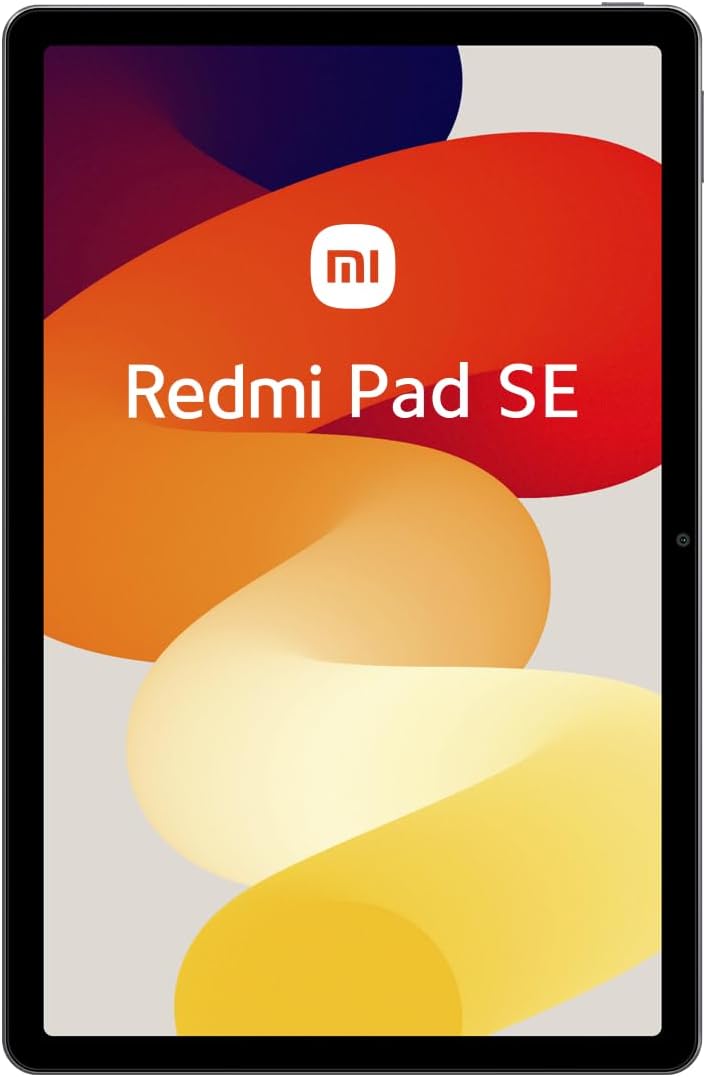
Image: A clear front view of the Xiaomi Redmi Pad SE, showcasing its large 11-inch display.
Navigation is primarily touch-based. Swipe, tap, and pinch gestures are used to interact with the MIUI 14 operating system.
3.2 Performance and Storage
Powered by the Snapdragon 680 mobile platform (6nm process), the Redmi Pad SE delivers efficient performance for daily tasks, browsing, and light gaming. It comes with 4GB of RAM and 128GB of internal storage, which can be expanded via a microSD card (not included).
3.3 Cameras
The tablet is equipped with an 8MP rear camera for capturing photos and videos, and a 5MP front camera, ideal for video calls and selfies.

Image: The rear side of the Xiaomi Redmi Pad SE, featuring the 8MP main camera module in the upper left corner.
3.4 Audio
Experience rich audio with the Redmi Pad SE's quad speakers, enhanced with Dolby Atmos® technology for an immersive sound experience.
3.5 Connectivity
- Wi-Fi: Supports 2.4 GHz and 5 GHz Wi-Fi for fast internet access.
- Bluetooth: Features Bluetooth 5.2 for connecting wireless accessories like headphones and keyboards.
- USB Type-C: Used for charging, data transfer, and connecting compatible peripherals.
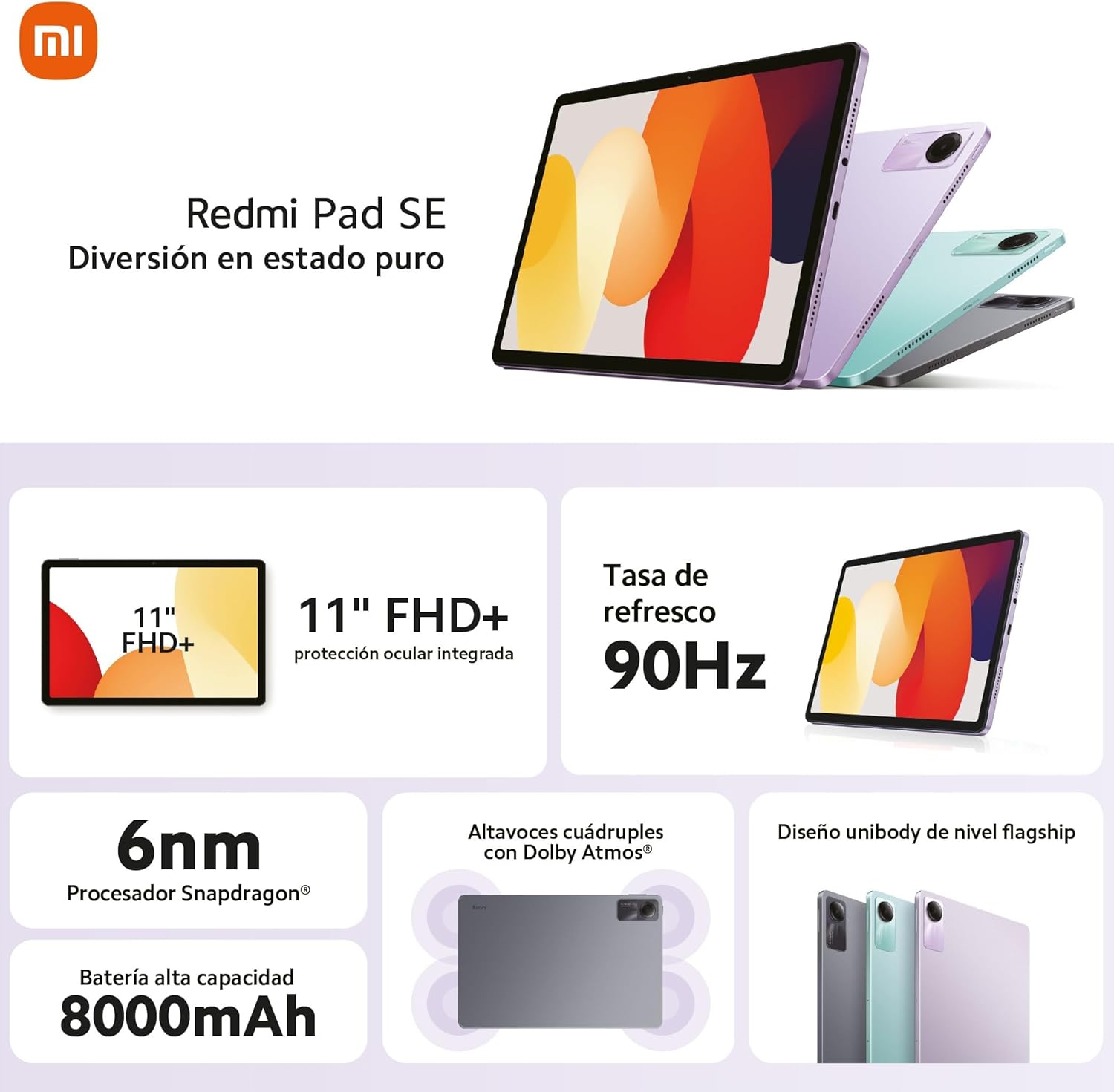
Image: An infographic detailing the key features of the Redmi Pad SE, including its 11-inch FHD+ display, 90Hz refresh rate, Snapdragon 6nm processor, 8000mAh battery, quad speakers with Dolby Atmos, and unibody design.
4. Maintenance
4.1 Cleaning Your Tablet
To clean the screen, use a soft, lint-free cloth specifically designed for electronics. For the body, a slightly damp cloth can be used. Avoid using harsh chemicals, abrasive materials, or excessive moisture.
4.2 Battery Care
- Avoid extreme temperatures, as they can degrade battery life.
- Do not let the battery completely drain frequently.
- Use only the original or certified compatible charger.
4.3 Software Updates
Regularly check for and install system updates to ensure your tablet has the latest features, security patches, and performance improvements. You can usually find this option in the tablet's Settings menu under "About tablet" or "System update."
5. Troubleshooting
This section addresses common issues you might encounter with your Redmi Pad SE.
5.1 Tablet Not Turning On
- Ensure the battery is charged. Connect the charger and wait a few minutes before attempting to power on.
- Press and hold the Power button for at least 10-15 seconds to force a restart.
5.2 Wi-Fi Connectivity Issues
- Ensure Wi-Fi is enabled in Settings.
- Restart your Wi-Fi router.
- Forget the network in your tablet's Wi-Fi settings and reconnect.
- Ensure you are within range of the Wi-Fi signal.
5.3 Slow Performance
- Close unused applications running in the background.
- Clear cache and data for frequently used apps.
- Ensure you have sufficient free storage space.
- Restart the tablet periodically.
5.4 Screen Not Responding
- Restart the tablet by holding down the Power button.
- If the screen is physically damaged, contact customer support.
For more complex issues, refer to the official Xiaomi support website or contact their customer service.
6. Specifications
| Feature | Detail |
|---|---|
| Model Name | Redmi Pad SE |
| Display | 11-inch FHD+ (1920 x 1080 pixels), 90Hz Refresh Rate |
| Processor | Qualcomm Snapdragon 680 (6nm) |
| RAM | 4 GB |
| Internal Storage | 128 GB (Expandable) |
| Operating System | MIUI 14 |
| Rear Camera | 8 MP |
| Front Camera | 5 MP |
| Battery Capacity | 8000 mAh |
| Charging | 10W Fast Charging |
| Connectivity | Wi-Fi (2.4GHz/5GHz), Bluetooth 5.2, USB Type-C |
| Dimensions (L x W x H) | 256 x 168 x 7.65 mm |
| Weight | 478 g |
7. Warranty and Support
Your Xiaomi Redmi Pad SE comes with a standard manufacturer's warranty. Please refer to the warranty card included in your product packaging for specific terms, conditions, and duration. Keep your proof of purchase for warranty claims.
For technical support, service, or further inquiries, please visit the official Xiaomi support website or contact their authorized service centers in your region. You can find contact information and FAQs on their official website:


