
TPOB X Clipper Slime
TPOB X Digital Brushless Hair Clippers
Model: X Clipper Slime
Professional Hair Clippers for Men
1. Product Overview
The TPOB X Digital Brushless Hair Clippers are designed for professional use, offering precision and power for various hair cutting needs. Featuring a durable metal body and an advanced XO Graphene Blade, these cordless clippers provide a reliable and efficient grooming experience.
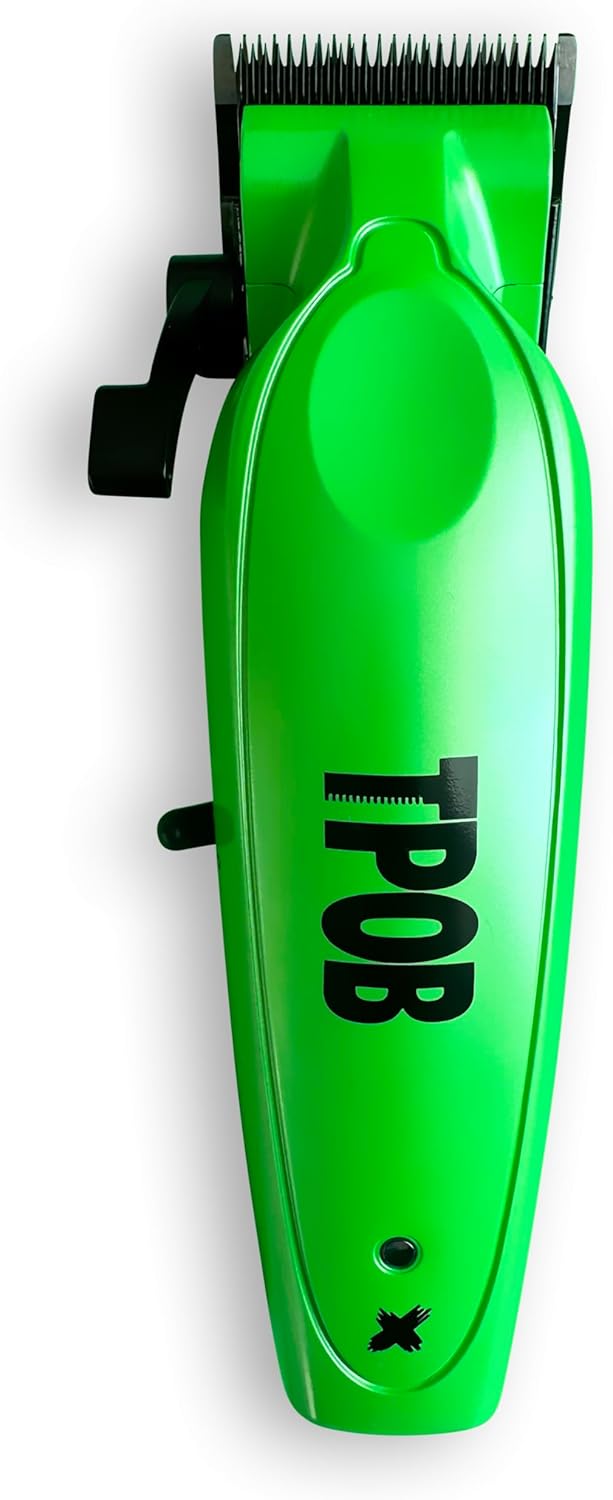
Image 1.1: Top-down view of the TPOB X Digital Brushless Hair Clipper in Slime Green.
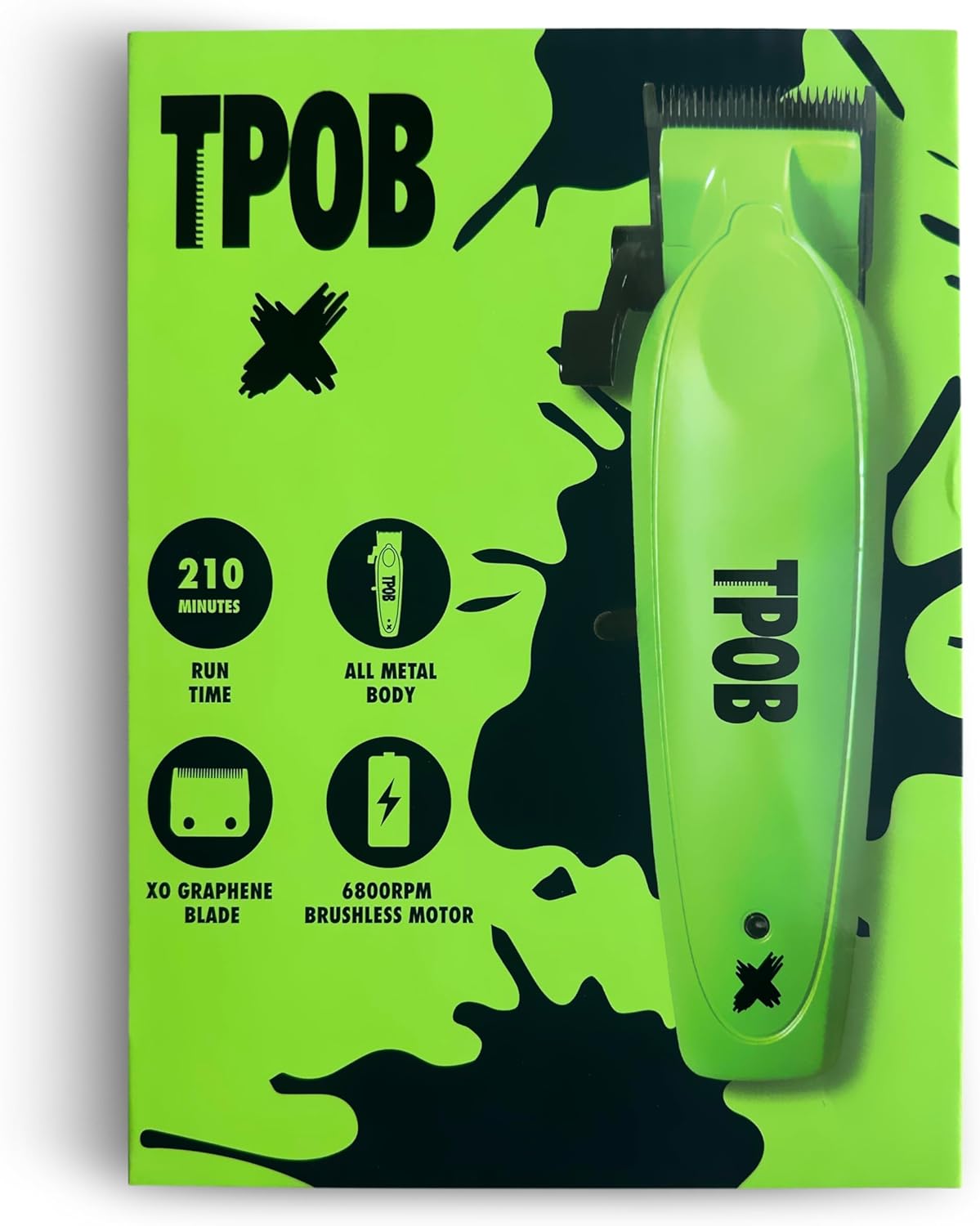
Image 1.2: Key features of the TPOB X Clipper, highlighting its 210-minute run time, all-metal body, XO Graphene blade, and 6800 RPM brushless motor.
2. Safety Information
Please read all safety instructions carefully before using the TPOB X Digital Brushless Hair Clippers to ensure safe operation and prevent injury or damage.
- Avoid use on infants.
- Keep the clipper away from water sources. Do not use near bathtubs, showers, basins, or other vessels containing water.
- Be cautious around sharp blades. Handle blades with care to prevent cuts.
- Follow all electrical safety precautions. Use only the provided charging cable and adapter.
- Do not attempt to disassemble or repair the unit yourself. Refer to qualified service personnel for repairs.
- Keep out of reach of children.
3. Setup
3.1 Initial Charging
Before first use, fully charge your TPOB X Digital Brushless Hair Clippers. Connect the charging cable to the clipper and plug it into a suitable power outlet. The battery indicator will show charging status. A full charge typically provides up to 210 minutes of run time.
3.2 Attaching Guards
The clippers come with 8 premium guards featuring metal clips for secure attachment. Select the desired guard length and firmly slide it onto the clipper blade until it clicks into place.
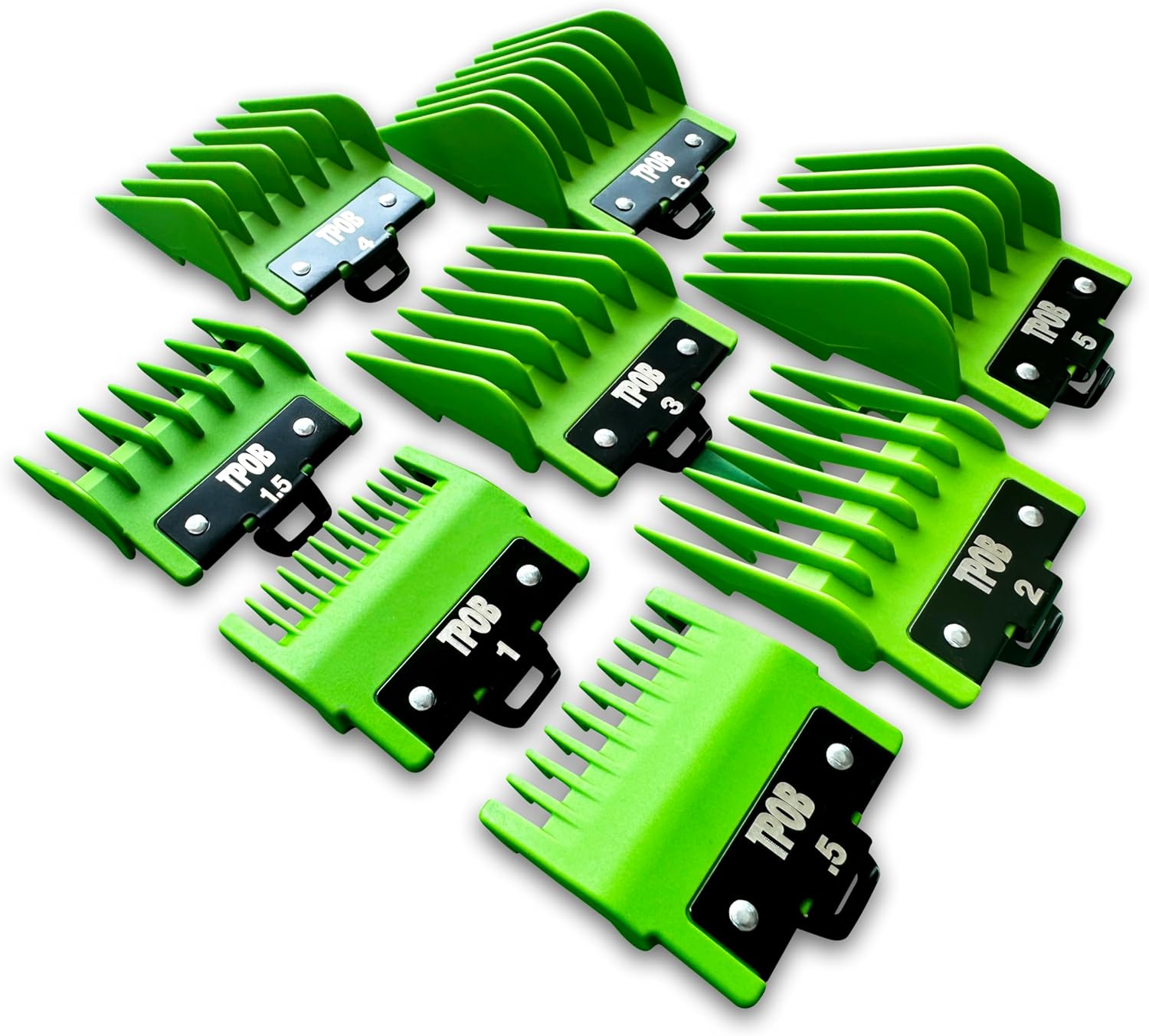
Image 3.1: The set of 8 premium guards with metal clips included with the TPOB X Clipper.
3.3 Blade Adjustment (Zero Gap)
For a closer cut, the blades can be adjusted to zero gap using the hex zero gap adjuster. Refer to the detailed instructions in the full product manual for precise adjustment steps. This adjustment should be performed with caution to avoid skin irritation.

Image 3.2: Close-up of the XO Graphene Blade, designed for precise cutting.
4. Operating Instructions
4.1 Powering On/Off
To turn the clipper on, slide the power switch located on the side of the unit to the 'I' position. To turn it off, slide the switch to the 'O' position.

Image 4.1: Side view of the TPOB X Clipper, illustrating the power switch and ergonomic design.
4.2 Using the Fade/Taper Lever
The TPOB X Clipper features a stretch lever that opens extra wide, allowing for easy fading and tapering. Adjust the lever to control the cutting length without changing guards, enabling seamless transitions in hair length.

Image 4.2: Close-up of the adjustable fade/taper lever, designed for smooth blending.
4.3 General Cutting Tips
- Ensure hair is clean and dry before cutting.
- Always start with a longer guard length and gradually reduce it if a shorter cut is desired.
- Use the clippers to create sharp lines and designs as needed.
- Move the clipper against the direction of hair growth for an even cut.
- Regularly clear hair from the blades during use to maintain optimal performance.
5. Maintenance
5.1 Cleaning the Blades
After each use, it is recommended to clean the blades to remove any accumulated hair. Use the provided cleaning brush to brush away hair from the blade area. For a more thorough cleaning, the blade can be carefully removed and rinsed under water, ensuring the clipper body remains dry. Allow the blade to dry completely before reattaching.
5.2 Oiling the Blades
To maintain optimal cutting performance and blade longevity, apply a few drops of clipper oil to the blades after every few uses or after cleaning. Turn the clipper on for a few seconds to allow the oil to distribute evenly across the blades.
5.3 Battery Care
The TPOB X Clipper uses a Lithium Ion battery. To prolong battery life, avoid completely discharging the battery frequently. Charge the clipper when the battery indicator shows low power. Store the clipper in a cool, dry place when not in use for extended periods.
6. Troubleshooting
If you encounter issues with your TPOB X Digital Brushless Hair Clippers, please refer to the following common solutions:
| Problem | Possible Cause | Solution |
|---|---|---|
| Clipper does not turn on or charge. | Battery fully discharged; faulty charger/cable; internal issue. | Ensure the clipper is properly connected to a working power outlet. Try a different compatible charging cable and adapter. If the issue persists, contact customer support. |
| Clipper pulls or tugs hair. | Blades are dull or dirty; insufficient oiling; improper blade alignment. | Clean the blades thoroughly and apply clipper oil. Check blade alignment and adjust if necessary (refer to blade adjustment section). If blades are dull, consider professional sharpening or replacement. |
| Reduced cutting performance. | Hair buildup in blades; low battery; blades not properly oiled. | Clean and oil the blades. Ensure the clipper is fully charged. |
| Excessive noise or vibration. | Loose parts; need for lubrication. | Ensure all parts are securely fastened. Apply clipper oil to the blades. If the noise persists, contact customer support. |
If the problem persists after attempting these solutions, please contact TPOB customer support for further assistance.
7. Specifications
| Feature | Detail |
|---|---|
| Brand | TPOB |
| Model | X Clipper Slime |
| Motor Speed | 6800 RPM Brushless Motor |
| Blade Type | XO Graphene Blade |
| Power Source | Battery Powered (1 Lithium Ion battery included) |
| Run Time | Up to 210 minutes (approx.) |
| Body Material | Metal |
| Item Weight | 0.87 Kilograms (1.92 Pounds) |
| Package Dimensions | 9.29 x 7.09 x 2.72 inches |
| Recommended Use | Professional Barber |
8. Warranty and Support
TPOB stands behind the quality of its products. For specific warranty details and duration, please refer to the documentation included with your purchase or visit the official TPOB website. This product is typically covered by a manufacturer's warranty against defects in materials and workmanship.
8.1 Returns Policy
Purchases made through Amazon.com typically include a 30-day return policy for refunds or replacements, subject to Amazon's terms and conditions.
8.2 Customer Support
For technical assistance, troubleshooting, or warranty claims, please contact TPOB customer support directly. You can often find contact information on the product packaging or by visiting the TPOB Store on Amazon.
Ask a question about this manual
Ask about setup, troubleshooting, compatibility, parts, safety, or missing instructions. Manuals+ will review the question and use this page’s manual context to help answer it.