1. Introduction
Thank you for choosing the Retoo Air Mouse Remote Control with Keyboard, Model E803. This device combines the functionality of an air mouse, a full QWERTY keyboard, and a universal infrared remote control into a single, compact unit. It is designed to enhance your interaction with various smart devices, offering intuitive control and broad compatibility.
This manual provides detailed instructions to help you set up, operate, and maintain your remote control, ensuring optimal performance and a seamless user experience.

Image 1.1: The Retoo Air Mouse Remote Control, displaying its front control panel, side profile, full QWERTY keyboard on the reverse, and the included USB receiver.
2. Package Contents
- Retoo Air Mouse Remote Control (Model E803)
- USB 2.4 GHz Receiver Dongle
- User Manual (this document)
Note: AAA batteries are not included and must be purchased separately.
3. Setup Instructions
3.1. Battery Installation
- Locate the battery compartment cover on the back of the remote control.
- Slide the cover open.
- Insert two (2) AAA batteries, ensuring correct polarity (+/-).
- Close the battery compartment cover securely.

Image 3.1: The remote control with its battery compartment open, illustrating where to insert the AAA batteries.
3.2. Connecting the USB Receiver
- Locate an available USB port on your device (Smart TV, Android TV Box, PC, Laptop, etc.).
- Insert the provided USB 2.4 GHz receiver dongle into the USB port.
- The device should automatically detect and install the necessary drivers. This may take a few moments.
- Once connected, the remote control is ready for use.

Image 3.2: The Retoo Air Mouse Remote Control positioned next to its USB receiver dongle, ready for connection.
4. Operating Instructions
4.1. 2.4 GHz Wireless Mode
The remote control operates using 2.4 GHz wireless technology, providing a stable connection with a range of 8 to 10 meters. This allows for control from a comfortable distance without direct line-of-sight.
4.2. Air Mouse Function
The integrated 6-axis gyroscope allows for precise air mouse control. To activate the air mouse:
- Press the mouse cursor button (often indicated by a mouse icon) on the remote.
- Move the remote in the air to control the cursor on your screen.
- The advanced anti-shake algorithm ensures stable and accurate cursor movement.
- Press the mouse cursor button again to disable the air mouse function and use the remote as a traditional controller.
4.3. Keyboard Functionality
The reverse side of the remote features a full QWERTY keyboard for easy text input. Simply flip the remote to access the keyboard. The device automatically switches between remote and keyboard modes based on which side is facing up.
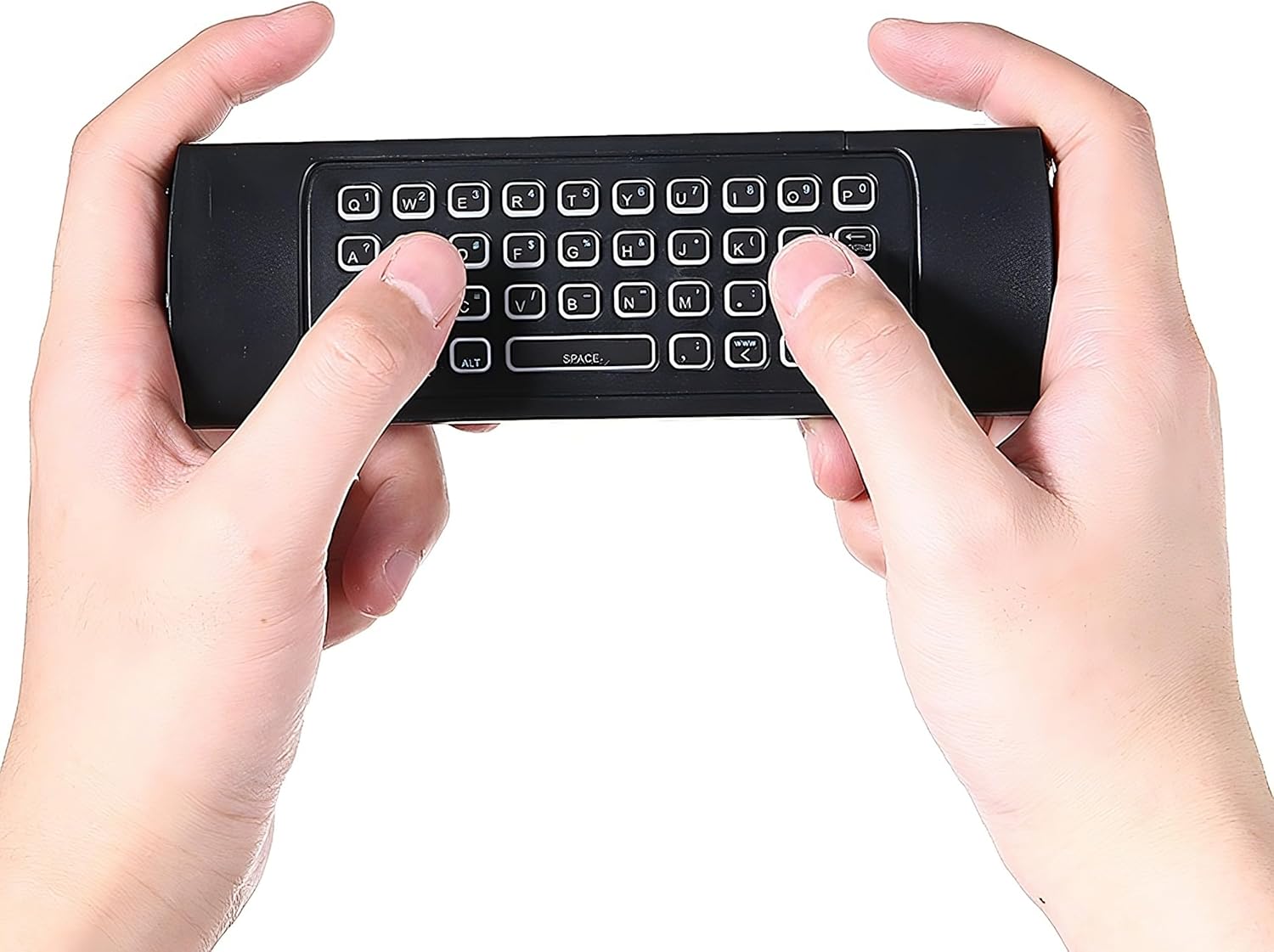
Image 4.1: A user holding the remote control, demonstrating the use of the integrated QWERTY keyboard for text input.
4.4. Universal Infrared (IR) Remote Function
This remote includes five programmable infrared learning keys, allowing it to learn functions from your existing TV remote. This enables control of common TV functions directly from the Air Mouse remote.
IR Learning Steps:
- Ensure the Air Mouse remote and your original TV remote are close to each other, facing their IR emitters.
- Press and hold the designated IR learning key on the Air Mouse remote (refer to the remote's button layout for specific keys, usually marked for IR learning). The LED indicator will typically blink slowly.
- While holding the learning key, press the button on your original TV remote that you wish to copy. The LED on the Air Mouse remote should blink rapidly, indicating successful learning.
- Repeat for other programmable keys.
- Press the learning key again to exit IR learning mode.
4.5. LED Indicators
The remote control features LED indicators that provide feedback on its status, such as connection status and battery level. Refer to the specific LED behavior for detailed information.
5. Compatibility
The Retoo Air Mouse Remote Control is compatible with a wide range of devices and operating systems, including:
- Operating Systems: Windows, Android, Mac OS, Linux
- Devices: Smart TV (check specific TV model compatibility before purchase, especially for Sony, Samsung, LG, Fire TV Stick, Panasonic TV), Android TV Box, Laptops, PCs, Nvidia Box, Nvidia Shield TV, Formuler Box.
6. Maintenance
To ensure the longevity and proper functioning of your Retoo Air Mouse Remote Control, follow these maintenance guidelines:
- Cleaning: Use a soft, dry cloth to clean the surface of the remote. Avoid using abrasive cleaners or solvents.
- Storage: Store the remote in a cool, dry place away from direct sunlight and extreme temperatures.
- Batteries: If the remote will not be used for an extended period, remove the batteries to prevent leakage.
- Avoid Drops: Protect the device from physical shocks and drops, which can damage internal components.
7. Troubleshooting
If you encounter issues with your Retoo Air Mouse Remote Control, please refer to the following common solutions:
- Remote Not Responding:
- Check if the batteries are correctly inserted and have sufficient charge. Replace if necessary.
- Ensure the USB receiver dongle is securely plugged into your device's USB port.
- Try plugging the USB receiver into a different USB port.
- Ensure the remote is within the 8-10 meter operating range of the USB receiver.
- Air Mouse Cursor is Unstable/Inaccurate:
- Recalibrate the gyroscope by placing the remote on a flat surface for a few seconds.
- Ensure there are no strong electromagnetic interferences nearby.
- Keyboard Not Working:
- Ensure the remote is flipped to the keyboard side.
- Check battery level.
- IR Learning Not Working:
- Ensure the IR emitters of both remotes are facing each other and are very close.
- Make sure the original remote has fresh batteries.
- Some TV remotes use different IR protocols that may not be compatible with the learning function.
- Compatibility Issues with Smart TV:
- While broadly compatible, some Smart TV models (e.g., certain Sony, Samsung, LG, Fire TV Stick, Panasonic TVs) may have specific limitations. Verify compatibility with your TV model if issues persist.
8. Specifications
| Feature | Specification |
|---|---|
| Brand | Retoo |
| Model Name | E803 |
| Color | Black |
| Connectivity Technology | 2.4 GHz Wireless, Infrared |
| Special Feature | Lightweight, Air Mouse (6-axis Gyroscope), Full QWERTY Keyboard, IR Learning Function |
| Compatible Devices | Smart TV, Android TV Box, Laptop, PC, Nvidia Shield, Formuler Box |
| Max Number of Supported Devices | 1 (via 2.4 GHz USB receiver) |
| Number of Buttons | 81 |
| Maximum Range | 10 Meters |
| Power Source | 2 x AAA Batteries (not included) |
| Dimensions (Approx.) | 165mm length |
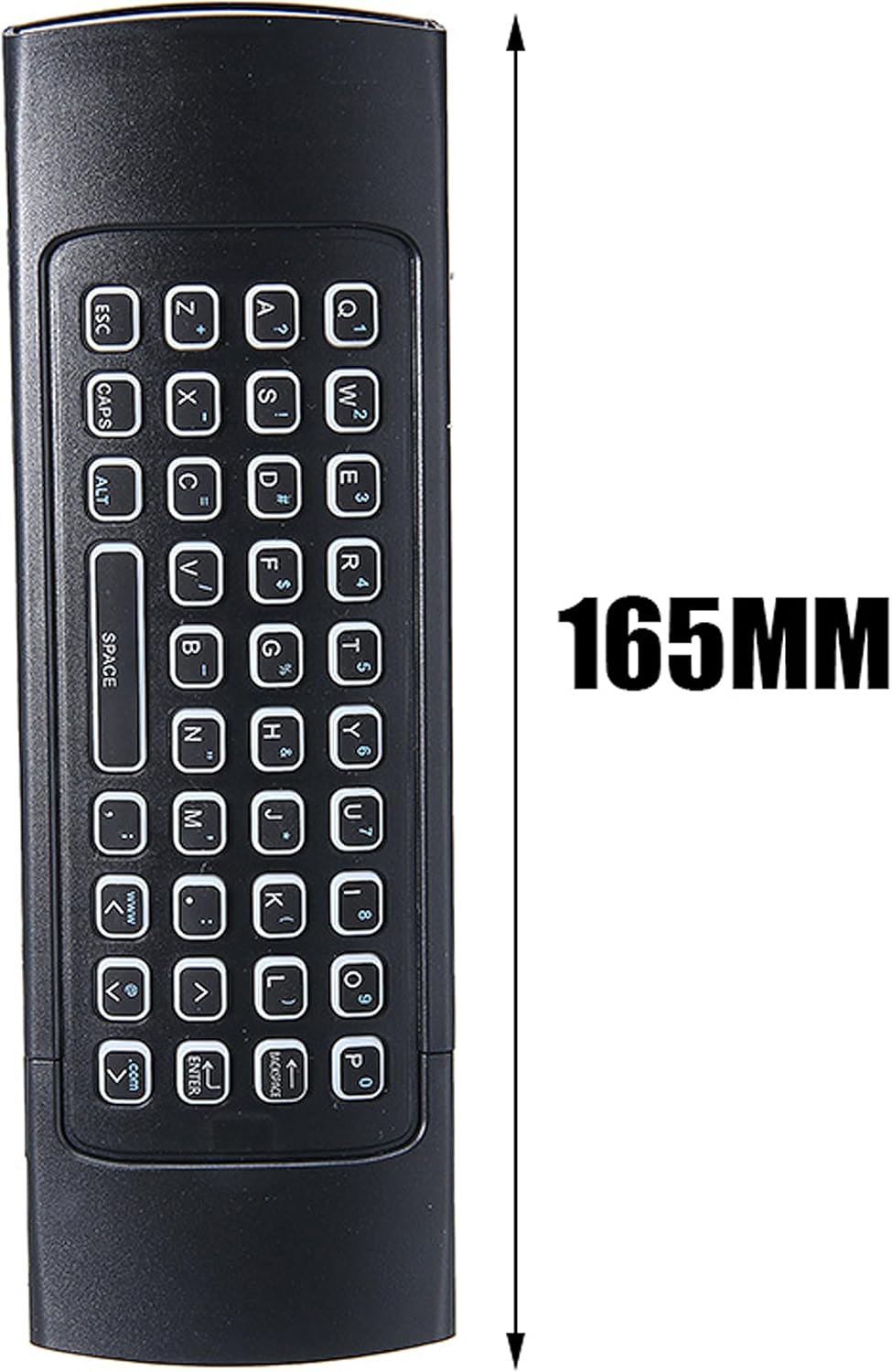
Image 8.1: The remote control with its approximate length of 165mm indicated.
9. Warranty and Support
Information regarding product warranty and customer support is not available in the provided product data. Please refer to the product packaging or the retailer's website for details on warranty coverage and how to contact customer support for your Retoo Air Mouse Remote Control (Model E803).


