
1. Introduction
This manual provides detailed instructions for the installation, operation, and maintenance of your AINAVI 10.2-inch Android 12 Car Stereo. Please read this manual thoroughly before using the product to ensure proper function and safety. Keep this manual for future reference.
2. Safety Information
- Professional Installation Recommended: Due to the complexity of car electrical systems, professional installation is highly recommended to prevent damage to the unit or your vehicle.
- Power Supply: Ensure the unit is connected to a 12V DC power supply with a negative ground. Incorrect voltage can cause damage.
- Driving Safety: Do not operate the unit in a way that distracts you from driving. Always prioritize road safety.
- Temperature: Avoid exposing the unit to extreme temperatures or direct sunlight for prolonged periods.
- Moisture: Keep the unit away from water and excessive moisture.
3. Package Contents
Verify that all items listed below are included in your package. If any items are missing or damaged, please contact customer support.
- 1 X Car Head Unit (1280*720) with Frame for Buick Enclave/GMC/Chevy Silverado
- 1 X Microphone
- 1 X Blue Frame Removal Tool
- 1 X GPS Antenna
- 1 X AHD 1080P Rear View Camera
- 1 X USB 4Pin Cable
- 1 X User Manual
- 1 X Power Cable
- 1 X USB 6Pin Cable
- RCA Cable Set
- Reversing Control Cable

Image: Diagram illustrating all components included in the product package.
4. Setup and Installation
This section provides general guidance for installing your AINAVI car stereo. For specific vehicle models, additional wiring harnesses or adapters may be required. It is highly recommended to seek professional installation.
4.1 Pre-Installation Checks
- Ensure the vehicle's ignition is off and the battery is disconnected before starting installation.
- Confirm compatibility with your vehicle model (Chevrolet Silverado, GMC Acadia, Chevrolet, Buick Enclave).
- Familiarize yourself with your vehicle's dashboard disassembly process.
4.2 Wiring Connections
Connect the power cable, RCA cables, USB cables, GPS antenna, and microphone according to the provided wiring diagram (usually found in the included user manual). Ensure all connections are secure.
- Antenna Connection: Note that for some installations, it may be necessary to temporarily remove the back panel of the head unit to properly connect the antenna wire due to space constraints.
4.3 Mounting the Head Unit
Install the head unit into the dashboard opening using the provided frame and mounting brackets. Secure it firmly to prevent vibrations.

Image: The AINAVI 10.2-inch car stereo seamlessly integrated into a vehicle's dashboard, showcasing its display and controls.
5. Operating Instructions
5.1 Power On/Off
Press and hold the power button (usually located on the front panel) to turn the unit on or off. A short press typically mutes/unmutes audio.
5.2 CarPlay and Android Auto
The unit supports both wired and wireless Apple CarPlay and Android Auto for seamless smartphone integration.
- Wireless Connection: Enable Bluetooth and Wi-Fi on your smartphone. Pair your phone with the car stereo via Bluetooth. Follow the on-screen prompts to initiate CarPlay or Android Auto.
- Wired Connection: Connect your smartphone to the unit's USB port using a high-quality USB cable. The system should automatically detect and launch CarPlay or Android Auto.

Image: The car stereo display showing Apple CarPlay interface, with a smartphone connected wirelessly, demonstrating maps and music playback.
5.3 Navigation
The unit features a powerful navigation service with 5G WiFi for accurate positioning. It supports various mapping applications, including Google Maps, offering 2D and 3D perspectives, voice guidance, and real-time traffic information.
5.4 Audio Settings (DSP & EQ)
Utilize the built-in 48-band Equalizer (EQ) and Digital Sound Processor (DSP) to customize your audio experience. Adjust sound points, select from various sound modes (Normal, Jazz, Pop, Classical, Heavy Metal, Vocal, Soft), and control bass boost and individual speaker volumes.

Image: The car stereo's display showing the graphical equalizer and sound adjustment options, including sound bass, surround, and boost bass filter.
5.5 Video Output
The unit supports USB to RCA output, allowing you to connect external headrest monitors. This feature enables rear-seat passengers to enjoy videos independently, enhancing entertainment during trips.

Image: Illustration of the video output functionality, where the main unit transmits video content to two separate headrest monitors for rear passenger viewing.
5.6 Split Screen Function
The split-screen feature allows you to run and view two applications simultaneously on the 10.2-inch display. For example, you can use navigation on one side and play media on the other.

Image: The car stereo screen displaying YouTube on one half and a map application on the other, demonstrating the split-screen capability.
5.7 Mobile Phone Mirroring (AirPlay/MirrorLink)
The unit supports mirroring functionality (AirPlay for iPhone and MirrorLink for Android) to display your smartphone's screen directly on the car stereo's display.

Image: A visual representation of a smartphone's display being mirrored onto the larger car stereo screen, labeled for both iPhone AirPlay and Android mirroring.
6. Features Overview
6.1 System and Processor
The unit operates on Android 12 and is powered by an 8-Core CPU, ensuring smooth performance and responsiveness for various applications. It includes 2GB RAM and 32GB ROM for efficient multitasking and ample storage for apps and media.

Image: A detailed graphic highlighting the 'Super Configuration Ultimate Experience' with an 8-Core processor, Android 12 operating system, 2GB RAM, and 32GB ROM.
6.2 Display
Equipped with a 10.2-inch QLED screen, the unit offers a high-definition visual experience with a resolution of 1280*720. The QLED technology provides vibrant colors and excellent clarity.

Image: An exploded view diagram illustrating the layers of the High Grade QLED Quantum Screen, emphasizing its protective and image-enhancing properties.
6.3 Connectivity
The stereo features dual-band 2.4GHz & 5GHz WiFi for fast and stable internet access, and Bluetooth 5.0 for reliable wireless connections with your devices.
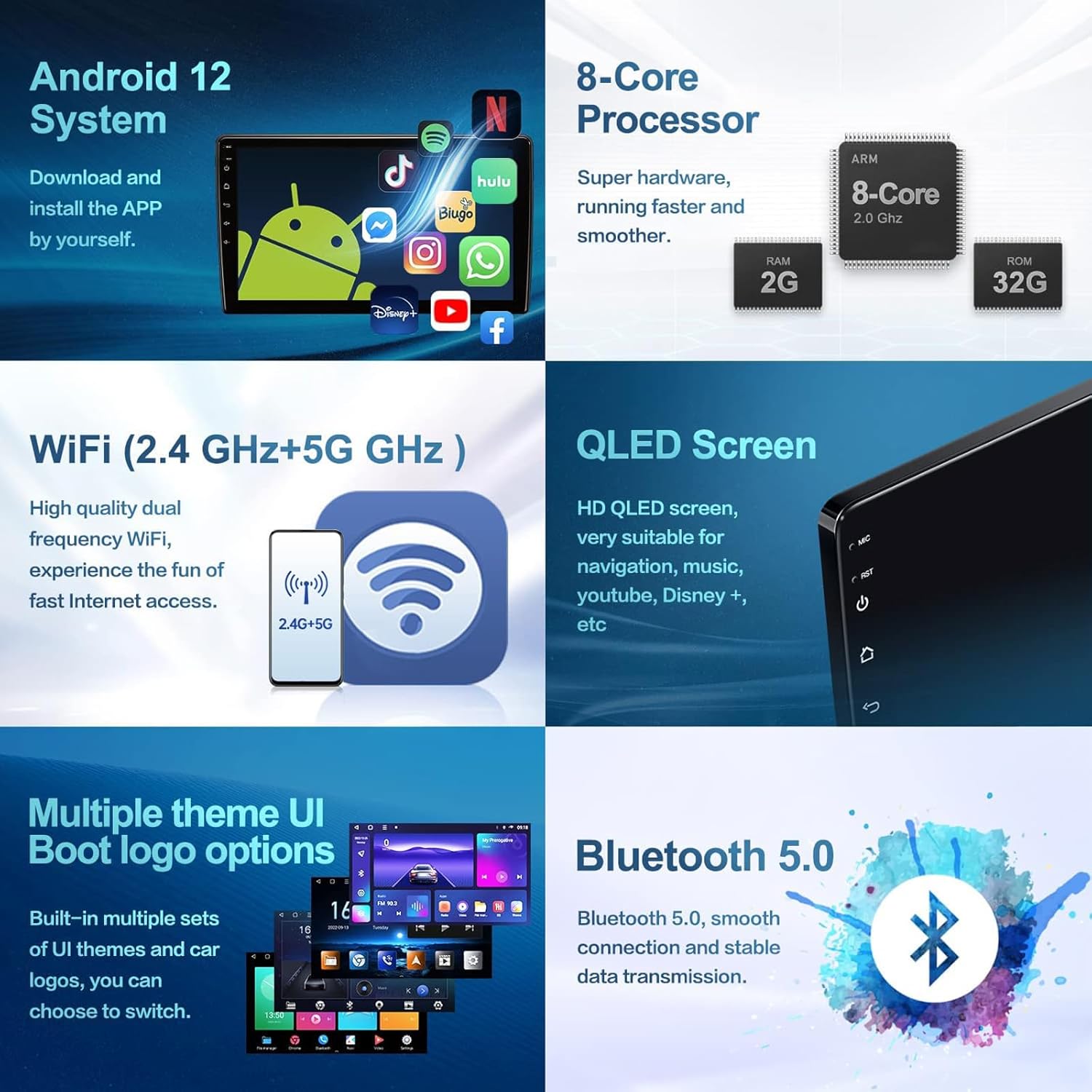
Image: A comprehensive graphic detailing various features including the Android 12 system, 8-Core processor, dual-band WiFi, QLED screen, multiple UI themes, and Bluetooth 5.0.
7. Rear Camera Operation
The included AHD 1080P rear view camera automatically displays a real-time, high-definition picture of the area behind your vehicle when the car is shifted into reverse gear. This provides reversing assistance with a clear view and trajectory lines (if supported by your vehicle).
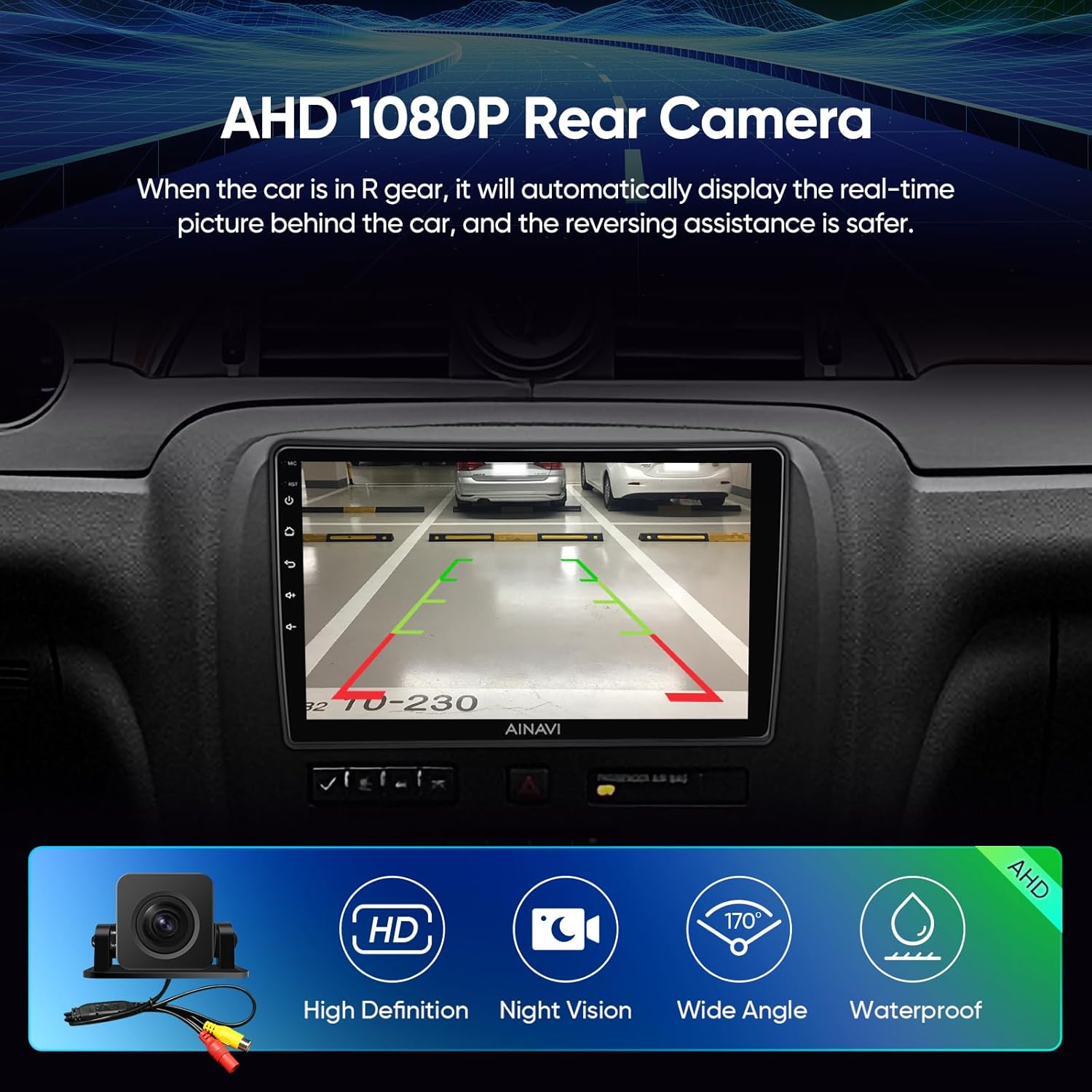
Image: The car stereo display showing a clear, wide-angle view from the AHD 1080P rear camera, complete with parking guidelines, and icons for HD, Night Vision, Wide Angle, and Waterproof features.
8. Troubleshooting
If you encounter any issues with your AINAVI car stereo, please refer to the following common troubleshooting steps:
- No Power: Check all power connections, fuses, and ensure the vehicle's battery is properly connected.
- No Sound: Verify speaker connections, volume levels, and audio settings (EQ/DSP). Ensure the unit is not muted.
- Touchscreen Unresponsive: Try restarting the unit. If the issue persists, a factory reset might be necessary (refer to the system settings).
- GPS Signal Loss: Ensure the GPS antenna is properly installed and has a clear line of sight to the sky.
- CarPlay/Android Auto Connection Issues: Check USB cables for damage, ensure Bluetooth and Wi-Fi are enabled on your phone, and update your phone's operating system if necessary.
- Incorrect Button Functionality: If buttons on the home screen lead to incorrect functions (e.g., music button opens GPS), this may indicate a software glitch. Try restarting the unit. If the problem persists, contact technical support for a potential software update or solution.
For persistent issues or complex problems, please contact AINAVI technical support.
9. Specifications
| Item Weight | 5.06 pounds |
| Product Dimensions | 10.2 x 5.72 x 10.2 inches |
| Display Size | 10.2 Inches |
| Screen Resolution | 1280*720 |
| Operating System | Android 12 |
| Processor | 8-Core CPU |
| RAM | 2GB |
| ROM | 32GB |
| Connectivity | Bluetooth 5.0, Wi-Fi (2.4GHz & 5GHz), USB, RCA |
| Special Features | Wired/Wireless CarPlay & Android Auto, Mirror Link, AirPlay, 48-EQ DSP, RDS, QLED Screen, Split Screen, Rear View Camera Support |
| Included Components | Head Unit, Frame, Microphone, GPS Antenna, AHD 1080P Rear View Camera, Cables, User Manual |
10. Warranty and Support
10.1 Warranty Information
This AINAVI product comes with a 12 Months Manufacturer Guarantee from the date of purchase. This warranty covers defects in materials and workmanship under normal use. It does not cover damage caused by improper installation, accident, misuse, abuse, neglect, or unauthorized modification.
10.2 Technical Support
Our professional technical support team is available to assist you with any installation questions or technical issues you may encounter. Please follow the steps below to reach us:
- Go to the product page on Amazon.
- Click on the seller's name (e.g., "HomeCar" or "AINAVI Store").
- Click the "Ask a question" button.
- Provide a detailed description of your issue, including any relevant pictures or videos.
We aim to reply to all inquiries as soon as possible.

Image: A visual guide demonstrating the steps to contact the seller for installation and technical support through the Amazon platform.


