
Introduction
The Sinocare Safe AQ Angel Blood Glucose Meter is designed for self-testing blood glucose levels. This device provides accurate and reliable results, aiding in the management of diabetes. It features a user-friendly design, fast measurement time, and memory storage for tracking your glucose trends.

Image: The Sinocare Safe AQ Angel Blood Glucose Meter shown alongside a healthcare professional, emphasizing its clinical level precision and reliability.
What's in the Box
Your Sinocare Safe AQ Angel Blood Glucose Meter kit includes the following components:
- 1 x Sinocare Safe AQ Angel Glucometer
- 25 x Test Strips
- 25 x 28G Lancets
- 1 x Lancing Device
- 1 x Carrying Case
- 1 x User Manual

Image: A complete view of the Sinocare Safe AQ Angel Blood Glucose Monitoring Kit, showcasing all included items: the glucometer, test strips, lancets, lancing device, and carrying case.
Device Overview and Setup
Device Components

Image: A detailed diagram illustrating the various parts of the Safe AQ Angel meter, including the display for test values and date/time, the strip insertion slot, the strip ejection button, and the battery compartment.
- Test Value Display: Shows your blood glucose reading.
- Date/Time Display: Shows the current date and time.
- Strip Insertion Slot: Where the test strip is inserted.
- Strip Ejection Button: Used to safely remove used test strips.
- Battery Cover: Protects the battery compartment.
- Buttons:
- Left Button: Increase number, Set voice.
- Middle Button: ON/OFF, Save changes, View results.
- Right Button: Decrease number, Set time.
Initial Setup
- Install Batteries: Open the battery cover and insert the Alkaline batteries (included) according to the polarity indicators. Close the cover securely.
- Set Date and Time: Turn on the meter. Use the left and right buttons to adjust the date and time. Press the middle button to confirm each setting.
- Prepare Lancing Device:
- Unscrew the cap of the lancing device.
- Insert a new lancet firmly into the lancet holder.
- Twist off the protective cap of the lancet.
- Replace the lancing device cap.
- Adjust the penetration depth by rotating the cap (start with a shallower depth and adjust as needed).
- Pull back the cocking control until it clicks, indicating it's ready to use.
Operating Instructions
Follow these steps for an accurate blood glucose test:
- Wash Hands: Wash your hands thoroughly with soap and warm water. Dry them completely.
- Insert Test Strip: Insert a new test strip into the meter's strip insertion slot. The meter will automatically turn on and display a blood drop symbol. The Sinocare Safe AQ Angel uses no-code strips, simplifying the process.
- Obtain Blood Sample:
- Place the prepared lancing device firmly against the side of your fingertip.
- Press the release button to prick your finger.
- Gently squeeze your finger until a small drop of blood (approximately 0.6µL) forms.
- Apply Blood Sample: Touch the tip of the test strip to the blood drop. The blood will be drawn into the strip automatically.
- Read Results: The meter will count down and display your blood glucose result in approximately 5 seconds.
- Record Results: The meter automatically stores up to 200 test results, allowing you to track your glucose trends over 7, 14, and 28 days.
- Dispose of Used Materials: Eject the used test strip using the strip ejection button. Carefully remove the lancet from the lancing device and dispose of both the strip and lancet in a suitable sharps container.

Image: A visual guide demonstrating the four key steps for performing a blood glucose test with the Sinocare Safe AQ Angel meter, from inserting the strip to obtaining the 5-second result.

Image: The Sinocare Safe AQ Angel meter illustrating the minimal 0.6µL blood sample required and the rapid 5-second measurement time for results.
Maintenance
Cleaning the Meter
- Wipe the meter's exterior with a soft, damp cloth. Do not use harsh chemicals or abrasive cleaners.
- Ensure no liquid enters the strip insertion slot or other openings.
- Do not immerse the meter in water or any other liquid.
Storage
- Store the meter and test strips in a cool, dry place, away from direct sunlight and extreme temperatures.
- Keep test strips in their original vial with the cap tightly closed.
- Recommended storage conditions for test strips: 10°C - 35°C (50°F - 95°F), RH < 80%.
- Always check the expiration date on the test strip vial.
Troubleshooting
| Problem | Possible Cause | Solution |
|---|---|---|
| Meter does not turn on. | Dead or incorrectly inserted batteries. | Check battery orientation. Replace with new Alkaline batteries. |
| Inaccurate or inconsistent readings. | Expired test strips, improper blood sample application, meter malfunction, or environmental factors. |
|
| Error message on display. | Refer to the specific error code in the full manual for detailed explanations. Common causes include insufficient blood sample or damaged test strip. | Repeat the test with a new strip and sufficient blood sample. If the error persists, contact customer support. |
| Lancing device not working. | Lancet not properly inserted or device not cocked. | Ensure the lancet is firmly inserted and the device is cocked until it clicks. |
Specifications
| Feature | Detail |
|---|---|
| Brand | Sinocare |
| Model Name | Safe AQ ANGEL |
| Model Number | Angel 25 Kit |
| Product Dimensions | 8L x 9W x 6H cm |
| Operating Time | 5 Seconds |
| Blood Sample Volume | 0.6µL |
| Memory Capacity | 200 test results |
| Battery Type | Alkaline |
| Manufacturer | Changsha Sinocare Inc. |
| Key Features | Accurate Home Measurement in 5s, 200 Stored Values, Minimal Pain, Easy to Use, No-Code Strips, FAD-GDH Technology. |
Warranty and Support
Sinocare is committed to providing quality products and excellent customer service. The Safe AQ Angel Blood Glucose Meter comes with global support, offering immediate responses to all inquiries.
For warranty information, technical assistance, or any questions regarding your device, please contact Sinocare customer support through their official website or the contact information provided in the packaging.
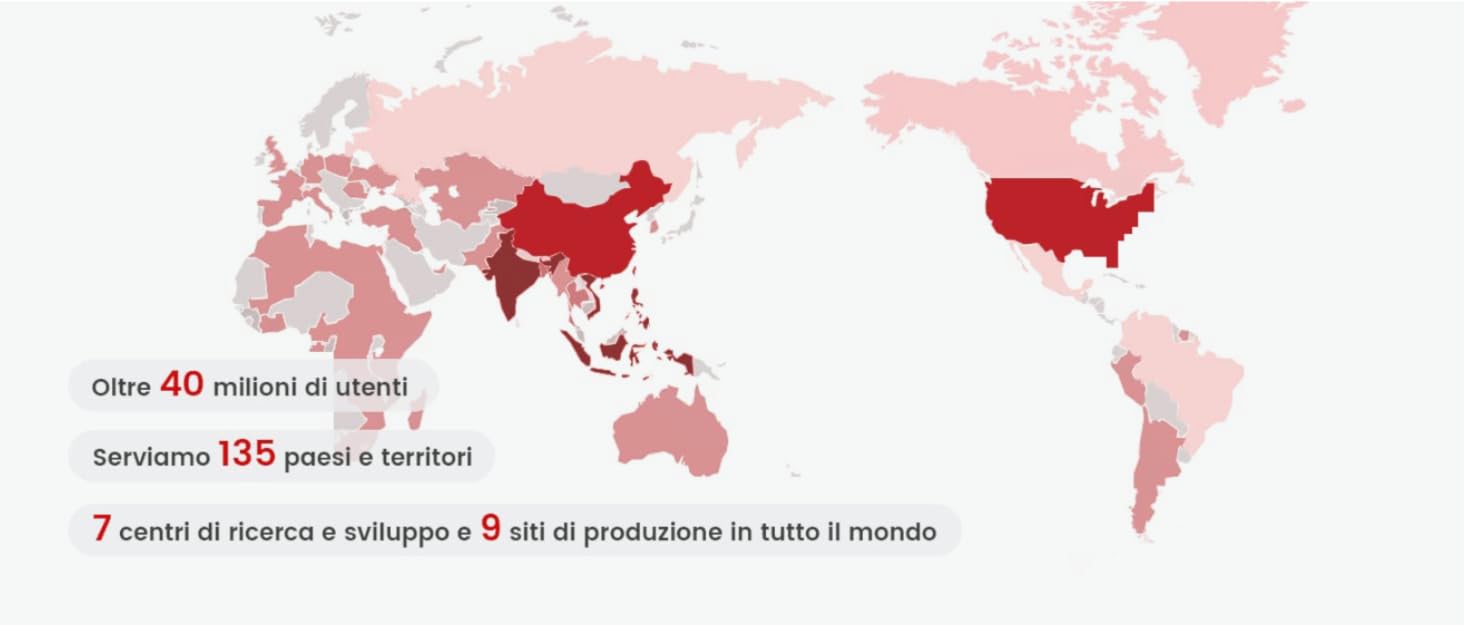
Image: A world map highlighting Sinocare's extensive global reach, serving over 40 million users across 135 countries with multiple research and production facilities.