
Philips Hue 577551
Philips Hue Lightguide Pendant Cord - User Manual
Model: 577551
Brand: Philips Hue
Product Overview
The Philips Hue Lightguide Pendant Cord is specifically designed to complement Philips Hue Lightguide bulbs (sold separately), allowing you to stylishly display your smart lighting. This cord features a fabric-wrapped design and a sturdy metal holder that seamlessly integrates with the base of all Philips Hue Lightguide bulb shapes, ensuring a clean and cohesive look. Its adjustable height feature provides flexibility to customize your lighting arrangement.
Key features include:
- Statement Piece: Pairs perfectly with Lightguide bulbs to create a unique and captivating glow.
- Stylish Design: Fabric-wrapped cord and robust metal holder enhance your home decor.
- Seamless Integration: Designed to fit all distinctive Lightguide bulb shapes (large globe, small globe, ellipse, edison, triangular).
- Easy Installation: The metal holder covers the bulb base for straightforward setup.
- Adjustable Height: Easily raise or lower the cord to achieve the desired lighting height.

Image: The Philips Hue Lightguide Pendant Cord shown with its packaging, highlighting its sleek black design and compatibility with Lightguide bulbs.
Setup & Installation
Installing your Philips Hue Lightguide Pendant Cord is a straightforward process designed for ease of use. This cord is intended for ceiling mount installation and does not require complex assembly.
- Physical Installation: Securely mount the pendant cord to your ceiling. Ensure the power is off at the circuit breaker before beginning any electrical work. The metal holder is designed to perfectly cover the base of your Philips Hue Lightguide bulb (sold separately) for a clean finish.
- Adjust Height: Once installed, you can easily adjust the length of the cord to achieve the perfect height for your space. This allows for versatile placement and aesthetic customization.
- Insert Lightguide Bulb: Carefully screw your Philips Hue Lightguide bulb into the E26 Medium base of the pendant cord.
- Power On: Restore power at the circuit breaker.
- Connect to Philips Hue System (Optional but Recommended): For full smart lighting capabilities, connect your new Lightguide bulb (via the pendant cord) to a Philips Hue Bridge. This enables advanced features like full home control, routines, and smart accessory integration.
- Download Philips Hue App: If you haven't already, download the Philips Hue app from your device's app store to control your lighting.

Image: A close-up view of the fabric-wrapped cord and metal holder, demonstrating its seamless integration with a Philips Hue Lightguide bulb.
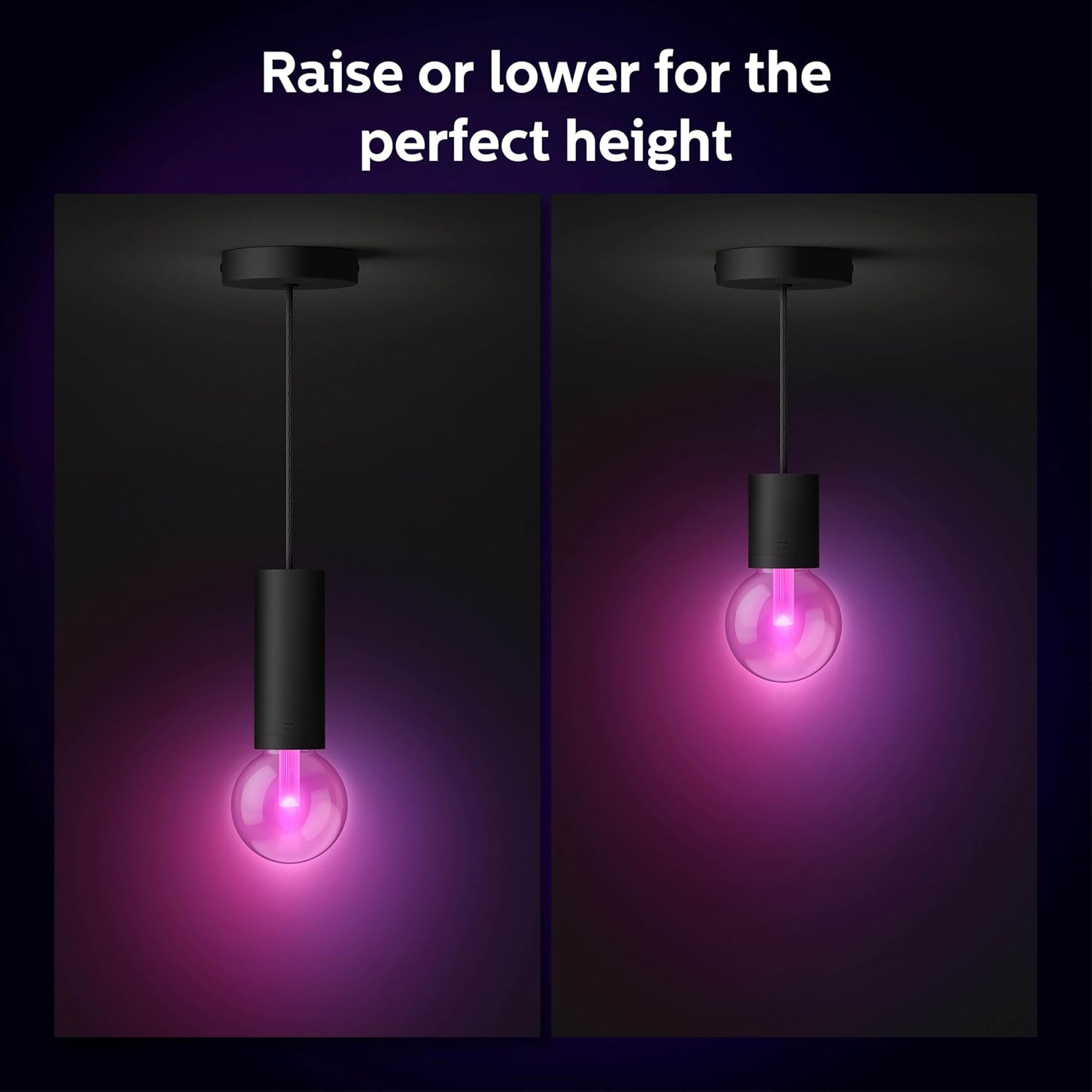
Image: Illustration demonstrating how the pendant cord's height can be adjusted to suit different preferences and room layouts.

Image: Technical diagram displaying the precise dimensions of the Philips Hue Lightguide Pendant Cord, including its length and fixture size.
Operating Instructions
The Philips Hue Lightguide Pendant Cord itself is a passive component; its operation is directly tied to the Philips Hue Lightguide bulb inserted into it and your Philips Hue smart lighting system. You can control your lighting using either Bluetooth or a Philips Hue Bridge.
Control Options:
- Bluetooth Control: For basic control in a single room, you can connect directly to your Lightguide bulb via Bluetooth using the Philips Hue Bluetooth app. This allows for immediate control of on/off, dimming, and color changes.
- Philips Hue Bridge Control: For the full smart lighting experience, including multi-room control, outdoor lighting, smart switches, motion sensors, routines, timers, automations, and away-from-home control, connect your system to a Philips Hue Bridge. The Bridge provides a stable and reliable connection for your entire Hue ecosystem.

Image: A visual comparison illustrating the capabilities and limitations of controlling Philips Hue lights via Bluetooth versus using a Philips Hue Bridge.

Image: A diagram showcasing how the Philips Hue Bridge integrates with various smart home products and enables comprehensive control over lighting throughout an entire home.
Using the Philips Hue App:
The Philips Hue app is your central hub for managing your lighting. Through the app, you can:
- Create and activate custom light scenes.
- Set schedules and timers for your lights.
- Group lights into rooms or zones for easy control.
- Integrate with voice assistants like Amazon Alexa, Google Assistant, and Apple HomeKit.
Video: An official Philips Hue video demonstrating the various Lightguide bulb shapes and how they integrate with the Philips Hue system to create different lighting ambiances.
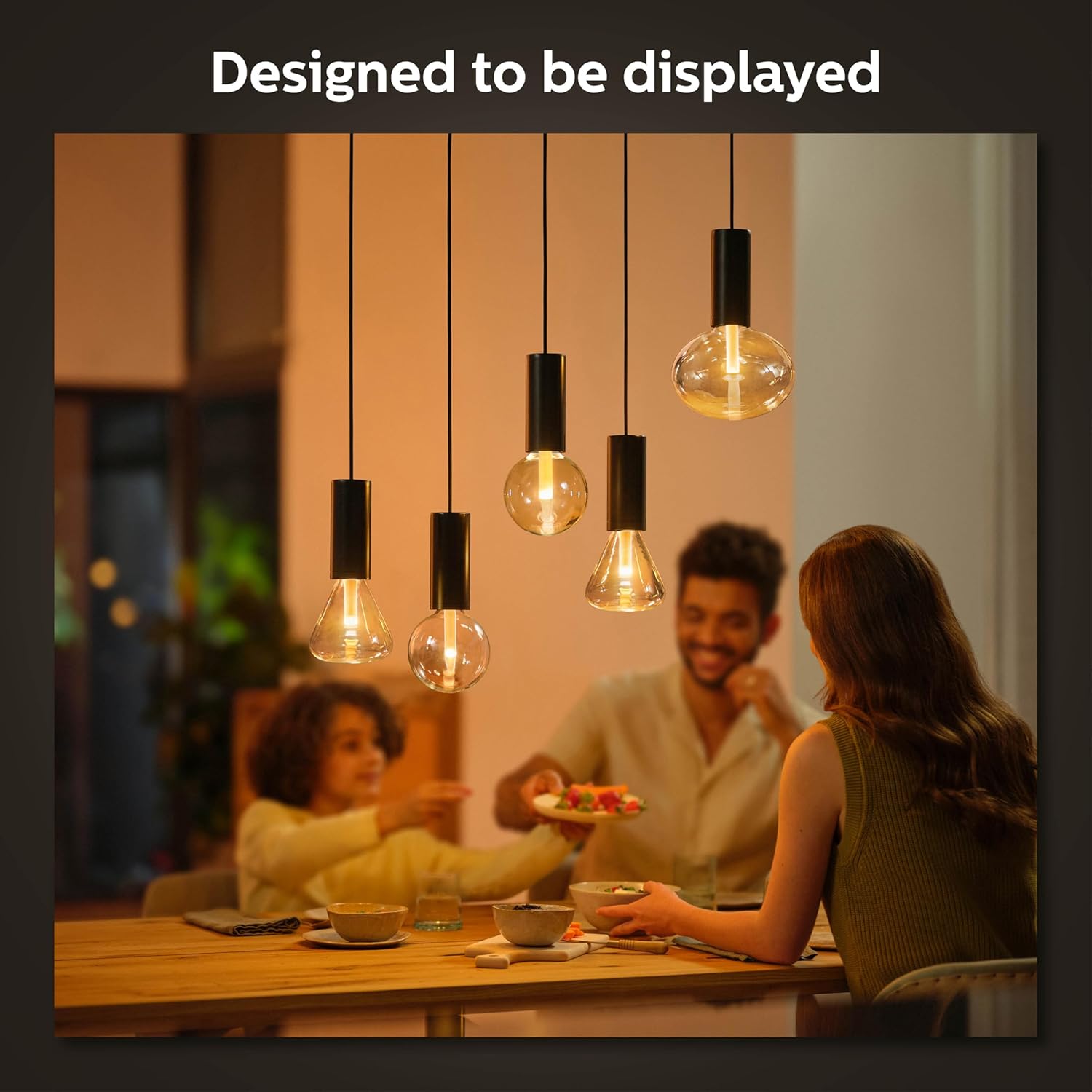
Image: A lifestyle shot showing multiple Philips Hue Lightguide Pendant Cords with bulbs installed in a dining room, illustrating their aesthetic appeal when displayed.
Maintenance
The Philips Hue Lightguide Pendant Cord requires minimal maintenance to ensure its longevity and appearance.
- Cleaning: To clean the cord and metal holder, gently wipe with a soft, dry, or slightly damp cloth. Avoid using abrasive cleaners, solvents, or harsh chemicals, as these can damage the finish.
- Bulb Replacement: Ensure power is disconnected before replacing any Lightguide bulbs. Handle bulbs carefully to avoid breakage.
- Inspection: Periodically inspect the cord for any signs of wear, fraying, or damage. If any damage is observed, discontinue use and contact customer support.
This product is designed for indoor use and is not water resistant. Avoid exposure to moisture or extreme temperatures.
Troubleshooting
If you encounter issues with your Philips Hue Lightguide Pendant Cord, consider the following common troubleshooting steps:
- Light Not Turning On:
- Ensure the Lightguide bulb is securely screwed into the pendant cord.
- Check if the power supply to the fixture is active (e.g., wall switch is on, circuit breaker is not tripped).
- Verify that the bulb itself is functional by testing it in another compatible fixture if possible.
- Connectivity Issues (with Hue Bridge/Bluetooth):
- Ensure your Philips Hue Bridge is powered on and connected to your home network.
- Check that your mobile device's Bluetooth is enabled and you are within range for Bluetooth control.
- Try resetting the Lightguide bulb (refer to the bulb's specific instructions for reset procedures).
- Ensure your Philips Hue app is up to date.
- Physical Damage:
- If the cord or metal holder appears physically damaged, do not attempt to repair it. Contact Philips Hue support for assistance.
For more detailed troubleshooting or persistent issues, please refer to the official Philips Hue website or contact their customer service.
Specifications
| Attribute | Detail |
|---|---|
| Brand | Philips Hue |
| Model Number | 577551 |
| Color | Black |
| Material | Aluminum, Fabric |
| Style | Pendant Cord - Black |
| Light Fixture Form | Pendant |
| Room Type | Indoor |
| Indoor/Outdoor Usage | Indoor |
| Power Source | Corded Electric |
| Installation Type | Pendant (Ceiling Mount) |
| Shade Material | Metal |
| Item Weight | 0.51 Kilograms (1.13 pounds) |
| Bulb Base Compatibility | E26 Medium (for Lightguide bulbs, sold separately) |
| Water Resistance Level | Not Water Resistant |
| Assembly Required | No |
| Package Dimensions | 11.1 x 8.62 x 5.51 inches |
Warranty Information
The Philips Hue Lightguide Pendant Cord comes with a 2-year warranty from the date of purchase. This warranty covers defects in materials and workmanship under normal use. Please retain your proof of purchase for warranty claims.
For full details regarding warranty terms and conditions, please refer to the official Philips Hue website or contact their customer support.
Support
For further assistance, technical support, or to explore more Philips Hue products and accessories, please visit the official Philips Hue support resources:
- Philips Hue Official Store on Amazon
- Refer to the Philips Hue website for comprehensive FAQs, user guides, and contact information for customer service.
Always ensure you are using genuine Philips Hue products and accessories for optimal performance and safety.
Related documents577551


Ask a question about this manual
Ask about setup, troubleshooting, compatibility, parts, safety, or missing instructions. Manuals+ will review the question and use this page’s manual context to help answer it.