
iWALK DBL10000PNC
iWALK 9600mAh 20W PD Portable Charger User Manual
Model: DBL10000PNC
1. Introduction
This manual provides essential instructions for the safe and efficient use of your iWALK 9600mAh 20W PD Portable Charger. This device features a built-in USB-C cable, designed to provide fast charging for compatible devices. Please read this manual thoroughly before operating the product and retain it for future reference.
2. Product Overview
2.1 Key Features
- 20W PD Fast Charging: Supports Power Delivery for rapid charging of compatible devices, such as charging an iPhone 15 up to 60% in approximately 30 minutes.
- 9600mAh High Capacity: Provides multiple charges for smartphones and other small electronic devices.
- Built-in USB-C Cable: Eliminates the need to carry an additional charging cable for convenience.
- Smart LED Digital Display: Shows the remaining battery percentage of the power bank.
- Compact and Portable Design: Easily fits into pockets, handbags, or backpacks.
- Airline Compliant: Suitable for air travel.
2.2 Package Contents
- iWALK 9600mAh Portable Charger (Model DBL10000PNC) x 1
- USB-C to USB-C Charging Cable (39.3 inch / 100 cm) x 1
- User Manual x 1
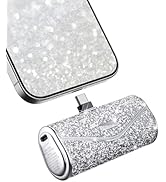
The package includes the iWALK 9600mAh power bank, a USB-C to USB-C charging cable, and the user manual.
3. Setup and Initial Charging
3.1 Charging the Portable Charger
Before first use, fully charge the iWALK portable charger. Connect the provided USB-C to USB-C cable to the power bank's input port and then to a compatible USB-C wall adapter (not included). The LED digital display will show the charging progress and current battery percentage. The display will show "100%" when fully charged.
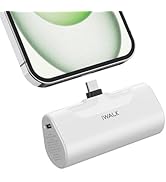
The power bank itself can be recharged using a standard USB-C wall adapter.
4. Operating Instructions
4.1 Charging Your Device
- Locate the built-in USB-C cable on the iWALK portable charger.
- Connect the USB-C connector of the built-in cable directly into the charging port of your compatible device.
- The power bank will automatically begin charging your device. The LED display on the power bank will show its remaining battery percentage.
- To stop charging, simply disconnect the cable from your device.

The iWALK portable charger is designed for portability, featuring a built-in USB-C cable for convenience.

The power bank features a digital LED display indicating the remaining battery percentage, ensuring you know when to recharge it.

Experience rapid charging with 20W Power Delivery, capable of charging an iPhone 15 up to 60% in approximately 30 minutes.

The 20W Power Delivery output allows for rapid charging, reaching 60% battery on an iPhone 15 in just 30 minutes.
4.2 Device Compatibility
This portable charger is designed for devices with a USB-C charging port. Compatible devices include, but are not limited to:
- iPhone 15 Series (iPhone 15, 15 Plus, 15 Pro, 15 Pro Max)
- Samsung Galaxy Series (with USB-C)
- Other Android Phones (with USB-C)
- iPad Pro/Air (with USB-C)
- AirPods (with USB-C charging case)
Note: This charger is not compatible with older iPhone models (e.g., iPhone 14, 13, 12, XS, XR, X, 8, 7, 6, SE) that utilize a Lightning connector.

This charger is compatible with a wide range of USB-C devices, including the iPhone 15 series, various Android phones, and iPads. It is not compatible with older iPhone models that use a Lightning connector.

The integrated USB-C connector ensures broad compatibility with modern devices.
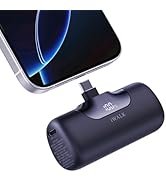
The charger is suitable for charging smaller accessories like wireless earbuds.
5. LED Display Information
The iWALK portable charger features a clear LED digital display that indicates the remaining battery percentage of the power bank. This allows you to monitor the power bank's charge level and plan recharges accordingly.
- Displaying Percentage: When the power bank is in use or activated, the screen will show a number from 0 to 100, representing the battery percentage.
- Charging Indication: During charging, the percentage will increase, and the display may show a charging icon or animation.
6. Safety Information
- Do not expose the power bank to extreme temperatures (hot or cold), direct sunlight, or fire.
- Avoid dropping, disassembling, or attempting to repair the device yourself.
- Keep the power bank away from water and other liquids.
- Use only certified charging cables and adapters.
- If the power bank becomes excessively hot during charging or discharging, disconnect it immediately and contact customer support.
- Store in a cool, dry place when not in use.
7. Maintenance
- Clean the exterior of the power bank with a soft, dry cloth. Do not use harsh chemicals or abrasive materials.
- Ensure the USB-C port and built-in cable connector are free from dust and debris.
- For optimal battery life, fully charge the power bank at least once every three months if not in regular use.
8. Troubleshooting
- Q: The power bank is not charging my device.
- A: Ensure the built-in USB-C cable is securely connected to your device. Verify that your device is compatible with a USB-C charging port. Check if the power bank itself has sufficient charge by looking at the LED display.
- Q: The power bank is not recharging.
- A: Confirm that the USB-C to USB-C cable is properly connected to both the power bank and a functioning wall adapter. Try a different wall adapter or cable to rule out issues with accessories.
- Q: The power bank gets hot during use.
- A: It is normal for power banks to generate some heat during charging or discharging. However, if the device becomes excessively hot to the touch, disconnect it immediately. Ensure it is used in a well-ventilated area and not covered. If the issue persists, discontinue use and contact customer support.
- Q: The LED display is not working.
- A: Try connecting the power bank to a charger or a device to see if it activates. If the display remains unresponsive, the unit may be faulty. Contact customer support.
9. Specifications
| Model Number | DBL10000PNC |
| Brand | iWALK |
| Battery Capacity | 9600 Milliamp Hours (mAh) |
| Connector Type | USB Type C (Built-in cable) |
| Output Power | 20W Power Delivery (PD) |
| Battery Type | Lithium Ion |
| Product Dimensions | 1 x 1 x 1 inches |
| Item Weight | 10.9 ounces |
| Special Features | Built-in Cable, Digital Display, Fast Charging, Pocket Size |
10. Warranty and Customer Support
iWALK products come with a standard warranty. For detailed warranty information, please refer to the warranty card included in your product packaging or visit the official iWALK website. If you encounter any issues or have questions regarding your iWALK portable charger, please contact our friendly customer service team for assistance.
Customer Service Contact: Please refer to your product packaging or the official iWALK website for the most current contact information.
Related documentsDBL10000PNC


Ask a question about this manual
Ask about setup, troubleshooting, compatibility, parts, safety, or missing instructions. Manuals+ will review the question and use this page’s manual context to help answer it.