
1. Introduction
Thank you for choosing the Dowinx Gaming Chair Model 6657A. This chair is designed to provide ergonomic support and comfort for extended periods of sitting, whether for gaming, office work, or leisure. It features breathable PU leather, a pocket spring cushion, massage lumbar support, a retractable footrest, and adjustable reclining functions.
2. Safety Information
Please read all safety warnings provided in the user manual before assembly and use. Ensure all components are securely fastened before sitting on the chair. Do not stand on the chair. Avoid placing heavy objects on the chair's backrest when reclined. Keep hands and fingers clear of moving parts during adjustment.
3. Package Contents
Before beginning assembly, please ensure all parts listed below are present and undamaged. If any parts are missing or damaged, please contact customer service.
- Chair Backrest
- Seat Cushion with integrated footrest mechanism
- Armrests (2)
- Star Base
- Casters (5)
- Gas Lift Cylinder with Cover
- Tilt Mechanism
- Headrest Pillow
- Massage Lumbar Support Pillow
- Assembly Hardware (screws, washers, Allen wrench)
- Instruction Manual
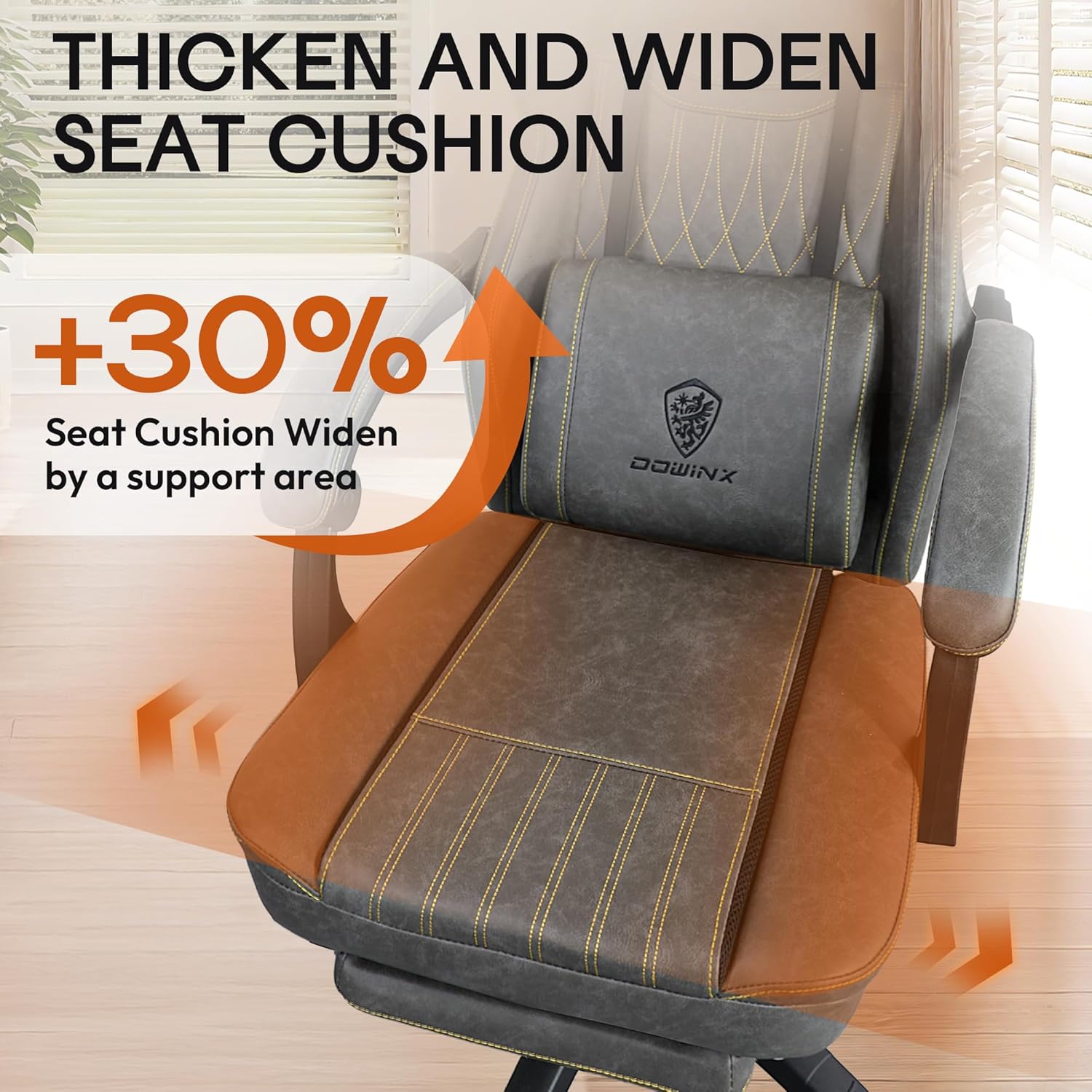
Image: All components of the Dowinx Gaming Chair laid out on a floor, ready for assembly, including the seat, backrest, base, wheels, and cushions.
4. Setup and Assembly
Assembly is required for this product. Please follow the steps below carefully. It is recommended to have two people for certain steps to ensure safety and ease of assembly.
- Attach Casters to Star Base: Insert each of the five casters into the holes at the end of the star base until they click securely into place.
- Install Gas Lift Cylinder: Place the gas lift cylinder into the center hole of the star base. Cover it with the telescopic cover.
- Attach Tilt Mechanism to Seat Cushion: Align the tilt mechanism with the pre-drilled holes on the underside of the seat cushion. Secure it with the provided screws and Allen wrench. Ensure the "FRONT" label on the mechanism faces the front of the seat.
- Attach Armrests: Secure the armrests to the sides of the seat cushion using the provided screws.
- Attach Backrest to Seat Cushion: Align the backrest with the metal plates on the seat cushion. Secure with screws.
- Connect Seat Assembly to Gas Lift: Carefully place the assembled seat onto the gas lift cylinder, ensuring it is centered and stable.
- Attach Headrest and Lumbar Support: Secure the headrest pillow and massage lumbar support pillow using their adjustable straps. The lumbar support pillow can be adjusted vertically for optimal comfort.
Video: Official installation guide for the Kslysuty Gaming Chair, demonstrating step-by-step assembly of the chair components.
5. Features
- Ultra Soft and Comfy Seat Cushion: Features independently pocketed springs for even weight distribution and ergonomic spine support.
- Comfy Headrest and Massage Lumbar Support: Adjustable headrest and USB-powered massage lumbar support for fatigue relief.
- Versatile Reclining Design: Backrest reclines from 90° to 135° for various activities, including work, gaming, and napping.
- Smooth Mobility: 360° smooth-rolling silent casters for effortless movement without floor damage.
- Larger Seating Area: Wider seat cushion (at least 10cm extra width) suitable for most body types.
- Highly Breathable PU Leather: Upgraded PU leather with 33 times better heat dissipation than traditional PU.
- Adjustable Armrests: 3D linked adjustable armrests for personalized comfort.
- Retractable Footrest: Integrated footrest for enhanced relaxation.

Image: Close-up view of the Dowinx Gaming Chair highlighting the ergonomic memory foam design of the headrest and massage lumbar support, with an illustration of spinal alignment.

Image: A visual representation of the Dowinx Gaming Chair's breathable PU leather, emphasizing its superior heat dissipation properties compared to traditional PU leather.
6. Operating Instructions
- Height Adjustment: Use the lever located on the right side beneath the seat to adjust the chair's height. Pull the lever up while lifting your weight off the seat to raise, or while seated to lower.
- Recline Function: Use the lever on the left side of the seat to adjust the backrest angle. Pull the lever up and lean back to recline, then release the lever to lock the position. The backrest can recline from 90° to 135°.
- Footrest Operation: Pull the retractable footrest out from under the seat when desired. Push it back in for storage.
- Lumbar Massage: Connect the USB cable from the lumbar support pillow to a USB power source (e.g., computer, power bank) to activate the massage function.
- Armrest Adjustment: The 3D linked armrests can be adjusted for height and angle. Refer to the specific armrest mechanism for detailed instructions.

Image: A person relaxing in the Dowinx Gaming Chair in a reclined position with the footrest extended, illustrating the 90°-135° reclining range, strong load-bearing base, and smooth gliding wheels.
7. Maintenance
To ensure the longevity and optimal performance of your Dowinx Gaming Chair, please follow these maintenance guidelines:
- Cleaning: Wipe clean with a damp cloth. Avoid harsh chemicals or abrasive cleaners that may damage the PU leather.
- Regular Checks: Periodically check all screws and bolts to ensure they are tight. Retighten if necessary to prevent loosening over time.
- Caster Care: Keep casters free of debris (hair, dust) to ensure smooth rolling.
- Avoid Direct Sunlight: Prolonged exposure to direct sunlight can cause the PU leather to fade or crack.
8. Troubleshooting
If you encounter any issues with your Dowinx Gaming Chair, please refer to the following common troubleshooting tips:
- Chair Squeaks: Check and tighten all assembly screws. Applying a small amount of lubricant to moving metal parts may help.
- Gas Lift Malfunction: Ensure the height adjustment lever is fully engaged or disengaged. If the cylinder fails to hold height, it may need replacement.
- Footrest Sticks: Check for any obstructions in the footrest mechanism. Ensure the rails are clean and free of debris.
- Unstable Chair: Verify that all screws on the base and seat are securely tightened. Ensure the casters are fully inserted into the base.
9. Specifications
| Attribute | Detail |
|---|---|
| Brand | Dowinx |
| Model Number | 6657A |
| Color | Grey |
| Product Dimensions | 19.3"D x 20.1"W x 50"H |
| Material | PU Leather, Foam |
| Maximum Weight Recommendation | 300 Pounds |
| Reclining Position Count | 3 to 5 (90° to 135°) |
| Special Features | Adjustable Backrest, Adjustable Headrest, Adjustable Height, Adjustable Lumbar (Massage), Retractable Footrest |
| Item Weight | 44.1 pounds |

Image: Detailed diagram showing the dimensions of the Dowinx Gaming Chair, including seat width, backrest height, and maximum load capacity of 300 lbs.
10. Warranty and Support
Dowinx offers a 1-month replacement service and a 1-year parts quality service for this product. For any inquiries, assistance, or to claim warranty services, please contact our 24/7 customer service team. Refer to the contact information provided in your purchase documentation.