
Kinganda Q71
Kinganda Bluetooth Headphones User Manual
Model: Q71
Brand: Kinganda
Introduction
Thank you for choosing Kinganda Bluetooth Headphones. This user manual provides detailed instructions on how to set up, operate, and maintain your new headphones. Please read this manual thoroughly before use to ensure optimal performance and longevity of your device.
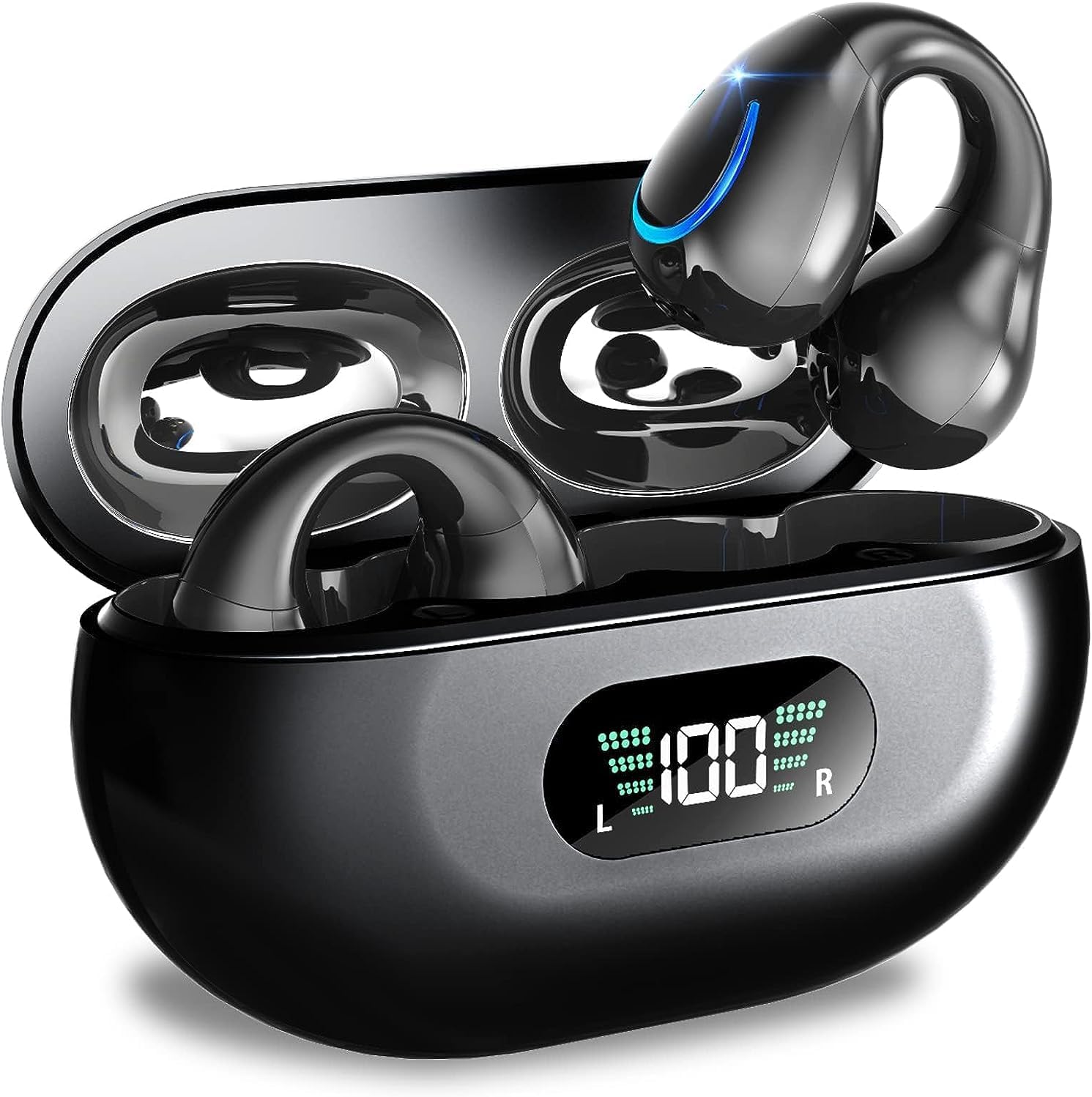
Image: Kinganda Bluetooth Headphones (Model Q71) in their charging case, showcasing the sleek design and LED display.
What's in the Box
Please check the package contents to ensure all items are present:
- Wireless Headphones (Left and Right)
- Wireless Charging Case
- USB-C Charging Cable
- User Manual

Image: An illustration showing the Kinganda headphones, charging case, USB-C cable, and user manual, representing the package contents.
Safety Information
To ensure safe operation and prevent damage to your headphones, please observe the following safety guidelines:
- Do not swim underwater or take hot baths with the headphones. Exposure to high temperatures or prolonged submersion can cause damage to the internal components.
- Keep the headphones and charging case away from extreme temperatures, direct sunlight, and high humidity.
- Avoid dropping or subjecting the device to strong impacts.
- Do not attempt to disassemble, repair, or modify the headphones yourself. Contact qualified service personnel for any repairs.
- Keep out of reach of children and pets.
Product Overview and Features
The Kinganda Q71 headphones are designed for comfort and high-quality audio, featuring advanced technology for an enhanced listening experience.
Key Features:
- Advanced Bluetooth 5.3 Technology: Ensures a stable, low-latency connection with lower power consumption and faster transmission.
- Comfortable Open Ear Clip Design: Ergonomically designed to fit the contours of the ear, providing a secure and comfortable fit without entering the ear canal. This design allows you to remain aware of your surroundings.
- 36 Hours Playtime: Enjoy up to 6 hours of continuous playback on a single charge, with an additional 30 hours provided by the compact magnetic charging case.
- LED Digital Display: The charging case features an LED screen that clearly shows the remaining power of both the headphones and the charging case.
- IPX7 Waterproof Rating: Designed to withstand sweat and light rain, making them suitable for various activities.
- 10mm Drivers: Deliver deep bass and stereo sound for a rich audio experience.
- Built-in ENC Mic: Enhanced Noise Cancellation microphone for clear calls.
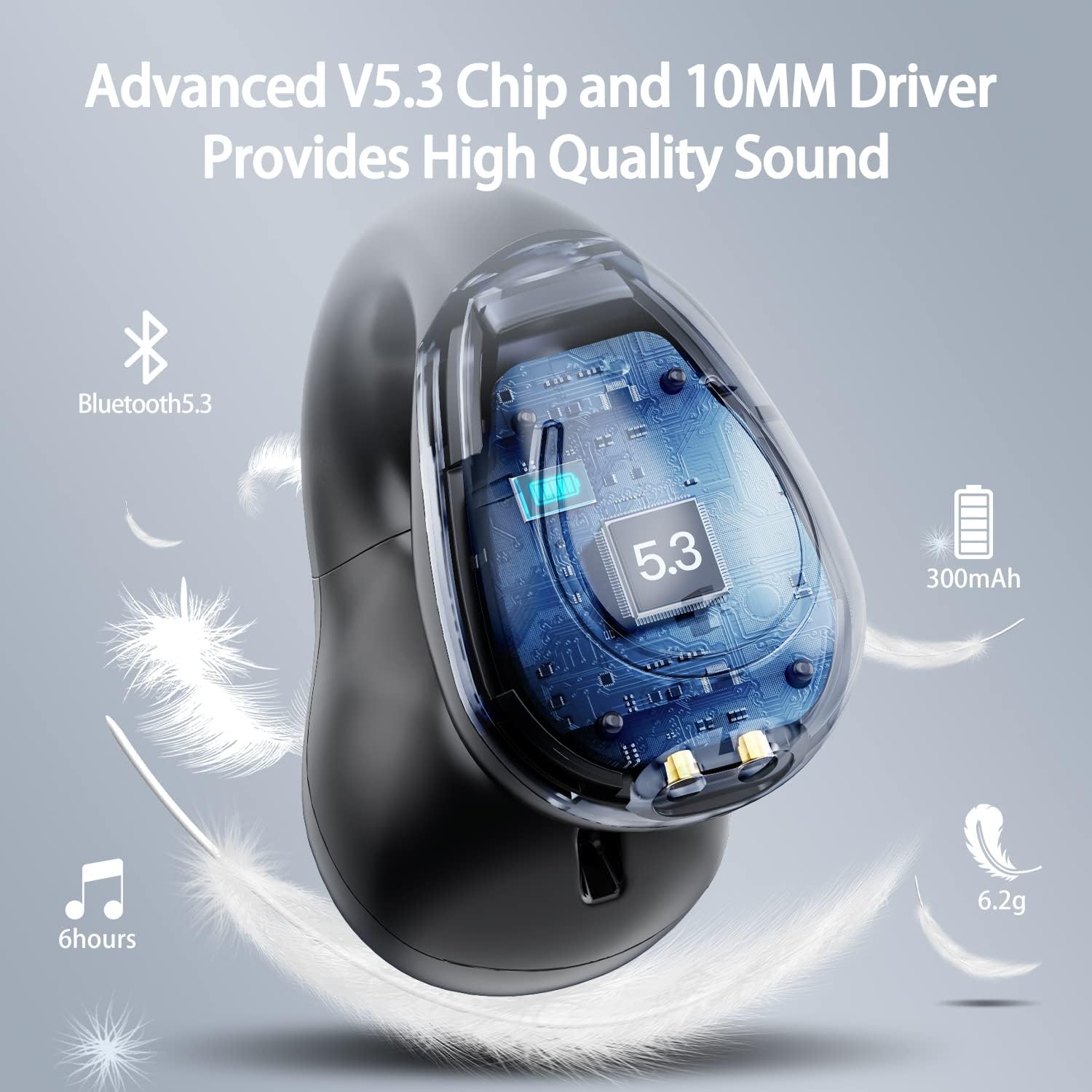
Image: A cutaway view of the Kinganda earbud, highlighting the advanced V5.3 chip and 10mm driver for high-quality sound.

Image: A person wearing the Kinganda Q71 headphones, demonstrating the comfortable and secure open-ear clip design.
Setup
Pairing Your Headphones:
- Charge the Headphones: Before first use, ensure both the headphones and the charging case are fully charged. Place the earbuds into the charging case and connect the USB-C cable to a power source. The LED display on the case will indicate charging status.
- Power On: Open the charging case. The headphones will automatically power on and enter pairing mode.
- Activate Bluetooth: On your device (smartphone, tablet, laptop, etc.), go to the Bluetooth settings and turn on Bluetooth.
- Select Device: In the list of available Bluetooth devices, look for "YYK-Q71" and select it to connect.
- Confirmation: Once connected, you will hear an audio prompt from the headphones, and the device will show "YYK-Q71" as connected.
The headphones are widely compatible with iOS, Android, and Windows devices.

Image: An illustration demonstrating the simple one-step pairing process and wide compatibility of the Kinganda Q71 headphones with various devices.
Operating Instructions
Charging the Headphones and Case:
- Earbuds Charging: Place the earbuds back into the charging case. They will automatically begin charging. The LED display on the case will show the charging status of each earbud.
- Case Charging: Connect the provided USB-C cable to the charging port on the case and the other end to a USB power adapter (not included). The LED display will show the battery percentage of the case.
- A full charge of the earbuds provides approximately 6 hours of playtime. The charging case provides an additional 30 hours of battery life, allowing for multiple recharges on the go.
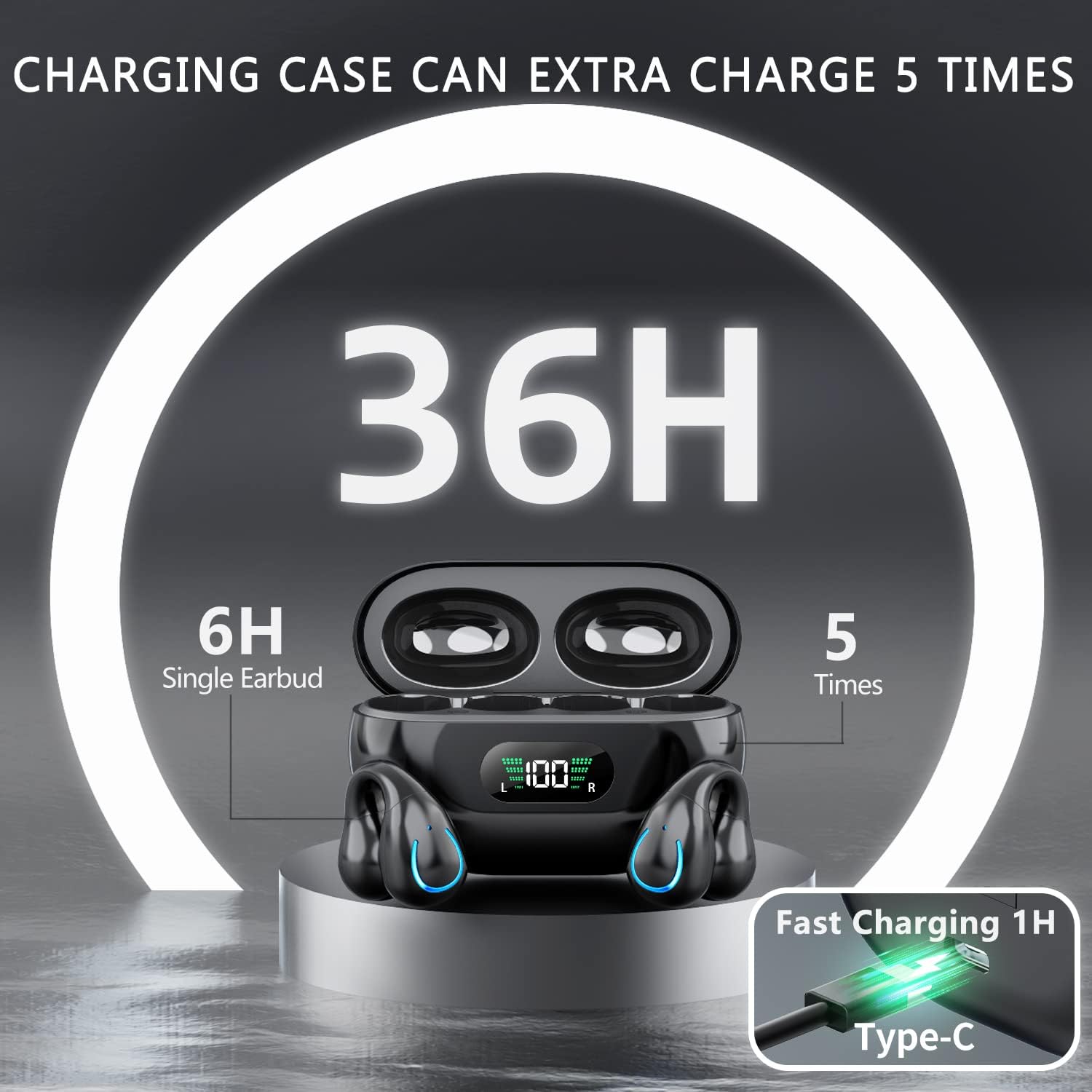
Image: The Kinganda charging case displaying "36H" total playtime, indicating 6 hours from a single earbud charge and 5 additional charges from the case.
Touch Controls:
The Kinganda Q71 headphones feature physical buttons for precise control, preventing accidental touches.
| Action | Control |
|---|---|
| Power On/Off | Automatically On/Off when taken out/put into case. |
| Answer/End Call | Click 1 time (either earbud) |
| Reject Call | Press and hold (either earbud) |
| Play/Pause Music | Click 1 time (either earbud) |
| Next Track | Click Right earbud 2 times |
| Previous Track | Click Left earbud 2 times |
| Activate Voice Assistant (Siri, Google Assistant) | Click 3 times (either earbud) |

Image: Diagram illustrating the one-button physical controls for the Kinganda headphones, including call management, music playback, and voice assistant activation.
Maintenance
Proper maintenance will extend the life of your Kinganda headphones:
- Cleaning: Use a soft, dry, lint-free cloth to clean the earbuds and charging case. Do not use harsh chemicals, cleaning solvents, or strong detergents.
- Storage: When not in use, store the headphones in their charging case to protect them from dust and damage. Store in a cool, dry place.
- Water Resistance: While the headphones are IPX7 waterproof (resistant to sweat and light rain), they are not designed for swimming or submersion in water. Avoid exposure to hot water or steam.
- Battery Care: To preserve battery life, charge the headphones regularly, even if not used for extended periods. Avoid fully draining the battery frequently.
Troubleshooting
If you encounter any issues with your headphones, please refer to the following common problems and solutions:
Headphones not pairing:
- Ensure both earbuds are fully charged.
- Make sure Bluetooth is enabled on your device.
- Place the earbuds back into the charging case, close the lid, wait a few seconds, then open the lid again to re-enter pairing mode.
- Forget "YYK-Q71" from your device's Bluetooth list and try pairing again.
- Ensure the headphones are within the effective Bluetooth range (typically 10 meters/33 feet) of your device.
Only one earbud is working:
- Place both earbuds back into the charging case and ensure they are charging correctly.
- Take both earbuds out simultaneously. They should automatically connect to each other.
- If the issue persists, try resetting the headphones (refer to the manufacturer's website or contact support for specific reset instructions if not detailed here).
Poor sound quality or disconnections:
- Ensure there are no obstructions between your device and the headphones.
- Move closer to your device to reduce interference.
- Check if the earbuds are clean and free of debris.
- Try playing audio from a different source or application.
Headphones not charging:
- Ensure the USB-C charging cable is securely connected to both the case and the power source.
- Try using a different USB-C cable or power adapter.
- Clean the charging contacts on both the earbuds and inside the charging case with a dry cotton swab.
Specifications
| Feature | Detail |
|---|---|
| Model Number | Q71 (YYK-Q71) |
| Brand | Kinganda |
| Connectivity Technology | Wireless (Bluetooth 5.3) |
| Ear Placement | Open Ear |
| Form Factor | Clip On |
| Noise Control | Sound Isolation (via ENC Mic) |
| Product Dimensions | 3 x 3 x 3 cm; 6.2 g (per earbud) |
| Batteries | 2 Lithium Polymer batteries (included) |
| Included Components | Wireless Headphones, User Manual, USB-C Charging Cable, Wireless Charging Case |
| Colour | Black |
| Manufacturer | Kinganda |
Warranty and Support
Kinganda products are manufactured to the highest quality standards. For any warranty claims or technical support, please contact your original retailer or the manufacturer directly. Please retain your proof of purchase for warranty service.
For further assistance, please refer to the contact information provided with your purchase or visit the official Kinganda website.
Related documentsQ71


Ask a question about this manual
Ask about setup, troubleshooting, compatibility, parts, safety, or missing instructions. Manuals+ will review the question and use this page’s manual context to help answer it.