
1. Introduction
1.1 Product Overview
The IINE Wireless PC Controller (Model B53) is a versatile gaming controller designed for multi-platform compatibility, offering an enhanced gaming experience across various devices. It features advanced Hall Effect joysticks and linear triggers for precision and durability, along with customizable functions like macro programming and adjustable vibration.
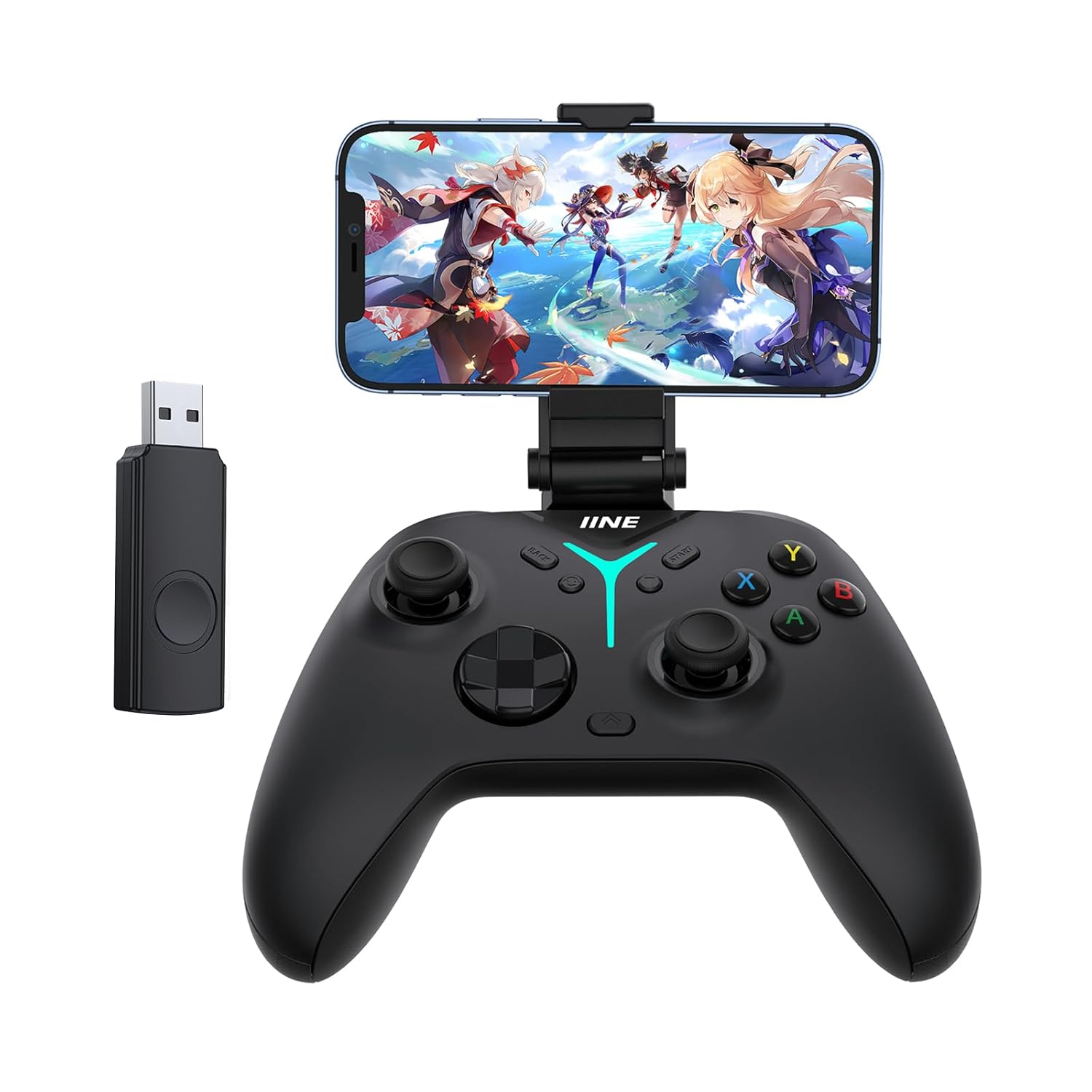
Image: The IINE Wireless PC Controller shown with an attached phone holder and a separate Bluetooth adapter.

Image: Illustration highlighting the ergonomic design of the controller, emphasizing comfortable grip.
1.2 Package Contents
Please verify that all items are present in the package:
- Game Controller x 1
- Bluetooth Adapter x 1
- Phone Holder x 1
- USB Cable x 1
- User Manual x 1
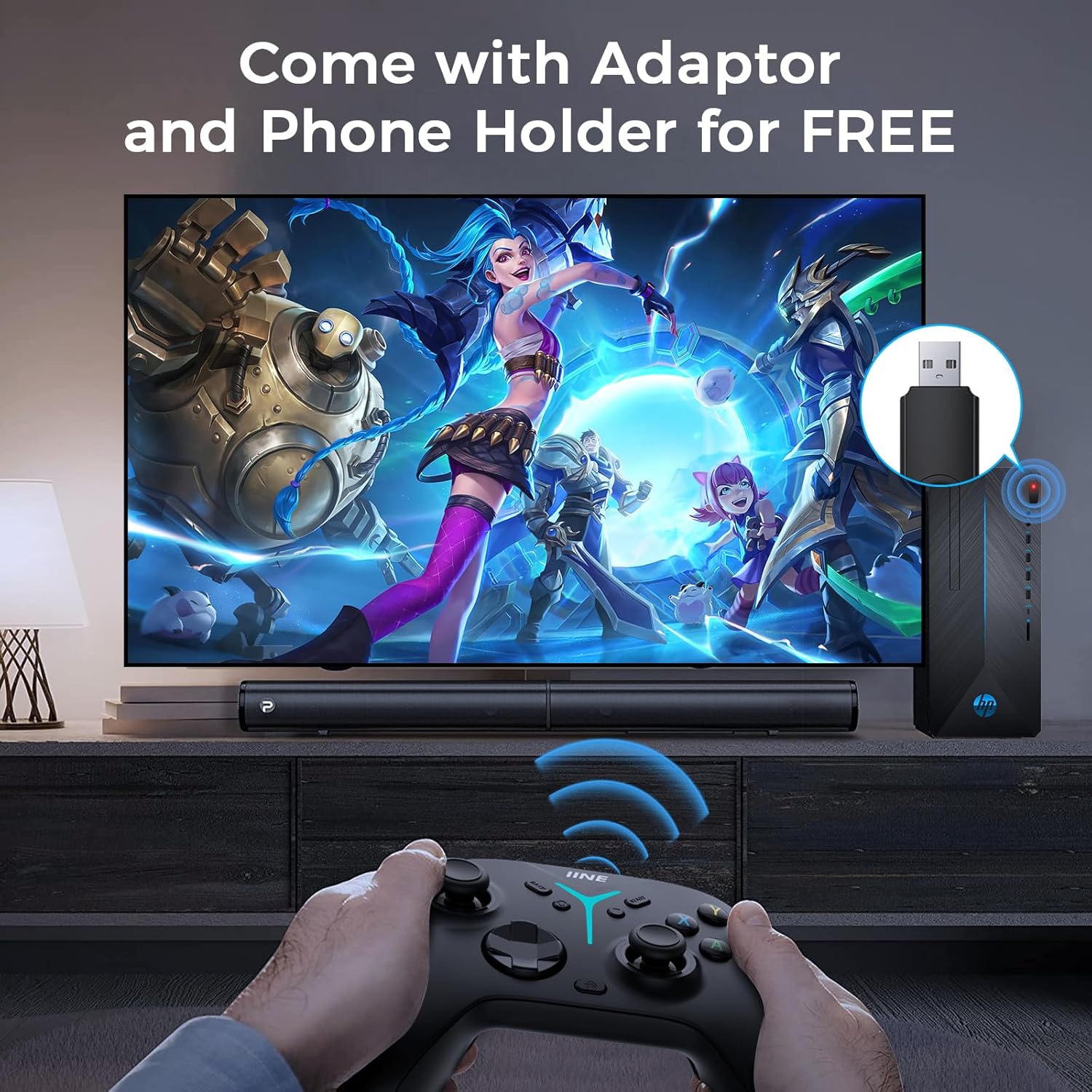
Image: The controller, Bluetooth adapter, and phone holder are displayed as included accessories.
2. Setup
2.1 Charging the Controller
Before initial use, fully charge the controller using the provided USB cable. Connect the USB cable to the controller's charging port and a compatible USB power source.
- Battery Capacity: 860mAh
- Runtime: Approximately 10 hours
- Full Charge Time: Approximately 3-4 hours

Image: A cutaway view of the controller highlighting the internal 860mAh battery and its specifications.
2.2 Connecting the Controller
The controller supports both wireless and wired connections. Use the switch on the back of the controller to select the appropriate platform mode.

Image: A visual guide illustrating the controller's compatibility with Switch, Pad, PC, Phone, Android TV, TV Box, SteamDeck, and Tesla, and the platform selection switch.
2.2.1 Platform Selection
Use the physical switch located on the back of the controller to select one of the following modes:
- PC/NS: For PC and Nintendo Switch.
- iOS: For Apple mobile devices.
- AN: For Android devices.
- TOUCH: For specific touch-based platforms (e.g., Tesla, some mobile games).

Image: The controller's back switch is highlighted, showing the different platform modes (PC/NS, iOS, AN, TOUCH) and corresponding device icons.
2.2.2 Wireless Connection (Bluetooth Adapter)
For wireless connection to PC or other compatible devices, plug the included Bluetooth adapter into a USB port on your device. The controller will automatically attempt to pair. Ensure the controller is in the correct platform mode.
2.2.3 Wired Connection
Connect the controller directly to your device using the provided USB cable. This method is suitable for platforms that support wired input or when wireless connection is not desired.
3. Operating Instructions
3.1 Hall Effect Joysticks
The controller is equipped with Hall Effect joysticks, utilizing electromagnetic induction for input. This technology minimizes wear and tear, preventing stick drift and ensuring high precision and a long lifespan.
- No Dead Zone: Provides immediate response to input.
- High Accuracy: Precision over 0.01.

Image: An exploded view showing the internal components and electromagnetic induction principle of the Hall Effect Joystick.
3.2 Hall Effect Linear Triggers
The linear triggers also use Hall Effect technology, offering precise and consistent input. They feature adjustable travel distances to suit different game genres.
- Long Button Travel: Suitable for racing games, allowing fine acceleration control.
- Medium Button Travel: Suitable for most games, offering a balanced response.
- Short Button Travel: Suitable for shooting games, enabling rapid firing.

Image: A visual representation of the three adjustable trigger travel settings: long, medium, and short, with their recommended game types.

Image: A detailed view of the trigger mechanism, showing how the 3-position adjustment works for different gaming scenarios.
3.3 6-Axis Gyro Somatosensory
The integrated 6-axis gyro sensor allows for motion-based controls, enhancing immersion and precision in compatible games.
- Visual Angle Adjust: Control camera angles by tilting the controller.
- Direction Control: Steer or move characters using motion.
- Aim Shooting: Fine-tune aiming in shooting games.

Image: Three panels demonstrating the gyro sensor's use for visual angle adjustment, direction control in a racing game, and aim shooting in an FPS game.
3.4 Programmable Rear Buttons (M1, M2)
The controller features two programmable buttons (M1 and M2) on the back, allowing users to map complex actions or frequently used commands for improved operational efficiency.

Image: A view of the controller's back, highlighting the M1 and M2 programmable buttons.
3.5 Turbo Function
The Turbo function allows for rapid, repeated input of a button press, reducing finger fatigue in games requiring fast button mashing.
- Auto Turbo: Continuously fires when activated, even without holding the button.
- Manual Turbo: Fires repeatedly only while the assigned button is held down.
- Adjustable Rate: Turbo speed can be adjusted between 5 and 20 presses per second.

Image: A visual demonstrating the effect of the Turbo function in a shooting game, showing rapid firing.
3.6 Vibration Adjustment
The controller features adjustable vibration intensity to suit personal preference and game feedback.
- 5 Speed Levels: Adjust vibration intensity from 0% to 100%.
- In-game Feedback: Vibration enhances immersion for events like collisions, explosions, and fighting.

Image: A graphic illustrating the five adjustable vibration levels (0, 25, 50, 75, 100) and examples of in-game events that trigger vibration.
3.7 Left Joystick & D-Pad Function Switchable
The functionality of the left joystick and D-pad can be swapped on the fly, providing flexibility for different game control schemes.
- PC Mode: Double-click the Back button to switch.
- NS Mode: Double-click the Screenshot button to switch.

Image: A visual guide demonstrating the process of swapping the functions of the left joystick and D-pad, with examples of use in attaching and defending scenarios.
3.8 One Button Wake Up (Nintendo Switch)
When connected to a Nintendo Switch, the controller can wake the console from sleep mode by pressing the Home button.

Image: The controller's Home button is highlighted, showing its function to wake up a connected Nintendo Switch console.
3.9 KeyLinker App Customization
The controller supports the KeyLinker mobile application for advanced customization of various settings. The app allows for fine-tuning of joystick sensitivity, dead zones, vibration intensity, turbo frequency, key mapping, and RGB lighting.
- Joystick Sensitivity & Dead Zone: Adjust for precise control.
- Vibration Intensity: Customize feedback levels.
- Turbo Frequency: Set desired rapid-fire rates.
- Key Mapping: Remap buttons to suit your playstyle.
- RGB Lighting: Personalize the controller's illumination.

Image: Multiple screenshots of the KeyLinker app demonstrating options for joystick adjustment, key mapping, and RGB light settings.
3.10 Adjustable Lighting
The controller features adjustable RGB lighting for personalization. The lighting can be controlled directly on the controller or through the KeyLinker app.
- Change Color: Hold down the Turbo button + Left joystick.
- Change Mode: Hold down the Turbo button + double-click Left joystick (Static, Breathing).
- Adjust Brightness: Hold down the Turbo button + Left joystick.
- Turn Off Light: Double-press the Left joystick.

Image: A visual guide detailing the button combinations for changing color, mode, brightness, and turning off the controller's adjustable LED lights.
4. Maintenance
4.1 General Care
To ensure the longevity of your controller, follow these guidelines:
- Keep the controller clean by wiping it with a soft, dry cloth.
- Avoid exposing the controller to extreme temperatures, humidity, or direct sunlight.
- Do not disassemble the controller, as this may void the warranty.
- Store the controller in a safe place when not in use to prevent damage.
4.2 Battery Care
The controller contains a rechargeable 860mAh battery. To maximize battery life:
- Charge the controller fully before first use.
- Avoid completely draining the battery frequently.
- If storing for an extended period, charge the battery to approximately 50% and store in a cool, dry place.
5. Troubleshooting
5.1 Connectivity Issues
- Controller not connecting: Ensure the controller is charged and the correct platform mode is selected on the back switch. Try re-pairing or connecting via USB cable.
- Bluetooth adapter issues: Ensure the adapter is securely plugged into a working USB port. Try a different USB port.
5.2 Button/Joystick Malfunctions
- Stick drift: The Hall Effect joysticks are designed to prevent drift. If experiencing issues, try recalibrating through the KeyLinker app or performing a factory reset.
- Rear button remapping issues: Be aware that remapping rear buttons by holding them for 3 seconds can inadvertently trigger remapping mode. Avoid holding these buttons for extended periods during gameplay if they are mapped to actions that require continuous input. Mappings are subject to other button configurations.
5.3 App-Related Issues (KeyLinker)
- App not connecting to controller: Ensure Bluetooth is enabled on your mobile device and the controller is in a compatible mode.
- Settings not saving: After making changes in the app, ensure they are applied or saved to the controller's profile. Configurations are saved on the controller itself.
5.4 Specific Game Compatibility
- Call of Duty Mobile: This game may have limited controller support. The controller might work partially in 'Touch' mode (joysticks only) or require third-party remapper apps for full functionality. Android mode may not be recognized.
6. Specifications
| Model | B53 |
| ASIN | B0CD7QYSX1 |
| Connectivity | Wireless (Bluetooth), Wired (USB-C) |
| Compatibility | PC, iPhone, Android, Switch/OLED, Steamdeck, Tesla, Pad |
| Joystick Type | Hall Effect |
| Trigger Type | Hall Effect Linear (3-position adjustable) |
| Buttons | Mechanical ABXY, Programmable Rear Buttons (M1, M2) |
| Sensor | 6-Axis Gyro |
| Battery | 860mAh rechargeable (1 AAA battery included for adapter, if applicable) |
| Runtime | Approx. 10 hours |
| Charge Time | Approx. 3-4 hours |
| Dimensions | 8.07 x 7.76 x 3.27 inches (Package) |
| Weight | 1.03 pounds (Item) |
| Manufacturer | WEUTOP |
| First Available | July 31, 2023 |
7. Warranty and Support
7.1 Warranty Information
The IINE Wireless PC Controller comes with a 12-month warranty service from the date of purchase. This warranty covers manufacturing defects and malfunctions under normal use. Please retain your proof of purchase for warranty claims.
7.2 Customer Support
For any questions, technical assistance, or warranty claims, please contact IINE customer support. We offer 24-hour after-sales service to assist you.
Refer to the product packaging or the official IINE website for the most current contact information.


