
Introduction
Thank you for purchasing the AFEXOA Night Light Bluetooth Speaker Alarm Clock. This multi-functional device combines a Bluetooth speaker, alarm clock, sound machine, and a versatile LED lamp, designed to enhance your daily routine and create a pleasant atmosphere. This manual provides detailed instructions to help you set up, operate, and maintain your device for optimal performance.

The AFEXOA Night Light Bluetooth Speaker Alarm Clock offers multiple functionalities for diverse user needs.
Safety Precautions
- Do not expose the device to extreme temperatures, direct sunlight, or high humidity.
- Avoid dropping or subjecting the device to strong impacts.
- Do not disassemble or attempt to repair the device yourself. Contact qualified service personnel.
- Keep the device away from water and other liquids.
- Use only the provided charging cable or a certified equivalent.
Package Contents
Please check the package for the following items:
- AFEXOA Night Light Bluetooth Speaker Alarm Clock (Model DY29S)
- USB Charging Cable
- User Manual
Product Overview

The main unit of the AFEXOA Night Light Bluetooth Speaker Alarm Clock.

Overview of the device's controls and connectivity ports.
Controls and Ports:
- Power Button / Play/Pause: Long press to power on/off. Short press to play/pause music.
- Mode Button: Short press to switch between Bluetooth, MP3 Player (USB/Micro SD), and Sound Machine modes.
- Next Track / Volume Up: Short press for next track. Long press to increase volume.
- Previous Track / Volume Down: Short press for previous track. Long press to decrease volume.
- Alarm Button: Short press to check alarm time. Long press to enter alarm setting mode.
- Top Mesh: Touch sensitive area for light control and snooze.
- Digital Display: Shows time, alarm status, and Bluetooth connection.
- Type-C Port: For charging the device.
- ON/OFF Switch: Main power switch for the unit.
- Micro SD Slot: For playing music from a Micro SD/TF card.
- USB HOST Port: For playing music from a USB flash drive.
Setup
1. Charging the Device
- Ensure the main ON/OFF switch on the bottom of the device is in the 'ON' position.
- Connect the provided USB charging cable to the Type-C port on the device.
- Connect the other end of the USB cable to a standard USB power adapter (5V/1A recommended, not included) or a computer USB port.
- The charging indicator light will illuminate during charging and turn off when fully charged. A full charge typically takes 3-4 hours.
2. Initial Power On
- Flip the main ON/OFF switch on the bottom of the device to the 'ON' position.
- Long press the Power button on the control panel to turn on the device. The digital display will light up.
Operating Instructions
1. Setting Time and Alarm
- Setting Time: Long press the Alarm button until the hour digits flash. Use the 'Next Track / Volume Up' and 'Previous Track / Volume Down' buttons to adjust the hour. Short press the Alarm button to switch to minute setting, then adjust minutes. Short press again to confirm.
- Setting Alarm: After setting the time, long press the Alarm button again to enter alarm setting mode (alarm icon will flash). Adjust hour and minute as above. Short press the Alarm button to select alarm sound (default or custom from USB/Micro SD). Short press again to confirm.
- 12/24 Hour Mode: In time display mode, short press the 'Mode' button to toggle between 12-hour and 24-hour formats.
- Snooze Function: When the alarm sounds, tap the top mesh to activate snooze. The alarm will sound again after 9 minutes. To stop the alarm, press any button on the control panel.

The alarm clock mode gently wakes you up with lights and sounds.
2. Bluetooth Speaker Mode
- Ensure the device is powered on.
- Short press the 'Mode' button until the digital display shows 'BT' (Bluetooth). A voice prompt will indicate Bluetooth pairing mode.
- On your smartphone or other Bluetooth-enabled device, search for 'DY29S' in the Bluetooth settings.
- Select 'DY29S' to pair. A voice prompt will confirm successful connection.
- You can now play audio from your device through the speaker. Use the 'Next Track / Volume Up' and 'Previous Track / Volume Down' buttons to control playback and volume.

Experience Hi-Fi stereo sound by connecting your device via Bluetooth.
3. Light Control
The device features dimmable warm white light and 48 RGB color-changing ambient lights.
- Warm White Light: Tap the top mesh to cycle through 3 levels of warm white brightness (30%, 60%, 100%).
- RGB Color Changing Light: Continue tapping the top mesh to enter breathing light mode (multi-color cycles).
- Fixed Color Light: In breathing light mode, long press the top mesh and release to fix the current color. Tap again to resume breathing light mode.
- Music Light Mode: The light color will synchronize with the rhythm of the music when playing audio.
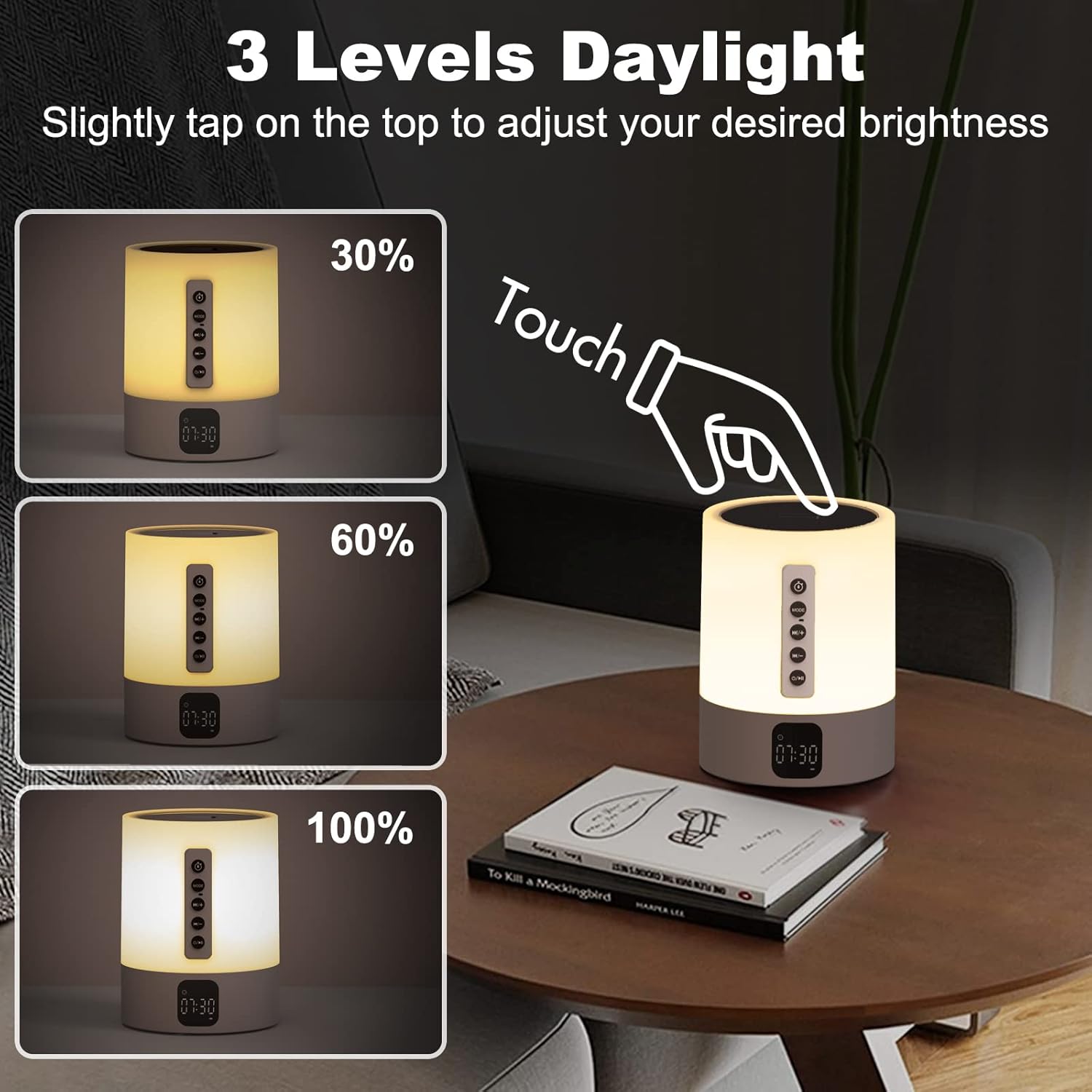
Adjust warm white light brightness with a simple tap on the top mesh.

Explore 48 RGB colors and breathing light effects for ambient lighting.
4. Sound Machine / White Noise
The device offers 16 soothing sounds to aid relaxation and sleep.
- Short press the 'Mode' button until you enter the Sound Machine mode (indicated by a specific icon or voice prompt).
- Use the 'Next Track / Volume Up' and 'Previous Track / Volume Down' buttons to cycle through the 16 available sounds (4 white noise, 2 fan sounds, 2 lullaby sounds, 8 natural sounds).
- Sleep Timer: To set a sleep timer, long press the 'Mode' button in Sound Machine mode. The display will show timer options (15, 30, or 60 minutes). Short press 'Mode' to select the desired duration. The sound and light will automatically turn off after the selected time.
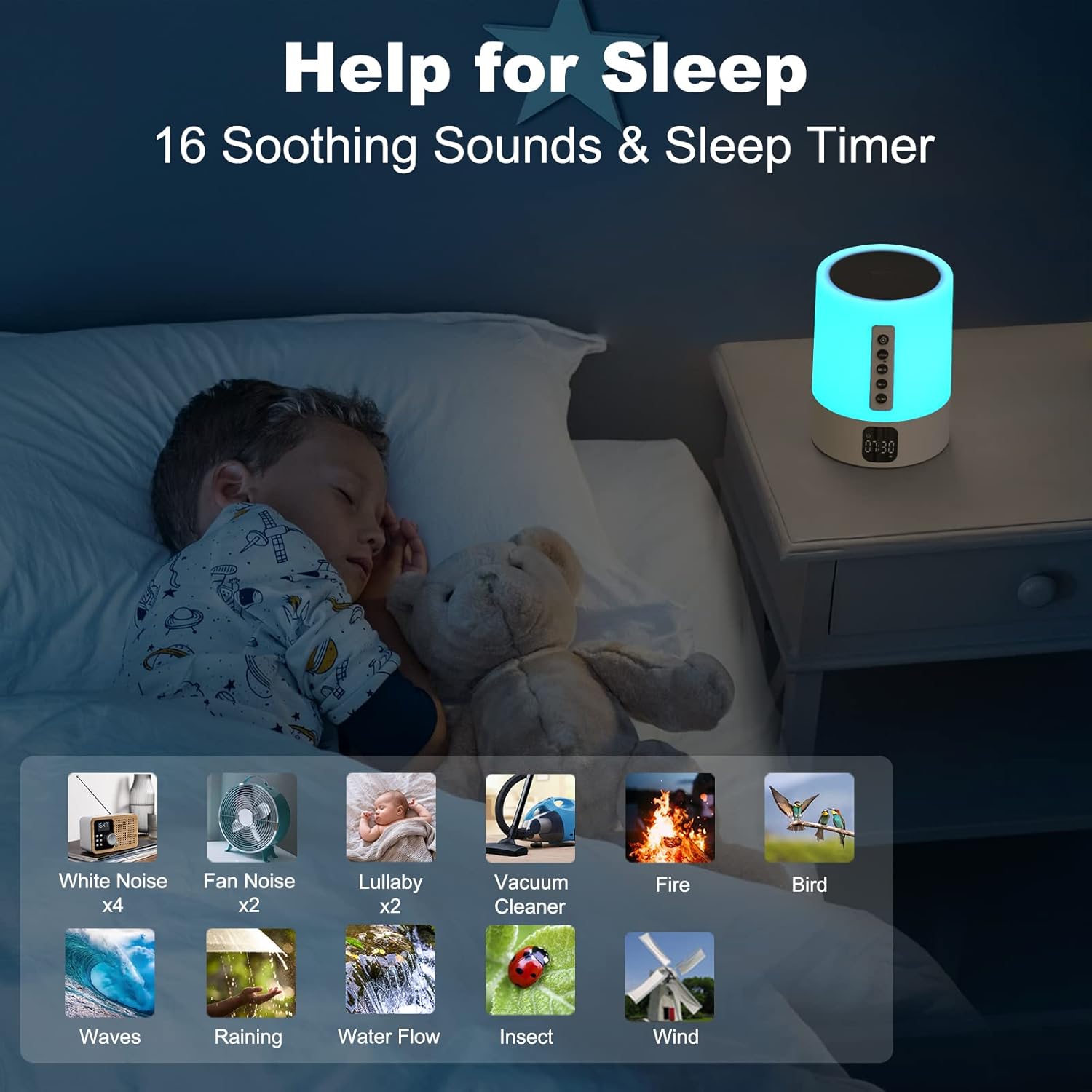
Utilize 16 soothing sounds and a sleep timer for improved rest.
5. MP3 Player Mode (USB/Micro SD)
- Insert a USB flash drive into the USB HOST port or a Micro SD/TF card into the Micro SD slot.
- Short press the 'Mode' button until the device automatically switches to MP3 Player mode.
- The device will automatically start playing audio files from the inserted storage.
- Use the 'Next Track / Volume Up' and 'Previous Track / Volume Down' buttons to control playback and volume.
Maintenance
- Cleaning: Wipe the device with a soft, dry cloth. Do not use abrasive cleaners or solvents.
- Storage: Store the device in a cool, dry place when not in use for extended periods.
- Battery Care: To prolong battery life, avoid fully discharging the battery frequently. Charge the device regularly, even if not in constant use.
Troubleshooting
| Problem | Possible Cause | Solution |
|---|---|---|
| Device does not power on. | Battery is low or depleted. Main ON/OFF switch is off. | Charge the device. Ensure the main ON/OFF switch is in the 'ON' position. |
| Cannot connect via Bluetooth. | Device is not in Bluetooth pairing mode. Bluetooth is off on your phone. Device is already connected to another device. | Ensure the device is in 'BT' mode. Turn on Bluetooth on your phone. Disconnect from other devices and try again. |
| No sound from speaker. | Volume is too low. Device is paused. Incorrect mode selected. | Increase volume on both the speaker and your connected device. Press the Play/Pause button. Ensure correct mode (Bluetooth/MP3) is selected. |
| Light functions are not working. | Incorrect touch input. | Ensure you are tapping or long-pressing the top mesh correctly. |
| Alarm does not sound. | Alarm is not set or is turned off. Volume is too low. | Verify alarm settings and ensure it is enabled. Increase the alarm volume. |
Specifications
| Feature | Detail |
|---|---|
| Brand | AFEXOA |
| Model Number | DY29S |
| Color | White |
| Display Type | Digital |
| Power Source | Battery Powered (1 Lithium Ion battery included) |
| Product Dimensions | 3.66"W x 5"H |
| Material | Plastic |
| Connectivity | Bluetooth 4.0, USB, Micro SD/TF Card |
| Light Features | 3-level Dimmable Warm White, 48 RGB Color Changing, Music Sync Light Mode |
| Sound Features | 16 Soothing Sounds (4 White Noise, 2 Fan, 2 Lullaby, 8 Natural) |
| Sleep Timer | 15, 30, or 60 minutes |
| Alarm Clock | Yes, with Snooze function and custom alarm ringtone support |
Warranty and Support
This product comes with a standard manufacturer's warranty. Please refer to the product packaging or the seller's information for specific warranty terms and duration.
For technical support, troubleshooting assistance, or warranty claims, please contact the seller or manufacturer directly through the platform where the product was purchased. Keep your purchase receipt or order number handy for faster service.
You may also find additional support resources or FAQs on the AFEXOA brand store page on Amazon: AFEXOA Store

