
1. Introduction
The MeterTo LS173 Portable Colorimeter is a versatile instrument designed for precise color measurement and analysis. Featuring a D/8° (SCI) optical geometry, it provides accurate readings for various applications. The device is equipped with a 3.5-inch IPS color capacitive touch screen for intuitive operation and integrates multiple natural color charts for quick color matching. It also includes a color difference comparison function, supporting various standard color addition methods and customizable color difference thresholds for rapid quality control (QC) testing.
The LS173 is suitable for use in industries such as paint, metal, stone, ceramic tiles, and plastics for color measurement, management, and quality control. Its integrating sphere diffused light source is particularly effective for measuring high-gloss samples.

Image 1.1: Front view of the MeterTo LS173 Portable Colorimeter.
2. Product Features
- Large 3.5-inch touch screen for convenient operation.
- Color measurement and color comparison functions.
- Lab values indication for easier color adjustment.
- Built-in large storage space for 1000 colors and 1000 color difference records.
- Supports 7 color spaces and 6 color difference formulas.
- Integrates multiple electronic color charts.
- Supports mobile App and PC software connectivity.
- Measuring locating plate for accurate measurements.
3. Setup
3.1 Unboxing and Components
Upon opening the package, ensure all components are present. The standard package includes the LS173 Colorimeter and a USB (Type-C) charging cable. The device also comes with a calibration tile for accurate measurements.

Image 3.1: Dimensions and key components of the LS173 Colorimeter, including the 3.5-inch screen, Type-C port, calibration tile, and 8mm measuring hole.
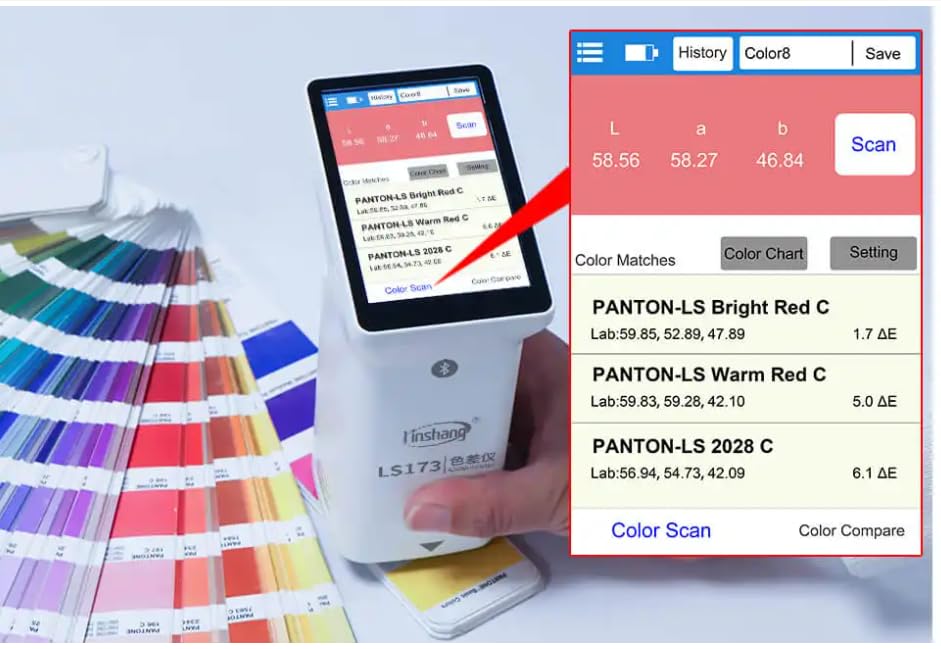
Image 3.2: Close-up view of the LS173 Colorimeter with the calibration tile removed, revealing the measuring aperture.
3.2 Charging the Device
Before initial use, fully charge the colorimeter. Connect the provided USB (Type-C) cable to the charging port on the device and to a suitable USB power source. A full charge allows for approximately 10,000 continuous measurements.
3.3 Initial Calibration
For accurate measurements, perform an initial calibration. The device comes with a white calibration tile. Follow the on-screen instructions to place the colorimeter on the tile and initiate the calibration process. Regular calibration is recommended to maintain measurement accuracy.
4. Operating Instructions
4.1 Power On/Off
Press and hold the power button (location typically on the side or top) to turn the device on or off. The 3.5-inch IPS touch screen will illuminate upon startup.
4.2 Navigating the Interface
The device features a touch screen interface. Tap icons and menus to navigate through different functions such as color measurement, color comparison, settings, and history.
4.3 Color Measurement
- Select Mode: From the main menu, choose the desired measurement mode (e.g., Color Scan or Color Compare).
- Place Device: Position the measuring aperture (8mm) firmly against the surface of the sample to be measured. Ensure no light leaks from the sides.
- Initiate Measurement: Tap the 'Scan' or 'Measure' button on the screen. The device will take approximately 1 second to complete the measurement.
- View Results: The measured color values (e.g., Lab, Luv, LCh, Yxy, CMYK, RGB, Hex) will be displayed on the screen.

Image 4.1: The LS173 Colorimeter in use, measuring a PC color card.

Image 4.2: The LS173 Colorimeter measuring a standard color chart.

Image 4.3: The LS173 Colorimeter measuring a high-gloss metal surface, demonstrating its capability with reflective samples.
4.4 Color Comparison (QC Testing)
The colorimeter allows for comparison between a standard color and a sample color to determine color difference (ΔE).
- Set Standard: Measure a known standard color or input its values manually.
- Measure Sample: Measure the sample color you wish to compare.
- View Comparison: The screen will display the color difference (ΔE) and indicate if the sample passes or fails based on the set threshold.
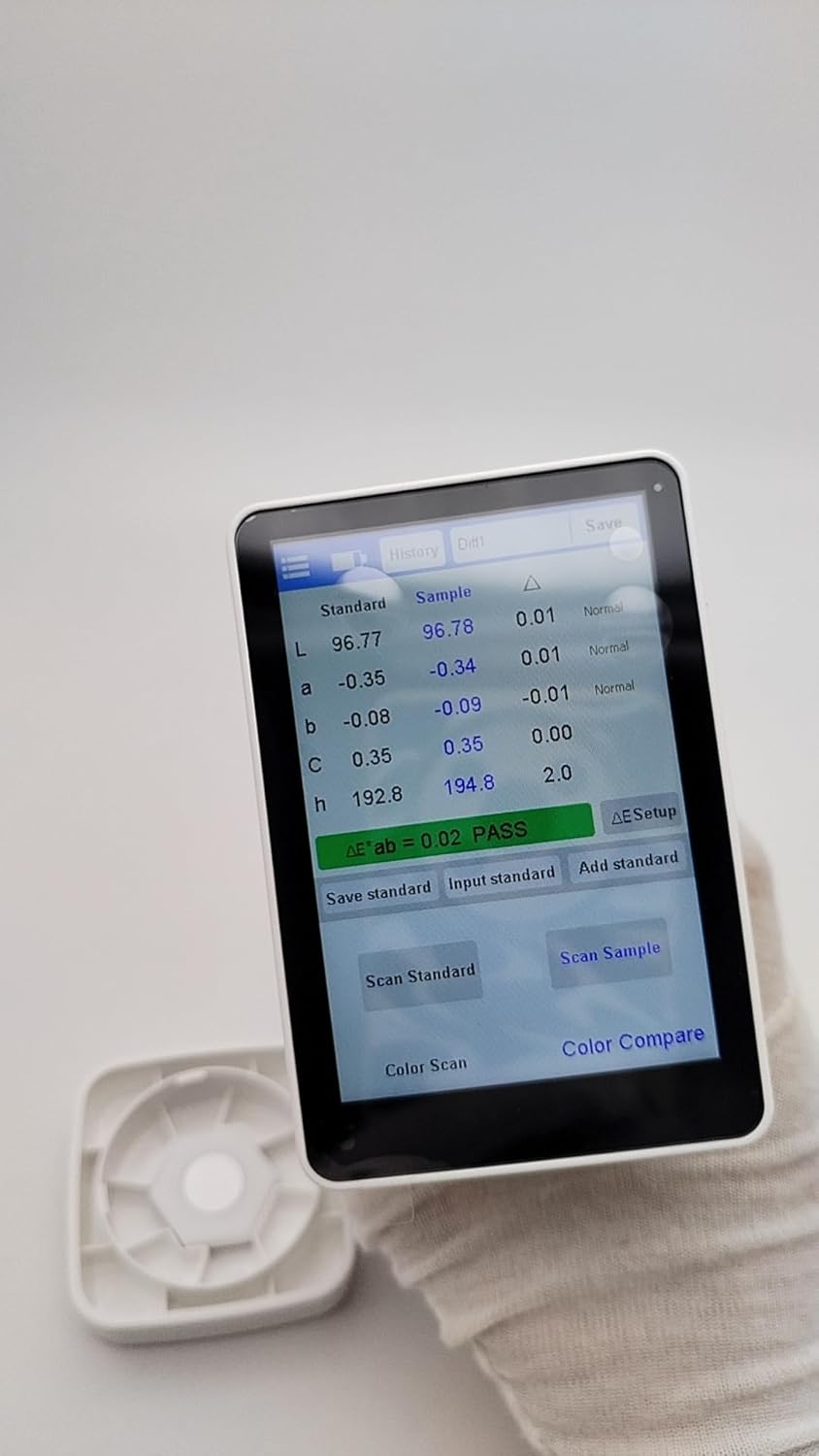
Image 4.4: The LS173 Colorimeter display showing a color comparison, including standard, sample, and delta values, with a 'PASS' indication.
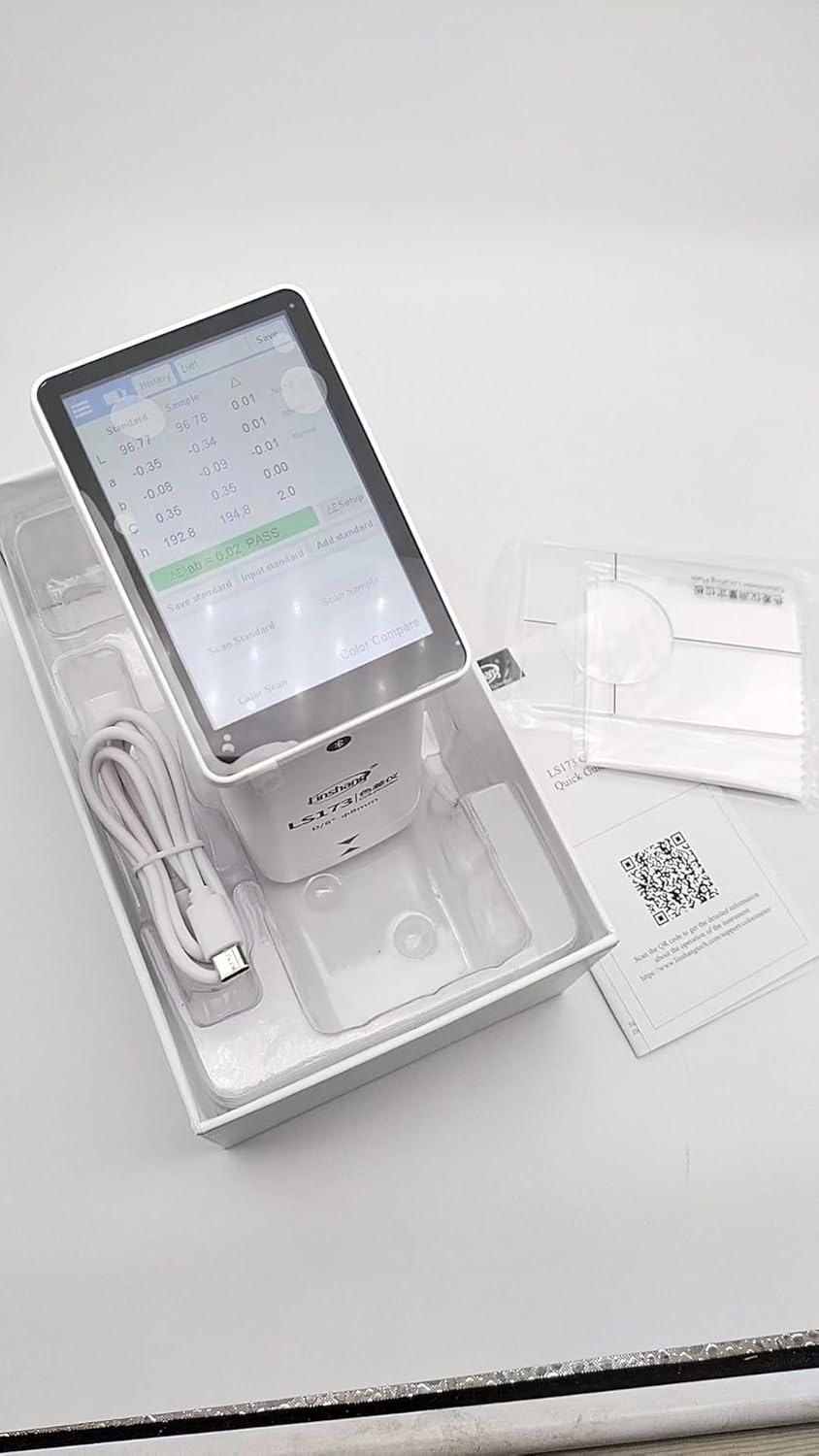
Image 4.5: Screenshots of the LS173 interface, illustrating options for 'Color Format Setting' (Lab, Luv, LCh, Yxy, CMYK, RGB, Hex) and 'ΔE Setup' (ΔE*ab, ΔE*uv, ΔE*94, ΔE*cmc, ΔE*00).
4.5 Connectivity and Software
The LS173 supports connectivity with mobile applications and PC software for enhanced data management and analysis. Refer to the official MeterTo website or product documentation for software download and installation instructions.

Image 4.6: The LS173 Colorimeter connected to a smartphone, displaying color difference measurement for ceramic tiles via a mobile application.
5. Maintenance
5.1 Cleaning
To ensure optimal performance and longevity, keep the colorimeter clean. Use a soft, dry cloth to wipe the exterior. For the measuring aperture and calibration tile, use a lint-free cloth. Avoid using abrasive cleaners or solvents that could damage the device.
5.2 Storage
Store the LS173 Colorimeter in a clean, dry environment within the specified temperature range of -25°C to 55°C (-13°F to 131°F) and relative humidity of 0-85% (non-condensing). When not in use, keep the calibration tile securely attached to protect the measuring aperture.
6. Troubleshooting
This section provides general guidance for common issues. For more detailed troubleshooting, refer to the official support resources.
- Device not powering on: Ensure the battery is charged. Connect the device to a power source using the USB-C cable and allow it to charge for some time before attempting to power on again.
- Inaccurate measurements: Perform a calibration using the provided white calibration tile. Ensure the measuring aperture is clean and free from dust or debris. Verify that the sample surface is flat and the device is placed firmly without light leakage.
- Screen unresponsive: Attempt a soft reset by holding the power button for an extended period (e.g., 10-15 seconds). If the issue persists, contact customer support.
- Connectivity issues (App/PC): Ensure Bluetooth is enabled on your mobile device or that the USB cable is securely connected to your PC. Check for updated software/drivers from the MeterTo support website.
7. Technical Specifications
| Parameter | Specification |
|---|---|
| Illumination Geometry | D/8, specular component include (SCI) |
| Illumination Light Source | Full spectrum LED light source |
| Measuring Aperture | 8mm |
| Measurement Conditions | Light source D65, field of view 10° |
| Measuring Time | About 1s |
| Color Space | CIE Lab, Luv, LCh, Yxy, CMYK, RGB, Hex |
| Color Difference Formula | ΔE*ab, ΔE*uv, ΔE*94, ΔE*cmc(2:1), ΔE*cmc(1:1), ΔE*00 |
| Repeatability | Standard deviation ΔE*ab ≤ 0.03 (Average of 30 measurements on whiteboard at 3s interval after calibration) |
| Dimension | 86mm × 62.5mm × 158mm |
| Weight | About 245g |
| Power Supply | Rechargeable lithium battery 3.7V@4000mAh, 10,000 continuous measurements on full charge |
| Display | 480 × 320 dot matrix IPS color screen |
| Language | Simplified Chinese, English |
| Charging Port | USB (Type-C) |
| Operating Temperature Range | 0~45℃, 0~85%RH (no condensation) |
| Storage Temperature Range | -25~55℃, 0~85%RH (no condensation) |
8. Warranty and Support
For warranty information, please refer to the documentation provided with your purchase or contact MeterTo customer service directly. Specific warranty terms may vary by region and retailer.
For technical support, software downloads, and additional resources, please visit the official support page for Linshang colorimeters:
Manufacturer: MeterTo