
1. Introduction
The SIGNALPLUS Discone Antenna is a wideband antenna designed for receiving and transmitting across a broad frequency range from 25 MHz to 1300 MHz. This antenna is suitable for various applications including public radio scanners, ham radio, two-way radios, and SDR systems, covering bands such as HF, CB, AIR, UHF, VHF, FM, FRS, and GMRS. Its robust stainless steel construction ensures durability and rust-free performance.
2. Product Features
- Wide Frequency Range: 25 MHz to 1300 MHz, supporting HF, CB, AIR, UHF, VHF, FM, FRS, GMRS bands.
- Gain: 3.5 dBi for enhanced signal reception.
- Polarization: Vertical.
- Max Power: 200 Watts.
- Impedance: 50 Ohms.
- VSWR: Less than 1.5:1.
- Construction: Rust-free stainless steel for long-term outdoor use.
3. Package Contents
Verify that all items listed below are included in your package:
- 1 x Discone Antenna
- 1 x 10-meter RG58 Coaxial Cable (SO-239 male to SO-239 male connectors)
- 1 x SO-239 female to BNC Male Adapter
- 1 x SO-239 female to SMA Male Adapter

Image: The 10-meter RG58 coaxial cable with PL259 male connectors, along with a PL259 female to BNC male adapter and a PL259 female to SMA male adapter, which are included in the package.
4. Specifications
| Frequency Range | 25 MHz - 1300 MHz |
| Gain | 3.5 dBi |
| Max Power | 200 Watts |
| Impedance | 50 Ohms |
| VSWR | < 1.5:1 |
| Antenna Connector | SO-239 Female |
| Cable Length | 10 meters |
| Cable Connector | SO-239 Male to SO-239 Male |
| Antenna Length | 1.7 meters (66.93 inches) |
| Product Dimensions | 23.62 x 23.62 x 66.93 inches |
| Item Weight | 1.95 kg (4.29 pounds) |
5. Setup and Installation
Proper installation is crucial for optimal antenna performance. Consider the following steps:
- Mounting Location: Choose a high, clear location free from obstructions like buildings, trees, or metal structures that could interfere with signal reception. The antenna should be mounted vertically.
- Secure Mounting: Securely attach the antenna to a mast or pole using appropriate mounting hardware (not included). Ensure the mount is stable and can withstand wind and weather conditions.
- Antenna Assembly: Assemble the discone elements according to the visual guides. Ensure all elements are firmly attached.
- Cable Connection: Connect one end of the supplied 10-meter RG58 coaxial cable (SO-239 male) to the SO-239 female connector on the antenna. Tighten the connection securely but do not overtighten.
- Radio Connection: Route the coaxial cable to your radio or scanner. Use the appropriate adapter (SO-239 female to BNC Male or SO-239 female to SMA Male) if your device has a BNC or SMA female input. Connect the cable to your device's antenna input.
- Grounding: For safety and improved performance, it is recommended to properly ground the antenna mast and coaxial cable. Consult local electrical codes for grounding requirements.
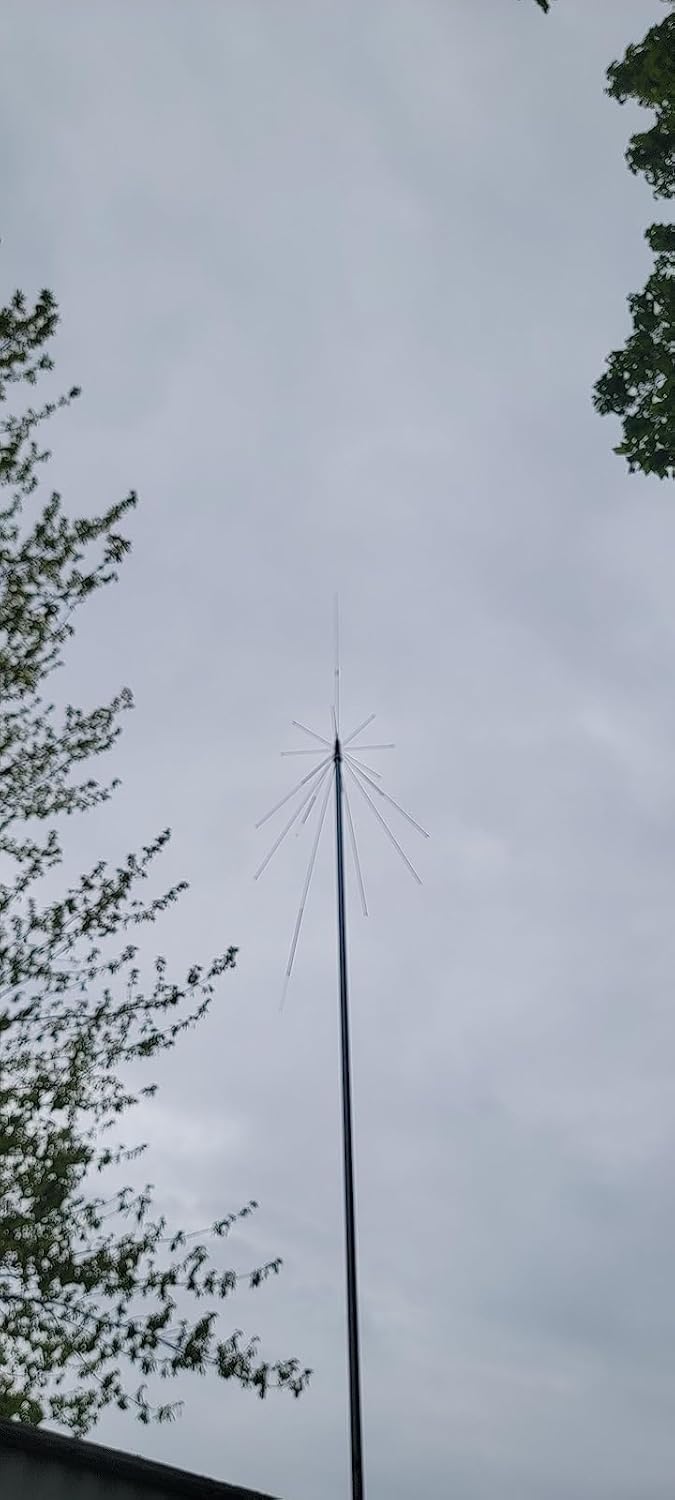
Image: The SIGNALPLUS Discone Antenna installed on a mast, demonstrating a typical outdoor setup.
6. Operation
Once the antenna is installed and connected to your radio or scanner, you can begin operation:
- Power On: Turn on your radio or scanner.
- Frequency Selection: Tune your device to the desired frequency within the antenna's operational range (25-1300 MHz).
- Signal Reception: The wideband nature of the discone antenna allows for reception across multiple bands without needing to change antennas.
- Transmission (if applicable): If using with a compatible transceiver, ensure your device's output power does not exceed the antenna's maximum power rating of 200 Watts.
7. Maintenance
The SIGNALPLUS Discone Antenna is designed for durability with its rust-free stainless steel structure, requiring minimal maintenance.
- Regular Inspection: Periodically inspect the antenna and its connections for any signs of wear, corrosion, or damage, especially after severe weather.
- Cleanliness: Keep the antenna elements clean from dirt, dust, and debris to ensure optimal performance. A soft cloth and mild detergent can be used if necessary.
- Connection Check: Ensure all cable connections remain tight and free from moisture.
8. Troubleshooting
If you experience issues with your antenna, consider the following:
- Poor Signal Reception:
- Check all cable connections to ensure they are secure.
- Verify the antenna is mounted in a clear, unobstructed location.
- Ensure your radio/scanner is tuned to the correct frequency.
- Inspect the coaxial cable for damage or kinks.
- No Signal:
- Confirm the antenna is properly connected to your device.
- Test with a different coaxial cable or adapter if available.
- Ensure your radio/scanner is functioning correctly with another antenna (if possible).
- Interference:
- Relocate the antenna away from potential sources of electrical interference (e.g., power lines, large electronic devices).
- Ensure proper grounding of the antenna system.
9. Compatibility
This antenna is compatible with a wide range of radio equipment, including but not limited to:
- Public Radio Scanners: SR30C, BC125AT, BCD436HP, BC75XLT, BCD325P2, BC355N, BCD996P2, BC365CRS, BCT15X, BCD536HP, BC345CRS, BCD996XT, BC278CLT, BC350A, BC350C, BC355C, BC340CRS, BC370CRS, BC700A, BC780XLT, BC785D, BC796D, BC860XLT, BC895XLT, BC898T, BCT7, BCT8, BC75XLT, BC55, BC60XLT, BC80XLT, BC72XLT, BC92XLT, BC95XLT, BC100, SC230, BC200, SC200, SC150, SC180, SC235, BC120, BC72, BC80, BC246, BR330.
- Radio Scanners (WS Series): WS1040, WS1088, WS1010, WS1080, WS1025, WS1065, TRX1, TRX2.
- Radio Scanners (PRO Series): PRO-2018, PRO-197, PRO-650, PRO-163, PRO-405, PRO-528, PRO-668, PRO-94, PRO-404, PRO-95, PRO-62, PRO-83.
- Ham Radios (TK Series): TK100, TK200, TK210, TK220, TK300, TK310, TK320.
- Ham Radios (IC Series): IC-V8, IC-V80, IC-V82, IC-U82, IC-W32.
- Other Compatible Radios: HT440, HT90, HR, CP500, CP520, 1015, 734, 834, HR146, HX300, HX320, HX400, CU32, CP/CS 5015, 0420, HH979, HH152, HH154, HH156, HH462, HH464.
10. Warranty and Support
Warranty information for this product is not provided within this manual. For details regarding warranty coverage, technical support, or service, please refer to the manufacturer's official website or contact SIGNALPLUS customer service directly. Keep your purchase receipt for any warranty claims.