1. Introduction
Thank you for purchasing the Sxhlseller RGB Mini Karaoke Set. This portable Bluetooth stereo speaker with a wireless microphone is designed to provide an immersive and fun karaoke experience for both children and adults. Featuring vibrant RGB lighting, premium sound quality, and multiple connectivity options, this set is perfect for parties, gatherings, or individual practice. Please read this manual carefully before use to ensure proper operation and to maximize your enjoyment of the product.
2. Safety Information
- Do not expose the device to water, moisture, or extreme temperatures.
- Avoid dropping or subjecting the device to strong impacts.
- Do not attempt to disassemble or repair the device yourself. Refer all servicing to qualified personnel.
- Keep out of reach of small children to prevent choking hazards from small parts.
- Use only the provided charging cable and compatible power adapters.
3. Package Contents
Please check the package contents to ensure all items are present:
- 1 x Portable Bluetooth Speaker
- 1 x Wireless Microphone
- 1 x USB Charging Cable
- 1 x User Manual
4. Product Overview
Familiarize yourself with the components of your karaoke set.

Figure 4.1: The Sxhlseller RGB Mini Karaoke Set, showing the compact speaker with a brown handle and the wireless microphone.

Figure 4.2: Product dimensions. The speaker measures approximately 8 x 8 x 8.5 cm (3.1 x 3.1 x 3.3 inches), and the microphone measures approximately 13.5 x 3 x 3 cm (5.3 x 1.2 x 1.2 inches).

Figure 4.3: Bottom view of the speaker showing anti-slip pads, and the Type-C charging port on the microphone.
5. Setup
5.1 Charging the Devices
Before first use, fully charge both the speaker and the microphone.
- Connect the provided USB charging cable to the charging port on the speaker and to a USB power adapter (not included). The speaker charging time is approximately 3.5 to 4 hours.
- Connect the USB charging cable to the Type-C charging port on the microphone and to a USB power adapter. The microphone charging time is approximately 2.5 hours.
- The indicator light will show charging status and turn off or change color when fully charged.
5.2 Powering On/Off
- Speaker: Long press the power button on the speaker to turn it on or off.
- Microphone: Long press the power button on the microphone to turn it on or off.
5.3 Bluetooth Pairing
The speaker and microphone are designed to pair automatically with each other when powered on. To connect the speaker to your mobile device or TV:
- Ensure the speaker is powered on and in Bluetooth pairing mode (usually indicated by a flashing light or voice prompt).
- On your mobile phone, tablet, or smart TV, go to the Bluetooth settings.
- Search for available devices and select the device name (e.g., "Sxhlseller Karaoke" or similar).
- Once connected, you will hear a confirmation sound from the speaker.

Figure 5.1: The karaoke set can be easily connected to a TV or mobile device via Bluetooth for a home KTV experience.
6. Operating Instructions
6.1 Microphone Functions
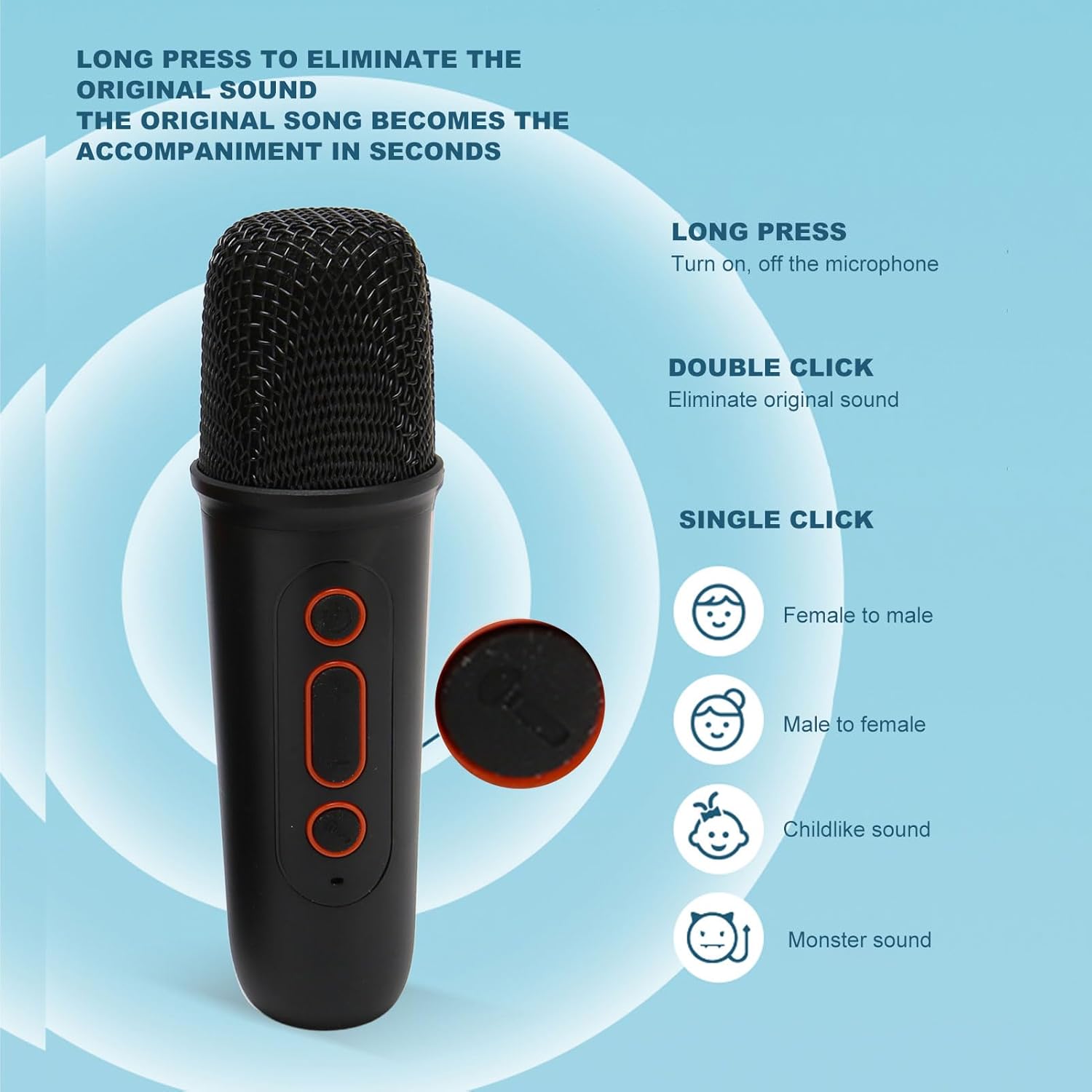
Figure 6.1: Microphone control buttons and their functions.
- Power On/Off: Long press the power button (usually the top button) to turn the microphone on or off.
- Eliminate Original Sound: Double click the power button to remove the original vocals from a song, turning it into an accompaniment.
- Voice Change Effects: Single click the voice change button (usually the middle button) to cycle through different voice effects such as:
- Female to Male
- Male to Female
- Childlike Sound
- Monster Sound
6.2 Speaker Functions and Modes
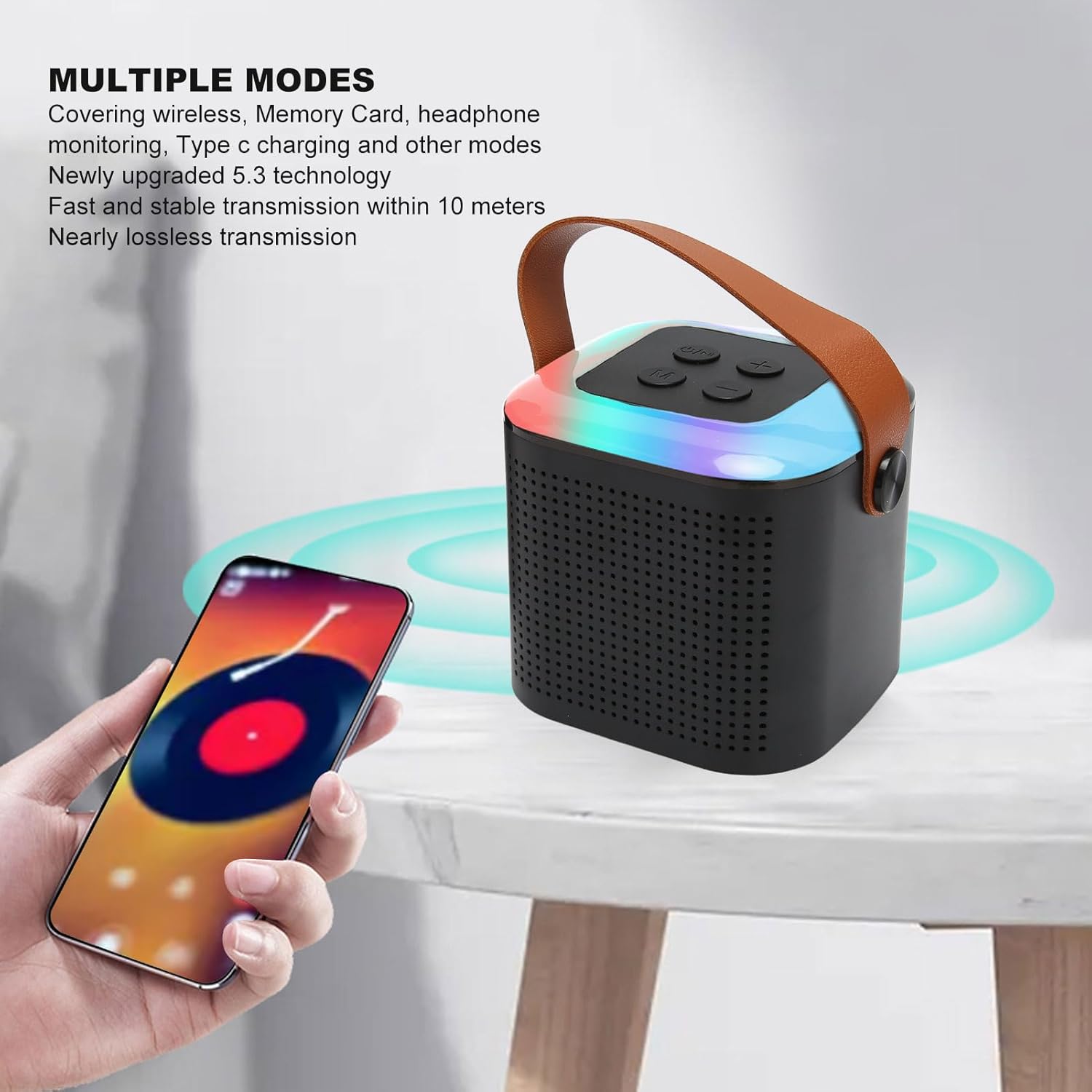
Figure 6.2: The speaker supports various modes including wireless Bluetooth, Memory Card playback, and Type-C charging.
- Volume Control: Use the '+' and '-' buttons on the speaker to adjust the volume.
- Mode Switching: Press the 'M' (Mode) button to switch between different input modes (e.g., Bluetooth, Memory Card).
- Memory Card Playback: Insert a memory card (up to 512GB, not included) into the speaker's memory card slot to play music directly.
- RGB Light Effects: The speaker features 16 independent LED light beads with various RGB singing light effects that synchronize with the sound.

Figure 6.3: Examples of RGB light effects including Full Color Rotation, Single Color Alternating, Gradient Effect, Full Color Breathing, and Single Color Breathing.
- Dual Microphone Singing: The system supports connecting two microphones for duet performances. (Note: This set includes one microphone. An additional compatible microphone may be required for dual singing.)

Figure 6.4: The system supports connecting two microphones for a dual singing experience, making karaoke more fun.
7. Maintenance
- Cleaning: Use a soft, dry cloth to clean the speaker and microphone. Do not use abrasive cleaners or solvents.
- Storage: Store the device in a cool, dry place away from direct sunlight and extreme temperatures when not in use.
- Battery Care: To prolong battery life, avoid fully discharging the batteries frequently. Charge them regularly, even if the device is not used for extended periods.
8. Troubleshooting
| Problem | Possible Cause | Solution |
|---|---|---|
| No sound from speaker. | Speaker is off, low battery, volume too low, not paired correctly. | Ensure speaker is on and charged. Increase volume. Re-pair Bluetooth. |
| Microphone not working. | Microphone is off, low battery, not paired with speaker. | Ensure microphone is on and charged. Power cycle both devices to re-establish connection. |
| Cannot connect via Bluetooth. | Speaker not in pairing mode, device too far, interference. | Ensure speaker is discoverable. Move devices closer. Turn off other Bluetooth devices. |
| Original sound not eliminated. | Incorrect button press, song not suitable for vocal removal. | Double click the microphone's power button. Note that vocal removal effectiveness varies by song. |
9. Specifications
| Feature | Specification |
|---|---|
| Item Type | Karaoke Machine |
| Material | Plastic, Electronic Components |
| Speaker Dimensions (Approx.) | 8 x 8 x 8.5 cm / 3.1 x 3.1 x 3.3 inches |
| Microphone Dimensions (Approx.) | 13.5 x 3 x 3 cm / 5.3 x 1.2 x 1.2 inches |
| Speaker Bluetooth Version | BT 5.3 |
| Speaker Horn Diameter | Approx. 57 mm / 2.24 inches |
| Speaker Horn Power | 6W |
| Speaker Operating Voltage | 3.7V |
| Speaker Frequency Range | 20Hz to 20kHz |
| Speaker Reverb Effect | Yes (Side effect reverb) |
| Speaker Charging Time | 3.5 to 4 hours |
| Memory Card Support | Up to 512GB (card not included) |
| Microphone Charging Time | Approx. 2.5 hours |
| Speaker Battery Type | Built-in 1200mAh Polymer Lithium Battery |
| Microphone Battery Type | Built-in 400mAh Polymer Lithium Battery |
| Model Number | Sxhlsellerqgctne4bdk-12 |

Figure 9.1: The speaker features a premium acoustic structure with 57mm full-range dual horns for high-quality sound.
10. Warranty and Support
This Sxhlseller product comes with a 1 Year Warranty Against Manufacturer Defects from the date of purchase. This warranty covers defects in materials and workmanship under normal use. It does not cover damage caused by misuse, accident, unauthorized modification, or external causes.
For warranty claims or technical support, please contact your retailer or the manufacturer directly with your purchase details.


