
Vaorlo M-f8
Vaorlo M-F8 Bluetooth 5.2 Wireless Earphone User Manual
Model: M-F8
1. Introduction
Thank you for choosing the Vaorlo M-F8 Bluetooth 5.2 Wireless Ear Hook Earphones. These earphones are designed for sports and business use, offering a secure fit, high-fidelity audio, and advanced features like low latency and intelligent noise cancellation. Please read this manual carefully before using the product to ensure proper operation and maintenance.
2. Package Contents
Please check the package for the following items:
- 1 x Vaorlo M-F8 Wireless Ear Hook Headset
- 1 x Charging Cable (USB)
- 1 x User Manual
- 1 x Charging Case
If any items are missing or damaged, please contact your retailer.
3. Product Overview
The Vaorlo M-F8 earphones feature an ergonomic ear-hook design for a secure and comfortable fit, especially during physical activity. They incorporate advanced audio technology for clear sound and effective noise reduction.

Figure 3.1: Vaorlo M-F8 Wireless Earphone (White model shown). This image displays the overall design of the earphone, highlighting its ear-hook structure and the main body with a control button and LED indicator.
3.1 Key Features
- Bluetooth 5.2: Provides stable and low-latency wireless connection up to 10 meters.
- Ear-hook Design: Ergonomic and anti-falling lug type, ensuring a secure fit during sports and active use.
- IPX4 Waterproof: Resistant to splashes and sweat, suitable for workouts.
- Intelligent Noise Cancellation: Optimizes sound clarity for HD calls and reduces ambient noise.
- High-Definition Surround Sound: Equipped with a 13mm high-quality moving coil unit and composite diaphragm for rich bass and clear treble.
- Long Battery Life: Up to 20 hours of music/talk time on a single charge.

Figure 3.2: Ergonomic Anti-Falling Lug Type Design. This image illustrates how the ear-hook design conforms to the human auricle, dispersing pressure points for a stable and secure fit, preventing the earphone from falling during movement.

Figure 3.3: High-Definition Surround Sound Quality Components. This diagram shows the internal structure of the earphone, highlighting the 13mm high-quality moving coil unit, composite diaphragm subwoofer for powerful bass, and metal diaphragm high-frequency speaker for delicate treble.
4. Setup and Pairing
4.1 Charging the Earphones
Before first use, fully charge the earphones. Connect the provided USB charging cable to the charging port on the earphone and to a USB power source (e.g., computer, wall adapter). The LED indicator will show charging status and turn off or change color when fully charged.
- Charging time: Approximately 60 minutes.
- Ensure the charging port is dry before charging to prevent damage.
4.2 Powering On/Off
- Power On: Press and hold the multi-function button for approximately 3 seconds until the LED indicator flashes.
- Power Off: Press and hold the multi-function button for approximately 5 seconds until the LED indicator turns off.
4.3 Bluetooth Pairing
To pair the earphones with your device for the first time:
- Ensure the earphones are powered off.
- Press and hold the multi-function button for about 5-7 seconds until the LED indicator flashes red and blue alternately, indicating pairing mode.
- On your smartphone or Bluetooth-enabled device, enable Bluetooth.
- Search for available devices and select "M-F8" from the list.
- Once connected, the LED indicator will typically flash blue slowly or turn off, and you will hear a confirmation tone.
- The earphones will automatically reconnect to the last paired device when powered on, if Bluetooth is enabled on the device.
5. Operating Instructions
5.1 Music Playback
- Play/Pause: Short press the multi-function button once.
- Next Song: Double-press the multi-function button.
- Previous Song: Triple-press the multi-function button.
5.2 Call Management
- Answer/End Call: Short press the multi-function button once during an incoming call or active call.
- Reject Call: Press and hold the multi-function button for approximately 2 seconds during an incoming call.
5.3 Voice Assistant
- Activate Voice Assistant: Press and hold the multi-function button for approximately 1 second (or as per device specific instruction) to activate your device's voice assistant (e.g., Siri, Google Assistant).
5.4 Noise Cancellation
The M-F8 earphones feature intelligent noise cancellation for improved call clarity and an immersive listening experience. This technology actively reduces ambient noise.

Figure 5.1: Intelligent Noise Reduction for HD Calls. This image shows the earphone being worn, illustrating the concept of deep noise reduction technology that optimizes sound clarity during calls.
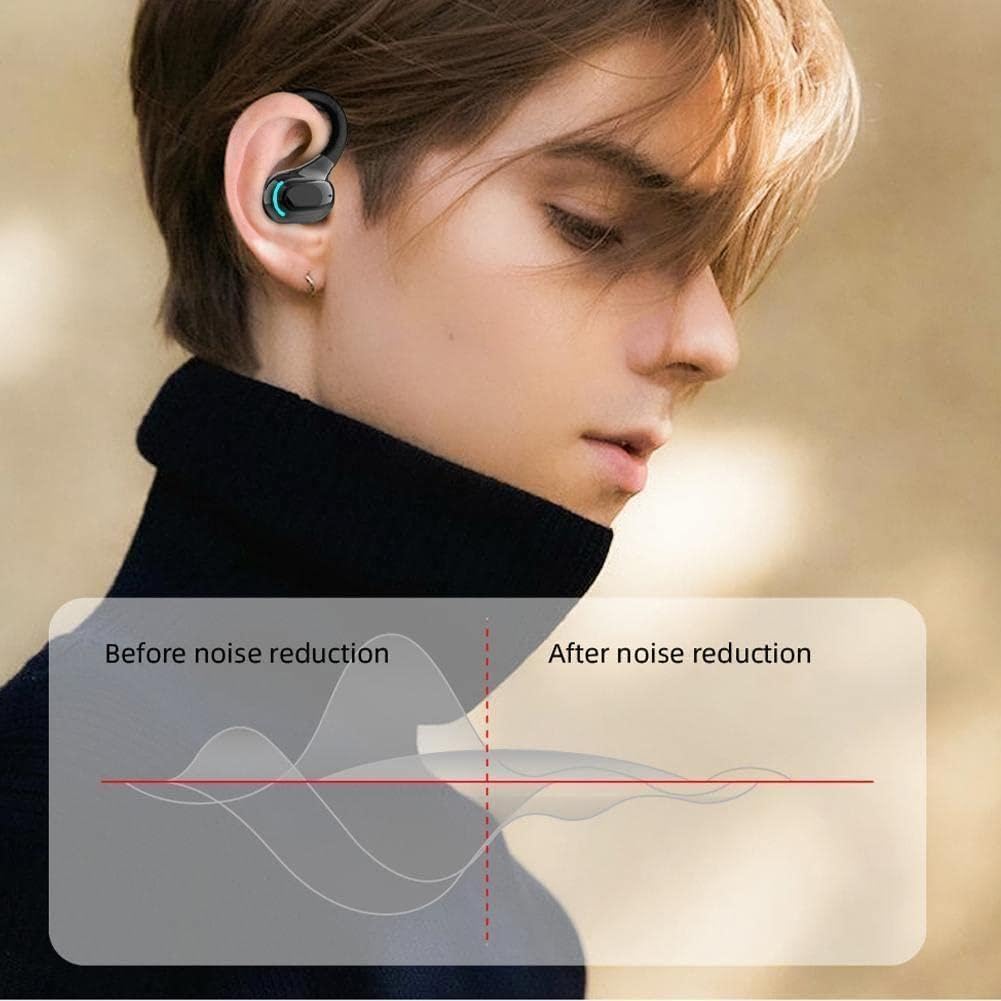
Figure 5.2: Noise Reduction Performance Comparison. This graph visually represents the effect of noise reduction, showing a significant decrease in ambient noise levels after the noise reduction feature is applied.
6. Maintenance and Care
- Cleaning: Use a soft, dry, lint-free cloth to clean the earphones. Do not use abrasive cleaners, alcohol, or chemical solvents.
- Water Resistance: The earphones are IPX4 waterproof, meaning they are resistant to splashing water and sweat. Do not submerge them in water or expose them to heavy rain. Ensure the charging port is dry before charging.
- Storage: Store the earphones in a cool, dry place, away from extreme temperatures and direct sunlight. When not in use for extended periods, charge them periodically to maintain battery health.
- Avoid Impacts: Do not drop, hit, or apply excessive force to the earphones, as this may damage internal components.
7. Troubleshooting
| Problem | Possible Cause | Solution |
|---|---|---|
| Cannot power on | Low battery | Charge the earphones fully. |
| Cannot pair with device | Earphones not in pairing mode; Bluetooth off on device; too far from device. | Ensure earphones are in pairing mode (flashing red/blue). Turn on Bluetooth on your device. Move earphones closer to your device (within 10m). |
| No sound | Volume too low; not connected; incorrect audio output selected. | Increase volume on both earphones and device. Reconnect earphones. Check audio output settings on your device. |
| Intermittent connection | Interference; too far from device; low battery. | Move away from sources of interference (Wi-Fi routers, other Bluetooth devices). Move closer to your device. Charge the earphones. |
8. Specifications
| Feature | Detail |
|---|---|
| Product Name | M-F8 |
| Weight | 3.5g (per earphone) |
| Material | ABS silicone |
| Bluetooth Version | V5.2 |
| Transmission Distance | 10m |
| Battery Capacity | 75mAh |
| Charging Time | 60 minutes |
| Standby Time | 200 hours |
| Play/Talk Time | 20 hours |
| Charging Method | USB charging |
| Waterproof Rating | IPX4 |
| Noise Control | Active Noise Cancellation |
9. Warranty and Support
This product is manufactured by Generic. For warranty information and technical support, please refer to the documentation provided at the point of purchase or contact your retailer. Please retain your proof of purchase for any warranty claims.
For further assistance, please visit the manufacturer's or retailer's support website.
Related documentsM-f8

Ask a question about this manual
Ask about setup, troubleshooting, compatibility, parts, safety, or missing instructions. Manuals+ will review the question and use this page’s manual context to help answer it.