
DownyPaws DPWFP6-SUS-TW-EU
DownyPaws DPWFP6-SUS-TW-EU Wireless Cat Water Fountain User Manual
Model: DPWFP6-SUS-TW-EU
1. Introduction
Thank you for choosing the DownyPaws Wireless Cat Water Fountain. This device is designed to provide your pet with fresh, clean water, promoting hydration and health. Its wireless design, motion sensor, and filtration system offer convenience and hygiene. Please read this manual thoroughly before use to ensure proper operation and maintenance.
2. Safety Instructions
- This product is intended for indoor use only.
- Do not immerse the main pump unit or battery compartment in water. Only the water tray and reservoir are washable.
- Ensure the charging cable and adapter are undamaged before use. Use only the provided or a compatible 5V/1A adapter.
- Keep out of reach of children and pets during assembly and maintenance to prevent accidental ingestion of small parts.
- Do not operate the fountain without water in the reservoir.
- Disconnect power before cleaning or performing any maintenance.
- If the product is damaged, discontinue use immediately and contact customer support.
3. Package Contents
Please check the package to ensure all items are present:
- Water Fountain Main Unit (Reservoir and Top Tray)
- Wireless Pump Unit with Battery
- Stainless Steel Water Tray
- Filter Element (4-layer filtration)
- USB Charging Cable
- User Manual
4. Setup Instructions
- Charge the Battery: Before first use, fully charge the wireless pump unit. Connect the USB charging cable to the pump unit and a 5V/1A USB power adapter (not included). The charging indicator light will show charging status. A full charge takes approximately 4.5 hours.
- Assemble the Pump Unit: Ensure the filter sponge is correctly placed in the pump unit.
- Install the Filter: Rinse the new filter element under running water for a few minutes to remove any loose carbon dust. Place the rinsed filter into the designated slot in the top tray.
- Fill the Reservoir: Fill the main reservoir with clean water up to the MAX fill line. The fountain has a 2.5-liter capacity.
- Place the Stainless Steel Tray: Position the stainless steel water tray onto the top tray.
- Insert the Pump Unit: Carefully place the charged wireless pump unit into its designated position on the top tray, ensuring it is securely seated and the water outlet aligns with the tray.
- Power On: The fountain will automatically start in its default mode or can be manually activated.

Image 1: Fully assembled DownyPaws Wireless Cat Water Fountain.
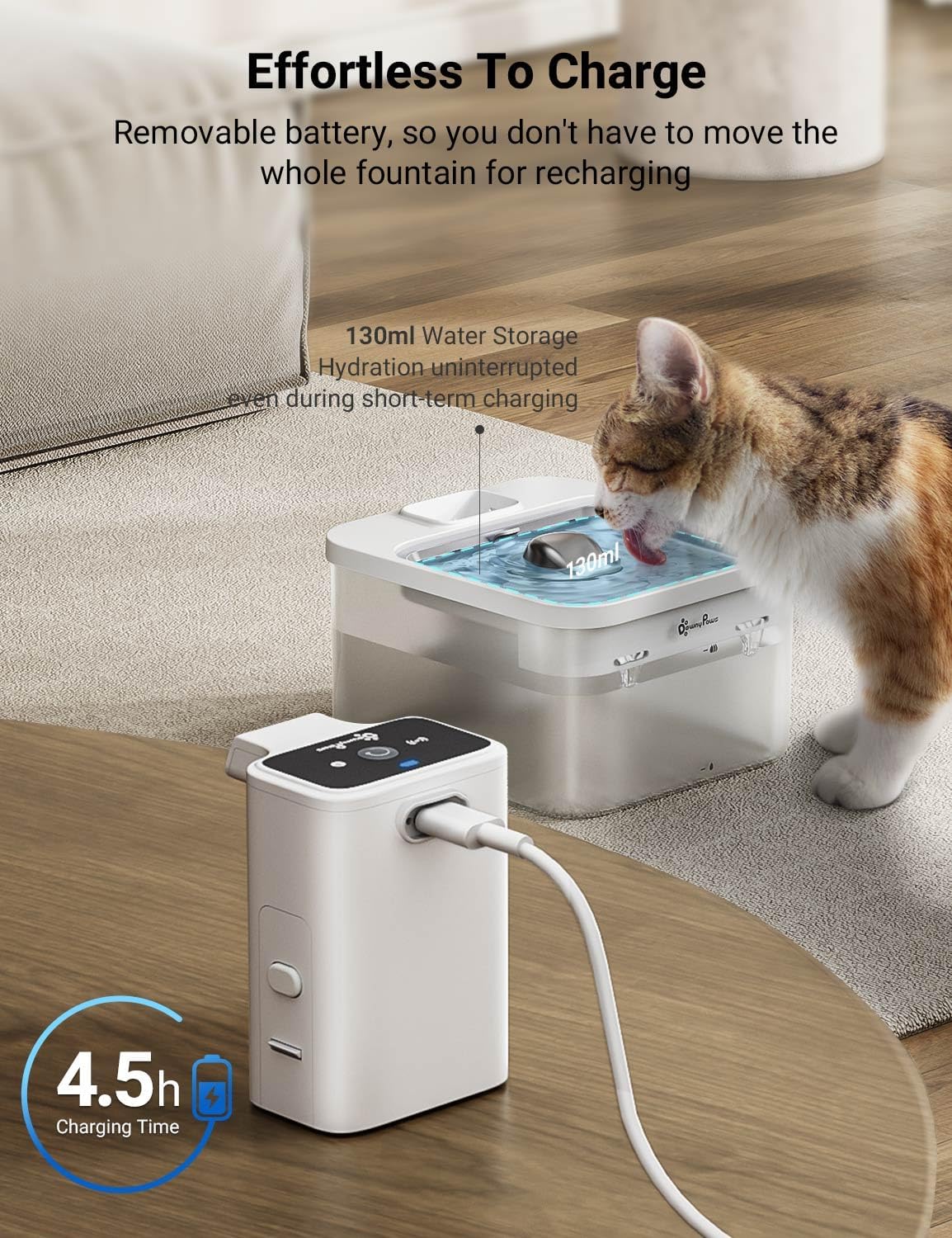
Image 2: The removable pump unit being charged separately, allowing the fountain to remain in place.
5. Operating Modes
The DownyPaws Wireless Cat Water Fountain offers two operating modes:
- Timed Mode: In this mode, the fountain dispenses water for 20 seconds every 15 minutes. This ensures regular water circulation and availability.
- Motion Sensor Mode: The built-in motion sensor detects when your pet approaches the fountain. Water will be dispensed only when motion is detected, conserving battery life and ensuring fresh water on demand.
To switch between modes, refer to the button on the pump unit. Typically, a short press will toggle between the modes, indicated by a change in the LED light or a specific pattern.

Image 3: A cat interacting with the fountain in motion-activated mode, showing the water flow.
6. Maintenance
Regular cleaning and filter replacement are crucial for your pet's health and the longevity of the fountain.
6.1. Cleaning the Fountain
- Disassemble: Turn off the fountain and remove the pump unit. Separate the stainless steel tray, top tray, and reservoir.
- Clean Components: Wash the stainless steel tray, top tray, and reservoir with mild soap and water. The stainless steel tray is dishwasher safe for high-temperature sterilization.
- Clean Pump Unit: Disassemble the pump unit by removing the cover and impeller. Clean the impeller and its housing with a small brush to remove any hair or debris. Do not immerse the entire pump unit in water. Rinse only the spout and parts that come into contact with water.
- Rinse Thoroughly: Rinse all components thoroughly to remove any soap residue.
- Reassemble: Reassemble the fountain once all parts are clean and dry.
Frequency: It is recommended to clean the fountain at least once a week, or more frequently if multiple pets use it or if the water appears dirty.
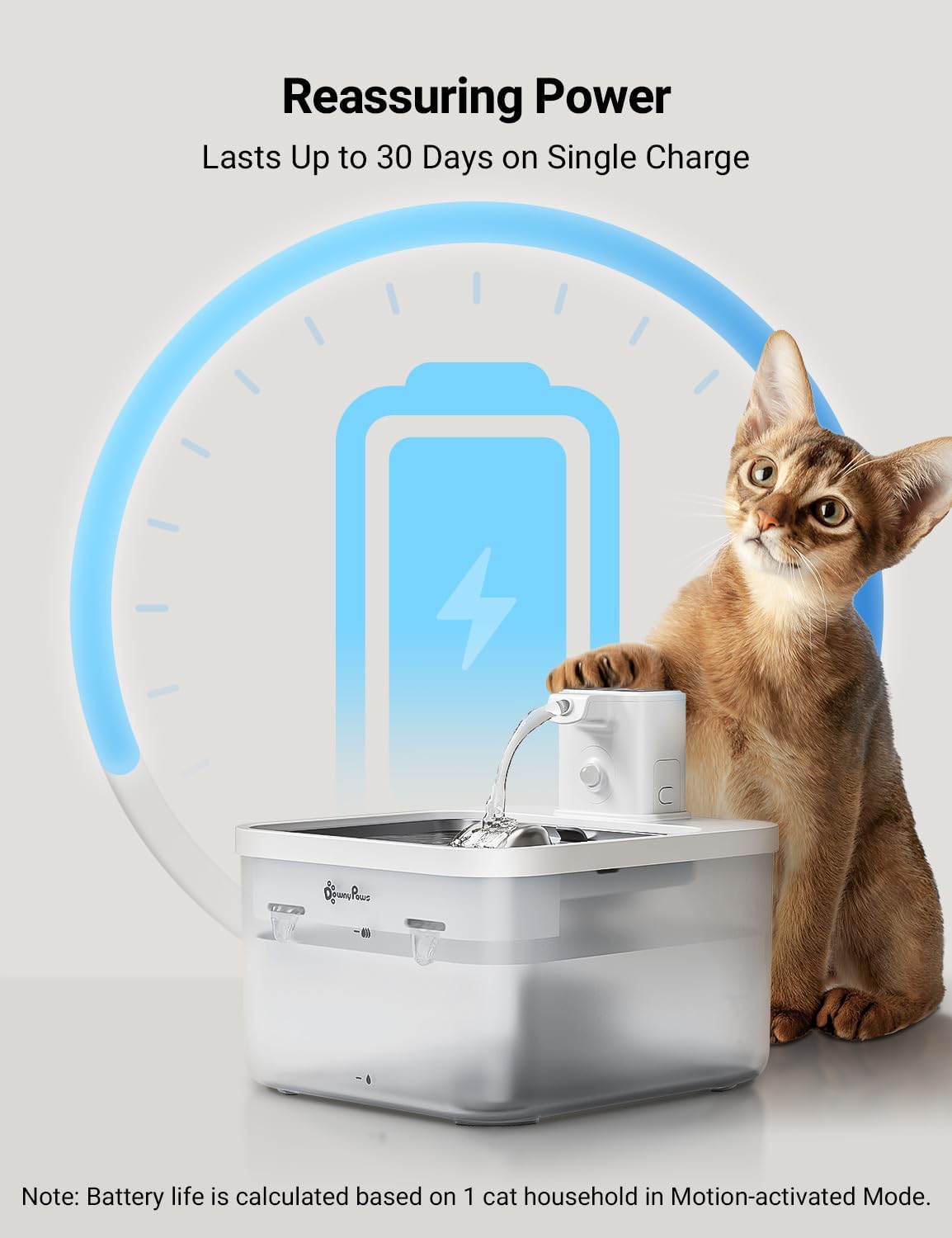
Image 4: The fountain disassembled into its main components for cleaning.
6.2. Filter Replacement
The fountain uses a 4-layer filtration system to remove hair, odors, heavy metals, and impurities.
- Layers: Ion Exchange Resin (softens water), Medical Stone (absorbs bacteria and impurities), Activated Carbon (purifies odors), Cotton (filters hair).
- Replacement: Replace the filter element every 2-4 weeks, depending on usage and water quality.
- Procedure: Remove the old filter, rinse the new filter thoroughly, and place it in the filter slot.
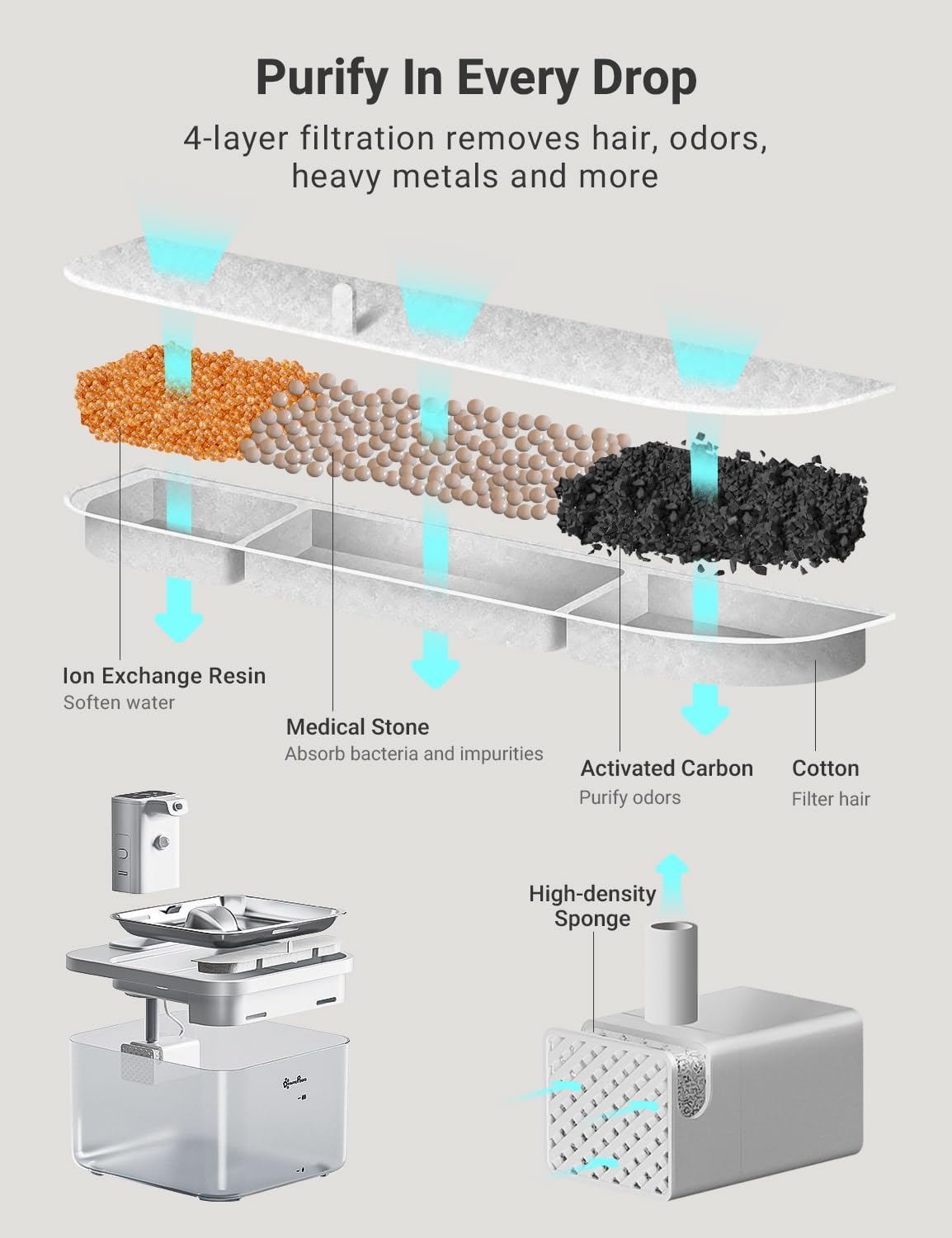
Image 5: An exploded view illustrating the 4-layer filtration system components.
7. Troubleshooting
- No water flow:
- Check if the battery is charged.
- Ensure the pump unit is correctly seated.
- Clean the pump impeller and housing for any blockages (hair, debris).
- Check water level in the reservoir.
- Fountain is noisy:
- Ensure the water level is above the minimum mark.
- Clean the pump impeller and housing.
- Ensure the pump unit is securely placed and not vibrating against other parts.
- Water tastes or smells bad:
- Replace the filter element.
- Clean all fountain components thoroughly.
- Change the water in the reservoir.
- Motion sensor not working:
- Ensure the sensor is clean and unobstructed.
- Verify the fountain is in Motion Sensor Mode.
8. Specifications
| Feature | Specification |
|---|---|
| Model Number | DPWFP6-SUS-TW-EU |
| Capacity | 2.5 Liters |
| Dimensions (L x W x H) | 21 x 19 x 14 cm |
| Weight | 1.1 kg |
| Battery Type | 2 Lithium-polymer (included) |
| Charging Time | Approx. 4.5 hours |
| Operating Modes | Timed Mode, Motion Sensor Mode |
| Material | Food-grade ABS, Stainless Steel |
| Noise Level | Approx. 30dB |
9. Warranty and Support
DownyPaws products are manufactured to high-quality standards. For warranty information or technical support, please refer to the warranty card included with your product or contact DownyPaws customer service directly through their official website or the retailer where the product was purchased.
Please have your model number (DPWFP6-SUS-TW-EU) and purchase date ready when contacting support.
Related documentsDPWFP6-SUS-TW-EU


Ask a question about this manual
Ask about setup, troubleshooting, compatibility, parts, safety, or missing instructions. Manuals+ will review the question and use this page’s manual context to help answer it.