
AODK B02011601005USAN
AODK L Shaped Desk User Manual
Model: B02011601005USAN
Brand: AODK
1. Introduction
This manual provides comprehensive instructions for the assembly, operation, and maintenance of your AODK L Shaped Desk. Designed for versatility and efficiency, this 50-inch computer desk features a reversible configuration, integrated storage bag, and a dedicated host stand, making it suitable for various home office, bedroom, or studio environments.
Please read this manual thoroughly before beginning assembly to ensure correct setup and safe usage of the product.
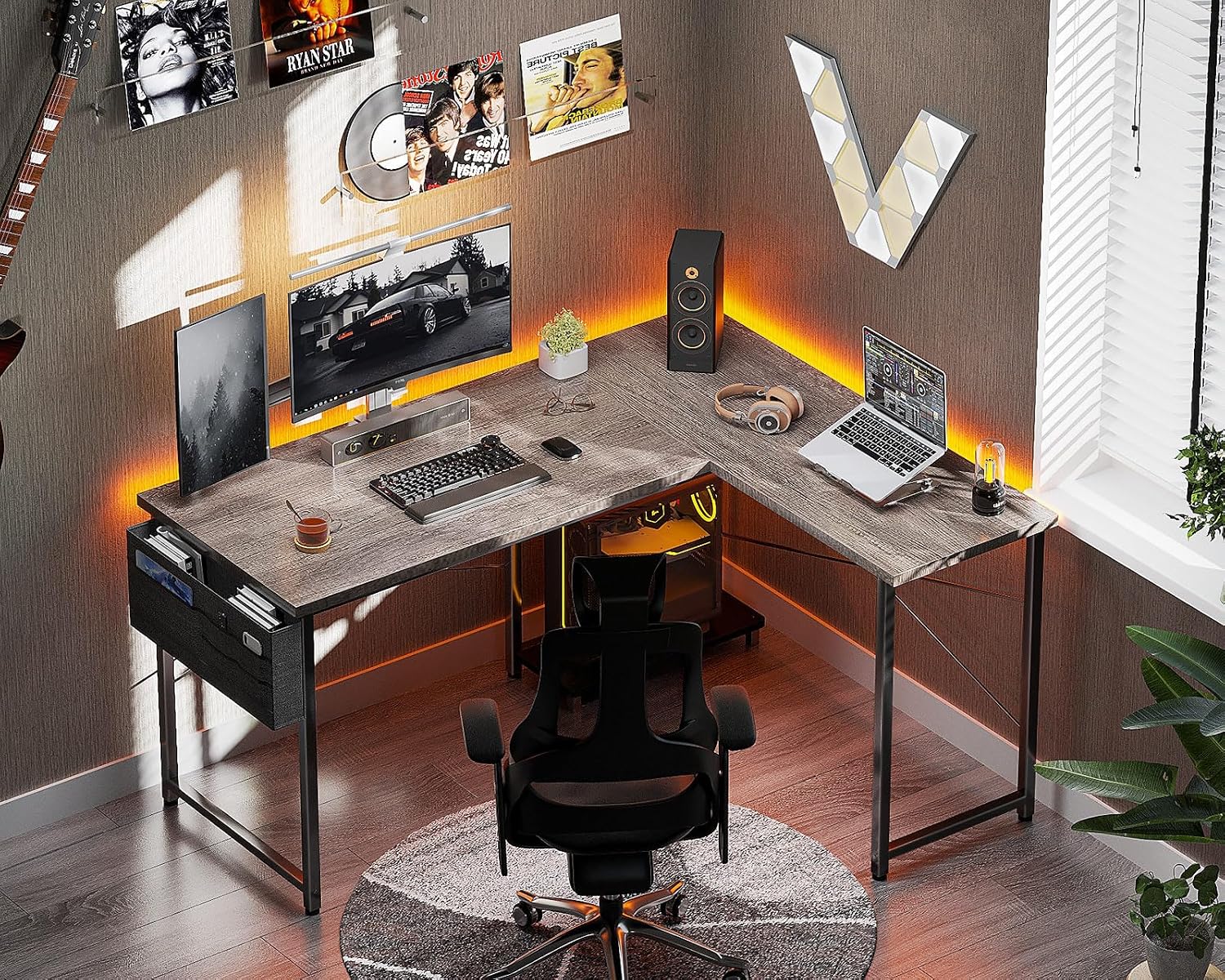
Image: The AODK L Shaped Desk set up in a modern office environment, showcasing its functional design and ample workspace.
2. Safety Information
CAUTION:
- This desk requires assembly.
- Use all provided tools carefully and follow the detailed instructions to avoid injury.
- Ensure the desk is properly assembled and stable before use.
- Do not overload the desk or storage components.
- Keep small parts away from children during assembly.
3. Components List
Before assembly, verify that all components listed below are present and undamaged. If any parts are missing or damaged, please contact customer support.
- Desk Panels (L-shaped sections)
- Metal Frame Legs and Support Bars
- Host Stand
- Storage Bag
- Adjustable Foot Pads
- Assembly Hardware (screws, bolts, Allen wrench, etc.)
- Instruction Manual

Image: Overview of the AODK L Shaped Desk, showcasing its main components including the desk panels, metal frame, host stand, and storage bag.
4. Setup and Assembly Instructions
Follow these steps carefully to assemble your AODK L Shaped Desk. It is recommended to assemble the desk on a soft, clean surface to prevent scratches.
4.1 Reversible Design
The AODK L Shaped Desk features a reversible design, allowing you to configure the longer side of the L-shape to either the left or right, based on your space requirements. Decide on your preferred orientation before starting assembly.

Image: Illustration of the desk's reversible design, showing how the L-shape can be configured for left or right orientation to fit various room layouts.
4.2 Step-by-Step Assembly
- Unpack Components: Carefully remove all parts from the packaging and lay them out on a clean, flat surface. Check against the components list.
- Assemble Frame: Attach the metal frame legs and support bars according to the chosen L-shape orientation. Ensure all screws are finger-tightened initially.
- Attach Desk Panels: Secure the desk panels to the assembled metal frame. Align holes precisely before tightening screws.
- Install Host Stand: The host stand can be installed in three different positions to optimize under-desk space. Choose the desired position and secure it to the frame.
- Attach Storage Bag: Hook or attach the storage bag to the designated area on the desk frame.
- Adjust Foot Pads: Once the desk is fully assembled and in its desired location, adjust the foot pads at the bottom of each leg to ensure the desk is level and stable on uneven floors.
- Final Tightening: After all components are in place and the desk is level, fully tighten all screws and bolts using the provided Allen wrench. Do not overtighten.

Image: An individual seated comfortably at the assembled L-shaped desk, demonstrating ample legroom and the placement of the host stand.
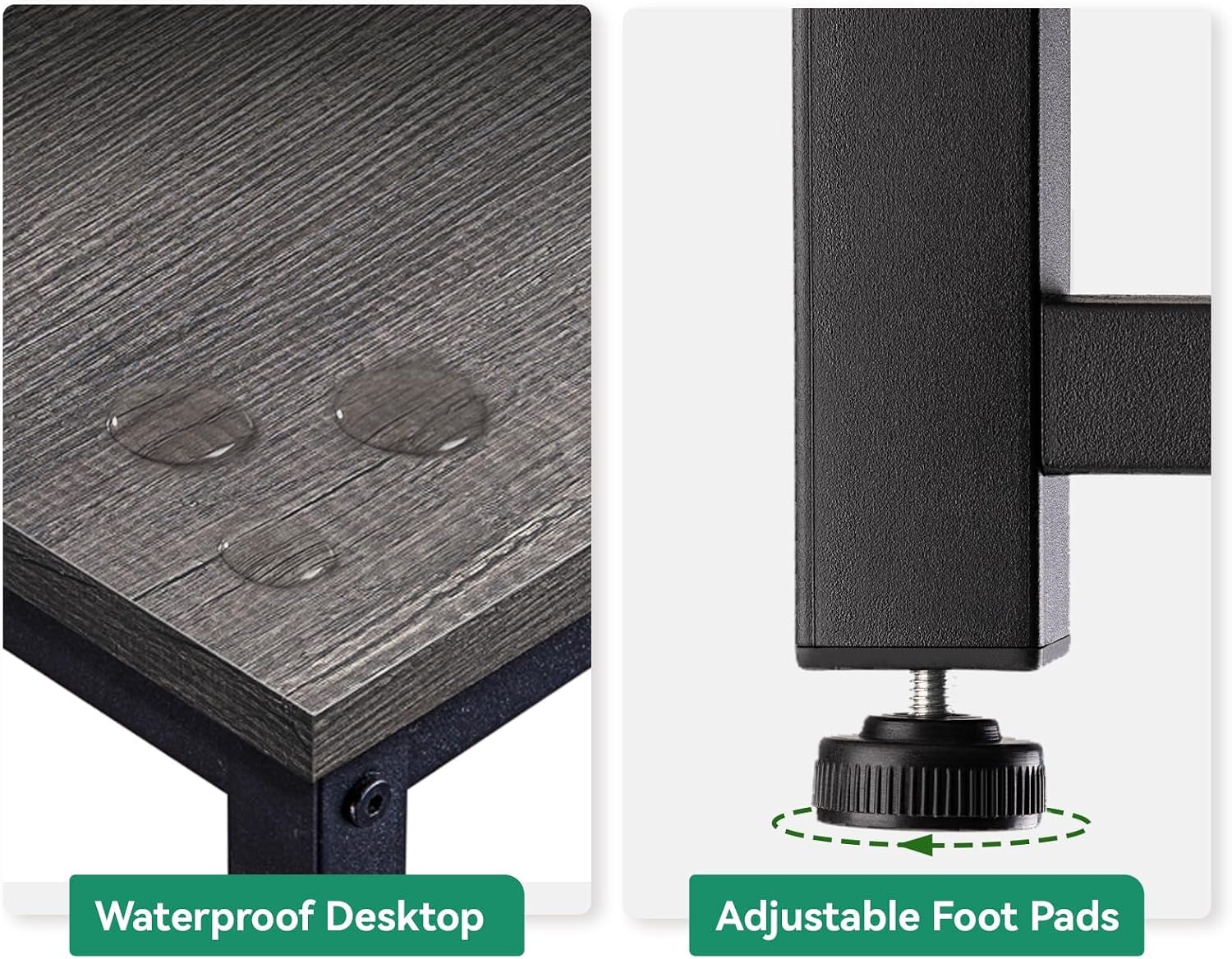
Image: Detailed view highlighting the waterproof surface of the desk and the adjustable foot pads designed for stability on various floor types.
5. Operating Instructions
The AODK L Shaped Desk is designed for optimal functionality in various settings. Here are guidelines for utilizing its features:
- Utilizing the L-Shape: Position your computer monitors, laptop, and other equipment to maximize your workspace. The L-shape provides ample surface area for multitasking.
- Host Stand Placement: The removable host stand can be positioned to accommodate your computer tower, keeping it off the floor and improving airflow. Its flexible placement allows for customization of under-desk space.
- Storage Bag: Use the integrated storage bag to organize documents, books, magazines, stationery, and other small items, helping to keep your desktop clutter-free.

Image: A visual comparison illustrating the organizational benefits of the integrated storage bag, showing a tidy desk with the bag versus a potentially cluttered one without it.
6. Maintenance
Proper care will extend the life and appearance of your AODK L Shaped Desk.
- Cleaning: Wipe the desk surface with a soft, damp cloth. For stubborn marks, a mild soap solution can be used, followed by drying with a clean cloth. Avoid abrasive cleaners or harsh chemicals.
- Water Resistance: The desk boards are waterproof. While resistant to spills, it is recommended to wipe up liquids promptly to prevent potential long-term damage.
- Frame Care: The iron frame can be cleaned with a damp cloth. Avoid prolonged exposure to moisture to prevent rust.
- Regular Checks: Periodically check all screws and bolts to ensure they remain tight. Retighten if necessary.
7. Troubleshooting
If you encounter any issues with your desk, refer to the following common problems and solutions:
| Problem | Possible Cause | Solution |
|---|---|---|
| Desk is wobbly/unstable | Uneven floor; loose screws; incorrect assembly. | Adjust the foot pads until the desk is level. Check and tighten all assembly screws. Review assembly steps. |
| Parts do not fit together | Incorrect orientation; manufacturing defect. | Ensure you are following the reversible design instructions for your chosen orientation. If parts are defective, contact customer support. |
| Missing hardware/components | Packaging error. | Contact customer support with your purchase details and the specific missing items. |
8. Specifications
| Feature | Detail |
|---|---|
| Brand | AODK |
| Model Number | B02011601005USAN |
| UPC | 850053190964 |
| Product Dimensions (D x W x H) | 18.1"D x 50"W x 29.9"H |
| Working Surface Diagonal Length | 53.7 Inches |
| Color | Grey Oak |
| Style | Modern |
| Top Material Type | Wood (Oak Finish) |
| Base Material | Iron |
| Special Features | Reversible Design, Adjustable Foot Pads, Integrated Storage Bag, Removable Host Stand, Waterproof Desktop |
| Required Assembly | Yes |
| Included Components | Host Stand, Storage Bag, Assembly Tools |
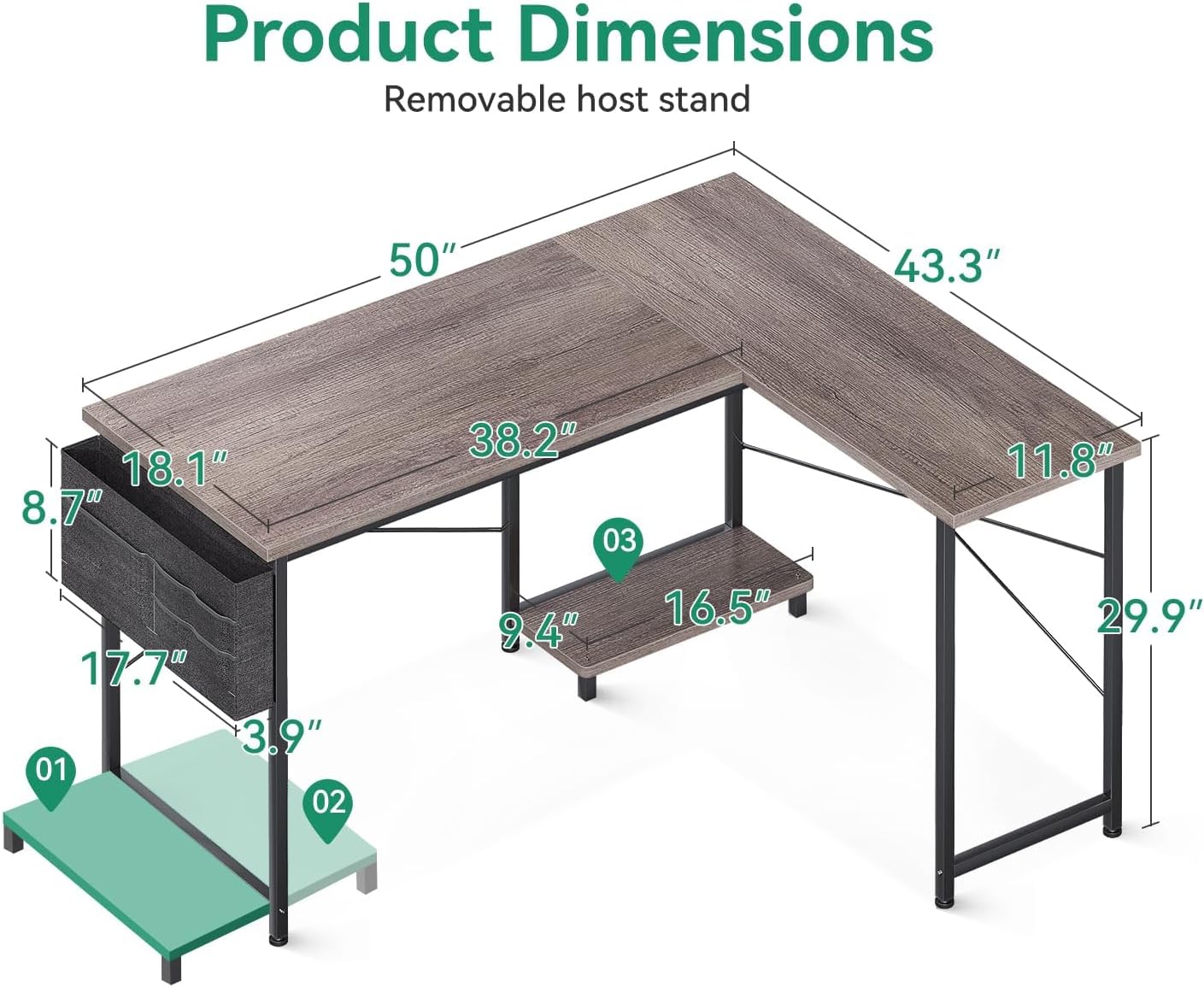
Image: Detailed diagram illustrating the key dimensions of the AODK L Shaped Desk, including length, width, and height, and the removable host stand.
9. Warranty and Support
9.1 Limited Warranty
This AODK L Shaped Desk comes with a limited warranty. Please retain your proof of purchase for any warranty claims. Details regarding the specific terms and duration of the warranty are typically provided with the product packaging or can be obtained by contacting customer support.
9.2 Customer Support
For any questions, assistance with assembly, missing parts, or troubleshooting not covered in this manual, please contact AODK customer support. A professional after-sales team is available to respond to inquiries within 24 hours.
Please have your model number (B02011601005USAN) and purchase information ready when contacting support.
Related documentsB02011601005USAN

Ask a question about this manual
Ask about setup, troubleshooting, compatibility, parts, safety, or missing instructions. Manuals+ will review the question and use this page’s manual context to help answer it.