
1. Introduction
This manual provides comprehensive instructions for the Skullcandy Crusher ANC 2 Wireless Over-Ear Headphones. It covers product features, setup procedures, operational guidelines, maintenance tips, troubleshooting steps, and detailed technical specifications. Please read this manual thoroughly to ensure proper use and optimal performance of your headphones.

Image: Skullcandy Crusher ANC 2 headphones highlighting bass and noise cancellation features.
2. Package Contents
Verify that all items are present in your product packaging:
- Crusher® ANC 2 Wireless Headphones
- Extra Extended USB-C to USB-C Charging Cable
- USB-C Charging Cable
- Back-up AUX Cable
- Protective Case
- Quick Start & User Guides
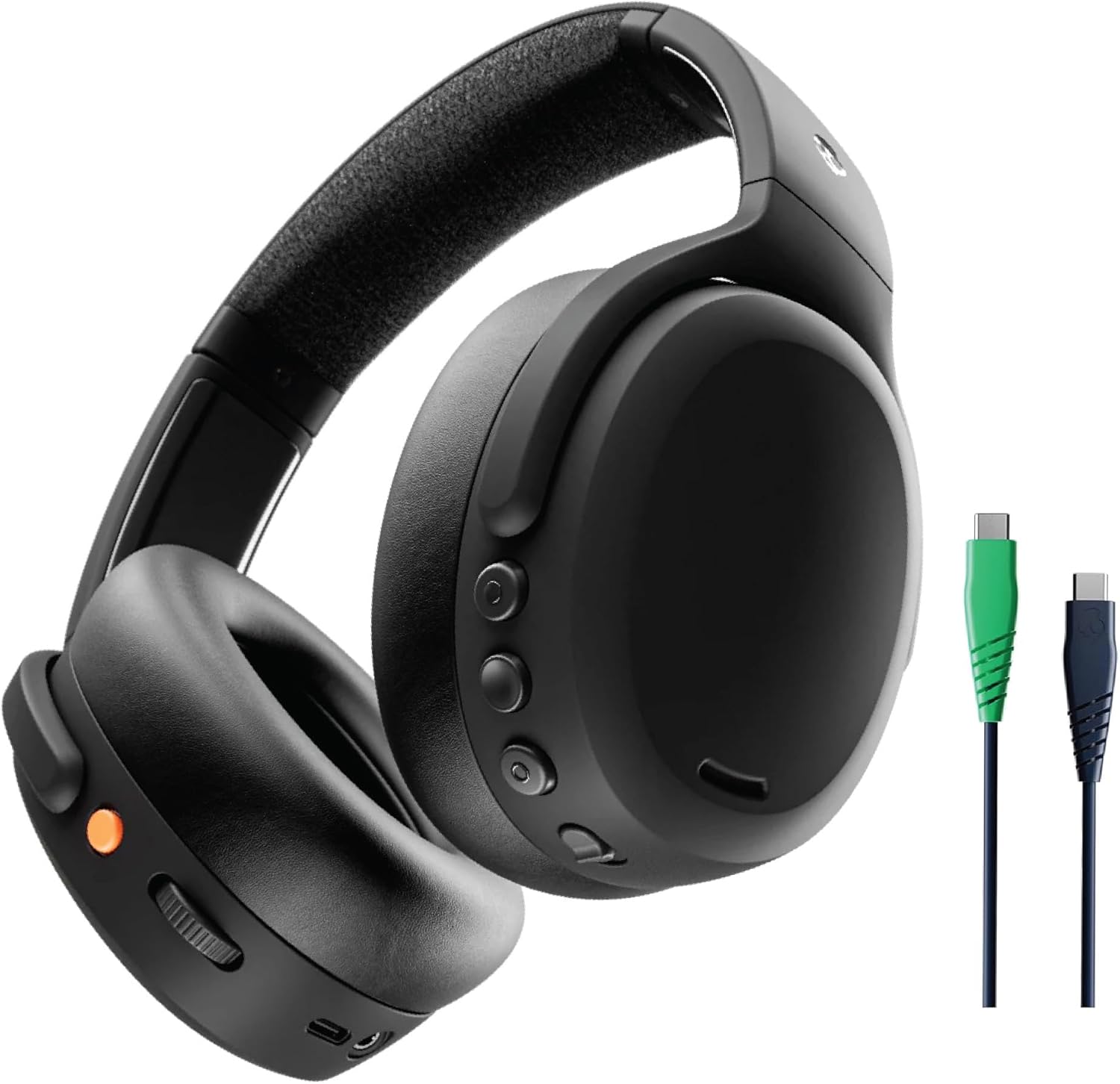
Image: The Skullcandy Crusher ANC 2 headphones shown with the two USB-C charging cables.
3. Setup
3.1. Charging the Headphones
Before first use, fully charge your Crusher ANC 2 headphones. A full charge provides up to 60 hours of battery life with Active Noise Cancelling (ANC) off. The Rapid Charge feature allows for 4 hours of listening after only 10 minutes of charging.
- Connect the provided USB-C charging cable to the charging port on the headphones.
- Connect the other end of the USB-C cable to a compatible USB power source.
- The LED indicator on the headphones will show charging status and turn off when fully charged.

Image: Visual representation of the 60-hour battery life and rapid charge capability of the headphones.
3.2. Powering On/Off
- To Power On: Press and hold the Power button until the LED indicator illuminates.
- To Power Off: Press and hold the Power button until the LED indicator turns off.
3.3. Bluetooth Pairing
The Crusher ANC 2 headphones utilize Bluetooth 5.1 for wireless connectivity.
- Ensure the headphones are powered off.
- Press and hold the Power button for 5 seconds until the LED indicator flashes blue and red, indicating pairing mode.
- On your device (smartphone, tablet, laptop), enable Bluetooth and search for available devices.
- Select "Crusher ANC 2" from the list of available devices.
- Once connected, the LED indicator will flash blue periodically.
3.4. Skull-iQ App Installation
For personalized sound and advanced features, download the Skull-iQ app from your device's app store.
- Search for "Skull-iQ" in the Apple App Store or Google Play Store.
- Install the app and follow the on-screen instructions to connect your Crusher ANC 2 headphones.

Image: Screenshots illustrating the various customization options available within the Skull-iQ app.
4. Operation
4.1. Headphone Controls
The Crusher ANC 2 headphones feature intuitive controls for managing audio and calls.
- Power Button: Power on/off, enter pairing mode.
- Volume Up/Down Buttons: Adjust audio volume.
- Multi-function Button: Play/pause music, answer/end calls, activate voice assistant.
- Crusher Bass Dial: Adjust the intensity of the sensory bass.
4.2. Active Noise Cancellation (ANC) & Stay-Aware Mode
The headphones feature adjustable 4-mic active noise cancelling to reduce ambient sound.

Image: A visual depicting the active noise cancellation feature of the headphones.
- ANC On: Blocks out external noise for an immersive listening experience.
- Stay-Aware Mode: Allows you to hear your surroundings while still enjoying your audio, useful for awareness in public spaces.
- Toggle between ANC modes using the dedicated button or via the Skull-iQ app.
4.3. Sensory Bass Adjustment
Experience patented multi-sensory Crusher Bass technology, allowing you to feel your audio.
- Use the dedicated Crusher Bass dial on the headphone ear cup to increase or decrease the bass intensity.
- Adjust to your preference for music, movies, or gaming.

Image: A visual representation of the multi-sensory Crusher Bass technology in action.
4.4. Personal Sound Profile
The Skull-iQ app allows you to create a unique hearing profile using Personal Sound by Mimi, optimizing the audio experience for your individual hearing.
- Open the Skull-iQ app and navigate to the Personal Sound section.
- Follow the in-app instructions to complete the hearing test and apply your personalized sound profile.

Image: A user experiencing personalized sound with the Skullcandy Crusher ANC 2 headphones.
4.5. Multipoint Pairing
Connect your headphones to two devices simultaneously and seamlessly switch between them.
- Pair the headphones with your first device (e.g., laptop).
- Put the headphones back into pairing mode and connect to your second device (e.g., smartphone).
- The headphones will automatically switch audio sources based on active playback.

Image: A user demonstrating the multipoint pairing feature of the headphones.
4.6. Voice Control
Control your headphones using voice commands.
- Activate voice control through the Skull-iQ app.
- Use commands such as "Hey Skullcandy, play music" or "Hey Skullcandy, ANC on."
5. Maintenance
5.1. Cleaning
- Wipe the headphones with a soft, dry, lint-free cloth.
- Do not use harsh chemicals, cleaning solvents, or strong detergents.
- Avoid getting moisture in any openings.
5.2. Storage
When not in use, store the headphones in their protective case to prevent damage. The headphones feature a flat-folding and collapsible design for compact storage.

Image: The Skullcandy Crusher ANC 2 headphones folded for compact storage.
5.3. Battery Care
- Avoid exposing the battery to extreme temperatures.
- Charge the headphones regularly, even if not used frequently, to maintain battery health.
Note: The headphones are not water resistant. Avoid exposure to liquids.
6. Troubleshooting
If you encounter issues with your Skullcandy Crusher ANC 2 headphones, refer to the following common solutions:
| Problem | Possible Cause | Solution |
|---|---|---|
| Headphones do not power on | Low battery | Charge the headphones fully. |
| Cannot pair via Bluetooth | Headphones not in pairing mode; device Bluetooth off; interference | Ensure headphones are in pairing mode (flashing blue/red). Turn device Bluetooth off/on. Move closer to the device. |
| No sound or low volume | Volume too low; incorrect audio source; headphones not connected | Increase headphone and device volume. Verify correct audio output on device. Re-pair headphones. |
| Active Noise Cancelling not effective | ANC mode off; improper fit | Ensure ANC is enabled. Adjust headphone fit for a proper seal around the ears. |
| Crusher Bass not working | Bass dial set to minimum; app settings | Adjust the Crusher Bass dial. Check Skull-iQ app for bass settings. |
For further assistance, please refer to the support section or visit the Skullcandy website.
7. Specifications
| Feature | Detail |
|---|---|
| Model Name | BT_CRUSHER_ANC_2 |
| Item Model Number | S6CAW-R740-S7RCP-P750 |
| UPC | 810045689661 |
| Noise Control | Active Noise Cancellation |
| Connectivity Technology | Wireless (Bluetooth) |
| Wireless Communication Technology | Bluetooth 5.1 |
| Bluetooth Range | 10 Meters |
| Battery Life | Up to 60 Hours (ANC off) |
| Rapid Charge | 10 minutes charge for 4 hours playback |
| Audio Driver Type | Dynamic Driver |
| Frequency Response | 20 Hz - 20,000 Hz |
| Sensitivity | 100 dB |
| Impedance | 32 Ohm |
| Headphones Jack | 3.5 mm Jack (for wired use) |
| Control Type | Voice Control |
| Material | Faux Leather, Plastic |
| Item Weight | 332 Grams (11.7 ounces) |
| Product Dimensions | 9.25 x 6.69 x 12.4 inches |
| Water Resistance Level | Not Water Resistant |
8. Official Product Videos
No official seller videos were available for embedding in this manual.
9. Warranty and Support
9.1. Warranty Information
The Skullcandy Crusher ANC 2 headphones come with a 1-Year USA Limited Warranty. Please retain your proof of purchase for warranty claims.
9.2. Customer Support
For additional support, troubleshooting guides, or warranty service, please visit the official Skullcandy website or their Amazon Brand Store:


