
1. Introduction
This manual provides detailed instructions for the setup, operation, maintenance, and troubleshooting of your NUCOUN VC-3 Mixed Denomination Money Counter Machine and its accompanying 58mm Thermal Receipt Printer. Please read this manual thoroughly before operating the device to ensure correct usage and optimal performance.
2. Product Overview
The NUCOUN VC-3 is an advanced money counting machine designed for mixed denomination counting and counterfeit detection. It features a 3.5-inch TFT touch screen for intuitive operation and supports multiple currencies including USD, EURO, CAD, and MXN. The machine can be connected to a 58mm thermal receipt printer for printing counting results and allows data export to a PC.

Image: The NUCOUN VC-3 Money Counter Machine shown connected to a laptop and a 58mm thermal receipt printer, illustrating its connectivity features.
3. Setup Instructions
- Unpacking: Carefully remove the money counter and all accessories from the packaging. Retain packaging for future transport or storage.
- Power Connection: Connect the power adapter to the machine's power input port and then to a suitable power outlet.
- Printer Connection: Connect the 58mm thermal receipt printer to the money counter using the provided cable. Ensure the printer has paper loaded.
- Initial Power On: Press the power button. The machine will perform a self-diagnosis at start-up to detect any internal issues.
- Software Installation (Optional): If you intend to export counting data to a PC, install the provided PC software on your computer. Connect the money counter to your PC via a USB cable.
4. Operating the Money Counter
4.1. Touch Screen Interface
The VC-3 features a 3.5-inch TFT touch screen for easy navigation and operation. All functions and settings are accessible through this interface.

Image: A detailed view of the 3.5-inch TFT touch screen on the NUCOUN VC-3, showing its clear menu and operational display.
4.2. Counting Modes and Functions
The VC-3 offers six primary functions for various counting needs:
- Mix: Counts mixed denominations and provides a total value.
- Auto: Automatically detects currency and denomination for counting.
- Sort: Sorts bills by denomination.
- Multi: Allows counting of mixed currencies.
- Batch: Counts bills into user-defined batches.
- Accumulation: Adds multiple counting results together.
- Count: Simple piece counting without denomination recognition.

Image: A visual representation of the six operational modes (Mix, Sort, Multi, Batch, Auto, Count) available on the NUCOUN VC-3, demonstrating their respective display outputs.
4.3. Loading and Counting Bills
- Select the desired counting mode from the touch screen.
- Place the stack of bills neatly into the hopper. Ensure bills are aligned and not folded or crumpled.
- The machine will automatically start counting. The improved money receiving wheel and anti-static stacker design ensure smooth operation and prevent jams.
- View the counting results on the TFT screen.
5. Counterfeit Detection
The NUCOUN VC-3 incorporates advanced counterfeit detection technologies to ensure the authenticity of banknotes. These include:
- UV (Ultraviolet) Detection: Checks for UV security features.
- MG (Magnetic) Detection: Verifies magnetic ink patterns.
- IR (Infrared) Detection: Scans for infrared security marks.
- CIS (Contact Image Sensor): Scans the entire banknote for detailed analysis.
- Safety Thread Detection: Identifies embedded security threads.
- RGB Detection: Analyzes color spectrum.
- Size Detection: Measures banknote dimensions.
The machine is designed to identify all versions of the US dollar in circulation and supports detection for EURO, CAD, and MXN.

Image: An illustration detailing the comprehensive counterfeit detection capabilities of the NUCOUN VC-3, including Magnetic, Ultraviolet, Security Line, Variable Ink, Spectrum, Infrared, Fluorescence, and Dimensional detection.
6. Data Management
6.1. Printing Counting Results
After counting, you can print a detailed receipt of the transaction using the connected 58mm thermal receipt printer. Select the 'Print' option on the touch screen.
6.2. Exporting Data to PC
The VC-3 allows you to save counting data to a computer using the dedicated PC software. This feature enables detailed analysis and record-keeping.
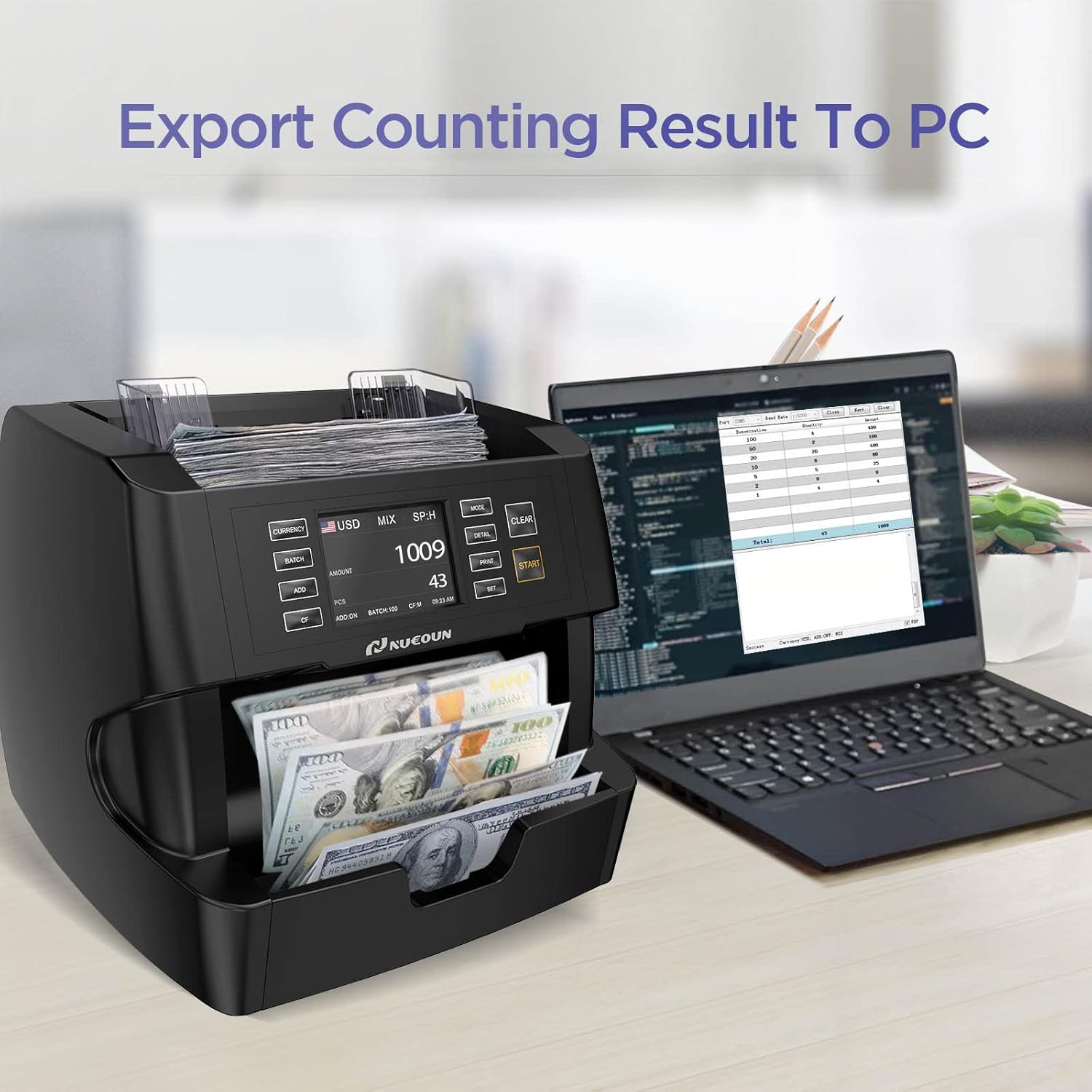
Image: The NUCOUN VC-3 money counter shown connected to a laptop, illustrating its capability to export counting results to a personal computer for further analysis.
7. Maintenance
- Regular Cleaning: Periodically clean the dust and debris from the bill pathways, sensors, and the hopper using a soft brush or compressed air. Ensure the machine is powered off before cleaning.
- Sensor Check: The machine performs a self-diagnosis at start-up. If any issues are detected, refer to the troubleshooting section.
- Software Updates: Keep the machine's software updated to ensure compatibility with new bill releases and currency developments. Information on updates will be provided by NUCOUN support.
8. Troubleshooting
If you encounter issues with your NUCOUN VC-3, please refer to the following common problems and solutions:
- Bills Jamming: Ensure bills are neatly stacked and not folded or damaged. Clean the bill pathways for any obstructions.
- Inaccurate Counts: Verify that the correct counting mode is selected. Clean the sensors to ensure proper detection.
- Counterfeit Detection Errors: Ensure bills are placed correctly. Clean the detection sensors. If issues persist, update the software.
- Machine Not Powering On: Check the power cable connection and the power outlet.
- Printer Not Printing: Ensure the printer is properly connected, powered on, and has sufficient paper.
For persistent issues not resolved by these steps, please contact NUCOUN customer support.
9. Specifications
| Brand | NUCOUN |
| Model | VC-3 |
| Counting Speed | Up to 1500 bills per minute |
| Display | 3.5-inch TFT Touch Screen |
| Supported Currencies | USD, EURO, CAD, MXN |
| Detection Methods | UV, MG, IR, CIS, Safety Thread, RGB, Size |
| Material Type | Polycarbonate |
| ASIN | B0CD1DF5B6 |
| Date First Available | July 28, 2023 |
10. Warranty and Support
The NUCOUN VC-3 Money Counter Machine comes with a two-year quality protection warranty. This warranty includes software upgrades for new bill releases, new currency developments, and the addition of new currencies to the original software.
For technical support, warranty claims, or any operational questions, please contact NUCOUN customer service through the official website or your purchase platform.
