
NETUM NT-1203L
NETUM NT-1203L Pro Wireless Bluetooth Barcode Scanner User Manual
Model: NT-1203L
1. Introduction
The NETUM NT-1203L Pro is an advanced wireless barcode scanner designed for efficient and reliable data capture in various environments. Featuring extended range scanning capabilities, robust waterproof and shock-proof construction, and versatile connectivity options, this scanner is ideal for warehouse management, retail, logistics, and more. This manual provides detailed instructions for setting up, operating, and maintaining your NT-1203L Pro scanner.
2. Safety Information
Please read all safety instructions before using the device to ensure proper operation and prevent damage. Keep this manual for future reference.
- Do not stare directly into the scanning light.
- Avoid exposing the device to extreme temperatures or direct sunlight for prolonged periods.
- Do not attempt to disassemble or modify the scanner. Unauthorized repairs will void the warranty.
- Use only the provided charging cradle and cables.
- Keep the device away from strong magnetic fields.
3. Package Contents
Verify that all items are present in your package:
- NETUM NT-1203L Pro Barcode Scanner
- Charging Cradle / 2.4G Wireless Receiver
- USB Charging Cable
- User Manual (this document)
4. Product Overview
Familiarize yourself with the components of your NETUM NT-1203L Pro scanner and its charging cradle.

Figure 4.1: NETUM NT-1203L Pro Barcode Scanner and Charging Cradle. The scanner is black and yellow, ergonomically designed, and rests in a black charging base.

Figure 4.2: The multifunctional cradle serves as a scanner stand, provides wireless charging, and acts as a 2.4G wireless transmission receiver. It supports Auto-Sense and Continuous Mode operations.
5. Setup
5.1 Charging the Scanner
Before first use, fully charge the scanner. Place the scanner onto the charging cradle. The indicator light on the cradle will show charging status. A full charge allows for approximately 30 working days with 2000 scans per day, thanks to its industry-leading 2600mAh battery.

Figure 5.1: The scanner features a built-in 2600mAh large capacity battery for ultra-long standby and instant charging when placed on the wireless charging base.
5.2 Connecting via 2.4G Wireless
The charging cradle has a built-in 2.4G receiver, making the scanner completely plug-and-play for wireless operation.
- Connect the charging cradle to your computer's USB port using the provided USB cable.
- The computer will automatically install the necessary drivers.
- The scanner is now ready for use in 2.4G wireless mode.
5.3 Connecting via Bluetooth
The NT-1203L Pro supports HID / SPP / BLE modes for Bluetooth connectivity, allowing easy connection with laptops, PCs, smartphones, tablets, iPhones, iPads, and POS systems.
- Ensure the scanner is powered on.
- Activate Bluetooth on your host device (e.g., laptop, smartphone).
- Search for available Bluetooth devices. The scanner will appear as "NETUM NT-1203L" or similar.
- Select the scanner to pair. Follow any on-screen prompts to complete the pairing process.
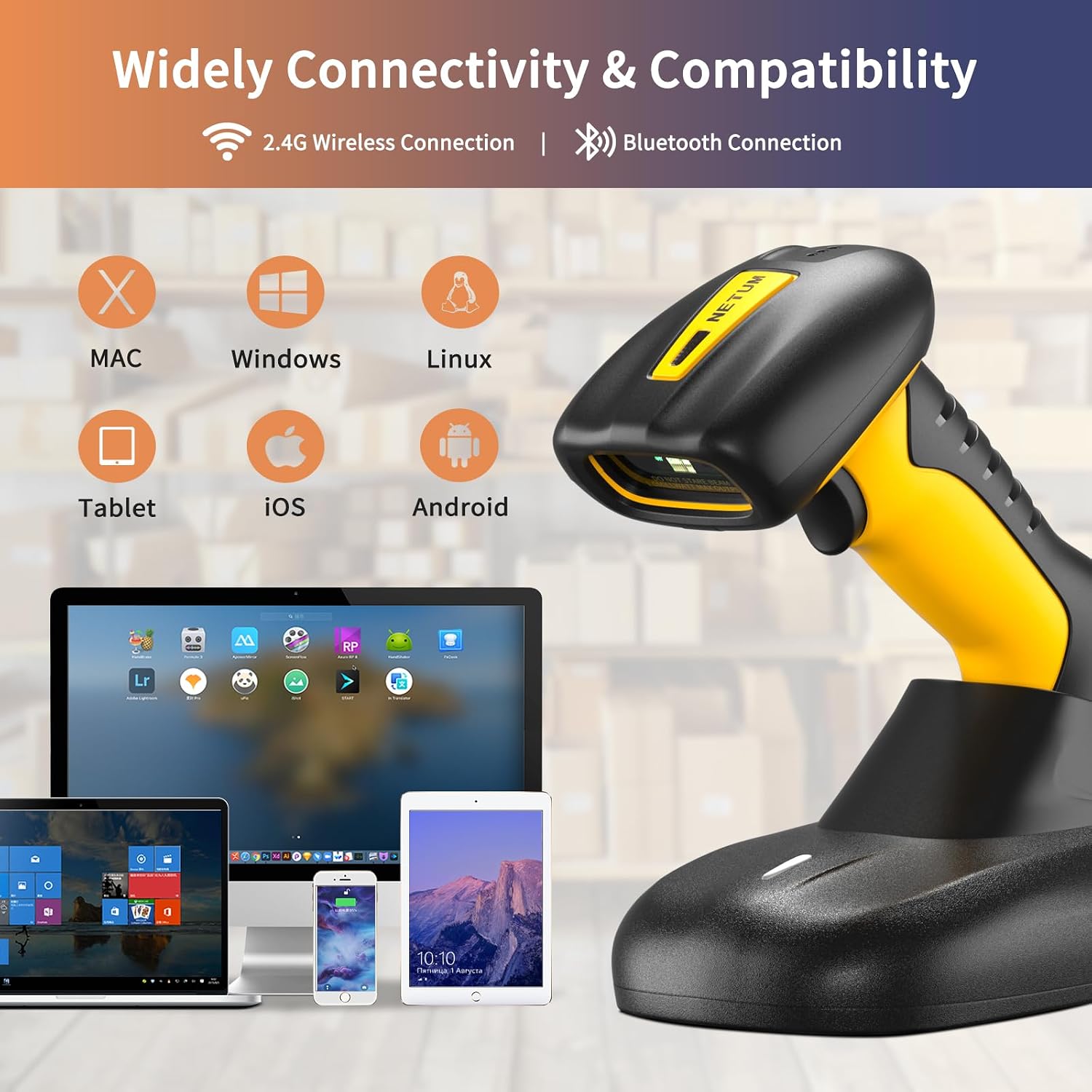
Figure 5.2: The scanner offers wide connectivity via 2.4G Wireless and Bluetooth, compatible with Mac, Windows, Linux, Tablet, iOS, and Android devices.
6. Operating Instructions
6.1 Basic Scanning Operation
To scan a barcode, aim the scanner's light beam at the barcode and press the trigger. A successful scan will typically be indicated by an audible beep and/or a visual confirmation light.
6.2 Scanning Modes
The NT-1203L Pro supports various scanning modes for different operational needs:
- Manual Trigger Mode: Press the trigger to scan each barcode.
- Auto-Sense Mode: The scanner automatically detects and scans barcodes when they are presented within its field of view.
- Continuous Mode: The scanner continuously emits its scanning beam, ideal for high-volume scanning or when mounted on a stand.
6.3 Extended Range Scanning
The NT-1203L Pro is designed to capture 1D/2D barcodes over an industry-leading range, from 3 inches (7.6 cm) up to 70 feet (21.3 m). This makes it highly effective for scanning items at close range as well as those on high shelves in warehouses or stacked containers.

Figure 6.1: The NETUM NT-1203L Pro offers an upgraded extended scanning range of up to 21 meters, suitable for large-scale inventory management.
6.4 Supported Symbologies
The scanner is equipped with a Zebra SE5500 CMOS sensor (4.0M) for superior scanning performance and can recognize a wide array of barcode types:
- 1D Barcodes: UPC-A, UPC-E, EAN-8, EAN-13, Code 128, Code 39, Code 93, Code 32, Code 11, Codabar, Plessey, MSI, Interleaved 2 of 5, IATA 2 of 5, Matrix 2 of 5, Straight 2 of 5, Pharmacode, RSS-14, RSS-14 Expanded, RSS-14 Limited, Composite Code -A, Composite Code -B, Composite Code -C.
- 2D Barcodes: PDF417, MicroPDF417, Datamatrix, QR Code, Micro QR Code, Aztec, Composite, TLC-39, MaxiCode, Dotcode, Grid Matrix.
- Postal Codes: US PostNet, US Planet, UK Postal, Australian Postal, Japan Postal, Dutch Postal (KIX), Mailmark.
- OCR: OCR-A, OCR-B, MICR, US Currency, Support passport scanning.

Figure 6.2: The scanner demonstrates remarkable scanning performance, capable of reading various 1D and 2D barcodes including Hanxi code, Data Matrix, Maxi Code, Aztec Code, PDF417, Codabar, and UPC-A.
6.5 Product Demonstration Video
Watch this short video to see the NETUM NT-1203L Pro scanner in action, demonstrating its scanning capabilities in a warehouse environment.
Video 6.1: A brief demonstration of the NETUM NT-1203L 2D Extended Range Scanner being used to scan barcodes in a warehouse setting.
7. Maintenance
7.1 Cleaning
To maintain optimal performance, keep the scanner's scanning window clean. Use a soft, lint-free cloth, slightly dampened with water or a mild cleaning solution. Do not use abrasive cleaners or solvents.
7.2 Battery Care
To prolong battery life:
- Avoid fully discharging the battery frequently.
- Store the scanner in a cool, dry place when not in use for extended periods.
- Charge the scanner regularly, especially if it has been stored for a long time.
7.3 Durability Features
The NT-1203L Pro is built for demanding environments:
- IP67 Rated: Dust-proof, splash-proof, and capable of passing a 30-minute waterproof resistance test.
- Industrial Impact Resistance: Designed to withstand accidental drops from up to 12 ft. (3.65 m).

Figure 7.1: The scanner is IP67 waterproof, capable of passing a 30-minute waterproof resistance test, and boasts industrial impact resistance from drops up to 3 meters (9.8 feet).

Figure 7.2: Visual representation of the scanner's dust-proof, splash-proof, and waterproof capabilities, highlighting its suitability for harsh working conditions.
8. Troubleshooting
If you encounter issues with your scanner, refer to the following common problems and solutions:
| Problem | Possible Cause | Solution |
|---|---|---|
| Scanner not powering on. | Low battery. | Place the scanner on the charging cradle to charge. |
| Cannot connect via Bluetooth. | Scanner not in pairing mode; Bluetooth disabled on host device; interference. | Ensure scanner is discoverable. Enable Bluetooth on host. Move closer to host device. Refer to manual for Bluetooth pairing barcode. |
| Scanner not reading barcodes. | Barcode damaged or poor quality; incorrect symbology enabled; scanning window dirty; out of range. | Try scanning a different barcode. Ensure required symbology is enabled (refer to full manual for programming barcodes). Clean scanning window. Ensure barcode is within scanning range. |
| Scanned data not appearing on screen. | Incorrect connection mode (e.g., HID vs. SPP); application not ready to receive input. | Ensure the scanner is in the correct Bluetooth mode for your application. Click into a text field or open a document where data should appear. |
9. Specifications
| Feature | Detail |
|---|---|
| Model Number | NT-1203L |
| Product Dimensions | 3.74 x 2.56 x 7.09 inches |
| Item Weight | 1.35 pounds |
| Batteries | 1 Lithium Polymer battery (included) |
| Connectivity Technology | 2.4G Wireless, Bluetooth (HID / SPP / BLE) |
| Sensor | Zebra SE5500 CMOS sensor (2688H × 1520V pixels, 4.0M) |
| Scanning Range | 3 in. (7.6 cm) to 70 ft. (21.3 m) |
| Durability | IP67 Waterproof, Shock & Dust Proof (12 ft./3.65 m drop resistance) |
| Compatible Devices | Laptop, Desktop, POS, Tablet, Smartphone |
| Manufacturer | NETUM |
| Country of Origin | China |
10. Warranty and Support
NETUM provides a 1-year warranty from the date of purchase for the NT-1203L Pro barcode scanner. This warranty covers manufacturing defects and ensures the product meets its specified performance standards.
For technical support, troubleshooting assistance, or warranty claims, please contact NETUM customer service through the retailer's platform or visit the official NETUM website for contact information. Please have your model number and purchase date ready when contacting support.
Related documentsNT-1203L

Ask a question about this manual
Ask about setup, troubleshooting, compatibility, parts, safety, or missing instructions. Manuals+ will review the question and use this page’s manual context to help answer it.