
1. Introduction
The TEYES CC3 2K Car Radio Multimedia Player is an advanced in-car entertainment and navigation system designed to enhance your driving experience. This 9.5-inch Android 10 head unit offers a high-resolution 2K in-cell display, powerful processing capabilities, and seamless integration with your vehicle. It is specifically compatible with Renault Duster (2015-2021) and Lada Largus (2021) models.
This manual provides essential information on the installation, operation, and maintenance of your TEYES CC3 2K unit. Please read it thoroughly before use to ensure proper functionality and safety.

Image 1.1: TEYES CC3 2K main unit display showing the user interface.
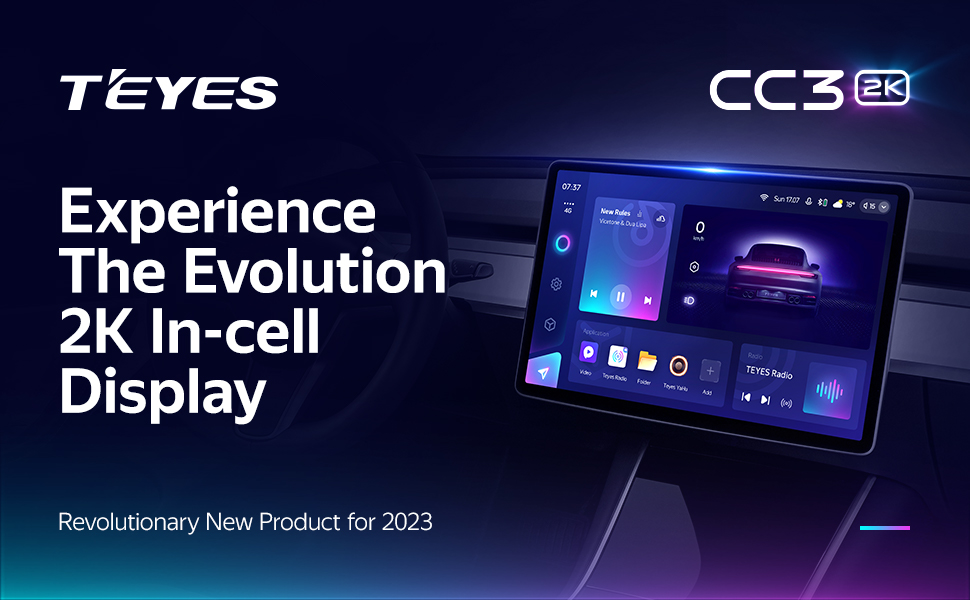
Image 1.2: TEYES CC3 2K unit installed in a car dashboard.
2. Package Contents
Verify that all items listed below are included in your product package. If any items are missing or damaged, please contact customer support.

Image 2.1: Visual representation of the TEYES CC3 2K package contents.
- 1x Head Unit (TEYES CC3 2K)
- 1x OEM Panel (Frame)
- 1x USB Cable
- 1x GPS Antenna
- 1x AUX Cable
- 1x 4G WiFi Antenna
- 1x E-book (Digital Manual)
- 1x Power Cable
- 1x AHD 1080p Rear Camera
- 1x Audio & Video Harness + RCA
- 1x Screws & Screwdriver
- 1x USB Harness
- 1x Cleaning Cloth
- 1x Wiring Diagram
3. Installation Guide
Installation of the TEYES CC3 2K unit requires technical knowledge and should ideally be performed by a qualified professional. Incorrect installation can lead to damage to the unit or your vehicle's electrical system. Always disconnect the vehicle's battery before starting installation.
3.1 Pre-Installation Check
- Ensure the vehicle's ignition is off and the battery is disconnected.
- Confirm all package contents are present.
- Review the provided wiring diagram specific to your vehicle model.
3.2 Removing the Original Head Unit
Carefully remove the existing car radio or dashboard panel. Refer to your vehicle's specific service manual for detailed instructions on panel removal to avoid damage.

Image 3.1: Comparison of the dashboard before and after TEYES CC3 2K installation.
3.3 Mounting the Frame and Head Unit
The provided OEM panel (frame) is designed to fit your specific vehicle model. Secure the TEYES CC3 2K head unit into this frame using the supplied screws.
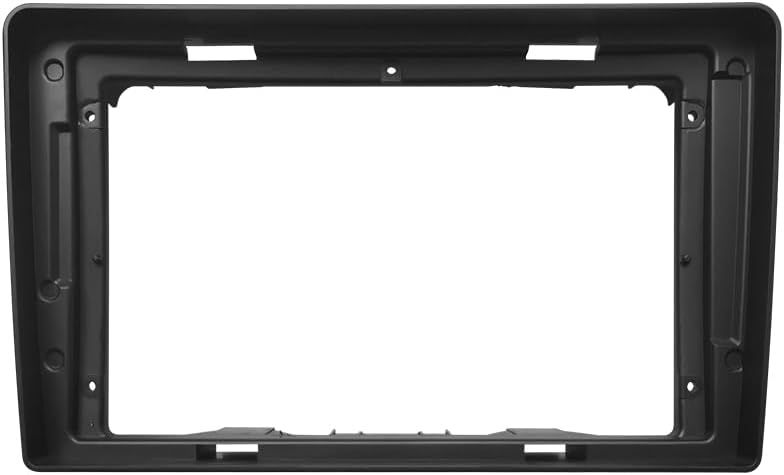
Image 3.2: The OEM panel frame for integrating the head unit into the dashboard.
3.4 Wiring Connections
Connect the power cable, USB cables, GPS antenna, 4G WiFi antenna, AUX cable, and the AHD rear camera according to the wiring diagram. Ensure all connections are secure to prevent intermittent issues.

Image 3.3: Multiple USB outputs for data transfer and connectivity.
3.5 Final Assembly
Once all connections are made, carefully re-install the head unit assembly into the dashboard. Reconnect the vehicle battery and test the unit's functionality.
4. Operating Instructions
The TEYES CC3 2K operates on an Android system, offering a user-friendly interface. Most functions are accessible via the touchscreen.
4.1 Power On/Off and Reset
- Power On: The unit typically powers on automatically with the vehicle's ignition.
- Power Off: The unit powers off automatically when the vehicle's ignition is turned off.
- Reset: A small 'RST' button (often recessed) is available for a system reset if the unit becomes unresponsive. Use a thin object (like a paperclip) to press it.
4.2 Touchscreen Navigation
Navigate through menus and applications by tapping, swiping, and pinching on the 2K touchscreen. The interface is similar to a standard Android tablet.
4.3 Radio Function
Access the 'Radio' application to tune into FM/AM stations. The unit supports RDS (Radio Data System) for displaying station information.

Image 4.1: Display showing the premium local radio interface.
4.4 Bluetooth Connectivity
Pair your smartphone via Bluetooth for hands-free calling and audio streaming. Go to 'Settings' > 'Bluetooth' to enable and connect devices.
4.5 Wireless CarPlay & Android Auto
Connect your iPhone or Android device wirelessly to access CarPlay or Android Auto. This allows for integrated navigation, music, and communication apps directly on the head unit's display.
4.6 Navigation
The unit comes with pre-installed navigation capabilities. You can also download and use other navigation apps from the Google Play Store.
4.7 Steering Wheel Controls
The unit supports integration with your vehicle's existing steering wheel controls for convenient operation of audio and other functions.

Image 4.2: Steering wheel with integrated controls for the multimedia system.
5. Key Features
The TEYES CC3 2K is equipped with a range of features designed for performance and user convenience:
- High-Performance Hardware: Features 6GB RAM and 128GB ROM for smooth operation and ample storage. Powered by an 8-core 2.0GHz processor.
- 2K In-cell Display: A 2K touch screen with 157% gamut coverage provides vivid and accurate colors, integrating the display and touchscreen for a superior visual experience.
- Advanced Audio Processing: Incorporates 2*DSP ADAU1701 + ROHM32107 for enhanced sound quality, including optical and coaxial digital audio output. Features a 27-segment EQ for precise sound customization and sound filtering options.
- Upgraded Bluetooth Module: Features a QCC3031QFN Qualcomm Bluetooth module for stable and high-quality wireless connections.
- 4G Internet Support: Stay connected on the go with built-in 4G internet capabilities.
- Real-time Rear View & Video Recording: Supports real-time viewing from the included AHD 1080p rear camera and video recording functionality.
- Split Screen Mode: Utilize the 'Freestyle Combination Split Screen Mode' to run two applications simultaneously, such as navigation and music playback.
- Customizable Interface: Choose from a variety of creative 3D software interfaces, including TEYES Vision and TEYES Yahu, and different color styles to personalize your user experience.

Image 5.1: Interface showing dual DSP audio processing settings.
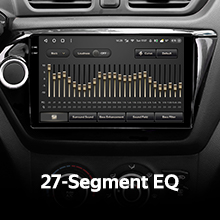
Image 5.2: Display of the 27-segment equalizer for audio tuning.

Image 5.3: Interface indicating optical and coaxial digital audio output options.
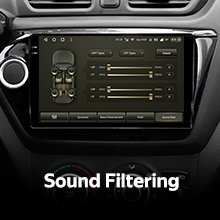
Image 5.4: Screen showing sound filtering adjustments.
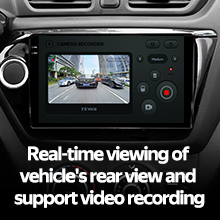
Image 5.5: Display showing real-time rear view camera feed and video recording options.
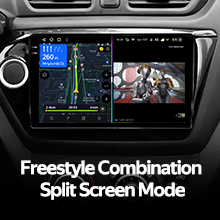
Image 5.6: Screen demonstrating the split-screen functionality with two apps running concurrently.

Image 5.7: Various color styles and themes available for the user interface.
Video 5.8: An overview of the TEYES CC3 2K Car Radio Multimedia Player, showcasing its design, internal components, and user interface in action within a vehicle. This video highlights the unit's modern display and various functionalities.
6. Maintenance
Proper maintenance ensures the longevity and optimal performance of your TEYES CC3 2K unit.
- Cleaning the Screen: Use the provided cleaning cloth or a soft, lint-free cloth to gently wipe the touchscreen. Avoid abrasive cleaners or solvents that could damage the display.
- Software Updates: Periodically check for software updates through the unit's settings or the official TEYES website to ensure you have the latest features and bug fixes.
- Avoid Extreme Temperatures: Do not expose the unit to extreme heat or cold, as this can affect its performance and lifespan.
- Protect from Moisture: Keep the unit dry and away from liquids.
7. Troubleshooting
If you encounter issues with your TEYES CC3 2K unit, refer to the following common problems and solutions:

Image 7.1: A visual representation of a Frequently Asked Questions (FAQ) section.
- No Power:
- Check all power connections and fuses.
- Ensure the vehicle battery is properly connected and charged.
- No Sound:
- Verify speaker connections.
- Check volume levels and mute settings.
- Ensure the correct audio output source is selected.
- Touchscreen Unresponsive:
- Perform a system reset using the 'RST' button.
- Ensure the screen is clean and free of debris.
- GPS Signal Lost:
- Ensure the GPS antenna is properly installed and has a clear view of the sky.
- Check GPS settings in the unit.
- Bluetooth Connection Issues:
- Ensure Bluetooth is enabled on both the unit and your device.
- Delete previous pairings and try reconnecting.
- Restart both devices.
For persistent issues, consult the digital e-book manual or contact TEYES customer support.
8. Specifications
Detailed technical specifications for the TEYES CC3 2K Car Radio Multimedia Player:
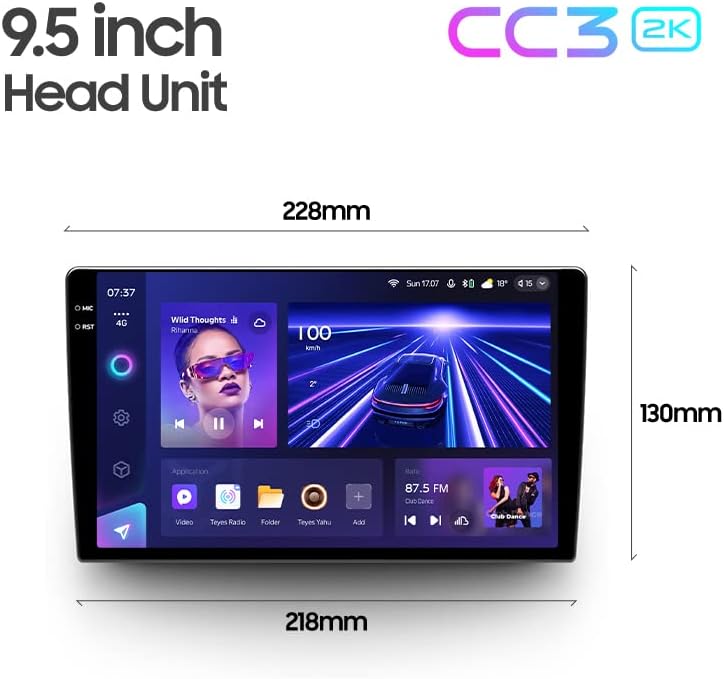
Image 8.1: Dimensions of the TEYES CC3 2K 9.5-inch head unit.
| Feature | Specification |
|---|---|
| Model Number | CC3 2K |
| Display Size | 9.5 Inches |
| Operating System | Android |
| RAM | 6GB |
| ROM | 128GB |
| Processor | 8 Cores 2.0GHz |
| Connectivity Technology | Bluetooth, USB, WiFi, Hotspot, 4G |
| Special Features | Bluetooth, Touchscreen, Wireless CarPlay, Android Auto, RDS, Dual DSP, Optical/Coaxial Audio Output, Real-time Rear View, Video Recording |
| Map Type | North America (pre-installed) |
| Audio Output Mode | Stereo |
| Mounting Type | Panel Mount |
9. Warranty and Support
Your TEYES CC3 2K Car Radio Multimedia Player comes with a 1-year warranty from the date of purchase. This warranty covers manufacturing defects and malfunctions under normal use.
For warranty claims, technical assistance, or any product-related inquiries, please contact TEYES customer support through their official website or the contact information provided with your purchase documentation.
Manufacturer: Shenzhen TEYES High tech Co., Ltd.


