
iPettie Waterfall
iPettie Waterfall Dog Water Fountain User Manual
Model: Waterfall
Brand: iPettie
1. Product Overview
The iPettie Waterfall Dog Water Fountain is designed to provide a continuous supply of fresh, filtered water for your pets. Featuring a large 6-liter (203 oz) capacity, a 5-stage filtration system, and a quiet pump, it ensures your pets stay well-hydrated with clean water. The fountain also includes a night light and a water shortage alert system for convenience and safety.
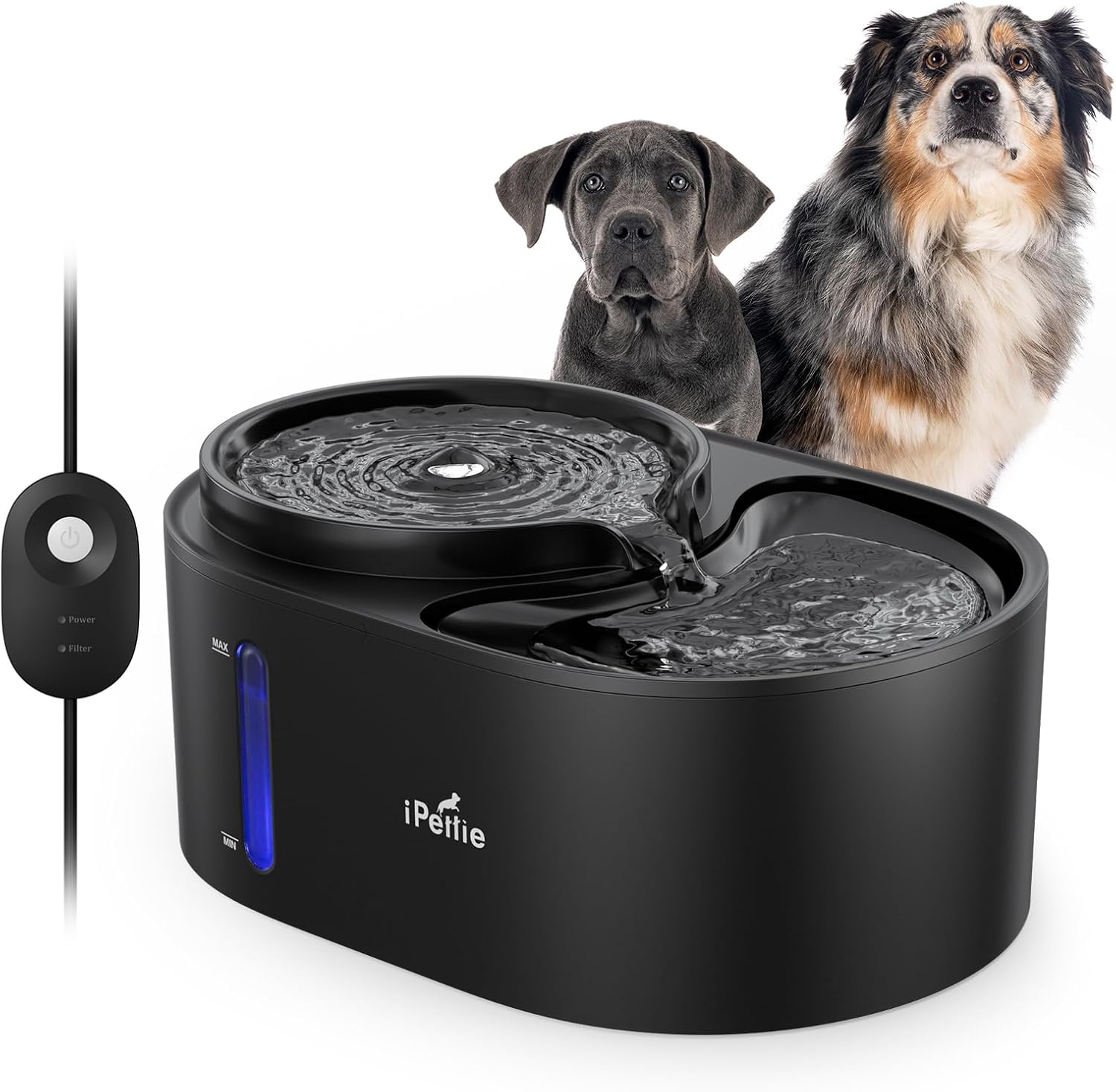
Image: The iPettie Waterfall Dog Water Fountain, black in color, with a flowing water design. Two dogs are visible in the background, illustrating the product's target users.
Video: An overview of the iPettie Waterfall Pet Water Fountain, highlighting its 6L capacity, large drinking area, and the continuous flow of water. Shows pets drinking from the fountain.
2. Key Features
- 203 OZ (1.6 GAL) Capacity: Large reservoir suitable for multi-pet households, reducing the frequency of refills.
- Dual Drinking Heights: Features two heights for drinking, accommodating both senior and young pets comfortably.
- 5-Stage Circulating Filtration System: Provides healthy, oxygen-enriched, and clean water by removing impurities.
- Ultra-Quiet Pump: Operates at a low noise level (≤35dB), ensuring a peaceful environment.
- Night Light with ON/OFF Switch: An integrated LED light provides visibility in the dark and can be turned on or off as desired.
- Water Shortage Alert: A transparent water level window with an LED light indicates when refilling is needed. The pump automatically shuts off and the light turns red when water levels are critically low.

Image: The fountain next to a dog, illustrating its 1.6 Gallon (6 Liter) large capacity, designed for less frequent refills.

Image: A greyhound, a puppy, and a cat drinking from the fountain, showcasing the two wide drinking trays that accommodate multiple pets simultaneously.

Image: An exploded diagram showing the components of the 5-stage circulating purification system, including PP cotton, activated carbon, and ion exchange resin, along with the pre-filter sponge.

Image: A golden retriever sleeping peacefully next to the fountain, emphasizing its whisper-quiet operation (≤35dB).
3. Setup Instructions
- Unpack Components: Carefully remove all parts from the packaging: the main base, water tray, pump, filter, and power adapter.
- Rinse Components: Wash all parts (except the pump and power adapter) with water before first use.
- Assemble Pump: Ensure the pump is clean. If disassembled for cleaning, reassemble it.
- Install Filter: Place the filter into its designated slot in the water tray. Ensure it is seated correctly.
- Install Sponge: Place the sponge filter on top of the main filter.
- Place Water Tray: Carefully place the water tray onto the main base, ensuring it clicks into place securely.
- Fill with Water: Fill the fountain with clean water up to the MAX line indicated on the transparent window. Do not overfill.
- Connect Power: Plug the power adapter into a wall outlet. The fountain will begin operating.

Image: An exploded view of the fountain demonstrating its easy-to-disassemble design for cleaning and setup.

Image: A four-step diagram illustrating how to change the filter: 1. Press to open the tray. 2. Put the filter in. 3. Put the sponge in. 4. Close the tray with a "click" sound.
4. Operating Instructions
- Power On/Off:
- To turn the fountain on, plug it into a power outlet. The night light will illuminate (blue).
- To turn the night light off, press the power button once. The fountain will continue to operate.
- To turn the fountain completely off, press the power button again.
- Water Level Monitoring: The transparent window on the side of the fountain allows you to easily monitor the water level.
- Water Shortage Alert: When the water level drops too low, the pump will automatically shut off to prevent dry running, and the LED light will turn red, indicating that a refill is needed.

Image: The fountain displaying its switchable bright LED light (blue) and the water shortage reminder (red light) when the water level is low.

Image: A diagram illustrating the power control options: Light On (plug in), Light Off (press power button once), Power Off (press power button again).
5. Maintenance
5.1 Regular Cleaning
For optimal performance and hygiene, it is recommended to clean the fountain regularly, ideally once a week. Disassemble all parts and wash them thoroughly with water. The fountain's design allows for barrier-free cleaning.
5.2 Pump Cleaning
The pump should be cleaned periodically to prevent mineral buildup and ensure smooth operation. Follow these steps:
- Take the pump cover off.
- Remove the sponge for rinsing.
- Remove the impeller with tweezers.
- Clean the inside of the pump with a brush to remove any debris or residue.

Image: A four-step diagram illustrating the pump cleaning process: 1. Take the pump cover off. 2. Remove the sponge for rinse. 3. Remove the impeller with the tweezer. 4. Clean the inside with a brush.
5.3 Filter Replacement
The 5-stage filter and sponge should be replaced regularly to maintain water quality. The frequency depends on usage and water hardness, but generally, it is recommended to replace the filter every 2-4 weeks and the sponge every 1-2 weeks.
- Press to open the water tray.
- Remove the old filter and sponge.
- Insert the new filter into the designated slot.
- Place the new sponge on top of the filter.
- Close the tray securely until you hear a "click" sound.
6. Troubleshooting
| Problem | Possible Cause | Solution |
|---|---|---|
| Fountain not working / No water flow |
|
|
| Fountain is noisy |
|
|
| Water appears dirty or has odor |
|
|
| LED light is red | Water level is critically low. | Refill water immediately. The pump will resume operation once sufficient water is added. |
7. Specifications
| Attribute | Detail |
|---|---|
| Brand | iPettie |
| Model Name | Waterfall |
| Capacity | 203 Fluid Ounces (1.6 Gallons / 6 Liters) |
| Material | Stainless Steel |
| Color | Black |
| Item Dimensions (LxWxH) | 13.98 x 10.04 x 6.3 inches |
| Item Weight | 3.35 Pounds (1.52 Kilograms) |
| Target Audience | Dogs, House-cats |
| Included Components | 1 x Carbon Filter, 4 x Sponge Filter, 1 x Pump Filter, Dog Water Fountain |
| Specific Uses | Indoor |
8. Warranty & Support
8.1 Warranty Information
The iPettie Waterfall Dog Water Fountain comes with a 1-Year Warranty for the Pump. Please retain your proof of purchase for warranty claims.
8.2 Customer Support
For any questions, concerns, or technical assistance, please contact iPettie customer support. Refer to the product packaging or the official iPettie website for the most current contact information.
You can also visit the official iPettie Store on Amazon for more products and information: iPettie Amazon Store
Ask a question about this manual
Ask about setup, troubleshooting, compatibility, parts, safety, or missing instructions. Manuals+ will review the question and use this page’s manual context to help answer it.