
1. Introduction
Thank you for choosing the SUPRENT PRO Professional Hair Clippers HC615. This device is designed for precise and efficient hair cutting, featuring a powerful brushless motor, durable DLC-coated blades, and a high-capacity rechargeable battery. This manual provides essential information for safe operation, maintenance, and optimal performance of your hair clipper.
2. Safety Information
Please read all safety instructions before using the appliance to prevent injury or damage.
- Keep the appliance dry. Do not use it near water or in wet conditions.
- Do not immerse the appliance in water or other liquids.
- Keep out of reach of children.
- Always inspect the blades before use. Do not use if blades are damaged or broken.
- Use only the charger provided or recommended by the manufacturer.
- Unplug the appliance before cleaning or performing maintenance.
- Avoid dropping the appliance, as this may cause damage to internal components or blades.
- Do not attempt to repair the appliance yourself. Contact qualified service personnel for repairs.
3. Package Contents
Verify that all items are present in the package:
- SUPRENT PRO Hair Clipper (HC615)
- Charging Cable
- 8 Metal Guide Combs (various lengths from 0.5mm to 21mm)
- DIY Customizable Casing (includes a stylish gradient purple shell, a transparent shell, and watermark stickers)
- Small Screwdriver (for casing customization)
- Cleaning Brush
- Blade Oil
- User Manual
4. Product Overview
Familiarize yourself with the components of your SUPRENT PRO Hair Clipper.

Image 1: General view of the SUPRENT PRO Hair Clipper, showcasing its ergonomic design and main body.
- Blades: Titanium alloy moving blades and DLC-coated fixed blades for precision cutting.
- Blade Lever: Adjustable lever for fine-tuning cutting lengths from 0.5mm to 2mm.
- Power Button: Turns the clipper ON/OFF.
- Charging Port: For connecting the charging cable.
- LED Indicator: Displays battery status and charging progress.
- Brushless Motor: High torque motor with 7000RPM/14000SPM for powerful and quiet operation.

Image 2: Detailed view of the high-torque brushless motor inside the clipper, highlighting its advanced technology.

Image 3: Close-up of the titanium alloy moving blades and DLC-coated fixed blades, emphasizing their sharpness and durability.
5. Setup
5.1 Initial Charging
Before first use, fully charge the hair clipper. The 2500mAh Lithium-Ion battery provides extended runtime. Connect the charging cable to the clipper's charging port and plug it into a suitable power source. The LED indicator will show charging status. The intelligent charging technology automatically stops charging when the voltage reaches 6V to prevent overcharging.

Image 4: Illustration of the clipper being charged, highlighting its large capacity battery and long running time.
5.2 Attaching Guide Combs
Select the desired guide comb for your preferred hair length. Align the comb with the clipper blades and push it firmly until it clicks into place. To remove, gently pull the comb away from the blades.
5.3 Blade Adjustment (Zero-Gapping)
The blade lever allows for precise adjustment of cutting lengths from 0.5mm to 2mm without a comb. For zero-gapping, which provides the closest cut, consult a professional or refer to detailed online tutorials. This process involves carefully aligning the fixed and moving blades to minimize the gap between them.
6. Operating Instructions
- Ensure the clipper is fully charged or connected to power.
- Select and attach the appropriate guide comb for your desired hair length.
- Adjust the blade lever to fine-tune the cutting length if not using a comb.
- Turn on the hair clipper using the power button.
- Pass the clipper through clean, dry hair against the direction of hair growth for an even cut.
- For detailing or fading, use the adjustable blade lever and smaller guide combs as needed.
- Turn off the clipper using the power button when finished.
- Clean the blades after each use (refer to Maintenance section).
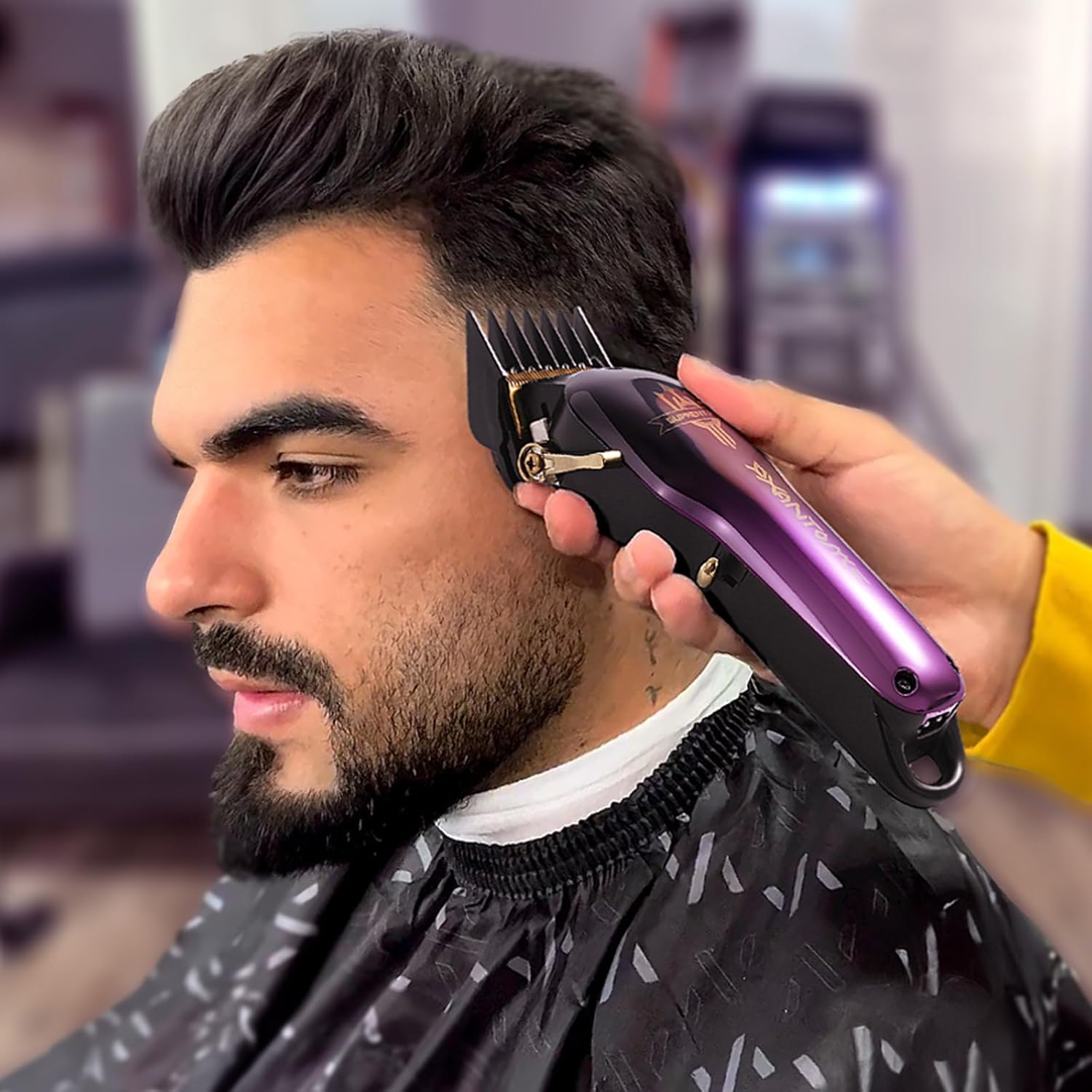
Image 5: The SUPRENT PRO Hair Clipper being used to create various hairstyles, demonstrating its versatility.

Image 6: A barber using the SUPRENT PRO Hair Clipper on a client, illustrating professional application.
7. DIY Customizable Casing
The SUPRENT PRO Hair Clipper features a DIY customizable design, allowing you to personalize its appearance. The kit includes a gradient purple shell, a transparent shell, and watermark stickers.
7.1 Changing the Casing
- Ensure the clipper is turned off and unplugged.
- Use the provided small screwdriver to carefully remove the screws securing the current casing.
- Gently detach the existing casing.
- Place your desired new casing (gradient purple or transparent) onto the clipper body.
- Secure the new casing with the screws using the screwdriver.
7.2 Applying Watermark Stickers
Use the included watermark stickers to further customize your clipper's appearance. Ensure the surface is clean and dry before applying for best adhesion.

Image 7: The SUPRENT PRO Hair Clipper with its DIY customization kit, including interchangeable casings and stickers.
8. Maintenance
8.1 Cleaning the Blades
- Turn off and unplug the clipper.
- Use the cleaning brush to remove loose hair from the blades and the area around them.
- For a more thorough cleaning, you may carefully detach the blades (refer to specific instructions if provided with the product for blade removal).
- Do not rinse the entire clipper under water.
8.2 Oiling the Blades
After each cleaning or at least once a month, apply a few drops of the provided blade oil to the teeth of the blades. Turn the clipper on for a few seconds to distribute the oil evenly. This helps maintain blade sharpness and reduces friction.
8.3 Storage
Store the clipper in a cool, dry place, away from direct sunlight and moisture. Ensure it is turned off and unplugged before storing.
9. Troubleshooting
| Problem | Possible Cause | Solution |
|---|---|---|
| Clipper does not turn on. | Battery is depleted. | Charge the clipper fully. |
| Poor cutting performance. | Blades are dull or clogged with hair. | Clean and oil the blades. Consider professional sharpening or blade replacement if necessary. |
| Clipper pulls hair. | Blades are not properly aligned or oiled. | Ensure blades are clean, oiled, and correctly aligned. |
| Battery not charging. | Faulty charging cable or adapter. | Check the charging cable and adapter. Try a different compatible charger. |
10. Specifications
- Model Name: HC615
- Item Model Number: HC615
- Product Dimensions: 23.01 x 11 x 11 cm; 980 g
- Brand: SUPRENT
- Battery Description: Lithium-Ion, 2500mAh capacity
- Power Source: Battery Powered
- Blade Material: Gold-plated titanium (Titanium alloy moving blades + DLC-coated fixed blades)
- Motor: High torque brushless motor (7000RPM/14000SPM)
- Adjustable Cutting Lengths: 0.5mm to 21mm (with guide combs), 0.5mm to 2mm (without comb)
- UPC: 784110213627
- Manufacturer: SUPRENT
11. Warranty and Support
SUPRENT products are manufactured to high-quality standards. For information regarding warranty coverage, technical support, or service, please refer to the warranty card included with your product or visit the official SUPRENT website. Keep your proof of purchase for warranty claims.