
1. Introduction
This manual provides essential information for the installation, operation, and maintenance of your SPEDWHEL LT01 Standard LCD Display. Please read this manual thoroughly before installation and use to ensure proper function and longevity of the product. This display is designed to provide critical ride data and control functions for compatible electric scooters.
2. Compatibility
The SPEDWHEL LT01 Standard LCD Display is specifically designed for use with certain electric scooter models. Please verify your scooter's controller system before attempting installation.
- Compatible Models: Kaabo Mantis8, Kaabo Mantis10, Kaabo Wolf Warrior X, and Kaabo Wolf Warrior 11-inch models equipped with a Sine Wave Controller version.
- Incompatible Models: If your scooter utilizes a Minimotors system (Minimotors controller), this LT01 display is not compatible. For Minimotors systems, a Minimotors EY3 Display is required.
Using the incorrect display with your scooter's controller system may result in malfunction or damage to the display or scooter.
3. Setup and Installation
Proper installation is crucial for the functionality and safety of your display. If you are unsure about any step, it is recommended to seek professional assistance.
- Preparation: Ensure your scooter is powered off and disconnected from any charging source. Gather necessary tools, which typically include a screwdriver and possibly an Allen wrench.
- Mounting the Display: Attach the LT01 display to your scooter's handlebar using the integrated clamp. Position it for optimal visibility and ergonomic access to the buttons. Secure the screws firmly but do not overtighten.
- Connecting the Cable: Locate the display cable on your scooter. Carefully align the pins of the LT01 display connector with the scooter's cable connector. Push them together until they click securely into place. Ensure the connection is firm to prevent accidental disconnection during operation.

Image: The SPEDWHEL LT01 Standard LCD Display shown mounted on a handlebar, illustrating its compact design and button layout.
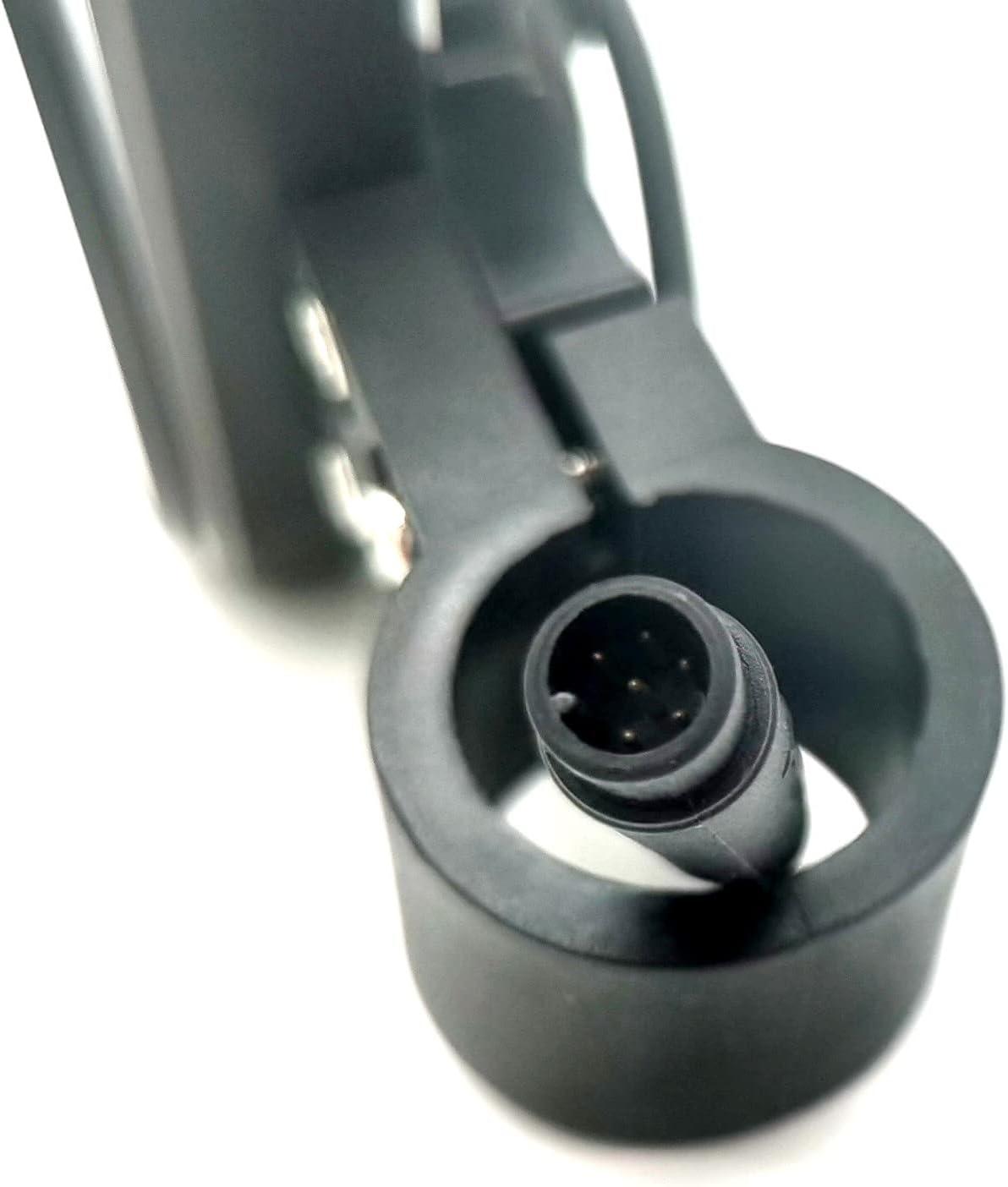
Image: A close-up view of the multi-pin cable connector on the SPEDWHEL LT01 display, highlighting the connection interface.
4. Operating Instructions
The LT01 display provides essential information and controls for your electric scooter.
4.1 Power On/Off
- To power on the display and scooter, press and hold the Power Button (red button with power symbol) for a few seconds until the screen illuminates.
- To power off, press and hold the Power Button again until the display turns off.
4.2 Mode Selection
- Press the MODE Button to cycle through different display modes, such as speed, odometer, trip distance, battery level, and error codes.
- Specific functions and parameters can often be adjusted by entering a settings menu, typically by holding the MODE button or a combination of buttons. Refer to your scooter's main manual for advanced settings.

Image: Front view of the SPEDWHEL LT01 Standard LCD Display, showing the screen, power button, and mode button.
5. Maintenance
To ensure the longevity and optimal performance of your LT01 display, follow these maintenance guidelines:
- Cleaning: Use a soft, damp cloth to gently wipe the display screen and body. Avoid abrasive cleaners or solvents that could damage the plastic or screen coating.
- Protection: Avoid exposing the display to extreme temperatures, direct sunlight for prolonged periods, or heavy rain. While designed for outdoor use, excessive moisture can cause damage.
- Connection Check: Periodically check the cable connection to ensure it remains secure and free from corrosion or damage.
6. Troubleshooting
If you encounter issues with your LT01 display, refer to the following common problems and solutions:
- Display Not Powering On:
- Ensure the scooter's battery is charged.
- Check that the display cable is securely connected to the scooter's wiring harness.
- Verify compatibility (refer to Section 2). An incompatible controller will prevent the display from functioning.
- Incorrect Readings (Speed, Distance):
- This may indicate incorrect settings in the scooter's controller. Consult your scooter's main manual for instructions on adjusting wheel size or other parameters.
- Display Shows Error Code:
- Refer to your scooter's main manual for a list of error codes and their meanings. Error codes typically indicate issues with the motor, controller, or battery.
- Physical Damage or Malfunction:
- If the display is visibly damaged or does not function despite troubleshooting, it may require replacement. Contact the manufacturer or seller for assistance.
7. Specifications
| Feature | Detail |
|---|---|
| Model | LT01 |
| Brand | SPEDWHEL |
| Color | Black |
| Item Weight | 5.6 ounces |
| Package Dimensions | 6 x 4 x 3 inches |
| UPC | 744612236159 |

Image: Rear view of the SPEDWHEL LT01 display, showing the model number 'LT01' and a serial number label.
8. Warranty and Support
Specific warranty details for the SPEDWHEL LT01 Standard LCD Display are not provided in this manual. For warranty claims, technical support, or further assistance, please contact the original seller or the manufacturer directly. Keep your proof of purchase for any warranty-related inquiries.
For general inquiries or to report issues, please refer to the contact information provided at the point of purchase.