
TAFFIO TF-500W
TAFFIO TF-500W User Manual
7" Touchscreen Android Head Unit with GPS Navigation & CarPlay
Model: TF-500W | Brand: TAFFIO
1. Product Overview
The TAFFIO TF-500W is a state-of-the-art 7-inch touchscreen Android head unit designed for seamless integration into Fiat 500 vehicles (2007-2015 models). It offers advanced features including GPS navigation, wireless CarPlay, Android Auto, and comprehensive multimedia capabilities, enhancing your in-car experience.

Figure 1.1: TAFFIO TF-500W Head Unit displaying its main Android interface with various application icons.
Key Features:
- Operating System: Android 12 with Octa-Core 8x 2.01Ghz CPU, 4 GB RAM, and 64 GB Flash storage.
- Display: FULL HD Video Resolution Capacitive Touchscreen Display (7 Inches).
- Connectivity: Integrated Wireless CarPlay & Android Auto, Wi-Fi, Bluetooth (A2DP for music streaming, Hands-free calls), USB.
- Navigation: Built-in GPS system with dual zone function (listen to music while navigating).
- Audio: FM/AM radio Tuner with RDS, Electronic & mechanical anti-shock and Vibration system, Custom & Reset EQ settings (Pop, Classic, Rock, Jazz, User Bass / Treble / Balance Control), Subwoofer Output, 4 x Audio Output.
- Video: 2 x Video OUT, 1 x AUX Video IN, Rear Camera IN with automatic switching.
- Compatibility: Designed for Fiat 500 (2007-2015), supports steering wheel control and original car illumination.
- Installation: Plug & Play installation without additional adapters or mounting frames.
2. What's Included
Please verify that all components listed below are present in your package before proceeding with installation.
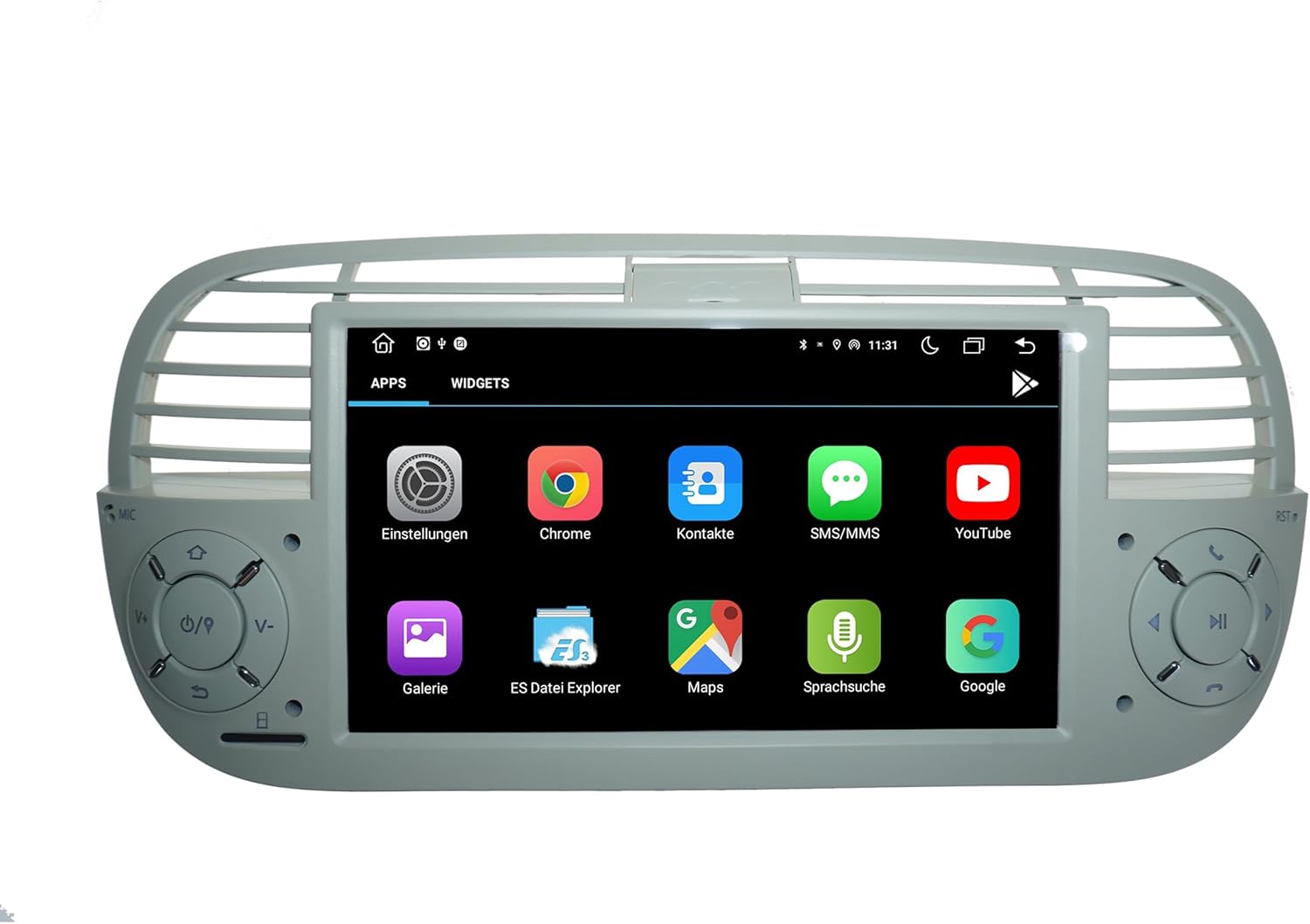
Figure 2.1: Overview of all components included in the TAFFIO TF-500W package, showing the main unit, various cables, and accessories.
- 1x Multimedia + Navigation System (Main Head Unit)
- 1x Power cable + Canbus Decoder
- 1 x Audio/Video Cables
- 1x GPS Antenna
- 1x Radio Antenna Adapter
- 1 x External Microphone
- 2x USB Cable
- 1x User Manual in English
- Disassembly Tools (if included)
3. Setup and Installation
3.1 Pre-Installation Checklist
- Ensure the vehicle's ignition is off and the battery is disconnected before starting installation.
- Gather all necessary tools (disassembly tools, screwdrivers, wire cutters/strippers if needed).
- Familiarize yourself with your vehicle's dashboard and existing wiring.
3.2 Physical Installation
The TAFFIO TF-500W is designed for Plug & Play installation, meaning it integrates directly with your vehicle's existing wiring harness without requiring additional adapters or mounting frames. This simplifies the installation process significantly.
- Carefully remove your existing car radio/head unit from the dashboard. Refer to your vehicle's specific service manual for detailed removal instructions.
- Connect the main power cable and Canbus decoder from the TAFFIO unit to your vehicle's wiring harness. Ensure all connections are secure.
- Connect the GPS antenna. Position the antenna in a location with a clear view of the sky, typically on the dashboard or under the windshield.
- Connect the radio antenna adapter to ensure proper FM/AM reception.
- Connect the external microphone for improved call quality during hands-free operation. Route the microphone cable to a suitable location, such as near the rearview mirror or on the A-pillar.
- Connect any additional accessories such as USB cables, audio/video cables, or a rear camera (if applicable). Refer to the connection diagram for specific port locations.
- Carefully slide the TAFFIO TF-500W unit into the dashboard opening, ensuring all cables are tucked away and not pinched.
- Secure the unit in place using the vehicle's mounting points.
- Reconnect the vehicle's battery.
- Turn on the ignition and test the unit's functionality.

Figure 3.1: The TAFFIO TF-500W head unit seamlessly installed within the dashboard of a Fiat 500, demonstrating its integrated appearance.

Figure 3.2: Detailed wiring diagram illustrating the various connection points for power, audio, video, GPS, and other peripherals on the TAFFIO TF-500W head unit.
4. Operating Instructions
4.1 Basic Operation
- Power On/Off: The unit typically powers on with the vehicle's ignition. Press and hold the power button (if available) for manual power control.
- Volume Control: Adjust volume using the physical buttons on the unit or steering wheel controls.
- Touchscreen Interface: Navigate through menus and applications by tapping, swiping, and pinching on the capacitive touchscreen.

Figure 4.1: The main applications screen of the TAFFIO TF-500W, showing various pre-installed and user-downloaded apps.
4.2 Navigation System (GPS)
The unit comes with a built-in GPS system. Access the navigation application from the main menu. You can listen to music or other audio sources simultaneously while navigation instructions are provided (dual zone function).
- Tap the 'Navigation' or 'Maps' icon to launch the GPS application.
- Enter your destination using the on-screen keyboard.
- Follow the voice-guided directions and on-screen map.
4.3 Radio (FM/AM)
Access the FM/AM radio tuner with RDS (Radio Data System) for station information.
- Tap the 'Radio' icon on the main screen.
- Use the 'Scan' function to automatically find and save available stations.
- Manually tune by frequency or select from saved presets.

Figure 4.2: The radio interface of the TAFFIO TF-500W, showing frequency display, station presets, and tuning controls.
4.4 Bluetooth Connectivity
Connect your smartphone via Bluetooth for hands-free calls and A2DP music streaming.
- Go to 'Settings' and select 'Bluetooth'.
- Enable Bluetooth on your smartphone and search for available devices.
- Select 'TAFFIO TF-500W' (or similar name) from the list on your phone and pair.
- Once connected, you can make/receive calls and stream audio. The unit supports synchronization of mobile phone contacts.
4.5 CarPlay & Android Auto
The unit features integrated Wireless CarPlay and Android Auto, allowing seamless integration of your smartphone's features.
- For CarPlay: Ensure Wi-Fi and Bluetooth are enabled on your iPhone. Connect via Bluetooth first, then follow on-screen prompts to enable Wireless CarPlay.
- For Android Auto: Ensure Wi-Fi and Bluetooth are enabled on your Android phone. Connect via Bluetooth first, then follow on-screen prompts to enable Android Auto.
- Once connected, your phone's compatible apps (navigation, music, messages) will appear on the head unit's screen.

Figure 4.3: The Wireless CarPlay interface displayed on the TAFFIO TF-500W, showing familiar iOS app icons optimized for in-car use.
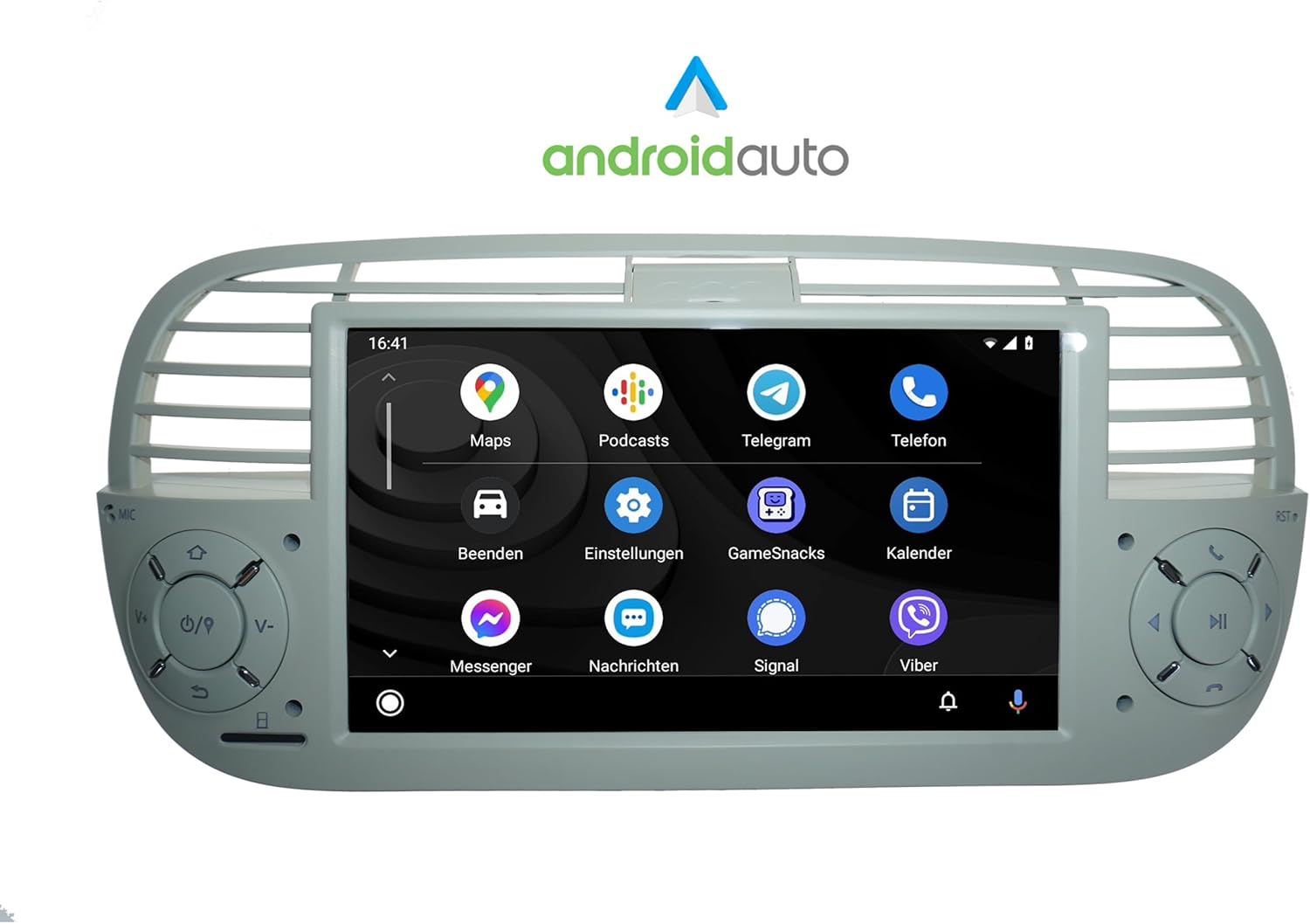
Figure 4.4: The Android Auto interface on the TAFFIO TF-500W, presenting Android applications in a car-friendly layout.
4.6 Multimedia Playback
Play music, pictures, and videos directly from a USB drive.
- Insert a USB drive into the designated USB port.
- Access the 'Music', 'Video', or 'Gallery' app to browse and play media files.
4.7 Settings and Equalizer
Customize audio settings and other system preferences.
- Tap the 'Settings' icon to access system configurations.
- Navigate to 'Sound' or 'EQ' to adjust audio parameters like Bass, Treble, Balance, and select from preset equalizer modes (Pop, Classic, Rock, Jazz) or create custom settings.

Figure 4.5: The audio equalizer settings screen on the TAFFIO TF-500W, allowing users to fine-tune sound output with various controls like Bass, Balance, and 30-band EQ.
4.8 Rear Camera Function
If a rear camera is connected, the display will automatically switch to the camera view when the vehicle is put into reverse gear.
5. Care and Maintenance
- Cleaning the Screen: Use a soft, lint-free cloth to clean the touchscreen. For stubborn smudges, slightly dampen the cloth with water or a screen-safe cleaner. Avoid abrasive materials or harsh chemicals.
- General Cleaning: Keep the unit free from dust and debris. Use a soft brush or compressed air to clean vents and button areas.
- Temperature: Avoid exposing the unit to extreme temperatures (very hot or very cold) for extended periods, as this can affect performance and lifespan.
- Software Updates: Periodically check for software updates from the manufacturer to ensure optimal performance and access to new features.
6. Troubleshooting
If you encounter issues with your TAFFIO TF-500W, refer to the table below for common problems and their solutions.
| Problem | Possible Cause | Solution |
|---|---|---|
| Unit does not power on. | Loose power connection, blown fuse, vehicle battery issue. | Check power cables and connections. Inspect vehicle fuses. Ensure vehicle battery is charged. |
| No sound from speakers. | Volume too low, mute enabled, speaker wire issues, incorrect audio output settings. | Increase volume. Check if mute is active. Verify speaker wire connections. Check audio output settings in the unit's menu. |
| GPS signal lost or inaccurate. | GPS antenna not properly connected or obstructed, unit in an area with poor satellite reception. | Ensure GPS antenna is securely connected and has a clear view of the sky. Move to an open area. |
| Bluetooth connection issues. | Bluetooth not enabled on phone/unit, pairing failed, interference. | Ensure Bluetooth is enabled on both devices. Delete previous pairings and re-pair. Move phone closer to the unit. |
| CarPlay/Android Auto not connecting. | Wi-Fi/Bluetooth issues, phone software outdated, app not installed. | Ensure Wi-Fi and Bluetooth are active on your phone. Update phone OS. Reinstall/update CarPlay/Android Auto app on phone. |
| Touchscreen unresponsive. | System freeze, dirt on screen. | Restart the unit (turn vehicle off and on). Clean the screen. If issue persists, contact support. |
7. Technical Specifications
| Feature | Specification |
|---|---|
| Model Number | TF-500W |
| Display Size | 7 Inches |
| Operating System | Android 12 |
| CPU | Octa-Core 8x 2.01Ghz |
| RAM | 4 GB |
| Internal Storage | 64 GB Flash |
| Connectivity | Bluetooth, USB, Wi-Fi, Integrated CarPlay & Android Auto |
| Map Type | Central America, North America, South America, Worldwide (with free lifetime updates) |
| Audio Output Mode | AUX, Subwoofer Output, 4 x Audio Output |
| Mounting Type | Dashboard Mount |
| Manufacturer | Real Media GmbH & Co. KG - Germany |
| First Available Date | July 26, 2023 |
8. Warranty and Support
8.1 Warranty Information
This TAFFIO TF-500W unit comes with a 2-year manufacturer’s warranty. This warranty covers defects in materials and workmanship under normal use. Please retain your purchase invoice as proof of purchase for warranty claims.
8.2 Customer Support
For technical assistance, warranty claims, or any questions regarding your TAFFIO TF-500W head unit, please contact the manufacturer:
- Manufacturer: Real Media GmbH & Co. KG - Germany
- Refer to your purchase documentation or the manufacturer's official website for specific contact details (phone, email, support portal).
Ask a question about this manual
Ask about setup, troubleshooting, compatibility, parts, safety, or missing instructions. Manuals+ will review the question and use this page’s manual context to help answer it.