
avoltik avoltik Ly01-bc01
avoltik Ly01-bc01 Adapter User Manual
Model: avoltik Ly01-bc01
1. Product Overview
The avoltik Ly01-bc01 Adapter is designed to ensure compatibility between Deye Micro Inverters and Betteri BC01 connection cables. This adapter is essential for integrating specific Deye microinverter models into balcony power plant setups that utilize Betteri BC01 connection systems.
It provides a secure and reliable connection, facilitating the proper functioning of your solar energy system.
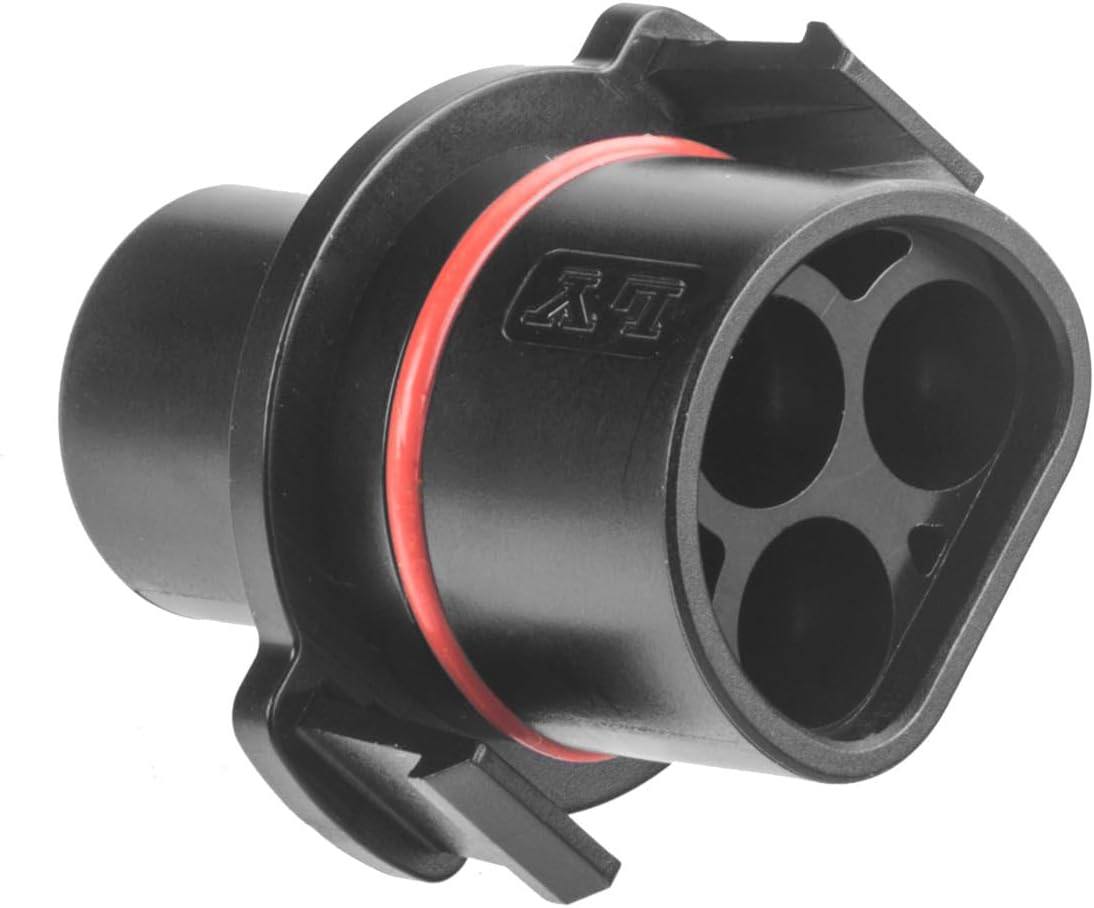
Image 1.1: Front view of the avoltik Ly01-bc01 Adapter. This image shows the adapter's main body and the connector end with four circular openings.
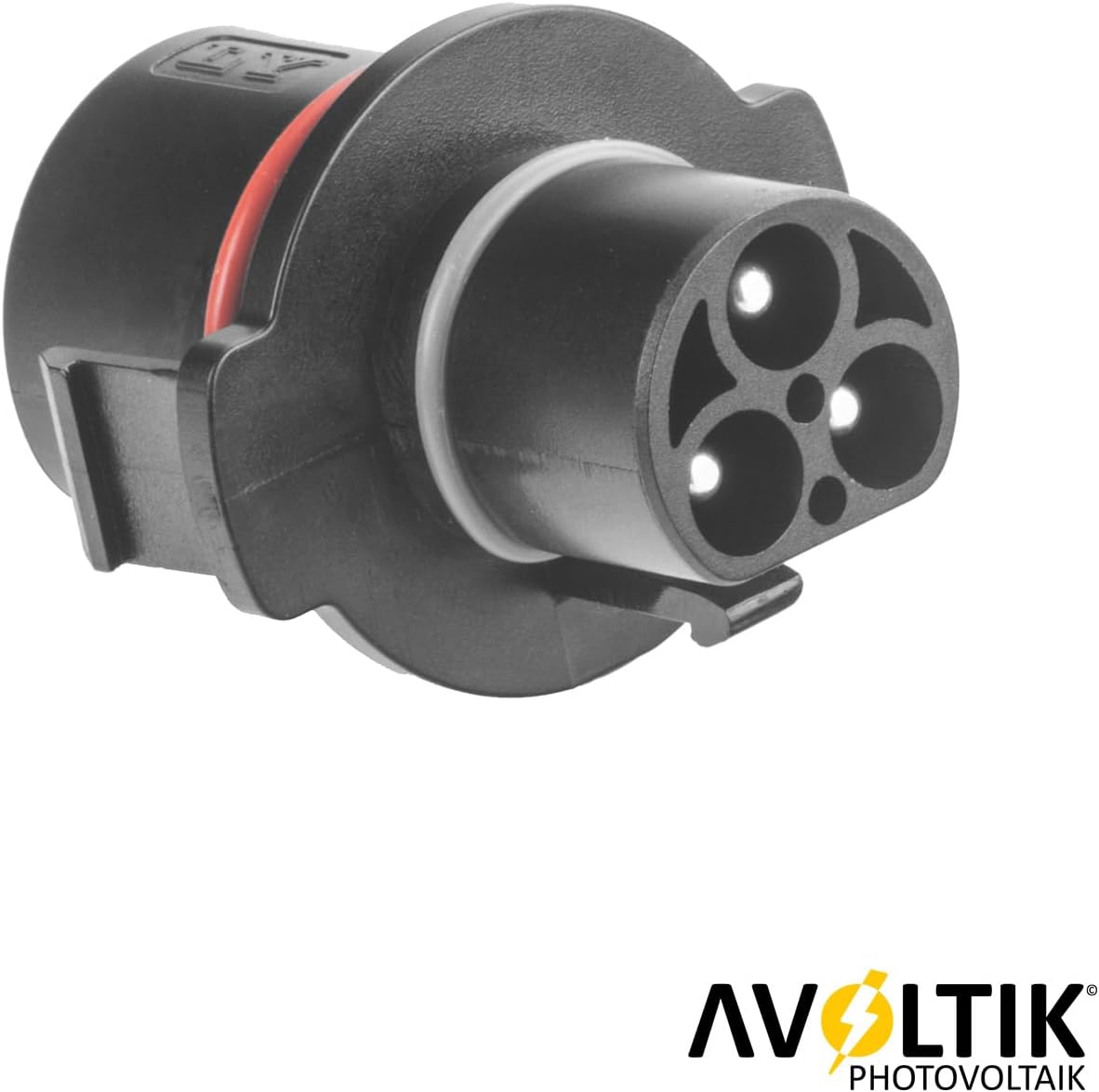
Image 1.2: Rear view of the avoltik Ly01-bc01 Adapter, showing the electrical pins. This perspective highlights the internal contact points of the adapter.
2. Safety Instructions
Please read and understand all safety instructions before installing or using the avoltik Ly01-bc01 Adapter. Failure to follow these instructions may result in electric shock, fire, or serious injury.
- Electrical Safety: Always disconnect power to the microinverter and associated components before making any connections or disconnections.
- Qualified Personnel: Installation should only be performed by qualified and experienced personnel familiar with electrical installations and solar power systems.
- Environmental Conditions: Ensure the installation environment is dry and free from moisture. Do not expose the adapter to extreme temperatures or direct sunlight for prolonged periods.
- Proper Handling: Handle the adapter with care. Do not drop, bend, or apply excessive force to the adapter, as this may damage internal components.
- Inspection: Before each use, inspect the adapter for any signs of damage, such as cracks, frayed wires, or corrosion. Do not use a damaged adapter.
3. Setup
The avoltik Ly01-bc01 Adapter is designed for simple installation. Follow these steps to connect it correctly:
- Prepare Components: Ensure you have the Deye Micro Inverter (compatible models: SUN-M60G3-EUQo, M80G3-EUQo, M100G3-EUQo, SUN-M60G4-EU-Q0, SUN-M80G4-EU-Q0, SUN-M100G4-EU-Q0) and the Betteri BC01 connection cable ready.
- Align Adapter: Take the avoltik Ly01-bc01 Adapter and align its connector end with the corresponding port on the Deye Micro Inverter. Ensure the orientation is correct to avoid damaging the pins.
- Connect to Inverter: Gently push the adapter onto the microinverter's port until it clicks into place. A distinct click indicates a secure connection.
- Connect Betteri Cable: Now, take the Betteri BC01 connection cable and align its connector end with the other side of the avoltik Ly01-bc01 Adapter.
- Secure Connection: Push the Betteri cable connector firmly into the adapter until it is fully seated and secure.
- Verify Connection: Visually inspect both connections to ensure they are tight and properly engaged. There should be no gaps or loose parts.
Once connected, the adapter facilitates the necessary compatibility between your Deye microinverter and the Betteri BC01 connection cable.

Image 3.1: Illustration of the adapter being connected to a cable. This image demonstrates the alignment process for connecting the adapter to another component.
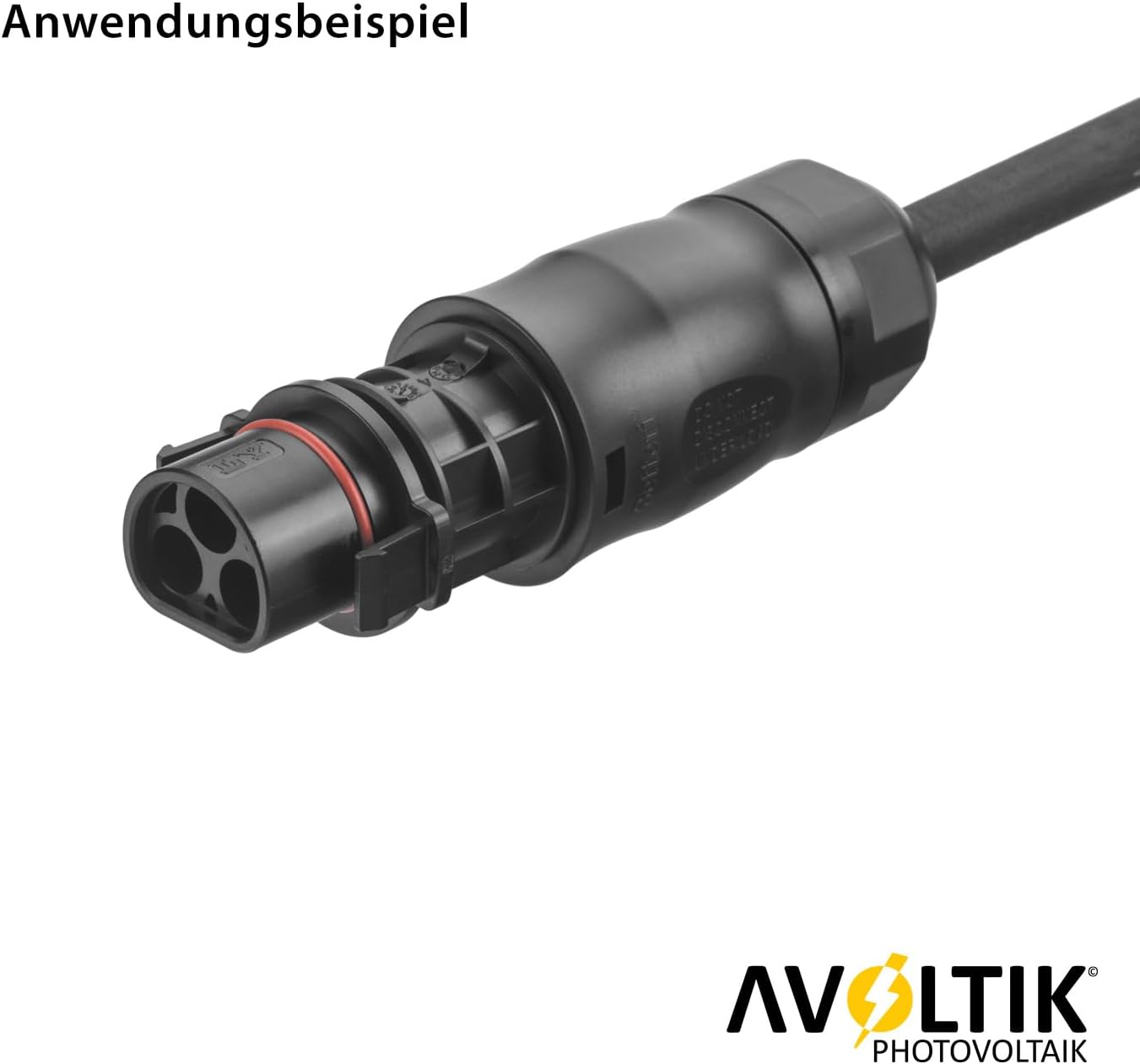
Image 3.2: Example of the adapter fully connected to a cable. This image shows the adapter in its operational state, securely attached to a cable.
4. Operating
The avoltik Ly01-bc01 Adapter is a passive component designed to provide electrical compatibility. Once properly installed as described in the "Setup" section, it operates automatically as part of your microinverter system.
- Function: The adapter ensures that the Deye Micro Inverter can be safely and effectively connected to a Betteri BC01 connection cable, allowing for proper power transmission.
- No User Interaction: The adapter does not require any user interaction or configuration after installation. Its function is purely to facilitate the physical and electrical connection.
5. Maintenance
The avoltik Ly01-bc01 Adapter requires minimal maintenance to ensure its longevity and reliable performance.
- Cleaning: Periodically inspect the adapter for dust, dirt, or debris. If cleaning is necessary, gently wipe the exterior with a clean, dry, lint-free cloth. Do not use abrasive cleaners, solvents, or excessive moisture.
- Connection Check: Occasionally check the connections to the microinverter and the Betteri cable to ensure they remain secure and free from corrosion.
- Storage: If the adapter is not in use, store it in a cool, dry place, away from direct sunlight and extreme temperatures. Keep it in its original packaging or a protective container to prevent damage.
6. Troubleshooting
If you encounter issues with your avoltik Ly01-bc01 Adapter, consider the following troubleshooting steps:
| Problem | Possible Cause | Solution |
|---|---|---|
| Adapter does not connect securely. | Incorrect alignment or debris in the connector. | Ensure correct alignment. Check for and remove any debris from the connector ports. Do not force the connection. |
| System not functioning after adapter installation. | Loose connection, incompatible components, or issue with other system parts. | Verify all connections are secure. Confirm that your Deye Micro Inverter model is listed as compatible. Check other components of your solar system. |
| Visible damage to the adapter. | Physical impact or improper handling. | Discontinue use immediately. A damaged adapter should be replaced to ensure safety and proper function. |
If the problem persists after attempting these solutions, please contact avoltik customer support for further assistance.
7. Specifications
Key technical specifications for the avoltik Ly01-bc01 Adapter:
| Feature | Detail |
|---|---|
| Model Number | avoltik Ly01-bc01 |
| Brand | avoltik |
| Product Dimensions (L x W x H) | 7.4 x 6 x 3.6 cm |
| Item Weight | 60 Grams |
| Connector Type | DC |
| Compatible Devices | Deye SUN-M60G3-EUQo, Deye M80G3-EUQo, Deye M100G3-EUQo, Deye SUN-M60G4-EU-Q0, Deye SUN-M80G4-EU-Q0, Deye SUN-M100G4-EU-Q0 |
| Manufacturer | Avoltik |
| Country of Origin | China |
8. Warranty and Support
For information regarding warranty coverage for your avoltik Ly01-bc01 Adapter, please refer to the warranty documentation provided with your purchase or visit the official avoltik website.
If you require technical support, have questions about installation, or need assistance with troubleshooting that is not covered in this manual, please contact avoltik customer support through their official channels. Provide your product model number and a detailed description of your issue for efficient service.
Contact Information: Please refer to the packaging or the official avoltik website for the most current contact details.
Ask a question about this manual
Ask about setup, troubleshooting, compatibility, parts, safety, or missing instructions. Manuals+ will review the question and use this page’s manual context to help answer it.