
1. Important Safety Instructions
Please read all instructions carefully before using this walking pad. Keep this manual for future reference.
- Place the walking pad on a flat, stable surface. Ensure there is at least 2 feet of clear space around the unit.
- Keep children and pets away from the walking pad during operation.
- Do not exceed the maximum weight capacity of 300 lbs (136 kg).
- Wear appropriate athletic footwear. Do not use the walking pad barefoot or in socks.
- If you feel dizzy, nauseous, or experience any pain, stop exercising immediately.
- Unplug the walking pad from the power outlet when not in use or before cleaning and maintenance.
- Do not use the walking pad if it is damaged or malfunctioning. Contact customer support.
2. Package Contents
Verify that all components are present in the package:
- MJWW BA01 Walking Pad Treadmill
- Remote Control
- User Manual (this document)
- Lubricating Oil
3. Product Overview
The MJWW BA01 Walking Pad Treadmill is designed for home and office use, offering a compact and quiet exercise solution.
3.1 Key Features
- 2.5 HP Powerful and Quiet Motor (44 dB)
- 300 lbs Weight Capacity
- Compact and Lightweight Design (44 lbs)
- Integrated LED Display
- Wireless Remote Control
- 5-Layer Anti-Slip Running Belt
- Built-in Wheels for Easy Movement
3.2 Components and Display

Image: The integrated LED display shows exercise data, and the wireless remote control allows for easy speed adjustments and start/stop functions.
The LED display on the front of the walking pad shows important exercise metrics:
- Time: Duration of your workout.
- Speed: Current walking speed in miles per hour (mph).
- Distance: Total distance covered during the workout.
- Calories: Estimated calories burned.

Image: An internal view highlighting the powerful 2.5HP motor, designed for quiet operation at approximately 44 dB, and supporting a weight capacity of 300 lbs.
4. Setup
The MJWW BA01 Walking Pad Treadmill comes fully assembled, requiring no complex setup.
- Unpack: Carefully remove the walking pad from its packaging.
- Placement: Place the walking pad on a firm, level surface. Ensure adequate space around the unit for safe operation.
- Power Connection: Plug the power cord into a grounded electrical outlet.
- Initial Check: Before first use, ensure the running belt is centered and free from any obstructions.
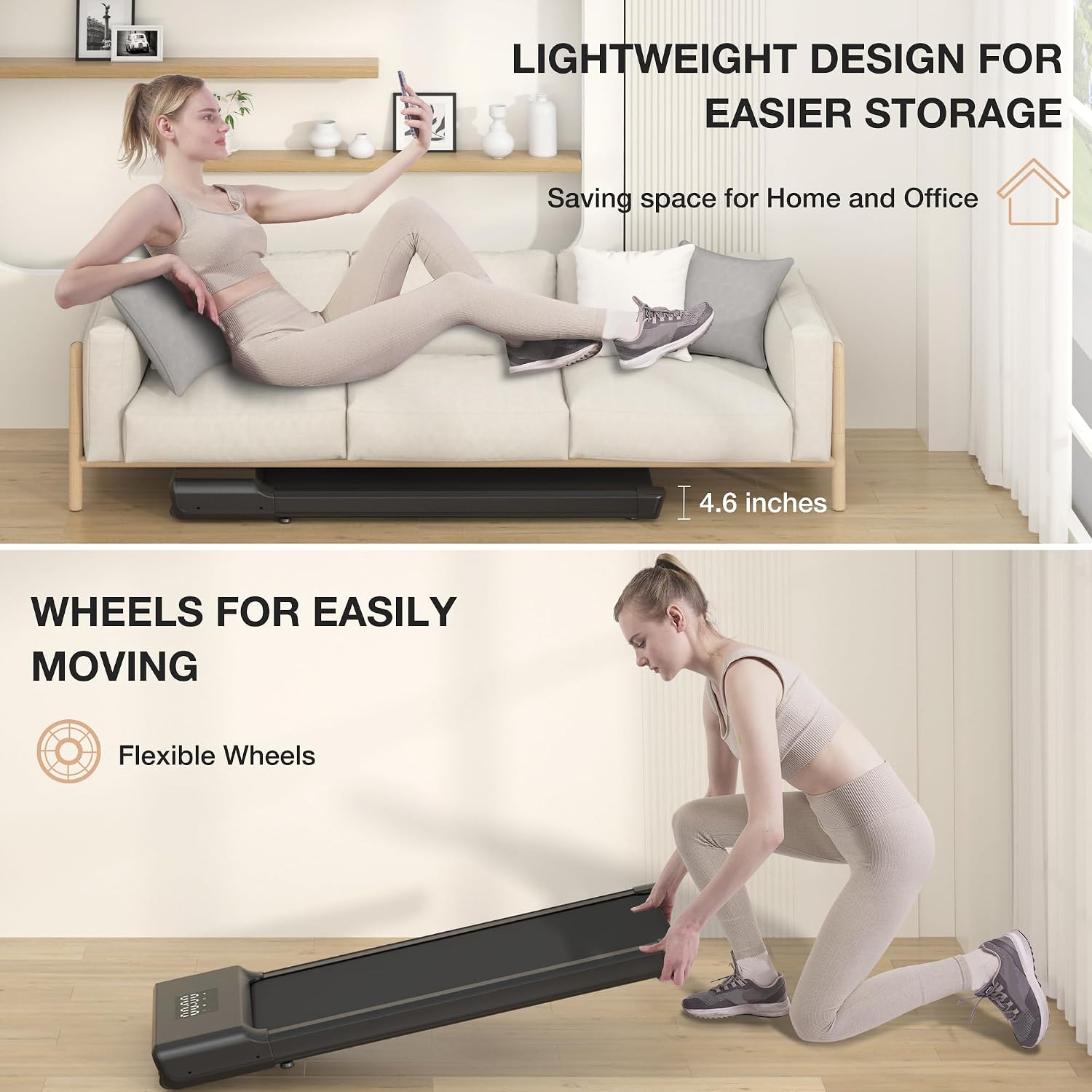
Image: The walking pad's lightweight design allows for easy storage under furniture like a sofa (shown stored under a sofa with 4.6 inches clearance). It also features built-in wheels for convenient movement.
5. Operating Instructions
Operate your walking pad using the included wireless remote control.
5.1 Remote Control Functions
- ON/OFF Button: Press to power on or off the walking pad.
- Start/Stop Button: Press to start or pause the walking belt.
- Speed + Button: Increase the walking speed.
- Speed - Button: Decrease the walking speed.
- M (Mode) Button: Cycle through display modes (Time, Distance, Calories).
5.2 Starting Your Workout
- Ensure the walking pad is plugged in and powered on.
- Stand on the side rails of the walking pad, not directly on the belt.
- Press the Start button on the remote control. The belt will begin to move at a low speed.
- Carefully step onto the moving belt.
- Use the Speed + and Speed - buttons to adjust your desired walking speed (range: 0.6 - 3.8 mph).
- To stop, press the Stop button on the remote. The belt will gradually slow down and stop.

Image: A user demonstrating both walking mode (0.6-3.8 mph) and light jogging mode (2.5-3.8 mph) on the MJWW BA01 Walking Pad Treadmill.
6. Maintenance
Regular maintenance ensures the longevity and optimal performance of your walking pad.
6.1 Lubrication
The running belt requires periodic lubrication to reduce friction and wear. Use the provided lubricating oil.
- Turn off and unplug the walking pad.
- Lift the edge of the running belt on one side.
- Apply a small amount of lubricating oil (approx. 5-10 ml) evenly under the center of the belt.
- Repeat on the other side.
- Plug in the walking pad and run it at a low speed (e.g., 1 mph) for 5 minutes to distribute the oil.
- Lubricate every 3 months or after 50 hours of use, whichever comes first.
6.2 Cleaning
- Always unplug the walking pad before cleaning.
- Wipe down the surface of the walking pad with a damp cloth. Do not use abrasive cleaners or solvents.
- Regularly clean dust and debris from around the motor cover to ensure proper ventilation.
6.3 Belt Adjustment
If the running belt shifts to one side or slips, it may need adjustment.
- Turn on the walking pad and set the speed to approximately 1-2 mph.
- If the belt is shifting to the right, turn the right rear roller adjustment bolt clockwise a quarter turn.
- If the belt is shifting to the left, turn the left rear roller adjustment bolt clockwise a quarter turn.
- Allow the belt to run for a few minutes to see if it centers. Repeat small adjustments as needed.
- If the belt is slipping, turn both rear roller adjustment bolts clockwise a quarter turn simultaneously to tighten the belt.

Image: A visual representation of the 5-layer anti-slip running belt design, engineered for enhanced safety and durability during use.
7. Troubleshooting
Refer to this section for common issues and their solutions.
| Problem | Possible Cause | Solution |
|---|---|---|
| Walking pad does not power on. | Power cord not plugged in; power switch off; circuit breaker tripped. | Check power cord connection; ensure power switch is ON; reset circuit breaker. |
| Belt stops or slips during use. | Belt too loose; insufficient lubrication; user weight exceeds limit. | Adjust belt tension (see Section 6.3); lubricate belt (see Section 6.1); ensure user weight is within limits. |
| Unusual noise from the motor area. | Loose components; debris in motor area; motor issue. | Check for loose screws; clean motor area; if noise persists, contact customer support. |
| Remote control not working. | Dead batteries; remote not paired. | Replace batteries; refer to remote pairing instructions (if applicable, usually automatic). |
If the issue persists after attempting these solutions, please contact MJWW customer support.
8. Specifications

Image: Visual representation of the walking pad's dimensions (50" length, 20.9" width, 16" deck width, 40" deck length) and key features.
| Feature | Detail |
|---|---|
| Model | BA01 |
| Brand | MJWW |
| Color | Black |
| Material | Alloy Steel |
| Motor Power | 2.5 HP |
| Speed Range | 0.6 - 3.8 mph |
| Max Weight Capacity | 300 lbs (136 kg) |
| Deck Length | 40 inches (101.6 cm) |
| Deck Width | 16 inches (40.6 cm) |
| Product Dimensions (L x W) | 50 x 20.9 inches (127 x 53.1 cm) |
| Product Weight | 44 lbs (20 kg) |
| Display Type | LED |
| Noise Level | Approximately 44 dB |
| Assembly Required | No |
| Included Components | User Manual, Remote Control, Lubricating Oil |
9. Warranty and Support
MJWW is committed to providing high-quality products and customer satisfaction.
- For warranty information, please refer to the specific warranty card included with your product or contact MJWW customer support.
- If you have any questions, concerns, or require technical assistance, please contact our customer support team. Contact details can typically be found on our official website or on the product packaging.