1. Introduction
Thank you for choosing the Hoover 2200W Vacuum Cleaner, Model TTELA2200PRE. This appliance is designed for efficient cleaning of various surfaces in your home. Please read this manual carefully before using the vacuum cleaner to ensure safe and optimal performance. Keep this manual for future reference.
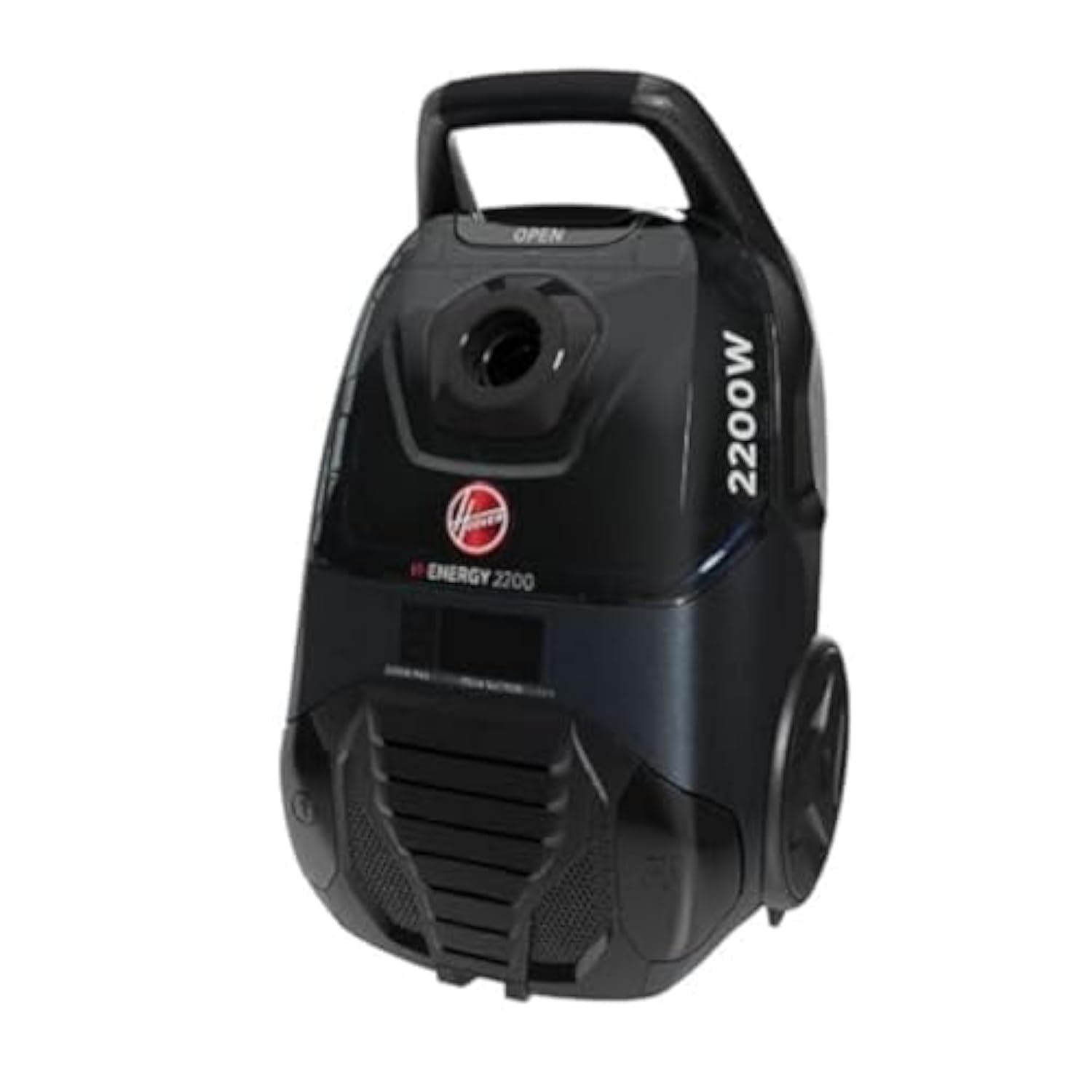
Image 1.1: Hoover 2200W Vacuum Cleaner (Model TTELA2200PRE)
2. Safety Instructions
Always follow basic safety precautions when using electrical appliances to reduce the risk of fire, electric shock, or injury.
- Ensure the power supply voltage matches the rating on the appliance.
- Do not use the vacuum cleaner on wet surfaces or to pick up liquids.
- Do not pick up flammable or combustible materials, hot ashes, or sharp objects.
- Keep hair, loose clothing, fingers, and all parts of the body away from openings and moving parts.
- Unplug from the electrical outlet when not in use and before cleaning or servicing.
- Do not operate with a damaged cord or plug. If the cord is damaged, it must be replaced by the manufacturer, its service agent, or similarly qualified persons to avoid a hazard.
- This appliance is for household use only.
- Do not allow children to operate the vacuum cleaner.
3. Package Contents
Verify that all items are present in the package:
- Hoover 2200W Vacuum Cleaner Unit
- Flexible Hose
- Telescopic Tube
- Floor Nozzle (for carpets and hard floors)
- Parquet/Curtain/Upholstery Nozzle
- Crevice Tool
- Dust Brush
- User Manual (this document)
- Dust Bag (pre-installed or separate)
4. Setup
Follow these steps to assemble your vacuum cleaner before first use:
- Attach the Hose: Insert the flexible hose into the suction inlet on the main unit until it clicks securely into place.
- Assemble the Telescopic Tube: Connect the telescopic tube to the handle of the flexible hose. Adjust the length of the telescopic tube to a comfortable height by pressing the release button and extending or retracting.
- Attach the Floor Nozzle: Securely attach the desired floor nozzle (e.g., carpet/floor nozzle) to the end of the telescopic tube.
- Connect to Power: Extend the power cord from the unit and plug it into a suitable 220V electrical outlet.
5. Operating Instructions
5.1 Power On/Off
- Press the On/Off button located on the main unit to start or stop the vacuum cleaner.
- Alternatively, use the remote control buttons on the telescopic tube handle for convenient power control.
5.2 Suction Power Control
- The vacuum cleaner features an LCD digital display to show the power control setting and dust indicator.
- Adjust the suction power using the controls on the main unit or the remote control on the telescopic tube handle.
- Activate the Eco Mode (energy-saving system) by pressing the dedicated button for reduced power consumption and quieter operation (75 dB noise level).
5.3 Using Attachments
- Floor Nozzle: Use for general cleaning of carpets and hard floors. Some nozzles may have a switch to adjust for different floor types.
- Parquet/Curtain/Upholstery Nozzle: Ideal for delicate surfaces, curtains, and furniture.
- Crevice Tool: Perfect for reaching narrow gaps, corners, and edges.
- Dust Brush: Use for dusting delicate items, shelves, and intricate surfaces.
6. Maintenance
6.1 Emptying the Dust Bag/Cyclone
The vacuum cleaner has a 6-liter dust bag capacity and a 2-liter cyclone for dust separation. The LCD display will indicate when the dust bag needs emptying.
- Ensure the vacuum cleaner is unplugged from the power outlet.
- Open the dust compartment cover.
- Carefully remove the full dust bag or empty the cyclone container.
- Dispose of the dust and debris responsibly.
- Insert a new dust bag or reattach the empty cyclone container, ensuring it is securely in place.
- Close the dust compartment cover until it latches.
6.2 Cleaning the HEPA Filter
The high-efficiency, anti-bacterial HEPA filter is washable. Regular cleaning maintains suction power and air filtration quality.
- Unplug the vacuum cleaner.
- Locate and remove the HEPA filter according to the diagrams in the full user manual (not provided here).
- Rinse the filter under cold running water until the water runs clear. Do not use detergents or hot water.
- Allow the filter to air dry completely for at least 24 hours before re-installing. Do not use a dryer or heat source.
- Ensure the filter is completely dry before placing it back into the vacuum cleaner.
6.3 General Cleaning
- Wipe the exterior of the vacuum cleaner with a soft, damp cloth. Do not use abrasive cleaners.
- Check the nozzles and tubes for any blockages and remove them if found.
- The power cord features an automatic rewind function. Gently press the cord rewind button to retract the cord.
7. Troubleshooting
Before contacting customer support, refer to the following table for common issues and solutions:
| Problem | Possible Cause | Solution |
|---|---|---|
| Vacuum cleaner does not turn on. | Not plugged in; no power at outlet; power button not pressed. | Check power cord connection; test outlet with another appliance; press power button firmly. |
| Loss of suction power. | Dust bag full; filter clogged; hose/nozzle blocked. | Empty/replace dust bag; clean HEPA filter; check and clear blockages in hose/nozzle. |
| Unusual noise during operation. | Blockage in brush roll or hose; motor issue. | Check for and remove blockages. If noise persists, contact customer support. |
| Dust escaping from unit. | Dust bag not installed correctly; filter missing or damaged. | Ensure dust bag is correctly seated; check and replace filters if necessary. |
8. Specifications
| Brand | Hoover |
| Model Number | TTELA2200PRE |
| Power (Wattage) | 2200 Watts |
| Suction Power | 350 Watts |
| Voltage | 220 Volts |
| Dust Bag Capacity | 6 Liters |
| Cyclone Capacity | 2 Liters |
| Power Cord Length | 8 Meters |
| Color | Black |
| Noise Level | 75 dB |
| Filter Type | Washable, Anti-bacterial HEPA Filter |
| Special Features | Eco Mode, Automatic Cord Rewind, LCD Digital Display, Remote Control on Telescopic Tube |
| Product Dimensions (W x L x H) | 25.5 x 33 x 54 cm |
| Net Weight | 7.45 kg |
| Gross Weight | 11 kg |
| Country of Origin | Egypt |
9. Warranty and Support
This Hoover 2200W Vacuum Cleaner (Model TTELA2200PRE) comes with a full 1-year free warranty from the date of purchase. Please retain your proof of purchase for warranty claims.
For technical support, service, or warranty inquiries, please contact Hoover customer service through the contact information provided on your warranty card or the official Hoover website for your region.


