
1. Introduction
This manual provides detailed instructions for the installation, operation, and maintenance of your XTRONS IQ1439BH Car Stereo. This advanced head unit is designed to enhance your driving experience with its Android 14 operating system, 10.25-inch QLED touch screen, and comprehensive connectivity features.
Applicable Models and Years:
- BMW E39 M5 (1999-2003)
- BMW E39 (1995-2003)
- BMW 7 Series E38 (1994-2001)
2. Product Features
The XTRONS IQ1439BH Car Stereo offers a range of features designed for performance and user convenience:
- Advanced Android 14 OS: Experience a fast and smooth interface with the latest Android operating system, powered by an Octa-Core CPU with 8GB RAM and 256GB ROM.
- 10.25-inch QLED Touch Screen: Enjoy a 1920x720 high-definition display with a 178° viewing angle, providing clear visuals without eye fatigue.
- Wireless CarPlay & Android Auto: Seamlessly integrate your smartphone for navigation, calls, messages, and music with wireless Car Auto Play and both wireless and wired Android Auto.
- Built-in DSP: Customize your audio experience with a professional-grade Digital Sound Processor for enhanced sound quality.
- Optimized CANbus Decoding: Ensures full functionality with your vehicle's existing systems, including steering wheel controls, ACC control, reversing control, and light control.
- Dual Band Wi-Fi & 4G Module: Connect to the internet via 2.4GHz and 5GHz Wi-Fi or insert a SIM card for 4G network access.
- Split Screen & Picture-in-Picture: Multitask by running two applications simultaneously or watching videos while using other functions.
- Bluetooth 5.0: For hands-free calling and audio streaming.
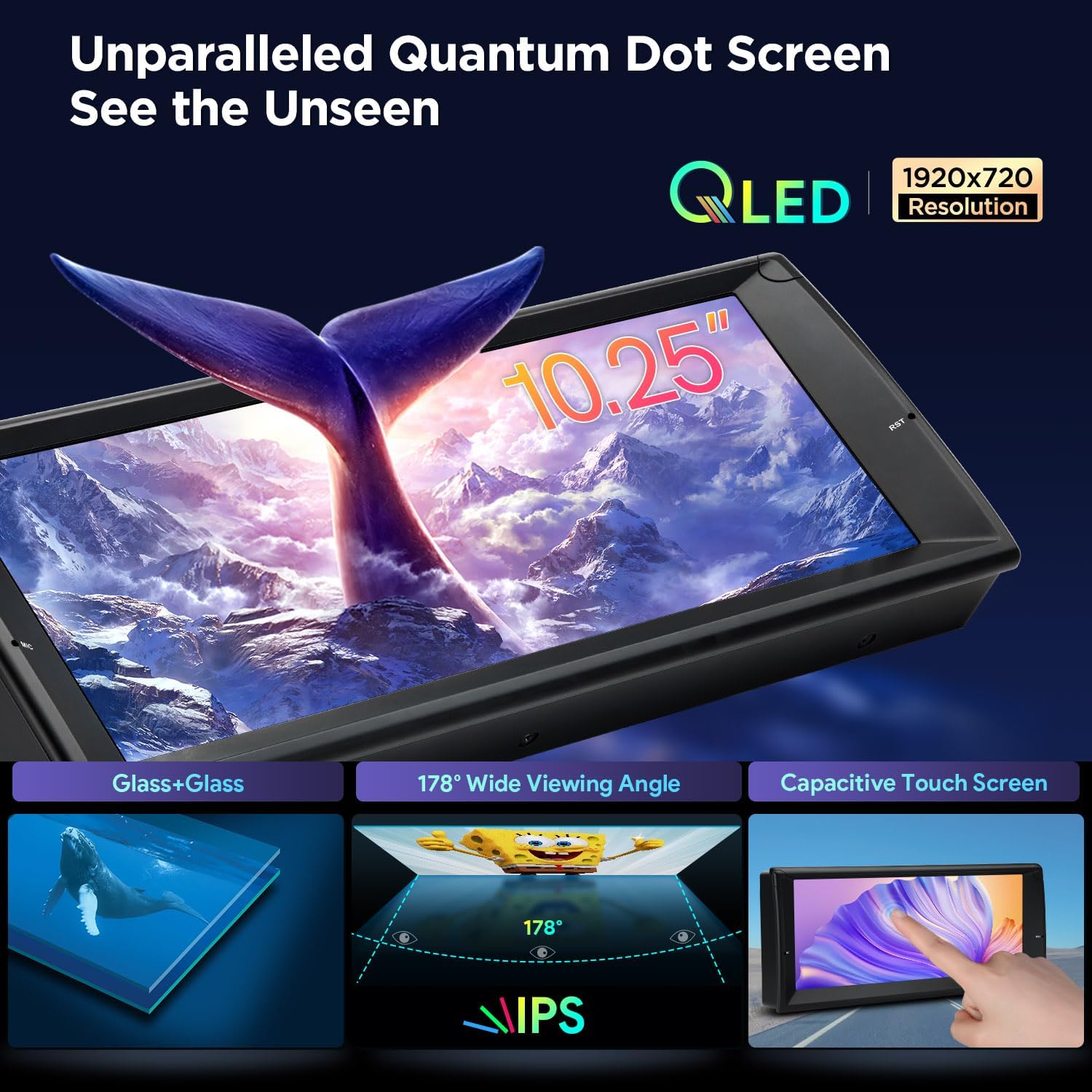
Image: The 10.25-inch QLED screen with 1920x720 resolution, featuring Glass+Glass construction, 178° wide viewing angle, and capacitive touch.
3. Package Contents
Verify that all components listed below are included in your package:
- 1 × Main Unit (Car Stereo)
- 1 × ISO Wiring Harness
- 1 × RCA Cable
- 1 × 4G Antenna
- 1 × WiFi Antenna
- 1 × CANbus Box
- 2 × USB Cable
- 1 × GPS Antenna
- 1 × Radio Antenna Cable
- 2 × Fitting Kits
- 1 × Mounting Base
- 1 × Radio Antenna Adapter
- 1 × SIM Card Slot Cable
- 1 × User Manual

Image: Visual representation of the XTRONS IQ1439BH main unit and all included accessories.
4. Setup and Installation
Proper installation is crucial for optimal performance. It is recommended that installation be performed by a qualified professional.
Compatibility Notes:
- Before installation, check if your car's center console has a frame. If present, remove it first.
- Ensure your car's central console is not circular-angled, as this unit may not fit. Refer to XTRONS IQ1453BH for circular-angled consoles.

Image: Comparison of a BMW E39 M5 dashboard before and after installation of the XTRONS car stereo, with important compatibility notes.
Required Cables and Adapters:
Depending on your vehicle's original configuration, additional cables may be required:
- If your car's radio antenna port is inside the console, an adapter cable (XTRONS ISOFZ) is needed.
- If your car's radio antenna port is in the trunk, two extension cables (XTRONS ISOFZ and FZMF) are needed.
- For original radios with a 4.3" or 7" screen with a 12-pin plug, or if the navigation drive is in the rear, an extra 6m extension cable (XTRONS EXL005 and EXL007) is required.
- If a blue 12-pin plug is in your dash, an adapter cable (XTRONS ICE/ACS/BMWDSP01) is needed.
- If your factory radio has a DSP (Digital Sound Processing) button or a Harman Kardon fiber optic amplifier system, an extension cable (XTRONS EXL007) or a decoder (XTRONS FOBB05) is required, respectively.

Image: Various cables and adapters that may be required for the XTRONS IQ1439BH installation, depending on the vehicle's original setup.
5. Operating Instructions
This section details how to use the various functions of your XTRONS IQ1439BH Car Stereo.
Smartphone Connectivity (CarPlay & Android Auto):
The unit supports wireless CarPlay and both wireless and wired Android Auto. Connect your smartphone to access navigation, music, calls, and voice commands (Siri/Google Assistant).

Image: Demonstrates wireless CarPlay, wireless/wired Android Auto, screen mirroring, and Bluetooth connectivity with a smartphone.
Digital Sound Processor (DSP):
Access the built-in DSP settings to fine-tune your audio. Adjust equalizer bands, delay, volume, and frequency settings to achieve your preferred sound profile.

Image: The DTS Digital Sound interface showing equalizer, delay, volume, and frequency adjustments for audio customization.
User Interface and Modes:
Navigate the intuitive user interface. Switch between Day and Night modes for optimal visibility in different lighting conditions. Customize your favorite apps for quick access.

Image: The smart and intuitive UI of the XTRONS car stereo, showcasing car model selections, music source shortcuts, and Day/Night mode options.
CANbus Decoding:
The optimized CANbus decoding supports original vehicle functions and displays information such as ACC control, reversing control, door status, speed, mileage, light control, handbrake control, outdoor temperature, and steering wheel control.

Image: The CANbus decoding interface showing support for original vehicle functions and display of vehicle information like ACC control, speed, and steering wheel control.
Video Playback and Split View:
The unit supports ultra-smooth 4K video playback. Utilize the split view function to run two applications side-by-side, such as navigation and a web browser.
Connectivity:
Built-in Wi-Fi and 4G module (requires SIM card) provide internet access. Bluetooth allows for hands-free calls and music streaming.
Navigation and Camera Input:
Integrated GPS supports various Android-compatible navigation software. The unit also supports AHD camera input for parking assistance.
Official Product Video:
Video: An official XTRONS video demonstrating the features and functionality of the 10.25-inch Android Car Stereo for BMW E39 M5, including UI, CarPlay, Android Auto, DSP, 4K video playback, split view, Wi-Fi, 4G, Bluetooth, AHD camera input, radio, GPS, screen mirroring, and package contents.
6. Maintenance
To ensure the longevity and optimal performance of your XTRONS IQ1439BH Car Stereo, follow these general maintenance guidelines:
- Cleaning: Use a soft, dry cloth to clean the screen and exterior. Avoid abrasive cleaners or solvents that could damage the display or finish.
- Software Updates: Periodically check for and install available software updates to ensure you have the latest features and performance enhancements. Refer to the system settings for update options.
- Environmental Conditions: Avoid exposing the unit to extreme temperatures, direct sunlight for prolonged periods, or excessive moisture.
- Cable Connections: Ensure all cables are securely connected. Loose connections can lead to intermittent issues.
7. Troubleshooting
If you encounter issues with your XTRONS IQ1439BH Car Stereo, refer to the following common troubleshooting steps:
- No Power: Check all power connections and fuses. Ensure the vehicle's ignition is on.
- No Sound: Verify speaker connections. Check volume levels and DSP settings. Ensure the correct audio source is selected.
- Touch Screen Unresponsive: Try restarting the unit. If the issue persists, a factory reset may be necessary (note: this will erase user data).
- GPS Signal Loss: Ensure the GPS antenna is properly installed and has a clear view of the sky.
- Bluetooth/Wi-Fi Connectivity Issues: Ensure Bluetooth/Wi-Fi is enabled on both the unit and your device. Try re-pairing devices or restarting the unit.
- CarPlay/Android Auto Not Connecting: Check USB cable connection (for wired). Ensure your phone's software is up to date. Try restarting both the unit and your phone.
- CANbus Functions Not Working: Verify CANbus box connections and ensure it is correctly configured in the unit's settings.
For persistent issues, contact XTRONS customer support or consult a professional installer.
8. Specifications
| Brand | XTRONS |
| Model | IQ1439BH |
| Operating System | Android 14 |
| Processor | Qualcomm Octa Core |
| RAM | 8GB |
| ROM | 256GB |
| Screen Size | 10.25 Inches |
| Display Type | QLED |
| Resolution | 1920*720 |
| Touch Screen Type | Capacitive |
| Connectivity Technology | Bluetooth 5.0, USB, Wi-Fi (2.4GHz & 5GHz), 4G LTE |
| Supported Navigation System | GPS (No Pre-installed Map) |
| Audio Output Mode | Stereo (Built-in DSP) |
| Mounting Type | Dashboard Mount |
| Compatible Devices | Smartphone, iPhone |
| Control Method | Touch |
| Are Batteries Included | No |
9. Warranty and Support
Your XTRONS IQ1439BH Car Stereo comes with a 1 Year Manufacturer Warranty. This warranty covers defects in materials and workmanship under normal use.
For warranty claims, technical assistance, or product support, please contact XTRONS customer service directly. Refer to the contact information provided with your product packaging or visit the official XTRONS website.


