
UPBRIGHT Arcade1Up PAC-A-01060 Power Supply
UpBright 12V AC/DC Adapter User Manual
Model: Arcade1Up PAC-A-01060 Power Supply
1. Introduction
This manual provides essential information for the safe and effective use of your UpBright 12V AC/DC Adapter. This power supply is specifically designed for compatibility with various Arcade1Up cabinets, including models PAC-A-01060, PAC-A-01208, and PAC-A-10141, as well as the Bandai Namco Entertainment Legacy Pac-Man 12-in-1 Edition Cabinet with Riser Game Machine.
The adapter features a global input voltage range of 100-240VAC 50/60Hz and incorporates multiple safety protections: Over Voltage Protection (OVP), Over Current Protection (OCP), and Short Circuit Protection (SCP) to ensure reliable and safe operation. Please note: This adapter is designed for 12V systems and is NOT compatible with 5V versions of Arcade1Up cabinets.

Figure 1.1: The UpBright 12V AC/DC Adapter shown with its accompanying power cord. This image displays the compact black adapter unit and the detachable power cable that connects it to a wall outlet.
2. Setup and Installation
Follow these steps to properly set up your UpBright AC/DC Adapter with your compatible Arcade1Up game machine.
- Verify Compatibility: Ensure your Arcade1Up cabinet requires a 12V power supply. This adapter is not suitable for 5V systems. Compatible models include PAC-A-01060, PAC-A-01208, PAC-A-10141, and the Bandai Namco Entertainment Legacy Pac-Man 12-in-1 Edition Cabinet.
- Unpack Components: Carefully remove the AC/DC adapter and its power cord from the packaging.
- Connect Power Cord: Insert the detachable power cord into the AC input port on the adapter unit. Ensure it is firmly seated.
- Connect to Arcade Cabinet: Locate the DC input jack on your Arcade1Up cabinet. Insert the barrel connector from the adapter's output cable into this jack. Ensure a secure connection.
- Connect to Power Outlet: Plug the other end of the power cord into a standard 100-240VAC wall outlet.
- Power On: Once all connections are secure, power on your Arcade1Up cabinet according to its specific instructions.
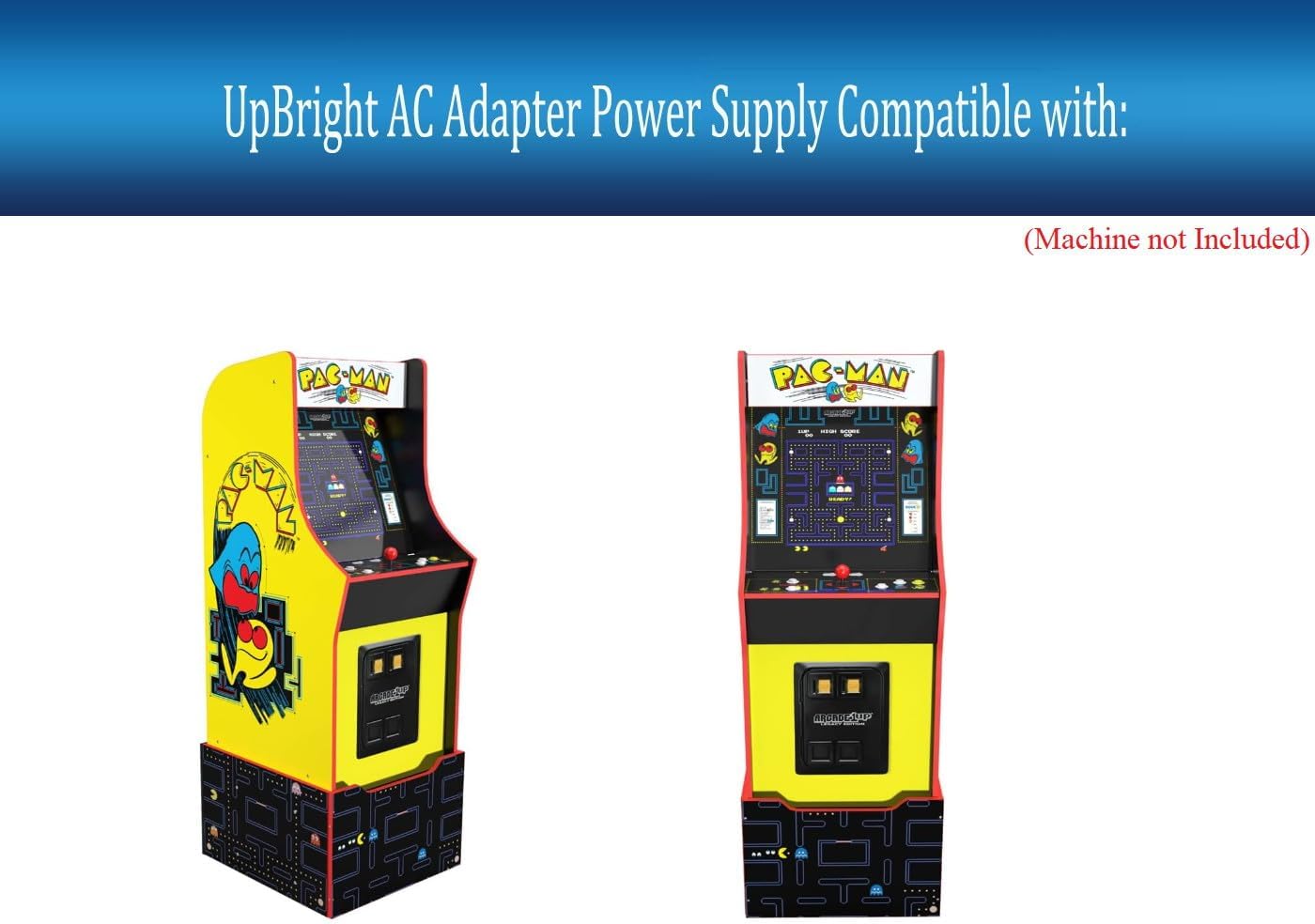
Figure 2.1: Illustration showing two Arcade1Up Pac-Man cabinets, indicating the type of game machines compatible with this UpBright AC/DC adapter. The image emphasizes that the adapter is for the machine, which is not included.

Figure 2.2: The UpBright AC/DC adapter connected to a wall outlet, demonstrating a typical setup scenario. A certificate of compliance is visible in the background, highlighting product safety standards.
3. Operating Instructions
The UpBright 12V AC/DC Adapter is designed for simple plug-and-play operation. Once correctly connected to your Arcade1Up cabinet and a power outlet, it will provide the necessary power for your game machine to function.
- Ensure the adapter is connected to a stable power source within the specified input voltage range (100-240VAC).
- Confirm that the adapter's output (12VDC) matches the power requirements of your Arcade1Up cabinet. Using an adapter with incorrect voltage can damage your device.
- The adapter is equipped with safety features (OVP, OCP, SCP) to protect against electrical hazards. If the adapter stops functioning, check for any issues with the power source or the connected device before assuming a fault with the adapter.
4. Care and Maintenance
To ensure the longevity and optimal performance of your UpBright AC/DC Adapter, please follow these simple care guidelines:
- Keep Dry: Avoid exposing the adapter to water, moisture, or high humidity.
- Clean Gently: Use a soft, dry cloth to clean the adapter. Do not use liquid cleaners or aerosols.
- Avoid Extreme Temperatures: Do not operate or store the adapter in excessively hot or cold environments.
- Protect Cables: Do not bend, twist, or crimp the power cords excessively. Avoid placing heavy objects on the cables.
- Unplug When Not in Use: For extended periods of non-use, it is recommended to unplug the adapter from both the wall outlet and the Arcade1Up cabinet.
5. Troubleshooting
If you encounter issues with your UpBright AC/DC Adapter, refer to the following common problems and solutions:
| Problem | Possible Cause | Solution |
|---|---|---|
| No power to Arcade1Up cabinet. |
|
|
| Adapter feels hot. |
|
|
| Arcade cabinet powers on but behaves erratically. |
|
|
If the problem persists after trying these solutions, please contact customer support.
6. Product Specifications
| Model Number | Arcade1Up PAC-A-01060 Power Supply |
| Brand | UPBRIGHT |
| Input Voltage | 100-240VAC, 50/60Hz |
| Output Voltage | 12VDC |
| Compatible Devices | Arcade1Up PAC-A-01060, PAC-A-01208, PAC-A-10141, Bandai Namco Legacy Pac-Man 12-in-1 Edition Cabinet Rister Game Machine (12V versions only) |
| Product Dimensions | 6 x 4 x 2 inches (approximate adapter unit size) |
| Item Weight | 9 ounces |
| Safety Features | OVP (Over Voltage Protection), OCP (Over Current Protection), SCP (Short Circuit Protection) |
| Included Components | 1 AC/DC Adapter, 1 AC Power Cord |

Figure 6.1: An illustration showing different types of AC power cords (US, EU, UK, AU) that may be supplied with the adapter, depending on the region. This ensures compatibility with various international power outlets.
7. Warranty Information
Your UpBright AC/DC Adapter comes with the following warranty coverage:
- 30 Days Refund: If you are not satisfied with your purchase, you may be eligible for a full refund within 30 days from the date of purchase.
- 24 Months Exchange: The product is covered by a 24-month exchange warranty for defects in materials or workmanship from the date of purchase.
Please retain your proof of purchase for warranty claims. The warranty does not cover damage caused by misuse, accidents, unauthorized modifications, or use with incompatible devices.
8. Customer Support
For any questions, technical assistance, or warranty claims, please contact UpBright customer support. You can typically find contact information on the product packaging or through the retailer where you purchased the item.
You may also visit the official UPBRIGHT Store on Amazon for more information and product details.
Related documentsArcade1Up PAC-A-01060 Power Supply

Ask a question about this manual
Ask about setup, troubleshooting, compatibility, parts, safety, or missing instructions. Manuals+ will review the question and use this page’s manual context to help answer it.