
1. Introduction
The Casio Pro Trek PRG601YB-2ACR is a robust adventure watch designed for outdoor enthusiasts. It combines analog and digital displays with advanced sensor technology, including a compass, altimeter, barometer, and thermometer. Powered by Casio's Tough Solar technology, it ensures reliable operation without frequent battery changes. This manual provides detailed instructions for setup, operation, and maintenance of your watch.

Figure 1: Front view of the Casio Pro Trek PRG601YB-2ACR watch.
2. Initial Setup
2.1 Charging the Watch (Tough Solar)
Your Casio Pro Trek watch is equipped with Tough Solar power, which converts light into energy to charge the internal battery. To ensure optimal performance, expose the watch face to direct sunlight or strong artificial light regularly. The watch features a battery charge indicator (displayed as 'H' for High, 'M' for Medium, 'L' for Low) on its digital display. Aim to keep the charge level at 'H'.
2.2 Time Setting and Time Zones
The watch supports 29 time zones. Refer to the detailed instructions in the full user manual for setting your home city and adjusting for daylight saving time. The watch maintains accuracy within ±15 seconds per month.
2.3 Sensor Calibration
For accurate readings from the altimeter, barometer, and compass, initial calibration is recommended. Place the watch on a flat, level surface for compass calibration. Consult the detailed instructions for specific calibration procedures for each sensor.
3. Operating Instructions
The watch features multiple modes accessible via the buttons on the side. The digital display at the bottom provides specific readings and settings for each mode.
3.1 Triple Sensor Functions
- Altimeter: Press the lower-right button to enter Altimeter mode. The digital display will show the current altitude. Calibration is crucial for accuracy.
- Compass: While in Altimeter mode, press the top-right button to switch to Compass mode. The second hand will point North, and the digital display will show the direction in degrees. Ensure the watch is held flat and level for accurate readings.
- Barometer: Press the lower-left button repeatedly to cycle through modes until 'BARO' appears. The digital display will show the barometric pressure.
- Thermometer: Continue pressing the lower-left button until 'TEMP' appears. The digital display will show the ambient temperature. For accurate temperature readings, remove the watch from your wrist for at least 20-30 minutes to avoid body heat interference.
Video 1: Detailed demonstration and review of the Casio Pro Trek PRG-601YB-3 watch, covering its features and functionality, including sensor operation.
3.2 Timekeeping Functions
- Stopwatch: Access Stopwatch mode via the lower-left button. It measures time up to 1/100th of a second.
- Countdown Timer: Set a countdown period in Timer mode.
- Alarms: The watch supports up to five daily alarms.
- World Time: View current times in various cities around the world.
3.3 Illumination
Press the dedicated light button (usually located at the 6 o'clock position on the bezel or a side button) to illuminate the digital display and watch hands for visibility in low-light conditions.
4. Maintenance
4.1 Battery Care (Tough Solar)
To maintain the watch's power reserve, ensure it receives adequate light exposure. Avoid prolonged storage in dark places. The 'H' indicator on the digital display signifies a high charge level.
4.2 Water Resistance
The watch is rated for 100M water resistance, suitable for swimming and snorkeling. Avoid operating buttons underwater to prevent water ingress.
4.3 Cleaning and Materials
Clean the watch regularly with a soft, dry cloth. The watch features a bio-based resin case and a cloth band made from recycled plastic, reflecting an environmentally conscious design.

Figure 2: Side view of the watch, highlighting the ion-plated stainless steel bezel and bio-based resin case.
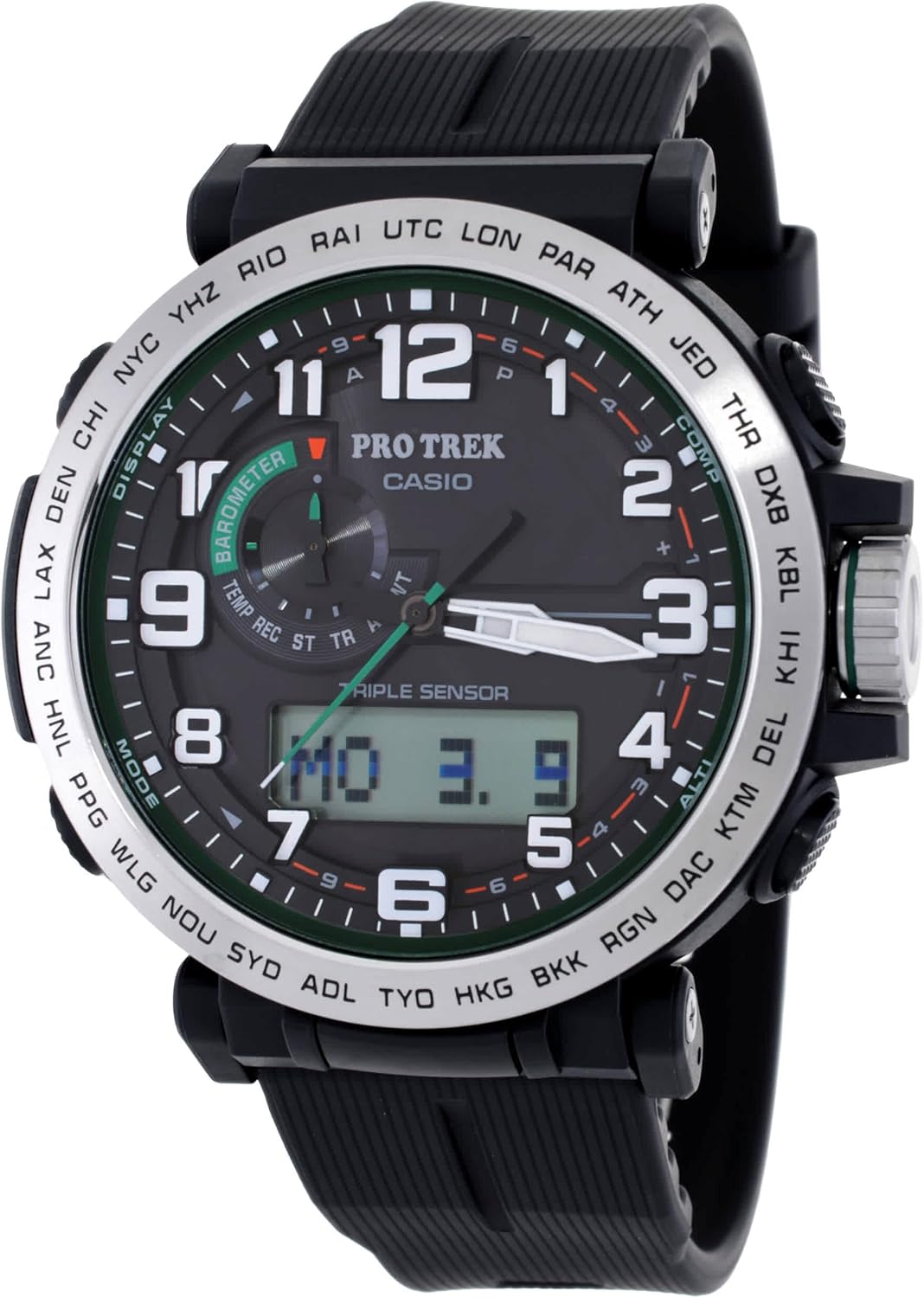
Figure 3: Close-up of the watch's black fabric strap and buckle, emphasizing its recycled material composition.
5. Troubleshooting
- Inaccurate Time: The watch has an accuracy of ±15 seconds per month. If significant deviation occurs, manually adjust the time as per the time setting instructions.
- Sensor Readings Off: Ensure proper calibration for altimeter and compass. For temperature, remove the watch from your wrist for accurate ambient readings.
- Low Battery Indicator: If the digital display shows 'L', expose the watch to strong light for several hours to recharge.
6. Specifications
| Feature | Detail |
|---|---|
| Model Number | PRG601YB-2 |
| ASIN | B0CCSTWK75 |
| Display Type | Analog-Digital |
| Movement Type | Quartz |
| Power Source | Solar Powered |
| Water Resistance Depth | 100 Meters |
| Case Material | Resin |
| Band Material | Resin (Two Piece Strap) |
| Crystal Type | Mineral Glass |
| Case Diameter | 51.6 Millimeters |
| Case Thickness | 14.8 Millimeters |
| Band Width | 24 Millimeters |
| Additional Features | Compass, Perpetual Calendar, Temperature Display |
| Date First Available | August 17, 2023 |
7. Warranty and Support
7.1 Warranty Information
This Casio Pro Trek watch comes with a limited warranty. Please refer to the warranty card included with your product for specific terms and conditions, including coverage details and duration.
7.2 Customer Support
For further assistance, technical support, or service inquiries, please visit the official Casio website or contact their customer service department. Contact information can typically be found on the Casio website or in the packaging materials.


