
Introduction
This manual provides detailed instructions for the installation and use of your elago Privacy Glass+ Screen Protector for iPhone 15 Pro. Designed to protect your device's screen while safeguarding your privacy, this screen protector offers robust defense against scratches, drops, and unwanted viewing angles.
Key Features
- Privacy Protection: The screen protector features a specialized privacy filter that limits viewing angles, making your screen visible only to those directly in front of it.
- 9H Surface Hardness: Constructed from 9H tempered glass, providing superior scratch and impact resistance.
- Shatter-Proof Design: Engineered to resist shattering, enhancing safety and durability.
- Anti-Fingerprint Layer: Reduces smudges and fingerprints, keeping your screen cleaner.
- Undisturbed Touch Response: Maintains the original touch sensitivity of your iPhone's screen.
- Full Cover Protection: Designed to protect the entire liquid crystal screen.

Image: The 4-layer structure of the screen protector, highlighting its various protective and privacy layers.

Image: Demonstration of the scratch-resistant coating, showing its effectiveness against damage.

Image: The screen protector maintains crystal clear clarity for optimal viewing.
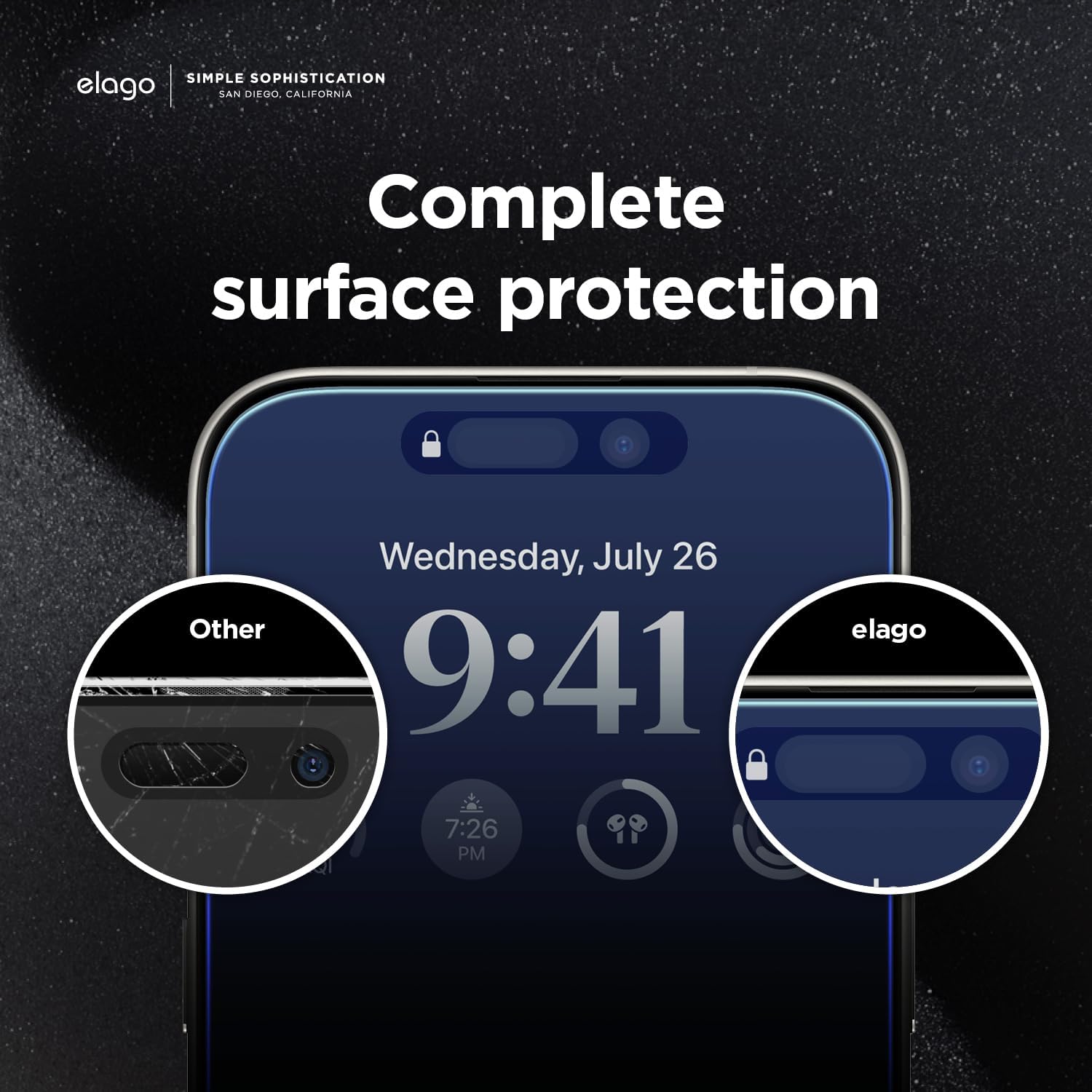
Image: Illustrates the complete surface protection provided by the elago screen protector, covering all essential areas.

Image: The screen protector ensures an undisturbed touch response for seamless interaction.
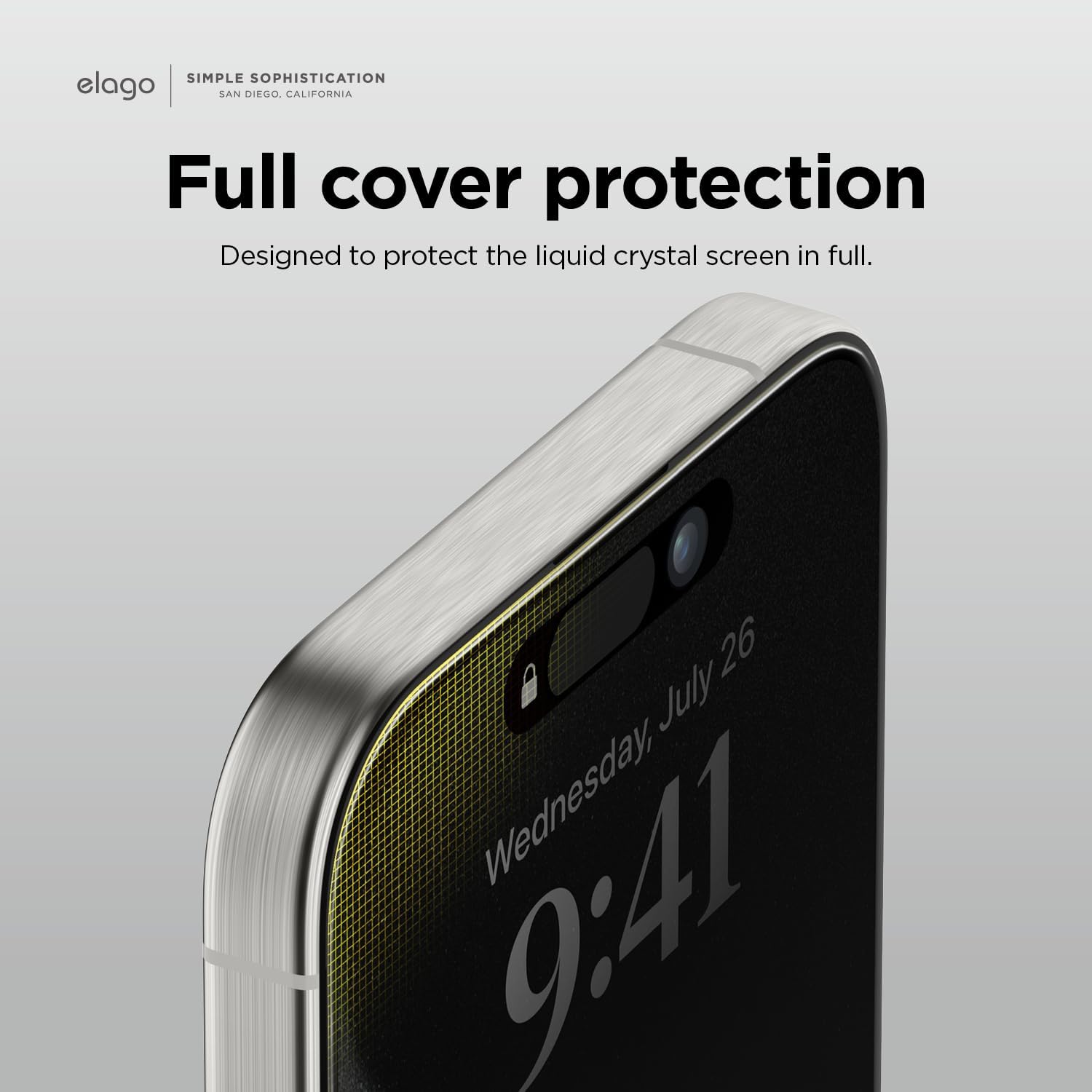
Image: The screen protector provides full coverage, protecting the entire display area.
What's Included
Your elago Privacy Glass+ Screen Protector package includes:
- elago Privacy Glass+ Screen Protector for iPhone 15 Pro
- Alcohol Swab
- Dust Cleaning Film
- Microfiber Cloth
Setup and Installation
Follow these steps for optimal installation of your screen protector:
- Clean the Screen: Use the provided alcohol swab to thoroughly clean your iPhone 15 Pro screen. Ensure all smudges, oils, and dirt are removed.
- Dry the Screen: Allow the screen to air dry completely, or gently wipe it with the microfiber cloth until no moisture marks remain.
- Remove Dust: Use the dust cleaning film to lift any remaining dust particles from the screen. Gently press the film onto the screen and peel it off. Repeat as necessary until the screen is completely dust-free.
- Align the Protector: Carefully peel off the protective film from the adhesive side of the screen protector. Align the screen protector with your iPhone's screen, paying close attention to the camera and speaker cutouts. The small gaps around the front camera and Face ID sensors can assist with alignment.
- Apply the Protector: Once aligned, gently lower the screen protector onto the screen. It will adhere automatically. If necessary, gently press from the center outwards to remove any air bubbles.
Video: Official unboxing and installation guide for the elago Privacy Glass+ Screen Protector for iPhone 15 Pro.
Usage and Privacy Functionality
The elago Privacy Glass+ Screen Protector is designed to restrict the viewing angle of your screen, ensuring your information remains private from onlookers.
- Limited Viewing Angle: The screen appears dark or obscured to anyone viewing it from a side angle (typically beyond 28 degrees from the center).
- Landscape Mode: To share your screen content with others, rotate your iPhone to landscape mode. The privacy effect is minimized in this orientation, allowing for wider viewing.

Image: Illustrates how the privacy filter blocks vision from side angles, except when the phone is in landscape mode.
Maintenance
To maintain the clarity and effectiveness of your screen protector:
- Wipe the screen regularly with a soft, lint-free cloth.
- For stubborn smudges, use a screen cleaner specifically designed for electronics.
- Avoid using harsh chemicals or abrasive materials, as these can damage the privacy and anti-fingerprint coatings.
Troubleshooting
- Bubbles After Installation: Small bubbles may disappear on their own within 24-48 hours. For larger bubbles, gently lift the nearest edge of the protector and reapply, pushing the bubble out with a microfiber cloth or a soft card.
- Dust Under Protector: If dust is trapped, carefully lift the corner of the screen protector with a piece of tape. Use another piece of tape to dab and remove the dust particle from both the screen and the adhesive side of the protector. Reapply carefully.
- Misalignment: If the protector is significantly misaligned, it may be possible to gently lift it and reapply. However, repeated attempts can reduce adhesive effectiveness.
- Reduced Touch Sensitivity: Ensure the screen protector is clean and properly adhered. If issues persist, verify that your iPhone's touch sensitivity settings are optimized.
Specifications
| Brand | elago |
| Model Number | ES15PRO-61PR |
| Compatible Devices | iPhone 15 Pro |
| Material | Tempered Glass |
| Item Hardness | 9H |
| Special Feature | Privacy Filter |
| Product Dimensions | 5.3"L x 2"W (13.46 x 5.08 cm) |
| Item Weight | 0.459 ounces (13 grams) |

Image: Compatibility overview for iPhone 15 Pro and iPhone 15 Pro Max screen protectors.
Support
For further assistance or inquiries, please visit the official elago store or contact customer support through their website. Keep your purchase receipt for any warranty claims.
elago Store: https://www.amazon.com/stores/elago/page/2640A367-F90F-48C9-A055-38FD6150C3E5