
Introduction
The Soundcore by Anker AeroFit Pro Open-Ear Headphones are designed to provide a comfortable and secure audio experience while maintaining awareness of your surroundings. Featuring LDAC audio technology, a durable IP55 water-resistant rating, and a long battery life, these headphones are suitable for various activities.
What's in the Box
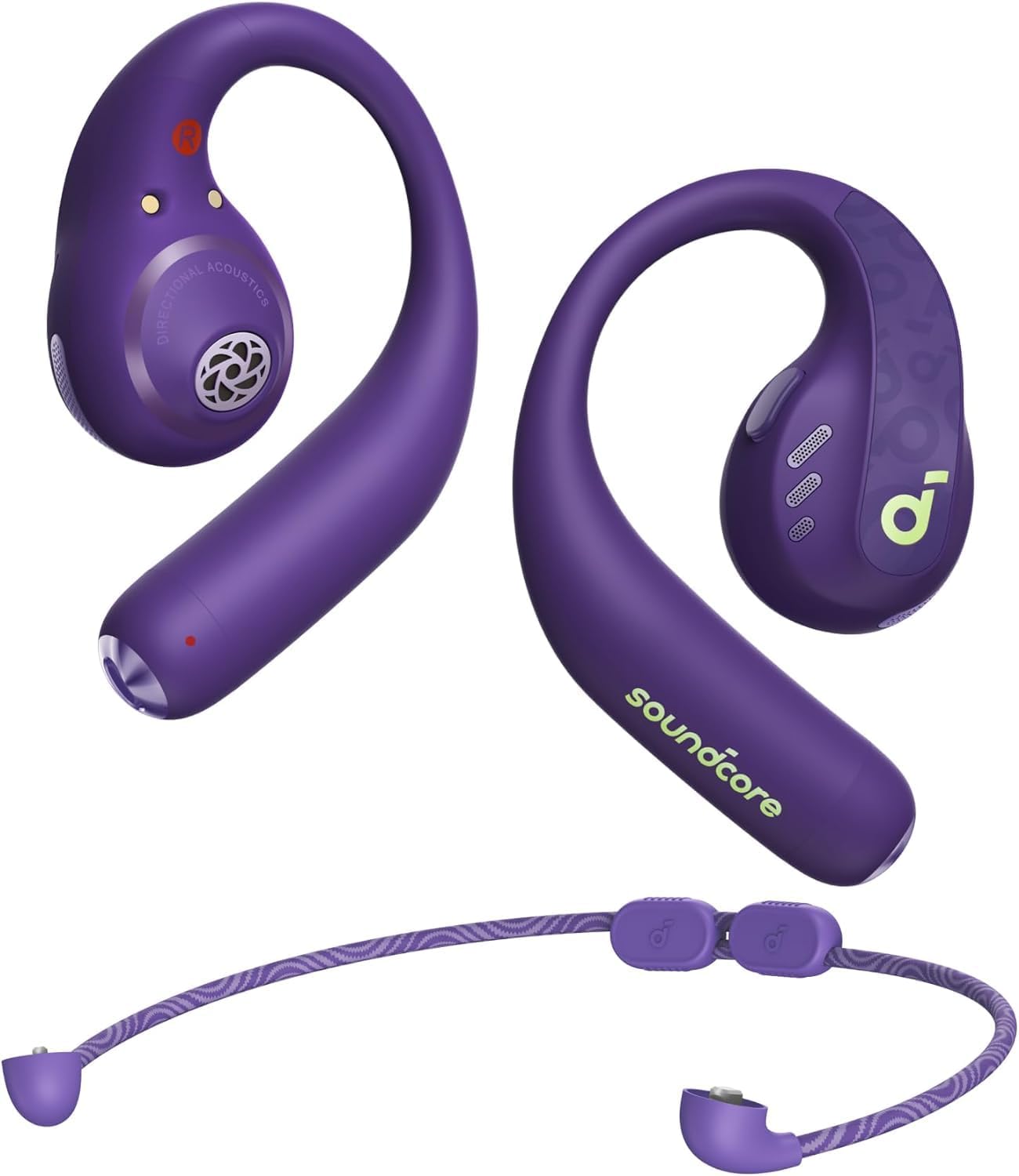
- AeroFit Pro Earbuds
- Charging Case
- Detachable Neckband
- USB-C Charging Cable
Setup
Wearing the Earbuds
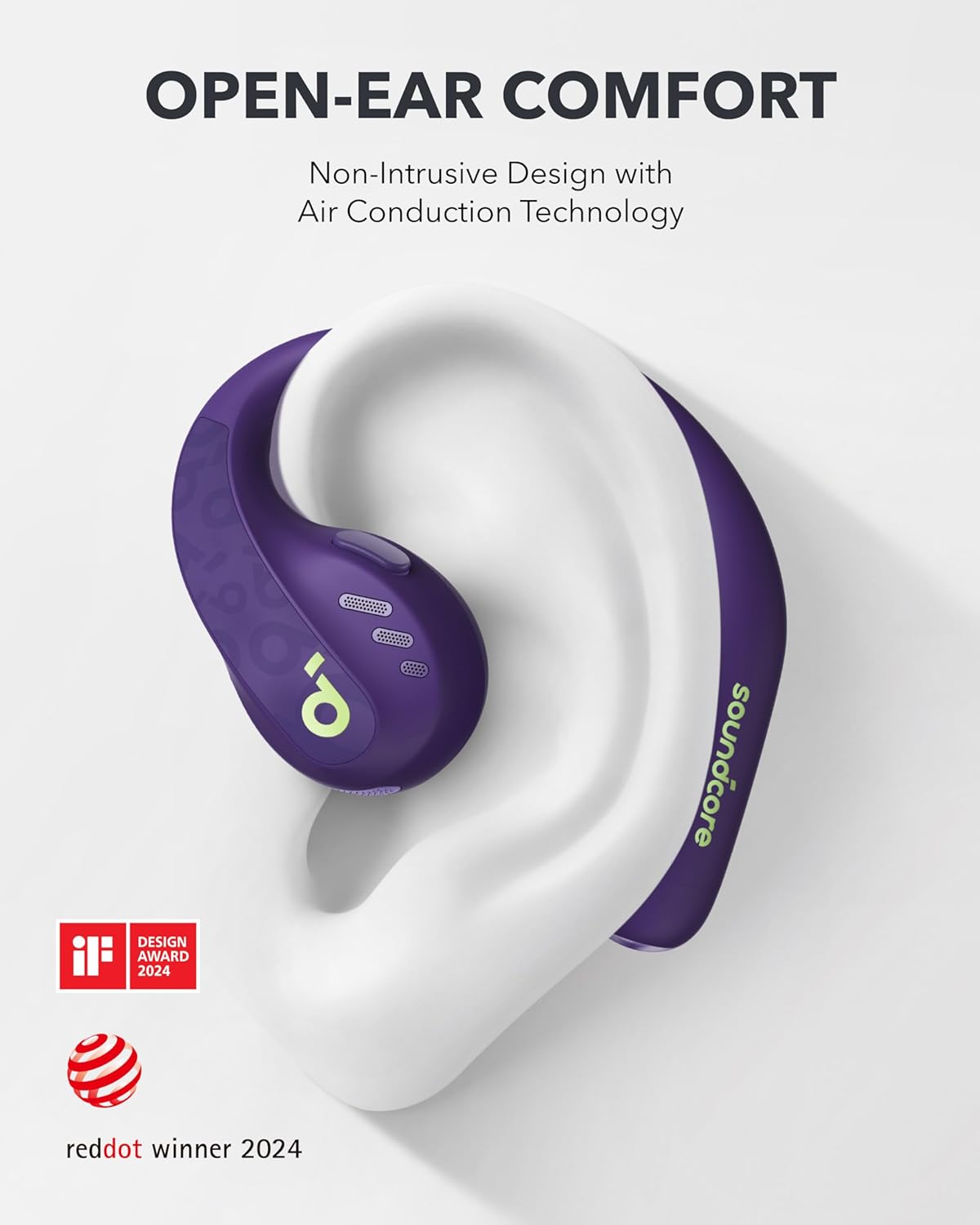
To wear the earbuds, gently rotate the ear hooks along the back of your ear until they are comfortably positioned. Ensure the earbuds sit securely without causing discomfort. For added security during active use, attach the detachable neckband.
Connecting to the Soundcore App
The Soundcore app enhances your listening experience by offering sound effects customization, control remapping, and other settings. Download the Soundcore app from your device's app store. Open the app and follow the on-screen instructions to add your AeroFit Pro headphones.
Enabling LDAC for Higher-Quality Audio
For an immersive audio experience with rich detail, enable LDAC in the Soundcore app. Navigate to the sound effects settings within the app and select the LDAC option. This will transmit three times more data than standard Bluetooth for enhanced sound quality. Note that LDAC is compatible with Android devices.
Dual Connections (Multipoint)
The AeroFit Pro supports dual connection, allowing you to switch seamlessly between two Bluetooth devices. To enable this feature, open the Soundcore app, go to settings, and select "Dual Connections" > "Enable Dual Connections" > "Connect New Device". If you need to play audio from the second device, pause the audio from the initial device first.
Operating Instructions
Controls
The earbuds feature physical button controls for various functions. You can customize these controls through the Soundcore app to suit your preferences. Default controls typically include:
- Single Press: Volume up/down (customizable)
- Double Press: Play/Pause, Next Track (customizable)
- Triple Press: Previous Track (customizable)
Battery Life
Enjoy up to 14 hours of continuous music playback on a single charge. With the included charging case, the total playtime extends to an impressive 46 hours. A quick 10-minute charge provides approximately 5.5 hours of listening time.
Maintenance
Cleaning
The detachable neckband can be cleaned by rinsing it with mild temperature, clean water. Ensure the neckband is completely dry before reattaching and using it again. The earbuds themselves are not washable; clean them with a dry, soft cloth.
Water Resistance
The AeroFit Pro headphones feature an IP55 water-resistant rating with SweatGuard technology. This protects them from sweat and water splashes, making them suitable for workouts and outdoor activities. They are not designed for submersion in water.
Troubleshooting
- No Sound: Ensure earbuds are charged, connected to your device, and volume is up.
- Pairing Issues: Place earbuds in the case, close and reopen, then try pairing again. Ensure Bluetooth is enabled on your device.
- Uncomfortable Fit: Adjust the ear hooks and consider using the detachable neckband for a more secure fit.
- App Connection Issues: Ensure the Soundcore app is updated and your device's Bluetooth is on. Restart the app if necessary.
Specifications
| Feature | Detail |
|---|---|
| Model Name | Soundcore AeroFit Pro Open-Ear Headphones |
| Item Model Number | A3871 |
| Connectivity Technology | Wireless (Bluetooth 5.3) |
| Ear Placement | Open Ear |
| Water Resistance Level | IP55 (SweatGuard) |
| Battery Life (Earbuds) | 14 Hours |
| Total Playtime (with Case) | 46 Hours |
| Charging Time (10 min) | 5.5 Hours Playtime |
| Audio Driver Type | Dynamic Driver (16.2mm titanium-coated) |
| Audio Latency | 200 Milliseconds |
| Control Type | Button Control, App Control |
| Item Weight | 0.43 ounces (12.2 Grams) |
| Product Dimensions | 2.13 x 1.58 x 0.76 inches |
Warranty and Support
Soundcore products typically come with a 24-month limited warranty. For detailed warranty information, product support, and FAQs, please visit the official Soundcore Store or refer to the quick start guide included in your product packaging.


