
1. Product Overview
The SOVMIKU Wireless Security Camera System provides comprehensive surveillance for indoor and outdoor environments. This system includes a 10-inch NVR monitor with a built-in 1TB HDD, two 3-megapixel wireless cameras, and features such as two-way audio, AI motion detection, and IP66 waterproof rating.

Figure 1: Overview of the SOVMIKU Wireless Security Camera System, including the NVR monitor, two cameras, and 1TB hard drive.
Key Features:
- 10-inch NVR Monitor: Integrated display for live viewing and playback.
- 1TB HDD Built-in: Provides ample storage for continuous recording with overwrite function.
- 3-Megapixel Cameras: Delivers clear 1536P video resolution.
- Two-Way Audio: Built-in microphone and speaker for communication.
- AI Motion Detection: Advanced detection to minimize false alarms and optimize recording.
- IP66 Waterproof: Cameras are designed for reliable outdoor use in various weather conditions.
- Remote Monitoring: Access live and recorded footage via smartphone, tablet, or PC application.
- H.265 Video Compression: Efficient storage utilization, reducing capacity requirements by approximately 50% compared to H.264.
2. Package Contents
Verify that all items listed below are included in your package:

Figure 2: Illustration of the items included in the SOVMIKU security camera system package.
- NVR Main Unit (with 1TB HDD built-in)
- 3-Megapixel IP66 Waterproof Cameras (Quantity: 2)
- Power Adapters for Cameras
- Power Adapter for NVR
- USB Mouse
- LAN Cable
- HDMI Cable
- Mounting Screws and Anti-theft Stickers
- User Manual (Japanese, but this document serves as the English equivalent)
3. Setup Guide
3.1 Initial Setup
The system is designed for simple setup. Cameras are pre-paired with the NVR. Simply power on the devices to begin surveillance.
- Connect NVR: Connect the NVR power adapter to the NVR and plug it into a power outlet.
- Connect Cameras: Connect each camera's power adapter to the camera and plug it into a power outlet.
- Monitor Display: The NVR's integrated 10-inch monitor will display the camera feeds automatically.
- Mouse Connection: Connect the included USB mouse to the NVR for navigation and configuration.

Figure 3: Diagram illustrating the simple power-on setup for the NVR and cameras, showing automatic wireless connection.
3.2 Camera Installation
The cameras are IP66 waterproof, suitable for both indoor and outdoor installation. Ensure a stable power source is available at the installation location.
- Mounting: Use the provided screws to securely mount the cameras to a wall or ceiling.
- Angle Adjustment: The camera features 180° horizontal and 360° vertical adjustment for optimal viewing angles. Secure the angle after adjustment.
- Waterproofing Connections: For outdoor installations, ensure all cable connections are properly sealed and protected from moisture.
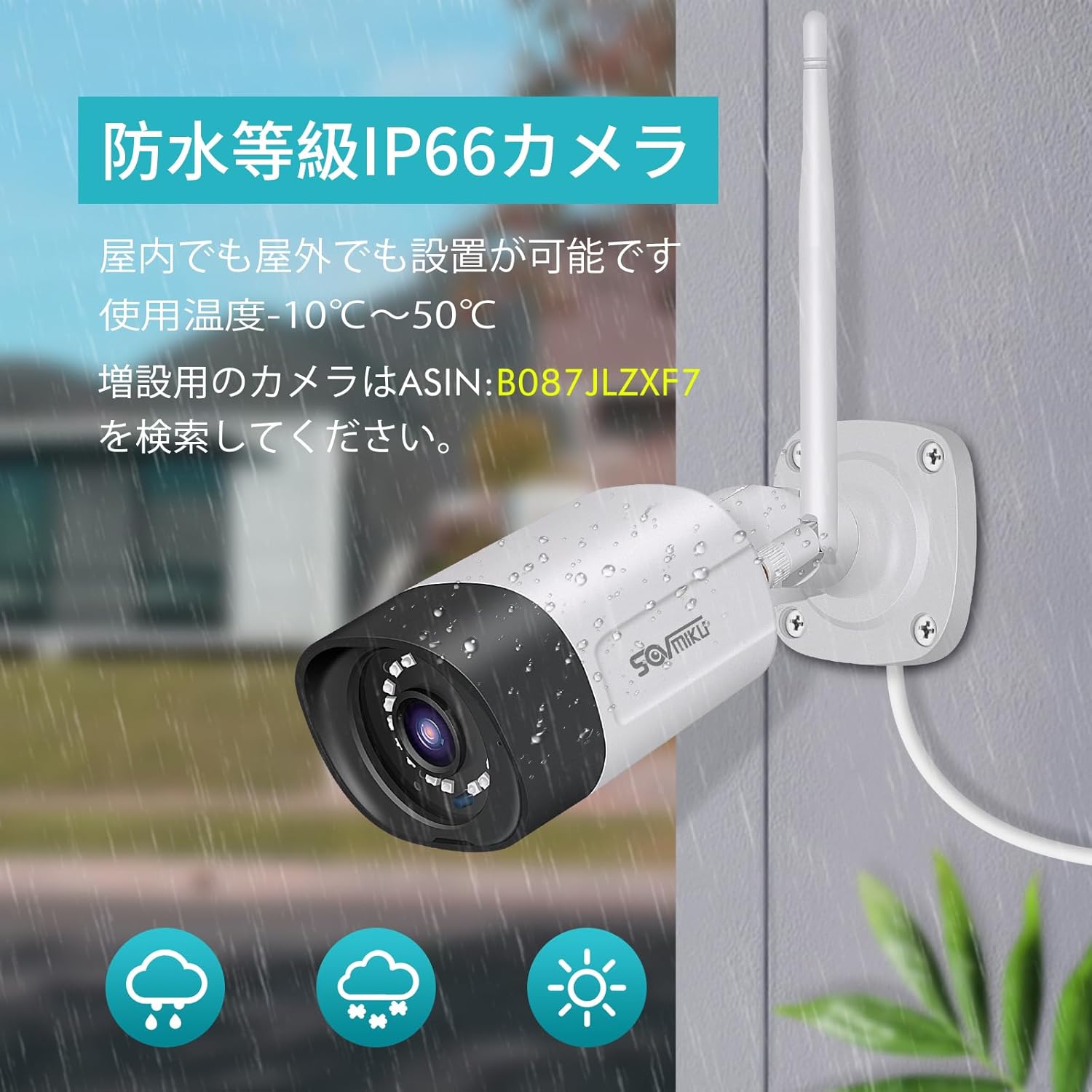
Figure 4: A SOVMIKU camera installed outdoors, demonstrating its IP66 waterproof rating against rain and snow.

Figure 5: Detailed diagram showing the camera components (wireless antenna, LED, lens, microphone, sensor light, speaker, adjustable bracket) and NVR ports (power, USB, HDMI, Ethernet, reset, TF card slot).
4. Operating Instructions
4.1 Viewing Live Feed and Playback
- On NVR Monitor: The 10-inch NVR monitor displays live feeds from connected cameras. Use the USB mouse to navigate the NVR interface for playback, system settings, and other functions.
- Remote Monitoring (EseeCloud App):
- Connect the NVR to your internet router using the provided LAN cable.
- Download the "EseeCloud" app on your smartphone or tablet (available for iOS).
- Follow the in-app instructions to add your NVR device.
- Once connected, you can view live feeds, access recorded footage, and receive notifications from anywhere.
- PC Software: For PC monitoring, download the "EseeCloud" software.
4.2 Recording Modes
The system supports various recording modes to suit your needs:
- Continuous Recording: Records 24/7. The 1TB HDD with H.265 compression allows for extended recording periods (e.g., over 2 months for 2 cameras). Older data is automatically overwritten when the HDD is full.
- Scheduled Recording: Set specific times for recording.
- Motion Detection Recording: Records only when motion is detected, saving storage space and making event review more efficient.

Figure 6: Visual representation of continuous, scheduled, and motion detection recording modes, along with notification options via app or email.
4.3 Two-Way Audio
Each camera is equipped with a built-in microphone and speaker, enabling two-way communication.
- Initiating Communication: Use the EseeCloud app on your mobile device to speak through the camera's speaker and listen through its microphone.
- Clear Sound: The omnidirectional microphone and optimized algorithms ensure clear sound quality.

Figure 7: Demonstration of the two-way audio function, showing a user communicating with someone at their door via the camera and smartphone app.
4.4 AI Motion Detection and Notifications
The system utilizes AI human detection to accurately identify human movement, reducing false alarms from pets or environmental factors.
- Event Notification: When motion is detected, the system can send instant notifications to your mobile app or email.
- Efficient Search: Recorded events triggered by motion detection can be quickly searched and reviewed.

Figure 8: Illustration of H.265 video compression efficiency (1TB H.265 equals 2TB H.264) and AI human detection identifying a person in a scene.

Figure 9: A visual comparison demonstrating the superior clarity and detail of 5-megapixel resolution compared to 1.3-megapixel resolution, highlighting the system's high-definition capabilities.
5. Maintenance
Regular maintenance ensures optimal performance and longevity of your security system.
- Camera Lens Cleaning: Periodically clean the camera lenses with a soft, damp cloth to remove dust, dirt, or water spots that may obscure the view. Avoid abrasive cleaners.
- Check Connections: Ensure all power and network cables are securely connected and free from damage.
- Firmware Updates: Check the EseeCloud app or SOVMIKU website for any available firmware updates for the NVR and cameras to ensure the latest features and security patches.
- HDD Health: While the 1TB HDD is built-in, it's good practice to periodically check its status through the NVR settings to ensure it's functioning correctly.
6. Troubleshooting
If you encounter issues with your SOVMIKU security camera system, refer to the following common troubleshooting steps:
- No Image on Monitor:
- Ensure the NVR and cameras are powered on and their power adapters are securely connected.
- Check if the NVR's internal monitor is functioning. If using an external monitor, ensure the HDMI cable is connected correctly.
- Cameras Not Connecting to NVR:
- Verify that cameras are within range of the NVR's wireless signal. Walls and obstacles can reduce signal strength.
- Restart both the NVR and the cameras.
- If adding new cameras or re-pairing, refer to the NVR's on-screen menu for camera pairing instructions.
- No Remote Access via App:
- Ensure the NVR is connected to your internet router via the LAN cable.
- Check your internet connection.
- Verify that the NVR is correctly added to the EseeCloud app and has an active network status.
- Poor Image Quality:
- Clean the camera lens.
- Ensure there are no obstructions in the camera's field of view.
- Check the camera's resolution settings in the NVR interface.
- Two-Way Audio Issues:
- Ensure the microphone and speaker settings are enabled in the NVR or app.
- Check for any physical obstructions blocking the microphone or speaker on the camera.
- Verify network stability for clear audio transmission.
7. Specifications
| Feature | Detail |
|---|---|
| Brand | SOVMIKU |
| Model Number | SFWK-10V-2HB312-1T |
| Video Capture Resolution | 1536p (3 Megapixel) |
| Special Feature | Waterproof (IP66) |
| Number of Channels | 8 (Supports up to 8 cameras) |
| Memory Storage Capacity | 1 TB HDD (Built-in) |
| Power Source | Corded Electric |
| Operating System (App) | iOS (and Android compatible via EseeCloud app) |
| Compatible Devices | Smartphone, Tablet, PC |
| Other Camera Features | Front-facing, Night color (low light technology) |
| Recording Mode | Continuous, Scheduled, Motion Detection |
| Hardware Interface | 802.11 ac/b/g/n (Wireless), Ethernet, HDMI, USB |
| Lens Type | Wide Angle (3.6 mm) |
| Product Dimensions (NVR) | 29 x 17 x 24 cm |
| Item Weight | 2.88 kg |
| UPC | 616612550644 |
8. Warranty and Support
SOVMIKU provides comprehensive support for its products.
- 1-Year Quality Warranty: The product comes with a 12-month warranty from the date of purchase.
- Technical Support: Professional technical support is available to assist with setup, operation, and troubleshooting.
- Contact Information: For any questions or issues, please contact SOVMIKU customer support via email or phone. (Specific contact details are usually provided in the physical manual or on the product's official website.)
- PSE Certification: Our products have passed PSE certification in accordance with Japanese electrical safety standards, ensuring safe usage.


