
1. Introduction
Thank you for choosing the Fmart Robot Window Cleaner T10. This intelligent device is designed to simplify window cleaning, offering an efficient and safe solution for various glass surfaces. The T10 features an ultra-thin design, powerful suction, and smart navigation to ensure thorough cleaning. Please read this manual carefully before using the product to ensure proper operation and maintenance.

Image 1.1: The Fmart Robot Window Cleaner T10, showcasing its sleek design, accompanying remote control application interface, and a set of cleaning pads.
2. Safety Information
To ensure safe operation and prevent damage, please adhere to the following safety guidelines:
- Always connect the safety rope before operation, especially when cleaning high windows.
- Ensure the power cord is securely connected and not tangled.
- Do not use the robot on cracked or damaged glass surfaces.
- Keep hands, hair, and loose clothing away from moving parts.
- Do not use the robot in rainy or extremely humid conditions.
- Keep out of reach of children and pets.
- Only use recommended cleaning solutions and accessories.
3. Package Contents
Verify that all items are present in the package:
- Fmart Robot Window Cleaner T10
- Power Adapter and Power Cord
- Remote Control
- Cleaning Pads (multiple pairs)
- Safety Rope
- Water Filling Bottle
- User Manual
4. Product Overview and Components
Familiarize yourself with the main components of your Fmart T10 robot window cleaner.

Image 4.1: Overview of the Fmart T10 Robot Window Cleaner's key features, highlighting its 120ML water tank capacity, various cleaning modes (Auto, Spot), control options (App, Remote Control), and multi-language voice announcements.
- Power Button: To turn the device on/off.
- Water Tank: 120ML capacity for cleaning solution.
- Spray Nozzles: Dual spray system for efficient cleaning.
- Cleaning Pads: Removable and washable microfiber pads.
- Safety Rope Attachment Point: For securing the safety rope.
- Power Port: For connecting the power adapter.
5. Setup
- Charge the Robot: Connect the power adapter to the robot and a power outlet. Ensure the robot is fully charged before first use.
- Attach Cleaning Pads: Securely attach clean microfiber pads to the bottom of the robot. Ensure they are properly aligned.
- Fill Water Tank: Open the water tank cap and fill it with appropriate window cleaning solution using the provided filling bottle. The tank has a 120ML capacity.

Image 5.1: The Fmart T10 robot illustrating its dual spray system and the large 120ML water tank, designed for extended cleaning sessions.
- Connect Safety Rope: Attach one end of the safety rope to the robot's safety attachment point and the other end to a secure fixture indoors.
- Power On: Press and hold the power button on the robot until it powers on.
6. Operating Instructions
The Fmart T10 can be controlled via its remote control or a dedicated mobile application.
6.1. Initial Placement and Start
- Place the robot on the window surface, ensuring it is flat against the glass.
- Press the power button on the robot or the start button on the remote control/app. The robot will suction onto the glass.
- Once suction is stable, select a cleaning mode. The robot features intelligent path planning and edge detection.
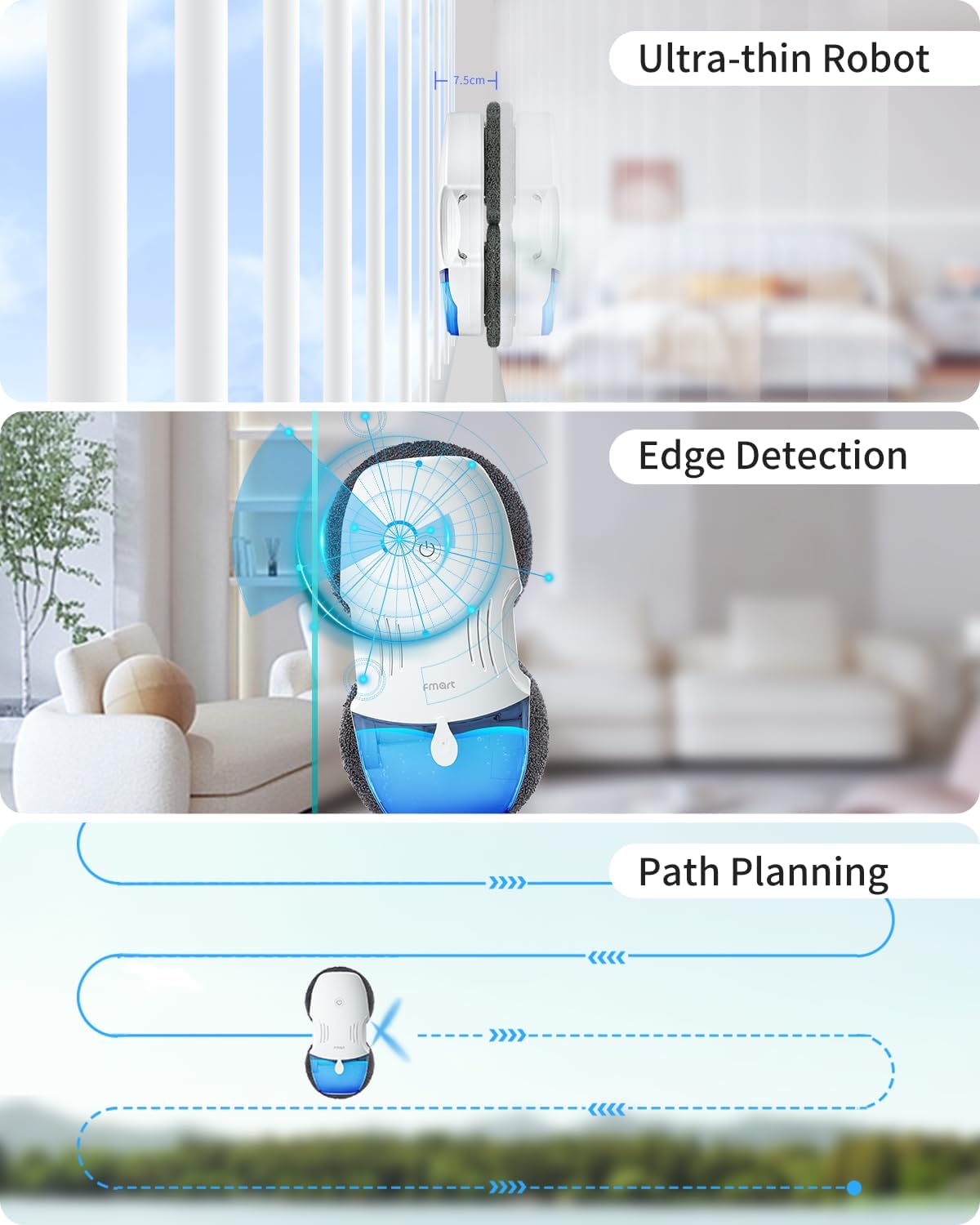
Image 6.1: The Fmart T10 showcasing its ultra-thin profile, advanced edge detection system, and intelligent path planning for efficient window cleaning.
6.2. Cleaning Modes
- Automatic Mode: The robot will automatically detect the window size and plan the optimal cleaning path.
- Spot Cleaning Mode: For concentrated cleaning on specific dirty areas.
- Manual Control: Use the remote control or app to direct the robot's movement.
6.3. Smart Features
- Intelligent Remote Control: Equipped with a 2.4 GHz remote control for distance operation and voice announcements.
- App Control: Command the robot via a remote application available in 10 different languages (English, German, French, Italian, Russian, Korean, Portuguese, Spanish, Japanese, Chinese).
- Auto Adjustment of Suction Power: The robot adjusts its suction based on the surface condition and dirt level, ranging from 2600Pa for light stains to 3800Pa for heavy oil stains.

Image 6.2: The Fmart T10's automatic suction power adjustment feature, illustrating how it adapts suction from 2600Pa for light rain stains to 3800Pa for heavy oil stains, ensuring optimal cleaning performance.
7. Maintenance
Regular maintenance ensures the longevity and optimal performance of your Fmart T10.
- Clean Cleaning Pads: After each use, remove and wash the microfiber pads. They can be hand-washed or machine-washed. Ensure they are completely dry before reattaching.
- Empty and Clean Water Tank: Regularly empty any remaining cleaning solution and rinse the water tank to prevent residue buildup.
- Clean Sensors: Gently wipe the robot's sensors with a soft, dry cloth to ensure accurate edge detection and navigation.
- Inspect Safety Rope: Periodically check the safety rope for any signs of wear or damage. Replace if necessary.
- Store Properly: When not in use, store the robot in a cool, dry place away from direct sunlight.
8. Troubleshooting
If you encounter issues with your Fmart T10, refer to the following common problems and solutions:
| Problem | Possible Cause | Solution |
|---|---|---|
| Robot does not suction to window. | Insufficient power; dirty cleaning pads; uneven surface; air leakage. | Ensure robot is charged and plugged in. Clean or replace pads. Ensure surface is flat. Check for obstructions. |
| Robot leaves streaks. | Pads are too dirty or wet; incorrect cleaning solution; window too dirty. | Replace with clean, slightly damp pads. Use appropriate cleaning solution. Pre-clean heavily soiled windows. |
| Robot stops unexpectedly. | Low battery; power disconnection; sensor error. | Recharge robot. Check power cord connection. Clean sensors. |
| Spray function not working. | Water tank empty; nozzle clogged; insufficient pressure. | Refill water tank. Clean spray nozzles. Ensure proper water tank installation. |
If the problem persists after attempting these solutions, please contact Fmart customer support.
9. Specifications
| Feature | Detail |
|---|---|
| Brand | Fmart |
| Model Number | T10 |
| Color | White |
| Dimensions (Package) | 32.7 x 27.6 x 12.3 cm |
| Item Weight | 2.32 Kilograms |
| Water Tank Capacity | 120 Milliliters |
| Control Method | Remote Control, App Control |
| Special Features | Powerful dual spray system, large water tank, ultra-thin design, intelligent control, safety protection, auto suction adjustment. |
| Surface Recommendation | Glass/Window |
10. Warranty and Support
Fmart products are designed and manufactured to the highest quality standards. For information regarding warranty coverage, technical support, or spare parts availability, please refer to the warranty card included in your package or visit the official Fmart website.
For further assistance, you may contact Fmart customer service through the contact information provided on their official website or within the product's mobile application.