
1. Introduction
The Retevis RA89 is a robust and versatile dual-band handheld ham radio designed for reliable communication in various environments, including emergency and outdoor scenarios. Featuring IP68 waterproofing, high power output, noise reduction, and convenient USB-C charging, it offers a comprehensive solution for amateur radio enthusiasts and survival preparedness.

Figure 1.1: Retevis RA89 Ham Radio with charging base and USB cable.
2. Package Contents
Verify that all items listed below are included in your package:
- 1 x RA89 Two Way Radio
- 1 x 2500mAh Li-ion Batteries
- 1 x USB-C Charging Cable
- 1 x Belt Clip
- 1 x User Manual (this document)

Figure 2.1: All components included in the Retevis RA89 package.
3. Key Features
- 10W Dual Band Radio: High power output for extended communication range.
- IP68 Waterproof and Rugged: Provides necessary waterproof, dustproof, and dropproof triple protection for harsh environments.
- Type-C Rechargeable: 2500mAh large battery capacity with USB-C charging for convenience.
- VFO Mode & CHIRP Support: Allows direct frequency input and parameter changes without a computer.
- Intelligent Noise Reduction: Effectively reduces background noise for clear communication.
- Easy to Pair: One-key pairing function for quick setup with compatible radios.
- SOS Emergency Alarm: Built-in emergency alarm function for critical situations.
- Flashlight: Integrated flashlight for illumination in low-light conditions.
3.1 IP68 Waterproofing
The RA89 is designed to withstand immersion in water up to 1 meter deep for 1 hour, ensuring functionality even in challenging wet conditions. This feature is crucial for emergency and outdoor use.

Figure 3.1.1: The RA89 radio submerged in water, highlighting its IP68 waterproof capability.
Video 3.1.1: Demonstration of Retevis RA89's IP68 waterproof capabilities.
Video 3.1.2: An extensive torture test demonstrating the Retevis RA89's IP68 durability in water and sand.
3.2 Noise Reduction
The built-in noise reduction chip significantly improves audio clarity by reducing up to 95% of background noise, ensuring clear communication even in noisy environments.

Figure 3.2.1: Visual representation of the RA89's noise reduction capability.
Video 3.2.1: Demonstration of the Retevis RA89's noise reduction feature for clearer audio.
3.3 Long Range Communication
With 10W dual-band output and adjustable power modes (high, medium, low), the RA89 facilitates long-range communication, suitable for both urban and rural areas.

Figure 3.3.1: The RA89's capability for long-distance communication.
Video 3.3.1: Overview of the Retevis RA89's long-range communication capabilities.
3.4 USB Type-C Charging & Battery
Equipped with a 2500mAh Li-ion battery and a Type-C charging port, the RA89 offers extended standby time (up to 75 hours) and flexible charging options, including USB adapter, power bank, PC, and vehicle charging.
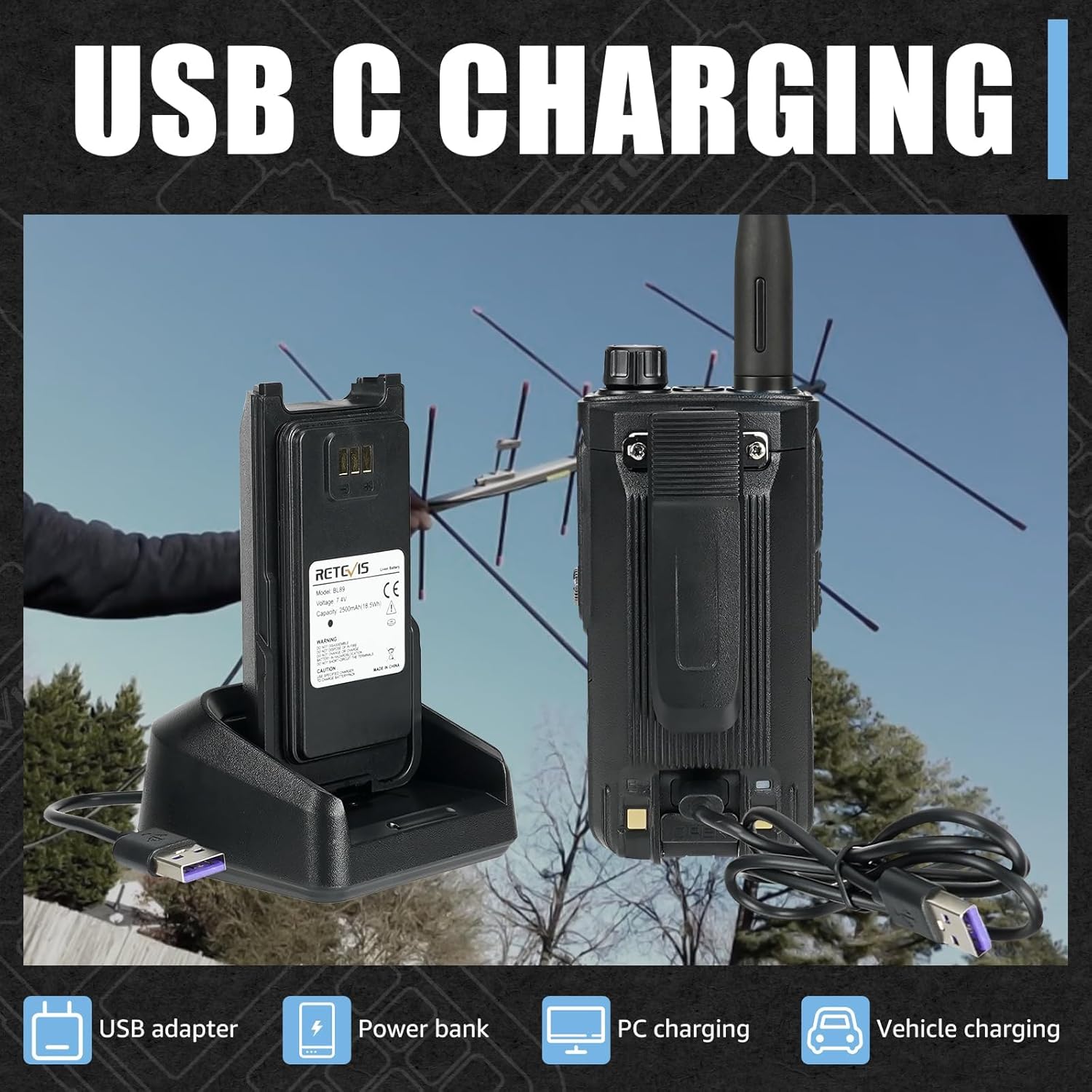
Figure 3.4.1: USB-C charging options for the RA89 radio.

Figure 3.4.2: The 2500mAh rechargeable battery and its standby time.
3.5 Dual Band Operation
The RA89 supports dual-band operation, allowing simultaneous monitoring of two different frequencies (e.g., 144-148Mhz and 420-450Mhz), enhancing communication flexibility.

Figure 3.5.1: Dual band display on the RA89 radio.
3.6 Emergency Alarm
The SOS emergency alarm function provides a critical safety feature, enabling users to signal for help in urgent situations.

Figure 3.6.1: Emergency alarm buttons on the RA89.
4. Setup
Before first use, ensure the battery is fully charged and the antenna is securely attached.
- Charge the Battery: Connect the USB-C charging cable to the radio or use the charging base with the provided adapter. The charging indicator will show charging status.
- Attach Antenna: Screw the antenna clockwise onto the antenna connector on top of the radio until it is firm. Do not overtighten.
- Attach Belt Clip (Optional): Secure the belt clip to the back of the radio using the provided screws.
Figure 4.1: Charging the RA89 battery via USB-C or charging base.
5. Operating Instructions
5.1 VFO Mode & Manual Frequency Input
VFO (Variable Frequency Oscillator) mode allows direct input of frequencies. This is useful for quickly accessing specific frequencies without pre-programming channels.
- Press the F button to enter VFO mode if not already in it.
- Use the numeric keypad to input the desired frequency.
- Press #RADIO to confirm the frequency.

Figure 5.1.1: Manually inputting frequencies in VFO mode.
Video 5.1.1: Demonstration of VFO mode and manual frequency input on the Retevis RA89.
5.2 One-Key Frequency Copy
The one-key pairing function allows for quick frequency copying between compatible RA89 radios, simplifying setup for multiple units.
- Ensure both radios are powered on and within range.
- On the receiving radio, long press the A/B button to initiate the scan and copy process. The radio will scan for frequencies from the transmitting radio.
- Once a frequency is detected and copied, the radio will confirm.

Figure 5.2.1: Using the A/B button for one-key frequency copy.
Video 5.2.1: How to use the one-key frequency copy feature on the Retevis RA89.
5.3 Easy Pairing
The RA89 offers an easy pairing function to quickly connect with other walkie-talkies of the same model.
- Place the two RA89 radios close to each other.
- On one radio, long press the A/B key to scan different frequencies within a certain range.
- The radio will automatically seek and pair with the other walkie-talkie.
Video 5.3.1: Easy pairing process for Retevis RA89 radios.
5.4 Adjustable Backlight
The display backlight can be adjusted to suit different lighting conditions, improving visibility and conserving battery life.
- Press the F button to access the function menu.
- Navigate to the "LIGHT" or "Backlight" setting.
- Use the up/down arrow keys to select a backlight level from 1 to 7.
- Press #RADIO to confirm the setting.

Figure 5.4.1: Adjusting the backlight intensity on the RA89.
6. Maintenance
Proper maintenance ensures the longevity and optimal performance of your Retevis RA89 radio.
- Cleaning: Wipe the radio's surface with a soft, damp cloth. Do not use harsh chemicals or abrasive cleaners.
- Battery Care: Store the battery in a cool, dry place when not in use. Avoid fully discharging the battery frequently to prolong its lifespan.
- Antenna: Ensure the antenna is clean and free from damage. A damaged antenna can affect performance.
- Waterproofing: Always ensure the earpiece jack cover is securely in place to maintain IP68 rating.
7. Troubleshooting
This section addresses common issues you might encounter with your RA89 radio.
| Problem | Possible Cause | Solution |
|---|---|---|
| Radio does not power on. | Low or dead battery. | Charge the battery fully. |
| Poor reception or transmission. | Antenna not properly attached or damaged; out of range. | Check antenna connection; replace if damaged. Move closer to other radio. |
| Cannot hear audio or audio is distorted. | Volume too low; noise reduction active in quiet environment; speaker blocked. | Increase volume; adjust noise reduction settings; clear speaker. |
| Cannot pair with another radio. | Radios are not compatible; incorrect pairing procedure. | Ensure radios are the same model; follow one-key copy instructions carefully. |
8. Specifications
| Feature | Detail |
|---|---|
| Item Weight | 10.4 ounces |
| Product Dimensions | 1.69 x 2.44 x 4.96 inches |
| Country of Origin | China |
| Item model number | RA89 |
| Batteries | 1 Lithium Ion batteries required. (included) |
| Display Type | LCD |
| Brand | Retevis |
| Color | Black |
| Number of Channels | 200 |
| Frequency Range | 144-148Mhz/420-450Mhz |
| Talking Range Maximum | 5 Kilometer |
| Tuner Technology | dual band |
| Voltage | 7.4 Volts (DC) |
| Water Resistance Level | Waterproof |
9. Warranty and Support
Retevis provides a 2-year warranty for the radio body and a 1-year warranty for accessories. A 30-day no-reason return policy is also in effect. Beyond the warranty period, maintenance services are still offered, with buyers responsible for associated costs.
For any inquiries or support, please contact Retevis directly on Amazon. They aim to reply within 12 hours.
For a detailed user guide in PDF format, please refer to the official document: Retevis RA89 User Guide (PDF).


