
1. Introduction
Thank you for purchasing the JAUYXIAN T11-T Karaoke Machine. This portable PA system is designed to deliver powerful audio with dual 6.5-inch subwoofers, two wireless microphones, and dynamic disco lights, creating an immersive audio-visual experience. This manual provides detailed instructions for setup, operation, and maintenance to ensure optimal performance and longevity of your device. Please read this manual thoroughly before use and retain it for future reference.

Image 1.1: The JAUYXIAN T11-T Karaoke Machine, including the main speaker unit, two wireless UHF microphones, and a remote control.
2. Package Contents
Please check the package for the following items:
- 1 x JAUYXIAN T11-T Karaoke Machine (with Dual 60W 6.5" Subwoofer)
- 2 x Wireless Microphones
- 1 x Remote Control
- 1 x Shoulder Strap
- 1 x User Manual (this document)
- 1 x Charging Cable (not explicitly listed but implied for a battery-powered device)
3. Product Overview
The JAUYXIAN T11-T features a robust design with intuitive controls for an enhanced audio experience. Familiarize yourself with the main components and control panel before operation.
3.1 Main Unit Features
- Dual 6.5-inch Full-Range Speakers: Delivers powerful and clear audio with deep bass.
- Integrated Disco Lights: Dynamic LED lights that synchronize with music.
- Portable Design: Equipped with a convenient handle and shoulder strap for easy transport.
- Multiple Audio Inputs: Supports Bluetooth, USB, TF card, and AUX connections.
- True Wireless Stereo (TWS): Allows pairing with a second T11-T unit for expanded stereo sound.
- Rechargeable Battery: Provides extended playback time.
3.2 Control Panel
The control panel is located on the top of the main unit, providing access to all functions. Refer to the image below for a detailed layout.
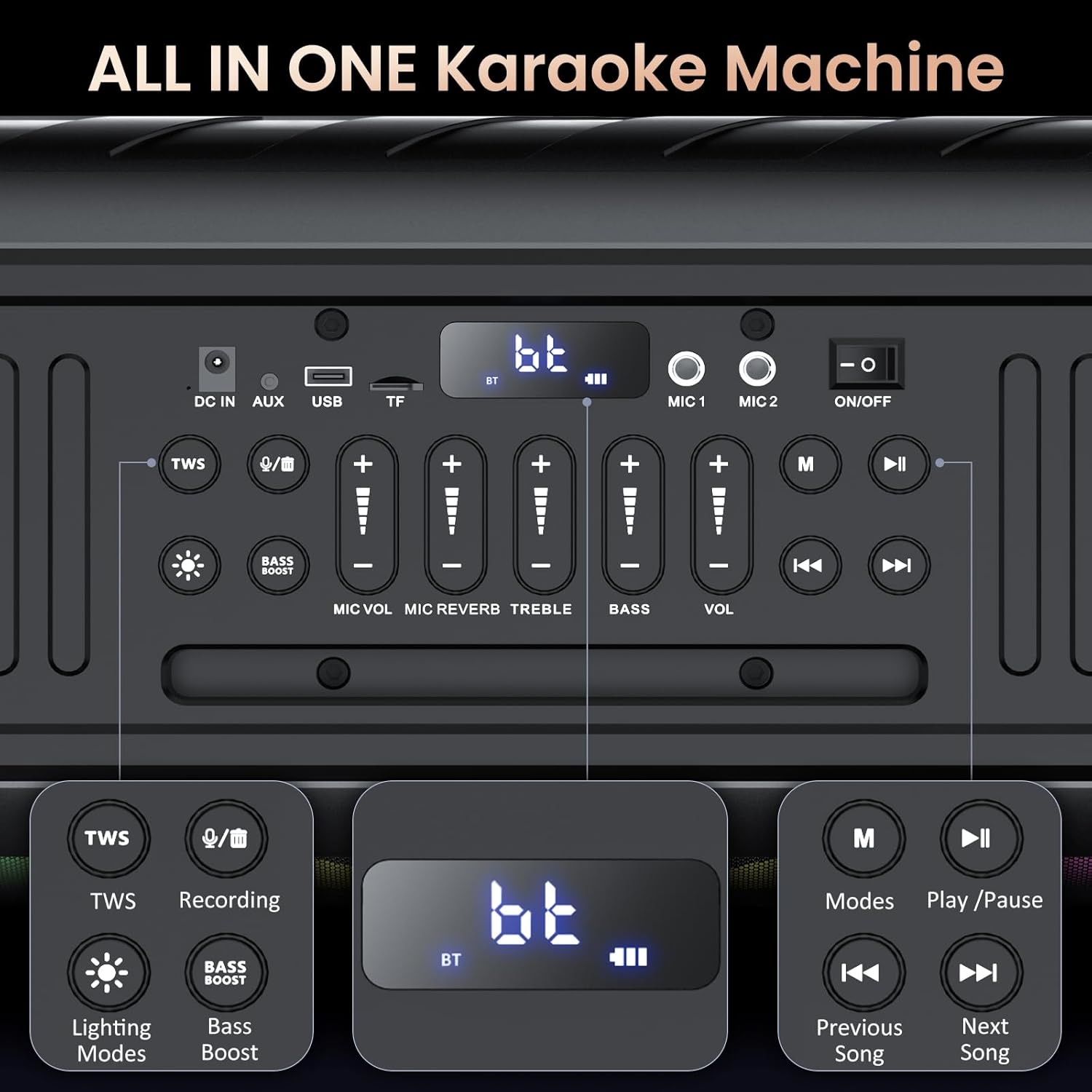
Image 3.1: Detailed view of the T11-T control panel, illustrating input ports (DC IN, AUX, USB, TF), microphone inputs (MIC 1, MIC 2), power switch, and various control buttons for TWS, recording, lighting modes, bass boost, microphone volume, reverb, treble, bass, master volume, mode selection, and track control.
Key Controls:
- DC IN: Power input for charging.
- AUX: 3.5mm audio input for external devices.
- USB: USB port for media playback and recording.
- TF: TF (MicroSD) card slot for media playback.
- MIC 1 / MIC 2: Inputs for wired microphones (if used, though wireless mics are included).
- ON/OFF: Power switch for the unit.
- TWS Button: Initiates True Wireless Stereo pairing.
- Recording Button: Starts/stops audio recording to USB/TF.
- Lighting Modes Button: Cycles through various disco light patterns.
- Bass Boost Button: Enhances bass output.
- MIC VOL: Adjusts microphone volume.
- MIC REVERB: Adjusts microphone reverb effect.
- TREBLE: Adjusts overall treble level.
- BASS: Adjusts overall bass level.
- VOL: Master volume control for music playback.
- M (Mode) Button: Switches between input modes (Bluetooth, AUX, USB, TF).
- Play/Pause Button: Controls media playback.
- Previous/Next Song Buttons: Navigates tracks.
4. Setup
4.1 Charging the Speaker
Before initial use, fully charge the karaoke machine. Connect the charging cable to the DC IN port on the control panel and plug the other end into a power outlet. The charging indicator will show the charging status. A full charge ensures maximum playback time.
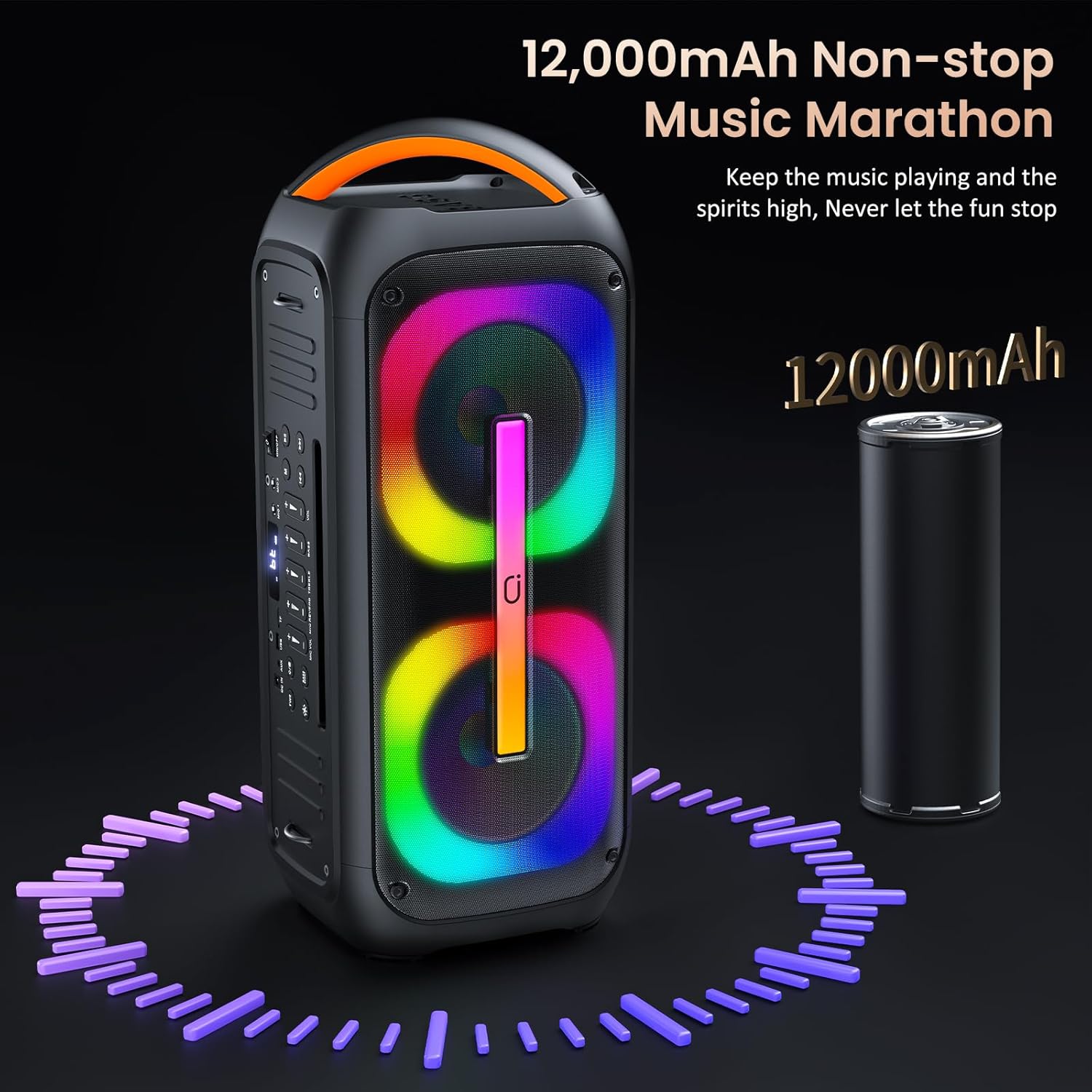
Image 4.1: The T11-T speaker highlighting its 12,000mAh battery capacity, indicating long-lasting performance.
4.2 Microphone Battery Installation
The wireless microphones require batteries (typically AA, please check the microphone compartment for specific type). Open the battery compartment on each microphone, insert the batteries according to the polarity markings, and close the compartment securely.
4.3 Powering On/Off
To power on the karaoke machine, slide the ON/OFF switch on the control panel to the 'ON' position. To power off, slide the switch to the 'OFF' position.
5. Operating Instructions
5.1 Bluetooth Connection
- Power on the T11-T karaoke machine. It will automatically enter Bluetooth pairing mode, indicated by a flashing 'bt' on the display.
- Enable Bluetooth on your smartphone, tablet, or other Bluetooth-enabled device.
- Search for available devices and select "JAUYXIAN T11-T" from the list.
- Once connected, the 'bt' indicator will stop flashing, and you can begin playing audio wirelessly.
5.2 True Wireless Stereo (TWS) Pairing
The TWS function allows you to connect two JAUYXIAN T11-T units wirelessly for a stereo sound experience.
- Ensure both T11-T units are powered on and not connected to any Bluetooth device.
- On one unit (this will be the primary unit), press and hold the TWS button until you hear a pairing prompt.
- The primary unit will search for the secondary unit. Once connected, you will hear a confirmation sound.
- Now, connect your Bluetooth device to the primary T11-T unit as described in Section 5.1. Audio will play in stereo through both units.

Image 5.1: Two T11-T units demonstrating the True Wireless Stereo (TWS) pairing feature, creating a broader soundstage for performances.
5.3 USB/TF Card Playback
- Insert a USB flash drive or TF (MicroSD) card containing MP3 audio files into the respective port on the control panel.
- The unit will automatically switch to USB/TF mode and begin playing audio. If not, press the M (Mode) button to select the correct input.
- Use the Play/Pause and Previous/Next Song buttons to control playback.
5.4 AUX Input
- Connect an external audio device (e.g., MP3 player, computer) to the AUX port using a 3.5mm audio cable (not included).
- Press the M (Mode) button to switch to AUX input mode.
- Control playback from your connected device.
5.5 Microphone Operation
The included wireless microphones are pre-paired with the unit. Simply power them on to use.
- Microphone Volume: Use the MIC VOL slider on the control panel to adjust the volume of the microphones.
- Microphone Reverb: Use the MIC REVERB slider to add or reduce echo effect to your voice.
- Treble and Bass: The TREBLE and BASS sliders adjust the overall tone of the music and microphone audio.
5.6 Light Modes
Press the Lighting Modes button to cycle through various dynamic light patterns on the speaker's front panel. The lights will react to the rhythm of the music.

Image 5.2: The T11-T speaker showcasing different rhythmic light themes that enhance the musical experience.
5.7 Recording Function
To record your performance:
- Ensure a USB flash drive or TF card is inserted into the unit.
- Press the Recording button to start recording.
- Press the Recording button again to stop recording. The audio will be saved to the inserted storage device.
5.8 Remote Control Usage
The included remote control provides convenient access to most functions from a distance. Point the remote control towards the front panel of the karaoke machine for optimal response.
6. Maintenance
- Cleaning: Use a soft, dry cloth to clean the exterior of the unit. Do not use liquid cleaners or abrasive materials.
- Storage: Store the unit in a cool, dry place away from direct sunlight and extreme temperatures.
- Battery Care: If the unit will not be used for an extended period, charge it periodically to maintain battery health. Remove batteries from microphones if not used for long durations.
- Avoid Water: Keep the device away from water and moisture to prevent damage.
7. Troubleshooting
| Problem | Possible Cause | Solution |
|---|---|---|
| No power | Battery is depleted; Power switch is off. | Charge the unit; Ensure power switch is in 'ON' position. |
| No sound from speaker | Volume is too low; Incorrect input mode; Device not connected properly. | Increase master volume; Press 'M' button to select correct input; Reconnect Bluetooth/AUX/USB/TF. |
| Microphone not working | Microphone batteries are low/incorrectly inserted; Microphone is off; MIC VOL is too low. | Replace/reinsert microphone batteries; Power on microphone; Increase MIC VOL. |
| Bluetooth pairing failed | Device too far; Bluetooth not enabled on source; Unit already connected to another device. | Move device closer; Enable Bluetooth on source; Disconnect from other devices and try again. |
| TWS pairing failed | Units too far apart; One unit already connected via Bluetooth. | Ensure units are close; Disconnect Bluetooth from both units before TWS pairing. |
| Distorted sound | Volume too high; Audio source quality is poor. | Reduce volume; Try a different audio source. |
8. Specifications
- Brand: JAUYXIAN
- Model: T11-T
- Mounting Type: Floor Standing
- Power Source: Battery Powered
- Connector Type: AUX, USB
- Item Weight: 12 Pounds (5.44 kg)
- Number of Channels: 2
- Audio Input: Bluetooth, USB, AUX
- Recommended Uses: Commercial, Gatherings, Home, Party
- Product Dimensions (L x W x H): 3.94 x 3.94 x 3.94 inches (10 x 10 x 10 cm) - Note: This dimension appears to be a placeholder and may not reflect the actual product size.
- Batteries: 1 Lithium Ion battery required (included)
- Connectivity Technology: AUX, Bluetooth, USB
- Color: Black
- Compatible Devices: Guitar, Smartphone, Tablet, Television, iPhone
9. Warranty and Support
JAUYXIAN products are manufactured to high-quality standards. For warranty information, please refer to the documentation provided at the time of purchase or contact your retailer. If you encounter any issues or require technical assistance, please contact JAUYXIAN customer support through the official website or your purchase platform. Please have your model number (T11-T) and purchase details ready when contacting support.
