
1. Introduction
Thank you for choosing the HOCO EW50 Bluetooth 5.3 TWS Earbuds. These earbuds are designed to provide a high-quality audio experience with features such as Active Noise Cancellation, deep bass, and touch controls. This manual will guide you through the setup, operation, and maintenance of your new earbuds.
2. Safety Information
- Do not disassemble or modify the product.
- Keep the earbuds and charging case away from extreme temperatures, humidity, and liquids.
- Avoid prolonged listening at high volume levels to prevent hearing damage.
- Clean the earbuds and charging case with a soft, dry cloth. Do not use harsh chemicals.
- Dispose of the product responsibly according to local regulations.
3. Product Overview
The HOCO EW50 earbuds consist of two wireless earbuds and a portable charging case. The case not only protects the earbuds but also recharges them on the go.
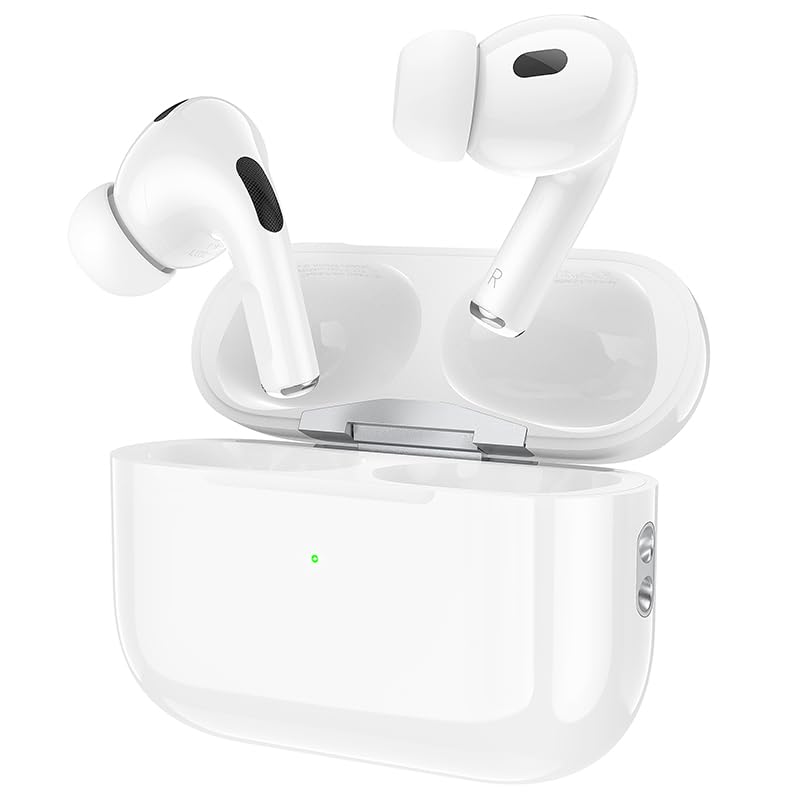
Image: HOCO EW50 Earbuds shown inside their open charging case.
What's in the Box:
- HOCO EW50 Earbuds (Left and Right)
- Wireless Charging Case
- USB Charging Cable
- Ear Cushions (various sizes)
- Protective Case
- User Manual
4. Setup
4.1 Charging the Earbuds and Case
Before first use, fully charge the earbuds and the charging case. Place the earbuds into the charging case. Connect the charging case to a USB power source using the provided USB cable. The indicator light on the case will show the charging status.
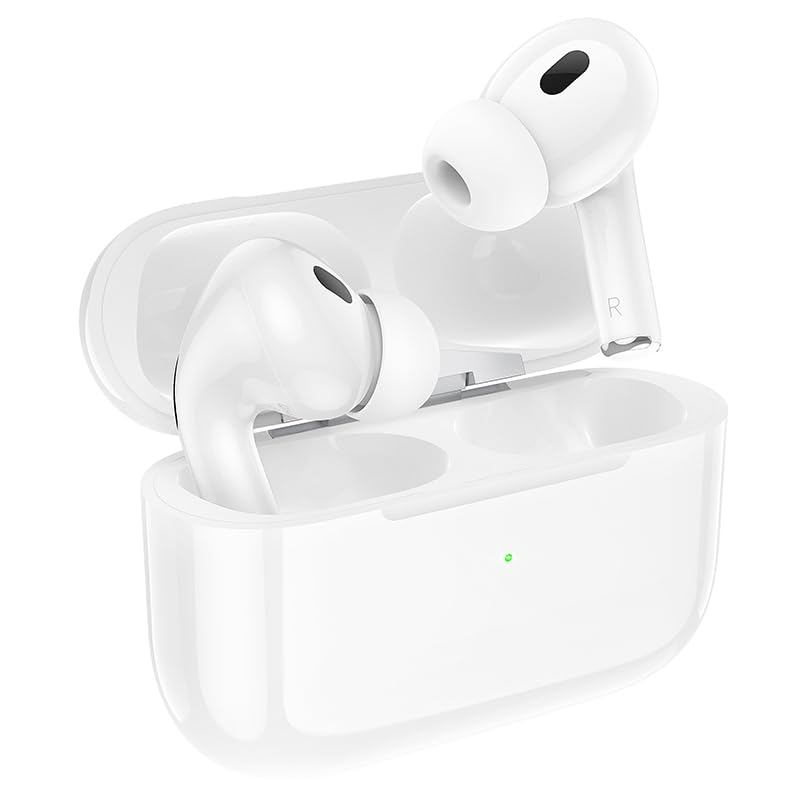
Image: HOCO EW50 Earbuds resting in their charging case, with a visible charging indicator light.
- Charging Case Battery: 300mAh
- Earbuds Playback Time: Up to 50 hours (with charging case)
- Charging Time: Approximately 1 hour for full charge.
4.2 Pairing with a Device
- Ensure the earbuds are charged and placed in the charging case.
- Open the charging case lid. The earbuds will automatically enter pairing mode, and an indicator light will flash.
- On your device (smartphone, tablet, laptop), enable Bluetooth.
- Search for available Bluetooth devices and select "HOCO EW50" from the list.
- Once connected, a voice prompt will confirm successful pairing.
- The earbuds will automatically reconnect to the last paired device when taken out of the case.
5. Operating Instructions
5.1 Power On/Off
- Power On: Open the charging case, and the earbuds will automatically power on.
- Power Off: Place the earbuds back into the charging case and close the lid. They will automatically power off and begin charging.
5.2 Touch Controls
The HOCO EW50 earbuds feature pressure-sensitive touch controls on each earbud for easy management of music and calls.
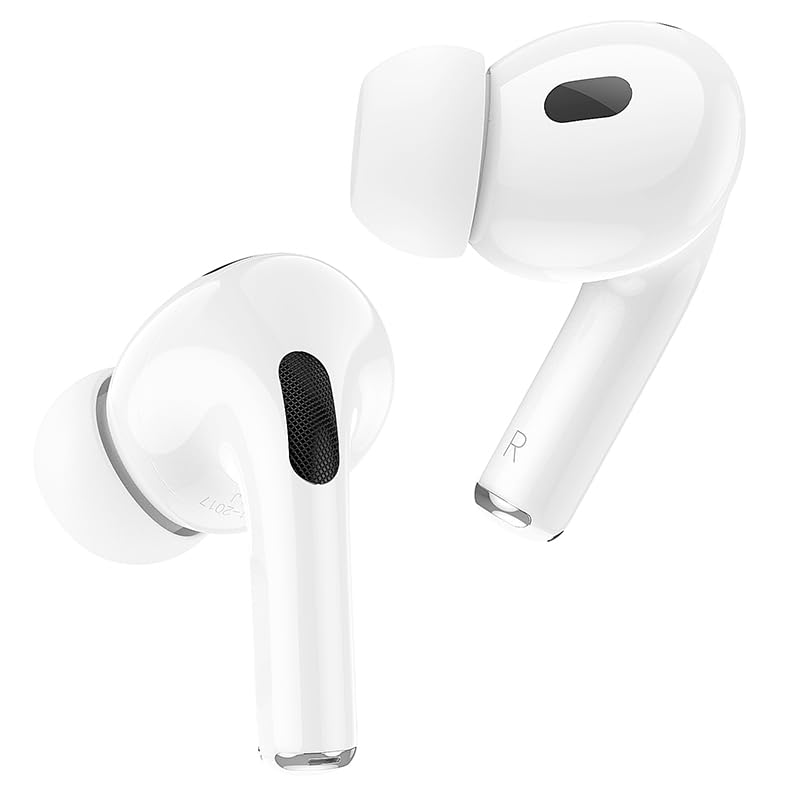
Image: Individual HOCO EW50 Earbuds displayed outside their charging case, highlighting their design.
| Action | Function |
|---|---|
| Single Tap (Left/Right) | Play/Pause Music, Answer/End Call |
| Double Tap (Right) | Next Track |
| Double Tap (Left) | Previous Track |
| Triple Tap (Left/Right) | Activate Voice Assistant (Siri, Google Assistant) |
| Long Press (Left/Right) | Toggle Active Noise Cancellation (ANC) / Transparency Mode |
| Long Press (Incoming Call) | Reject Call |
5.3 Active Noise Cancellation (ANC) / Transparency Mode
The HOCO EW50 features Active Noise Cancellation to reduce ambient noise and Transparency Mode to allow you to hear your surroundings. Long press either earbud to cycle through ANC On, Transparency Mode, and ANC Off.
5.4 Gaming Mode
For an enhanced gaming experience with reduced audio latency, activate Gaming Mode. Refer to the specific instructions for activating Gaming Mode, usually a specific touch gesture or setting within a companion app if available.
5.5 Making/Receiving Calls
- Answer Call: Single tap either earbud.
- End Call: Single tap either earbud during a call.
- Reject Call: Long press either earbud during an incoming call.
- The built-in microphone ensures clear communication during calls.
6. Maintenance
6.1 Cleaning
- Regularly clean the earbuds and charging case to maintain optimal performance.
- Use a soft, dry, lint-free cloth to wipe the surfaces.
- Gently remove any earwax or debris from the earbud mesh and charging contacts using a clean, dry cotton swab or a small, soft brush.
- Do not use liquids, sprays, or chemical cleaners.
6.2 Storage
- When not in use, store the earbuds in their charging case to protect them and keep them charged.
- Store the product in a cool, dry place, away from direct sunlight and extreme temperatures.
6.3 Water Resistance
The HOCO EW50 earbuds are sweatproof and water-resistant, making them suitable for workouts and outdoor activities. However, they are not waterproof and should not be submerged in water. Avoid exposure to heavy rain or showering with the earbuds.
7. Troubleshooting
If you encounter any issues with your HOCO EW50 earbuds, please refer to the following common solutions:
| Problem | Solution |
|---|---|
| Earbuds not pairing | Ensure earbuds are charged. Place them in the case, close, then open the lid to re-enter pairing mode. Turn off and on Bluetooth on your device. Forget "HOCO EW50" from your device's Bluetooth list and try pairing again. |
| No sound from one earbud | Check battery level of both earbuds. Place both earbuds back in the case, close the lid, then take them out again. Re-pair with your device. |
| Earbuds not charging | Ensure the charging cable is securely connected to both the case and the power source. Check if the charging contacts on the earbuds and in the case are clean and free of debris. Try a different charging cable or power adapter. |
| Low volume or poor sound quality | Adjust volume on both your device and the earbuds. Ensure earbud tips are clean and properly seated in your ears for a good seal. Try different sized ear cushions. |
| Touch controls not responding | Ensure your fingers are clean and dry. Try restarting the earbuds by placing them in the case and taking them out again. |
8. Specifications
| Feature | Detail |
|---|---|
| Model Name | EW50 |
| Connectivity Technology | Wireless (Bluetooth 5.3) |
| Noise Control | Active Noise Cancellation |
| Control Method | Touch |
| Playback Time | Up to 50 Hours (with charging case) |
| Charging Case Battery | 300mAh |
| Water Resistance Level | Water Resistant (Sweatproof) |
| Included Components | Cable, Ear Cushions, Protective Case, Wireless Charging Case |
| Item Weight | 57 Grams |
| Product Dimensions | 4.5 x 6 x 2 cm |
| Material | Plastic |
| Ear Placement | In Ear |
9. Warranty and Support
The HOCO EW50 Earbuds come with a 1-Year Warranty from the date of purchase. This warranty covers manufacturing defects and ensures your product is free from material and workmanship flaws under normal use.
For warranty claims, technical support, or any inquiries, please contact your retailer or the HOCO customer service department. Please retain your proof of purchase for warranty validation.
