
1. Introduction
The Linsoul DDHIFI TC28C Pro is a compact and lightweight USB-C to USB-C OTG (On-The-Go) power adapter designed to enhance the functionality of your USB-C devices. It allows for simultaneous audio decoding and device charging, addressing common power limitations when using external USB-C audio accessories.

Figure 1: Linsoul DDHIFI TC28C Pro USB-C OTG Adapters
2. Key Features
- Simultaneous Audio and Charging: This adapter enables your Android phone or other compatible USB-C device to receive power from an external source while simultaneously outputting audio to a USB-C audio decoding device. This prevents rapid battery drain often associated with high-current audio accessories.
- Compact Dual-Side Socket Design: The adapter features a dual-side USB-C socket configuration, ensuring a compact and stable connection. This design is particularly beneficial for setups requiring multiple peripherals, such as connecting an external microphone and a power bank during video recording, minimizing interference and maintaining a streamlined profile.
- Durable Aluminum Alloy Construction: The TC28C Pro is crafted from a single piece of CNC-machined aluminum alloy, providing both durability and a premium aesthetic. Its titanium color finish is exclusive to the Pro series, reflecting a high standard of craftsmanship.

Figure 2: Adapter connected to a smartphone
3. Setup and Connection
Follow these steps to connect and use your DDHIFI TC28C Pro adapter:
- Connect to Host Device: Insert the male USB-C plug of the TC28C Pro into the USB-C port of your host device (e.g., Android phone, PC, iPad).
- Connect OTG Device: Plug your USB-C terminated audio decoding device, USB flash disk, keyboard, or card reader into the USB-C OTG port of the TC28C Pro.
- Connect Power (Optional): If simultaneous charging is desired, connect a USB-C charging cable from an external power supply (e.g., wall adapter, power bank) to the USB-C Charging port on the TC28C Pro. The adapter supports up to 10W charging.
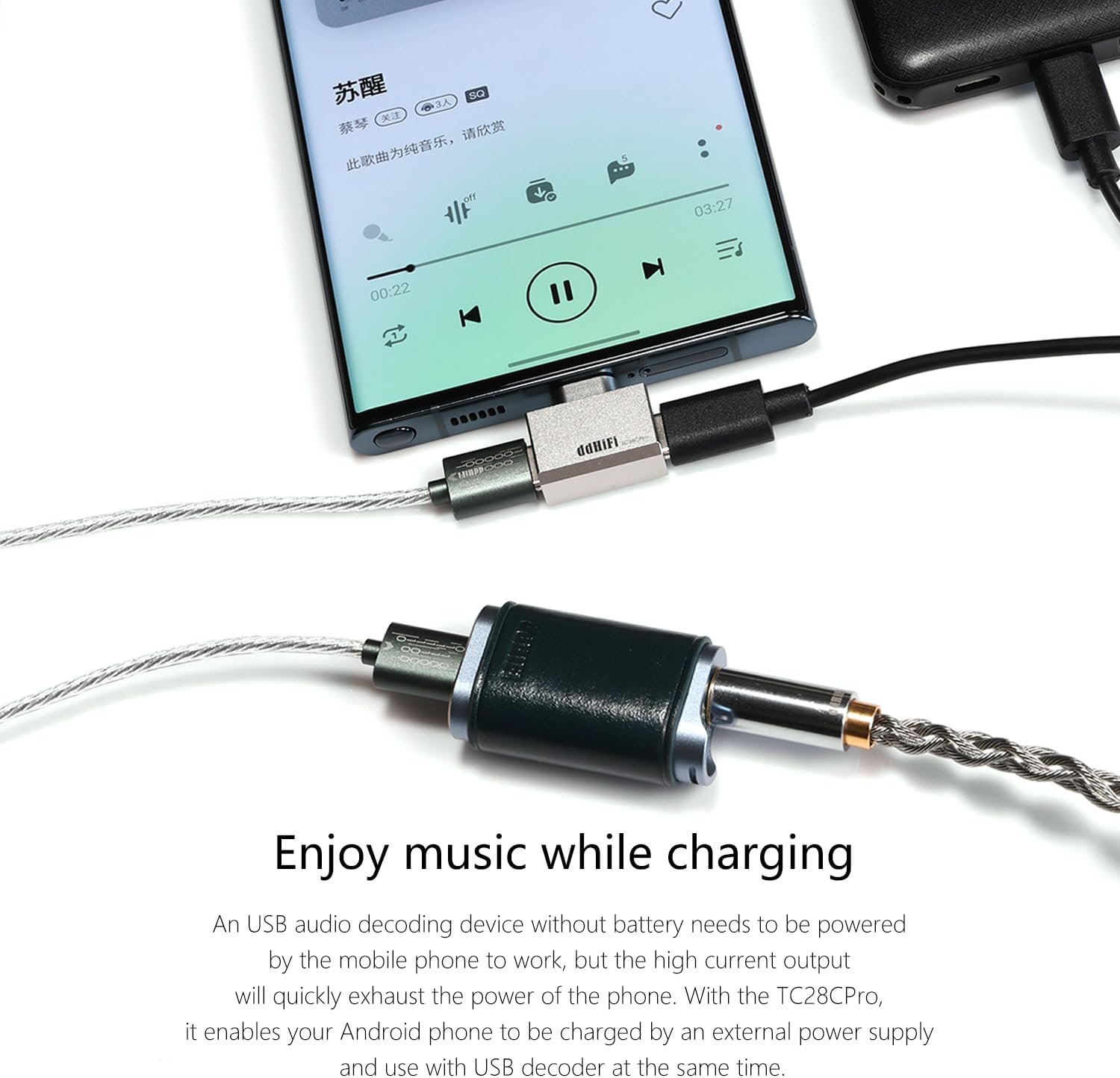
Figure 3: Connecting for simultaneous audio and charging
4. Operating Instructions
Once connected, the TC28C Pro operates automatically. Your host device should recognize the connected OTG device and begin charging if a power source is attached.
- Audio Playback: When an audio decoding device is connected, ensure your host device's audio output settings are configured to use the external DAC.
- Data Transfer: For USB flash drives or card readers, your device's file manager should allow access to the connected storage.
- Charging: The adapter facilitates power passthrough up to 10W. Charging speed may vary depending on the external power supply and the host device's charging capabilities.
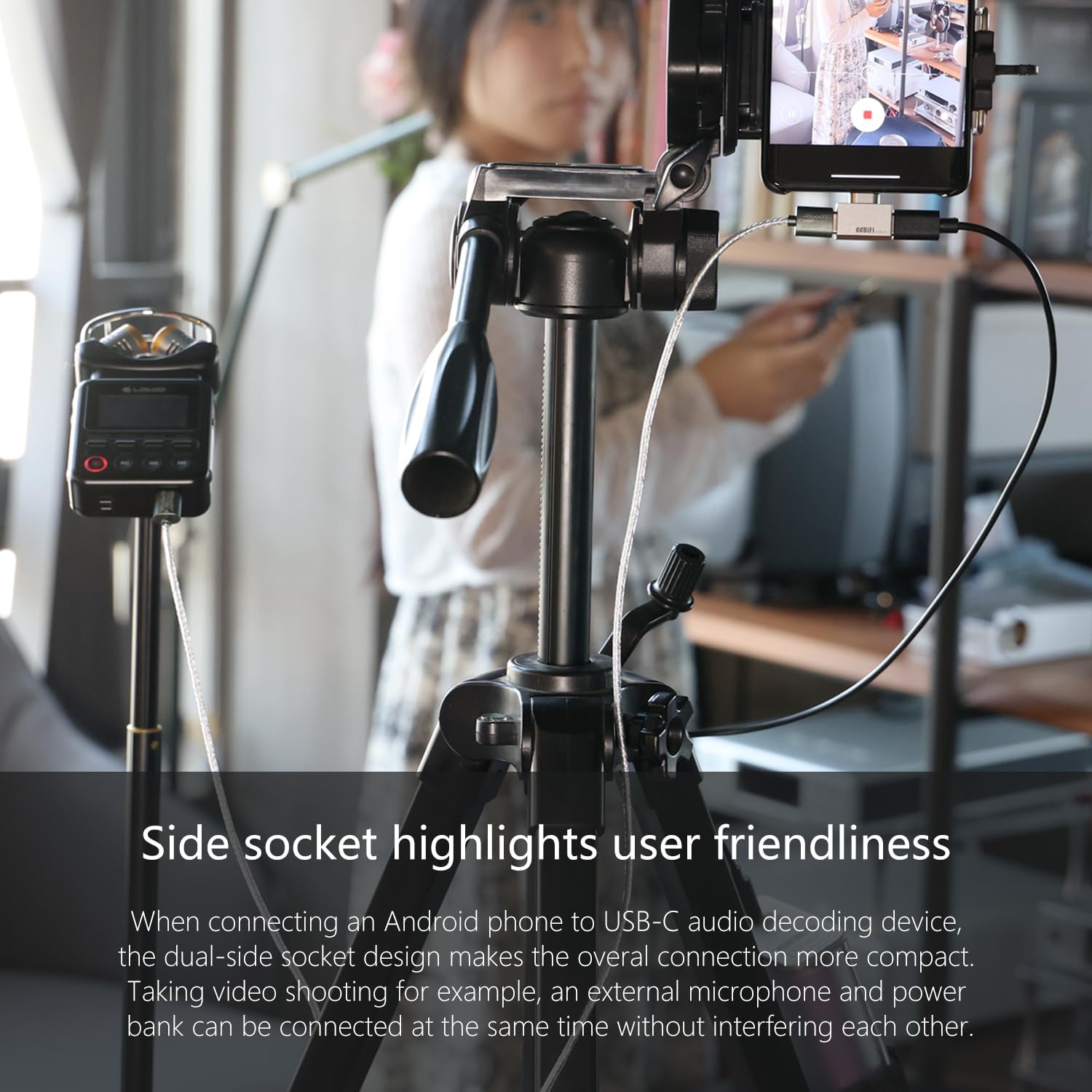
Figure 4: Example of a compact setup for video recording
5. Specifications
| Feature | Detail |
|---|---|
| USB-C Plug Compatibility | Android phones, PCs, iPads, and other compatible USB-C host devices |
| USB-C OTG Port Function | Connects to USB-C audio decoding devices, USB flash disks, keyboards, card readers |
| USB-C Charging Capability | 10W Max |
| Dimensions (L x W x H) | 20 x 13 x 8.2 mm (0.79 x 0.51 x 0.32 inches) |
| Weight | 4.3 g (approximately 0.15 oz) |
| Material | CNC-machined Aluminum Alloy |
| Color | Titanium (Pro series exclusive) |

Figure 5: Product specifications overview
6. Troubleshooting
- Device Not Recognized:
- Ensure all connections are secure and fully inserted.
- Verify that your host device (phone, PC) supports USB OTG functionality.
- Test with a different USB-C cable or OTG device to rule out component issues.
- Restart your host device.
- No Charging:
- Confirm the external power supply is active and providing power.
- Check the charging cable for damage and ensure it is properly connected to the TC28C Pro's charging port.
- Ensure the power supply can deliver at least 10W.
- Audio Issues:
- Verify that your host device's audio settings are configured to output to the external USB-C audio device.
- Ensure the audio decoding device is functioning correctly when connected directly to the host device (if possible).
- Physical Fit with Phone Case: Some thick phone cases may prevent the adapter from fully seating into the phone's USB-C port. If this occurs, consider removing the case or using a thinner case for optimal connection.
7. Maintenance
To ensure the longevity and optimal performance of your DDHIFI TC28C Pro adapter:
- Keep the adapter clean and free from dust and debris. Use a soft, dry cloth for cleaning.
- Avoid exposing the adapter to extreme temperatures or moisture.
- Do not apply excessive force when connecting or disconnecting cables.
- Store the adapter in a safe place when not in use to prevent physical damage.
8. Warranty and Support
For warranty information, technical support, or further assistance, please contact the retailer where you purchased the Linsoul DDHIFI TC28C Pro adapter or visit the official Linsoul website. Please retain your proof of purchase for warranty claims.
Manufacturer: DDHIFI
Brand: Linsoul